
1. הקדמה
This manual provides detailed instructions for the installation, operation, and maintenance of your Decdeal Wi-Fi Programmable Smart Thermostat. Designed for gas boiler heating systems, this thermostat offers convenient temperature control via its LCD touchscreen, mobile application, and voice commands. Please read this manual thoroughly before installation and use to ensure proper functionality and safety.
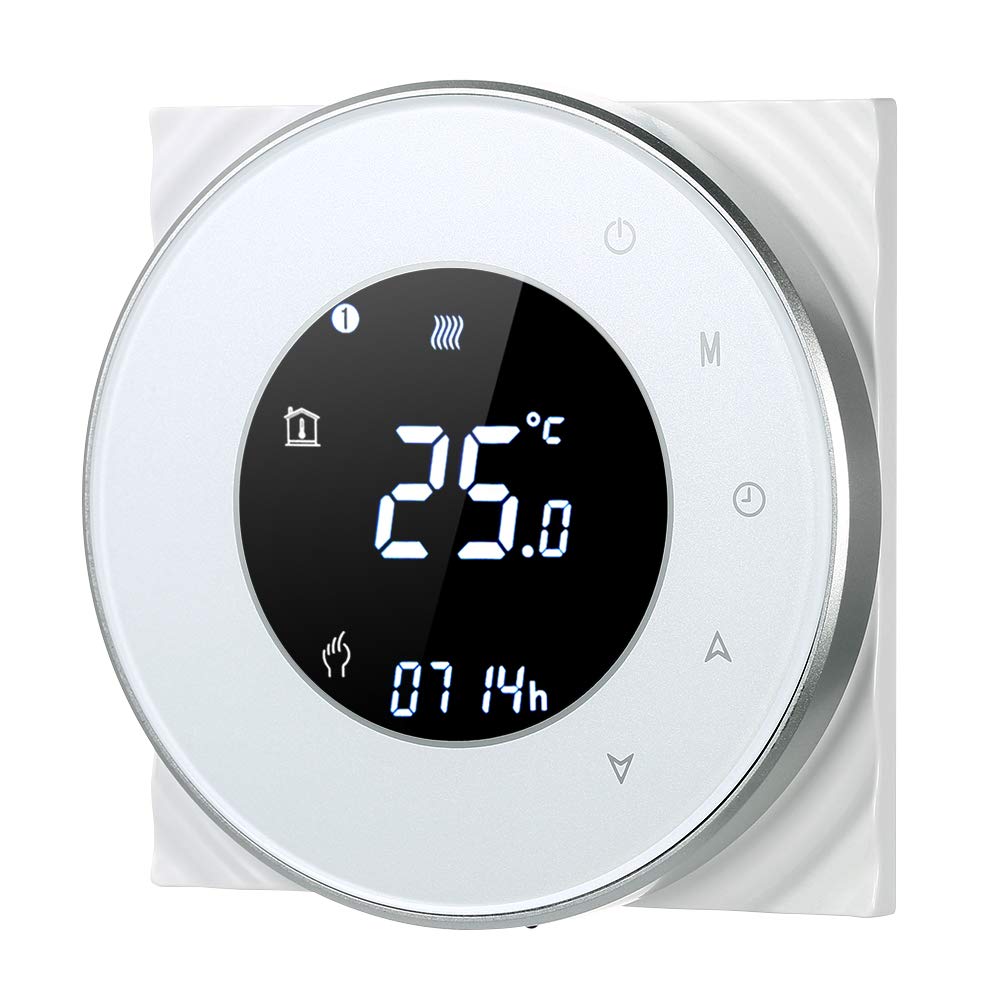
Figure 1: Decdeal Wi-Fi Programmable Smart Thermostat (White Model)
2. תכונות מוצר
- צג LCD עם תאורה אחורית: Clear and easy-to-read data, even in low light conditions.
- High-Quality Thermostat: Specifically designed for gas boiler heating systems with responsive touch keys.
- ניתן לתכנות שבועי: Features a 5+2 system with six programmable periods to optimize comfort and energy savings.
- דיוק גבוה: Maintains temperature with a precision of 0.5°C.
- שליטה מרחוק באמצעות אפליקציה: Conveniently manage your thermostat using your mobile device.
- תאימות שליטה קולית: Works with Amazon Echo, Alexa, Google Home, and IFTTT.

Figure 2: Key Features of the Decdeal Smart Thermostat

איור 3: שילוב בית חכם
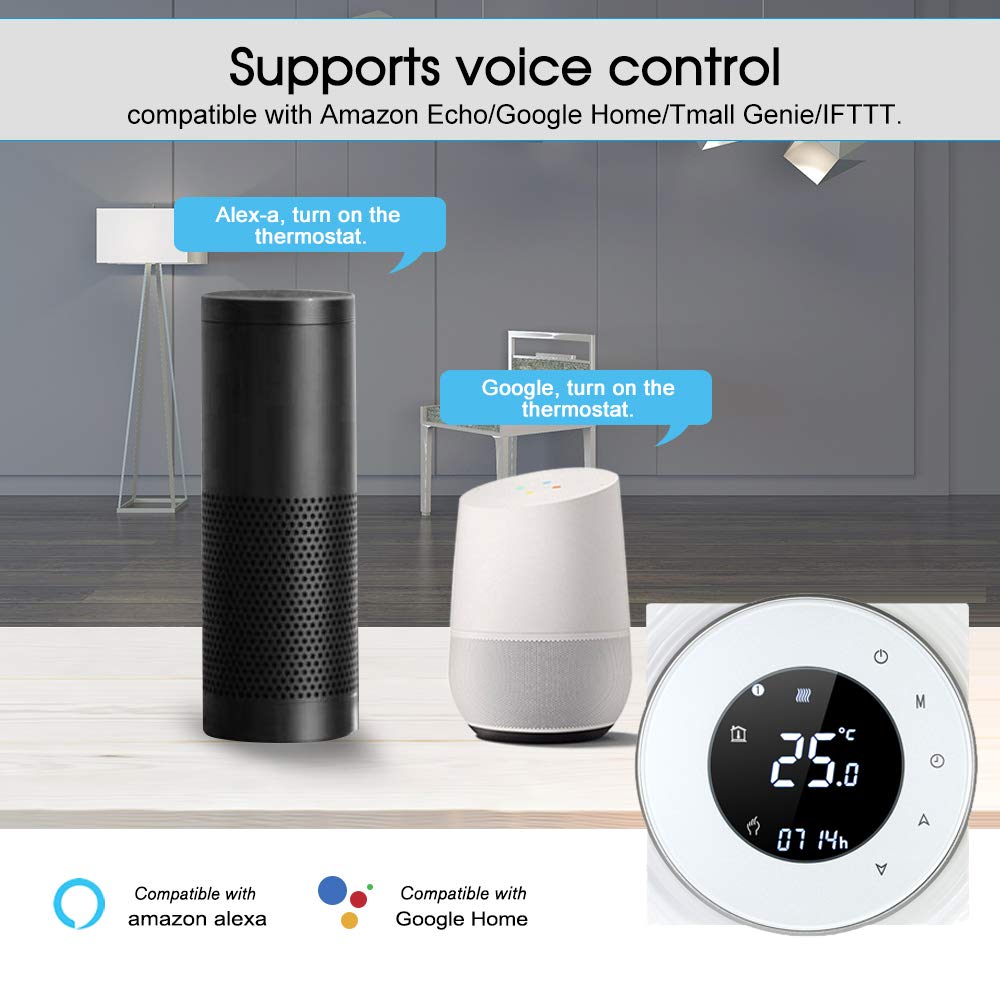
איור 4: פונקציונליות בקרת קול
3. מה בקופסה
- Decdeal Wi-Fi Programmable Smart Thermostat
- ברגי הרכבה
- מדריך למשתמש באנגלית

איור 5: תכולת החבילה
4. מפרטים
| תכונה | פְּרָט |
|---|---|
| מותג | Decdeal |
| מספר דגם | XGJ3167046817164KD |
| מידות המוצר | 3.8P x 9L x 9H ס"מ |
| צֶבַע | לָבָן |
| סוג חומר | אקרילוניטריל בוטאדיאן סטירן (ABS) |
| טכנולוגיית קישוריות | Wi-Fi (2.4 גיגה-הרץ בלבד) |
| מקור כוח | Wired Electric (240 Volt) |
| סוג תצוגה | LCD עם תאורה אחורית |
| גודל מסך | 5 סנטימטרים |
| שיטת בקרה | אפליקציה, שלט רחוק, מגע, קול |
| סוג הרכבה | מתקן קיר |
| סוג בקרת טמפרטורה | ניתן לתכנות |
| שימוש ספציפי | Boiler Heating Systems (Model GC) |

איור 6: מידות המוצר
5. התקנה
5.1. הערת תאימות חשובה
This thermostat is Model GC, specifically designed for heating systems with gas boilers. Ensure your heating system is compatible before installation. The installation box should be a square 86x86mm or European round 60mm (not included).
5.2. Wiring Instructions (Model GC - Gas Boiler)
אַזהָרָה: Electrical installation should be performed by a qualified professional. Always turn off the main power supply before beginning any wiring work to prevent electric shock.
- Connect the clean contacts to terminals 1 and 2.
- Connect the neutral wire and live wire to terminals 3 and 4.
- Connect the temperature sensor to terminals 5 and 6 (if applicable).
Refer to the detailed wiring diagram in the included English User Manual for visual guidance.
5.3. חיבור לאפליקציה
To connect your thermostat to the mobile app (e.g., Smart Life or Tuya Smart), follow these steps:
- Ensure your Wi-Fi network is 2.4 GHz. This product does not support 5G networks.
- Download the appropriate app (e.g., Smart Life or Tuya Smart) from your mobile device's app store.
- הירשם או התחבר לחשבונך.
- On the thermostat, press and hold the "Down" button (triangle icon) for approximately 8 seconds until the Wi-Fi indicator on the display blinks rapidly, indicating pairing mode.
- In the app, tap "Add Device" or the "+" icon. The app should automatically discover the thermostat. If not, select "Small Home Appliances" then "Thermostat" or "HVAC" and follow the in-app instructions.
- הזן את סיסמת רשת ה-Wi-Fi 2.4 GHz שלך כאשר תתבקש.
- Confirm the indicator is blinking in the app and proceed with the connection.
- Once connected, the thermostat will appear in your device list, and you can control it remotely.
For a visual guide on app connection, please refer to the video below:
Video 1: Demonstrating the Wi-Fi connection process for the Decdeal Smart Thermostat with a mobile app.
For additional support and an Italian language manual, you can visit this link: http://qr71.cn/o1gyMk/qVY1nSe
6. הוראות הפעלה
6.1. בקרה ידנית
The thermostat features a clear LCD display and intuitive touch buttons for direct control:

Figure 7: Thermostat Button Layout and Display Indicators
- Power Button (top right): Press to turn the thermostat ON or OFF.
- לחצן מצב (M): Cycles through different operating modes (e.g., Manual, Programmed).
- Clock Button (Clock icon): Used for setting the time and accessing programming settings.
- Up Button (Triangle pointing up): Increases the temperature setting or navigates menu options.
- Down Button (Triangle pointing down): Decreases the temperature setting or navigates menu options.
To adjust the temperature manually, press the Up or Down buttons. The display will show the current set temperature. To switch between manual and programmed modes, use the Mode button.
6.2. בקרת אפליקציות ותזמון
The mobile app provides comprehensive control and scheduling capabilities:
- כוונון טמפרטורה מרחוק: Change the temperature from anywhere using your smartphone.
- Weekly Programming (5+2 System): Set up to six distinct time periods for weekdays (Monday-Friday), Saturday, and Sunday, each with its own temperature setting. This maximizes comfort and energy efficiency.
- בחירת מצב: Easily switch between manual, automatic (programmed), and other modes.
- הגדרות מתקדמות: Access additional settings and features not available directly on the thermostat.

איור 8: ממשק בקרת אפליקציה
7. תחזוקה
- ניקוי: Wipe the thermostat's surface with a soft, dry cloth. Avoid using abrasive cleaners, solvents, or chemical sprays, as these can damage the display or casing.
- הימנע מחסימות: Ensure no objects block the thermostat, as this can affect its temperature readings.
- ספק כוח: The thermostat requires a constant 240V wired electric supply. It does not operate on batteries.
8. פתרון תקלות
| בְּעָיָה | סיבה אפשרית | פִּתָרוֹן |
|---|---|---|
| Thermostat does not power on after connection. | חיווט שגוי או אין ספק כוח. | Verify wiring according to Section 5.2. Ensure main power supply is ON. If unsure, consult a qualified electrician. |
| לא ניתן להתחבר ל-Wi-Fi או לאפליקציה. | Incorrect Wi-Fi frequency (5G instead of 2.4 GHz) or incorrect pairing procedure. | Ensure your router is broadcasting a 2.4 GHz Wi-Fi signal and your phone is connected to it during setup. Follow app connection steps in Section 5.3 carefully. Reset the thermostat if necessary (refer to app instructions for reset). |
| נראה שקריאת הטמפרטורה אינה מדויקת. | מיקום התרמוסטט או גורמים חיצוניים. | ודא שהתרמוסטט אינו חשוף לאור שמש ישיר, לרוחות או למקורות חום (למשל,ampים, מכשירים) שעלולים להשפיע על החיישן שלו. |
| מערכת החימום לא מגיבה לתרמוסטט. | Wiring issue, boiler problem, or incorrect mode. | Check wiring connections. Ensure the thermostat is in the correct operating mode (e.g., heating mode, not off). Verify your boiler is functioning correctly. |
9. אחריות ותמיכה
For warranty information, please refer to the documentation provided at the time of purchase or contact your retailer. For technical support or further assistance, please contact Decdeal customer service through the official channels provided with your product or on the Decdeal webאֲתַר.