
Lexmark E460DN
Lexmark E460DN Laser Printer User Manual
Model: E460DN
מָבוֹא
This manual provides essential instructions for the Lexmark E460DN laser printer. Designed for small and midsize workgroups, the E460DN offers efficient, high-quality monochrome printing with advanced features. This document covers unpacking, setup, operation, maintenance, and troubleshooting to ensure optimal performance of your device.
The Lexmark E460DN is a Certified Refurbished product, meaning it has been tested and certified to function like new. It includes a toner drum and comes with a 90-day warranty.
המוצר נגמרview
The Lexmark E460DN is a compact laser printer featuring a light gray and dark gray exterior. It is equipped with a user-friendly control panel and supports various paper handling options.
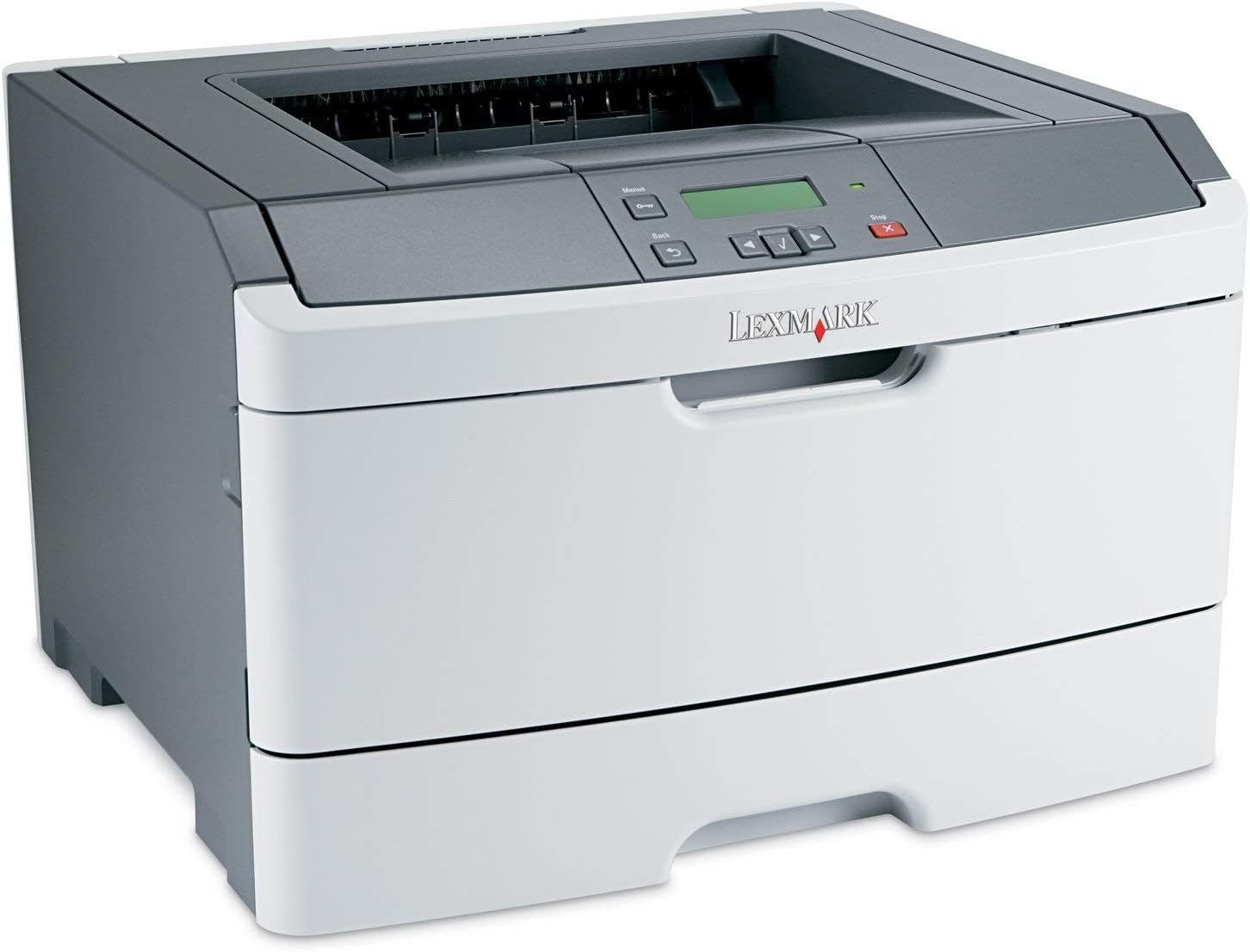
איור 1: חֲזִית view of the Lexmark E460DN Laser Printer. The image displays the printer's light gray body with a dark gray top section, including the output tray and control panel. The Lexmark logo is visible on the front panel.
תכונות עיקריות:
- מהירויות הדפסה מהירות: עד 40 עמודים לדקה (ppm) עבור מסמכים בשחור-לבן.
- איכות הדפסה גבוהה: True 1200 x 1200 dpi resolution for sharp text and graphics.
- הדפסה דו-צדדית אוטומטית: Standard feature for two-sided printing, reducing paper consumption.
- מוכן לרשת: Ethernet connectivity for shared use in workgroup environments.
- ממשק ידידותי למשתמש: Four-line operator panel for easy navigation and control.
- אבטחה משופרת: Numeric pad for confidential printing.
- תפעול יעיל: Instant warm-up fuser for fast first-page-out times and reduced power consumption.
הוראות התקנה
- הוצא את המדפסת מהאריזה: הוצא בזהירות את המדפסת מאריזתה. הסר את כל חומרי האריזה, הסרטים והיריעות המגן.
- מניחים את המדפסת: Position the printer on a stable, level surface with adequate ventilation. Ensure sufficient space around the printer for paper loading and output.
- חבר חשמל: Plug the power cord into the printer's power inlet, then into a grounded electrical outlet.
- Install Toner/Drum (if applicable): If the toner cartridge and imaging drum are not pre-installed, follow the instructions provided with the consumables to install them. For refurbished units, these components are typically pre-installed.
- הכנס נייר: Open the paper tray and adjust the paper guides to fit the paper size. Load the desired print media (e.g., plain paper, envelopes) into the tray.
- Connect to Network/Computer:
- Ethernet (Wired): חבר כבל Ethernet מיציאת ה-Ethernet של המדפסת לנתב או למתג הרשת שלך.
- USB (Optional, if available): חבר כבל USB מהמדפסת למחשב שלך.
- התקן דרייברים: Turn on the printer. Install the appropriate printer drivers on your computer. Drivers can usually be found on the manufacturer's webאֲתַר.
- בצע הדפסת ניסיון: After driver installation, print a test page to confirm proper setup and connectivity.
הוראות הפעלה
ניווט בלוח הבקרה:
The Lexmark E460DN features a four-line display and several buttons for navigating menus and controlling printer functions. Use the arrow buttons to scroll through options and the 'Menu' or 'Select' button to confirm selections. The 'Back' button allows you to return to previous menus, and the 'Stop' button can cancel print jobs.
הדפסה בסיסית:
- ודא שהמדפסת דולקת ומחוברת למחשב או לרשת שלך.
- פתחו את המסמך שברצונכם להדפיס במחשב שלכם.
- לִבחוֹר File > הדפס (או הפקודה המקבילה ביישום שלך).
- Choose the Lexmark E460DN from the list of available printers.
- התאם את הגדרות ההדפסה לפי הצורך (למשל, מספר עותקים, גודל נייר, איכות הדפסה).
- For two-sided printing, select the duplex option in your printer settings. The E460DN supports automatic duplexing.
- נְקִישָׁה הֶדפֵּס.
הדפסה סודית:
The printer supports confidential printing using a numeric pad. When sending a confidential print job from your computer, you will be prompted to enter a PIN. To release the job at the printer, enter the same PIN using the control panel's numeric pad.
תַחזוּקָה
Toner Cartridge and Imaging Drum Replacement:
The Lexmark E460DN uses a combined toner cartridge and imaging drum unit. The printer's control panel will display early-warning alerts for low toner. When prompted:
- פתח את דלת הגישה הקדמית של המדפסת.
- Carefully remove the old toner/drum unit by pulling it straight out.
- Unpack the new toner/drum unit and gently shake it to distribute the toner.
- Insert the new unit into the printer until it clicks into place.
- סגור את דלת הגישה הקדמית.
Dispose of used toner cartridges according to local regulations or return them to Lexmark for recycling.
ניקוי המדפסת:
- חִיצוֹנִי: נגב את המשטחים החיצוניים עם רך, דamp, מטלית נטולת סיבים. אין להשתמש בחומרי ניקוי שוחקים או ממסים.
- פְּנִים: Periodically clean the paper path and other accessible interior areas to remove dust and paper debris. Refer to the printer's on-screen messages or full service manual for detailed internal cleaning procedures.
פתרון בעיות
This section provides solutions to common issues you may encounter with your Lexmark E460DN printer. For more complex problems, consult the full service manual or Lexmark support.
בעיות ופתרונות נפוצים:
- המדפסת לא מגיבה:
- בדוק את חיבורי החשמל וודא שהמדפסת דולקת.
- ודא חיבורי רשת או כבל USB.
- הפעל מחדש את המדפסת ואת המחשב.
- ודא שמנהלי התקן המדפסת מותקנים ומעודכנים כהלכה.
- חסימות נייר:
- Follow the instructions on the printer's display or in the full service manual to locate and clear jammed paper.
- ודא שהנייר טעון כהלכה ואינו מלא יתר על המידה במגש.
- השתמש בסוגי נייר מומלצים.
- איכות הדפסה ירודה:
- Check toner levels. Replace the toner/drum unit if low or empty.
- Ensure the imaging drum is clean and free from damage.
- Perform a print quality test from the printer's menu to diagnose issues.
- Clean the printer's interior as described in the maintenance section.
- הודעות שגיאה:
Refer to the customizable operator panel messaging for specific error codes or descriptions. Consult the full service manual for detailed explanations and solutions for each error message.
מפרטים
| תכונה | מִפרָט |
|---|---|
| מספר דגם | E460DN |
| טכנולוגיית הדפסה | לייזר |
| פלט מדפסת | מונוכרום |
| מהירות הדפסה מרבית (מונוכרום) | Up to 40 ppm (letter-size paper) |
| רזולוציית הדפסה | 1200 x 1200 dpi |
| הדפסה דופלקס | אוטומטי (הדפסה דו-צדדית) |
| טכנולוגיית קישוריות | Wired; Ethernet |
| ממשק חומרה | אתרנט |
| קיבולת אחסון זיכרון | 64 מגה-בייט |
| קיבולת גיליון קלט מקסימלית | 300 גיליונות |
| קיבולת גיליון פלט | 150 גיליונות |
| מדיה מודפסת נתמכת | מעטפות, נייר רגיל |
| מידות המוצר | 14.55 x 15.98 x 10.2 אינץ' |
| צֶבַע | אפור בהיר/אפור כהה |
| UPC | 748926547406 |
אחריות ותמיכה
This Lexmark E460DN printer is a Certified Refurbished product and comes with a אחריות מוגבלת ל-90 יום. אחריות זו מכסה פגמים בחומרים ובעבודה בשימוש רגיל.
For warranty claims, technical support, or further assistance, please refer to the documentation provided with your refurbished product or contact the seller directly. Additional support resources may be available on the official Lexmark webאֲתַר.
Ask a question about this manual
Ask about setup, troubleshooting, compatibility, parts, safety, or missing instructions. Manuals+ will review the question and use this page’s manual context to help answer it.