
1. הקדמה
This manual provides detailed instructions for the proper use and maintenance of your Edifier W820BT Bluetooth Headphones. Please read this manual thoroughly before using the product to ensure optimal performance and longevity.
2. תכולת החבילה
Verify that all items listed below are included in your package. If any items are missing or damaged, please contact Edifier customer support.
- Edifier W820BT Bluetooth Headphones
- כבל טעינה (USB)
- כבל שמע (3.5 מ"מ)
- מדריך למשתמש (מסמך זה)
3. המוצר נגמרview
The Edifier W820BT headphones are designed for comfort and extended listening, featuring Bluetooth v4.1 connectivity and a long-lasting battery.
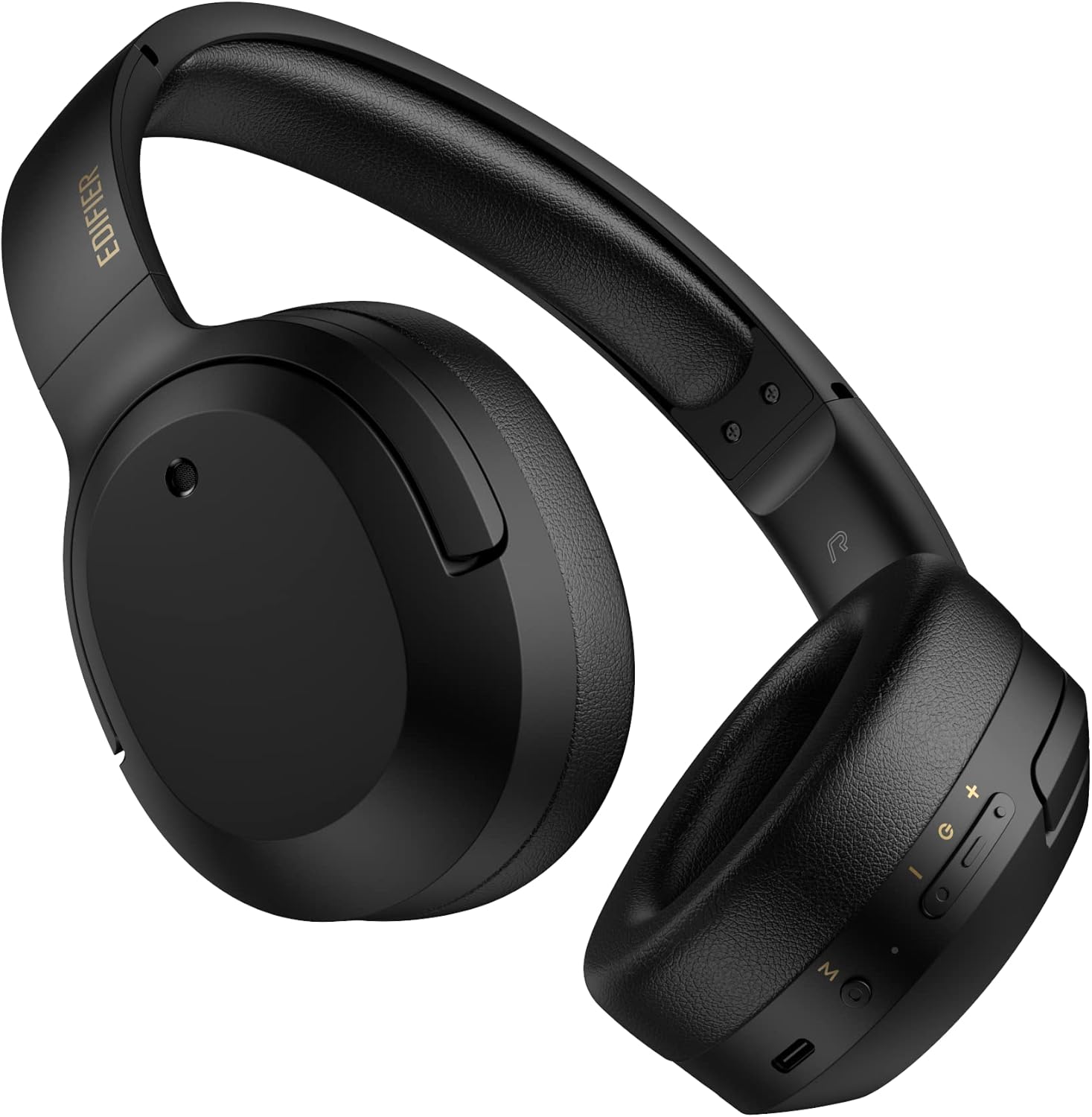
איור 3.1: חזית view of the Edifier W820BT Bluetooth Headphones.

איור 3.2: צד view of the Edifier W820BT Bluetooth Headphones, highlighting the control buttons.
תכונות עיקריות:
- Bluetooth V4.1 with CSR Technology for stable wireless connection.
- חיי סוללה של עד 80 שעות.
- עיצוב מתקפל לניידות.
- Soft leather ear pads for comfort.
- Durable and flexible steel headband.
- On-ear controls for media playback and calls.
4. התקנה
4.1 טעינת האוזניות
לפני השימוש הראשון, טען את האוזניות במלואן.
- Connect the micro-USB end of the charging cable to the charging port on the headphone (located on the right earcup).
- חבר את קצה ה-USB-A של כבל הטעינה למתאם חשמל USB (לא כלול) או ליציאת USB של מחשב.
- The LED indicator will illuminate during charging and turn off once fully charged.
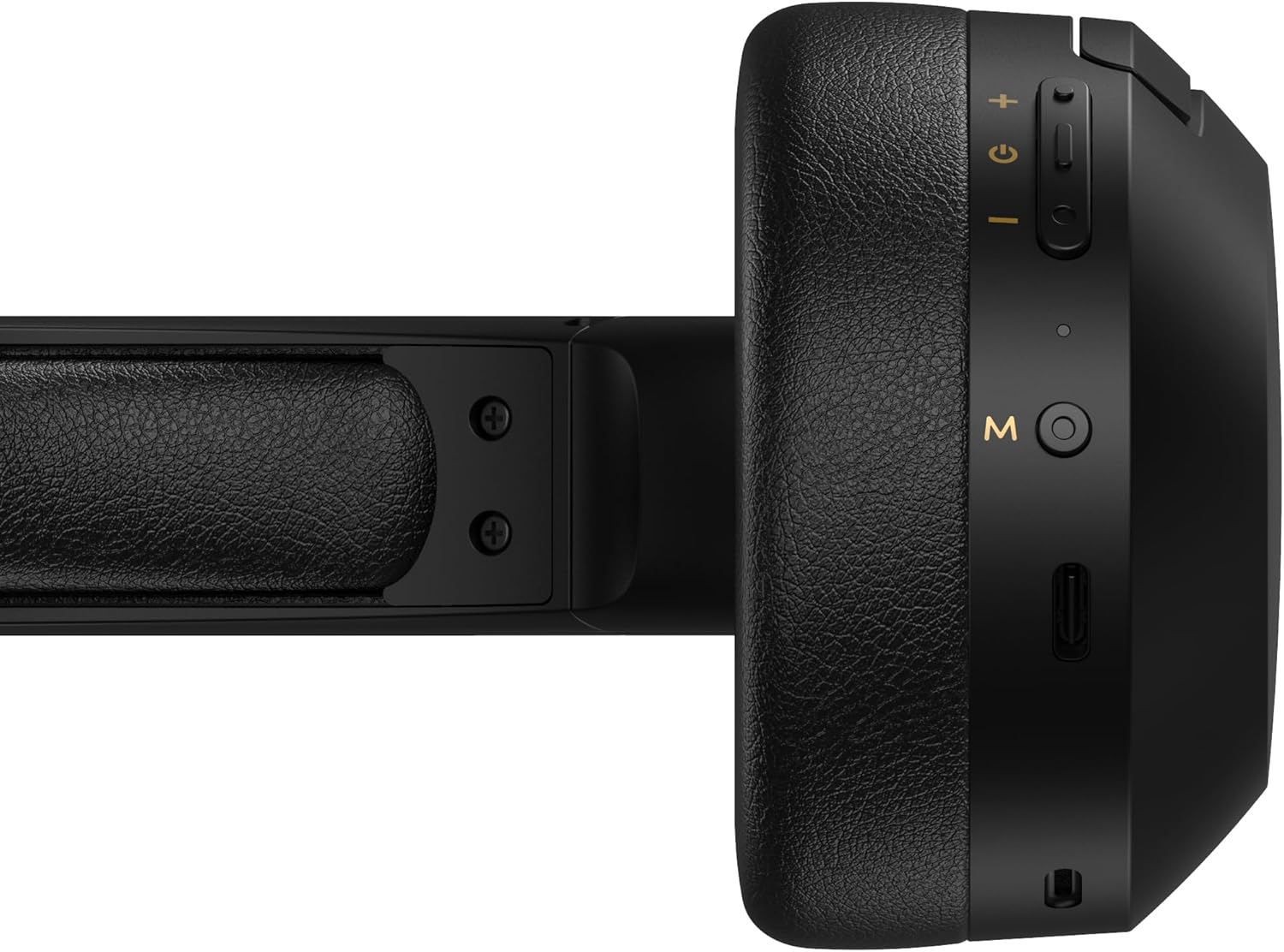
Figure 4.1: Close-up of the charging port and control buttons on the right earcup.
4.2 הפעלה/כיבוי
- כדי להפעיל: Press and hold the multi-function button (usually marked with a power icon or 'M') for approximately 3 seconds until the LED indicator flashes blue.
- כדי לכבות: Press and hold the multi-function button for approximately 5 seconds until the LED indicator flashes red and then turns off.
4.3 זיווג בלוטות '
כדי לחבר את האוזניות שלך למכשיר התומך ב-Bluetooth:
- ודא שהאוזניות כבויות.
- Press and hold the multi-function button for approximately 5-7 seconds until the LED indicator flashes red and blue alternately. This indicates pairing mode.
- במכשיר שלך (סמארטפון, טאבלט, מחשב), הפעל את Bluetooth וחפש מכשירים זמינים.
- Select "EDIFIER W820BT" from the list of found devices.
- לאחר הצימוד, נורית החיווי תהבהב בכחול באיטיות.
פֶּתֶק: האוזניות ינסו להתחבר מחדש באופן אוטומטי למכשיר האחרון שצומד לאחר הפעלתן.
5. הוראות הפעלה
5.1 פקדים על האוזן
כפתורי הבקרה ממוקמים על כיסוי האוזניים הימני.
| כפתור/פעולה | פוּנקצִיָה |
|---|---|
| Multi-function Button (M) |
|
| הגברת עוצמת הקול (+) |
|
| להנמיך קול (-) |
|
5.2 חיבור קווי
The W820BT headphones can also be used with a wired connection.
- Connect one end of the 3.5mm audio cable to the audio input jack on the left earcup of the headphones.
- חבר את הקצה השני של כבל השמע 3.5 מ"מ לשקע פלט השמע של המכשיר שלך.
- האוזניות יעברו אוטומטית למצב קווי. פונקציונליות ה-Bluetooth תושבת.

Figure 5.1: Connecting the 3.5mm audio cable for wired listening.
6. תחזוקה
- נקו את האוזניות בעזרת מטלית רכה ויבשה. אין להשתמש בחומרי ניקוי שוחקים או ממסים.
- הימנעו מחשיפת האוזניות לטמפרטורות קיצוניות, לחות או אור שמש ישיר.
- יש לאחסן את האוזניות במקום קריר ויבש כאשר אינן בשימוש. העיצוב המתקפל מאפשר אחסון קומפקטי.
- Do not disassemble the headphones. This will void the warranty.
7. פתרון תקלות
If you encounter issues with your Edifier W820BT headphones, refer to the following common problems and solutions:
| בְּעָיָה | פִּתָרוֹן |
|---|---|
| לא ניתן להדליק | Ensure the headphones are charged. Connect to a power source using the charging cable. |
| לא ניתן להתאים דרך בלוטות' |
|
| אין קול |
|
| איכות סאונד ירודה |
|
8. מפרטים
| תכונה | פְּרָט |
|---|---|
| שם הדגם | W820BT |
| טכנולוגיית קישוריות | אלחוטי (בלוטות'), קווי (שקע 3.5 מ"מ) |
| גרסת בלוטות' | 4.1 |
| חיי סוללה | עד 80 שעות |
| צורת אפרכסת | מעל אוזן |
| חוֹמֶר | פלדה (סרט ראש) |
| משקל פריט | 1.14 פאונד (כ-517 גרם) |
| מידות המוצר | 9.25 x 7.64 x 3.41 אינץ' |
| יַצרָן | עורך |
9. אחריות ותמיכה
Edifier provides a אחריות לשנה in the USA and Canada for the W820BT headphones. For warranty claims or technical support, please contact Edifier customer service.
For more information, visit the official Edifier webאתר או עיין בתיעוד הרכישה שלך.
10. הדגמת וידאו
Watch the official product video for a visual guide on the Edifier W820BT Bluetooth Headphones' features and usage.
סרטון 10.1: המוצר הרשמי הסתייםview of the Edifier W820BT Bluetooth Headphones, demonstrating features like battery life, comfort, foldable design, and on-ear controls.