
1. הקדמה
This manual provides detailed instructions for the safe and efficient operation, setup, and maintenance of your KomShine GX37 Fusion Splicer and KomShine QX45 Mini SM OTDR. These devices are designed for precision optical fiber work, including splicing and comprehensive fiber network testing. Please read this manual thoroughly before using the equipment.
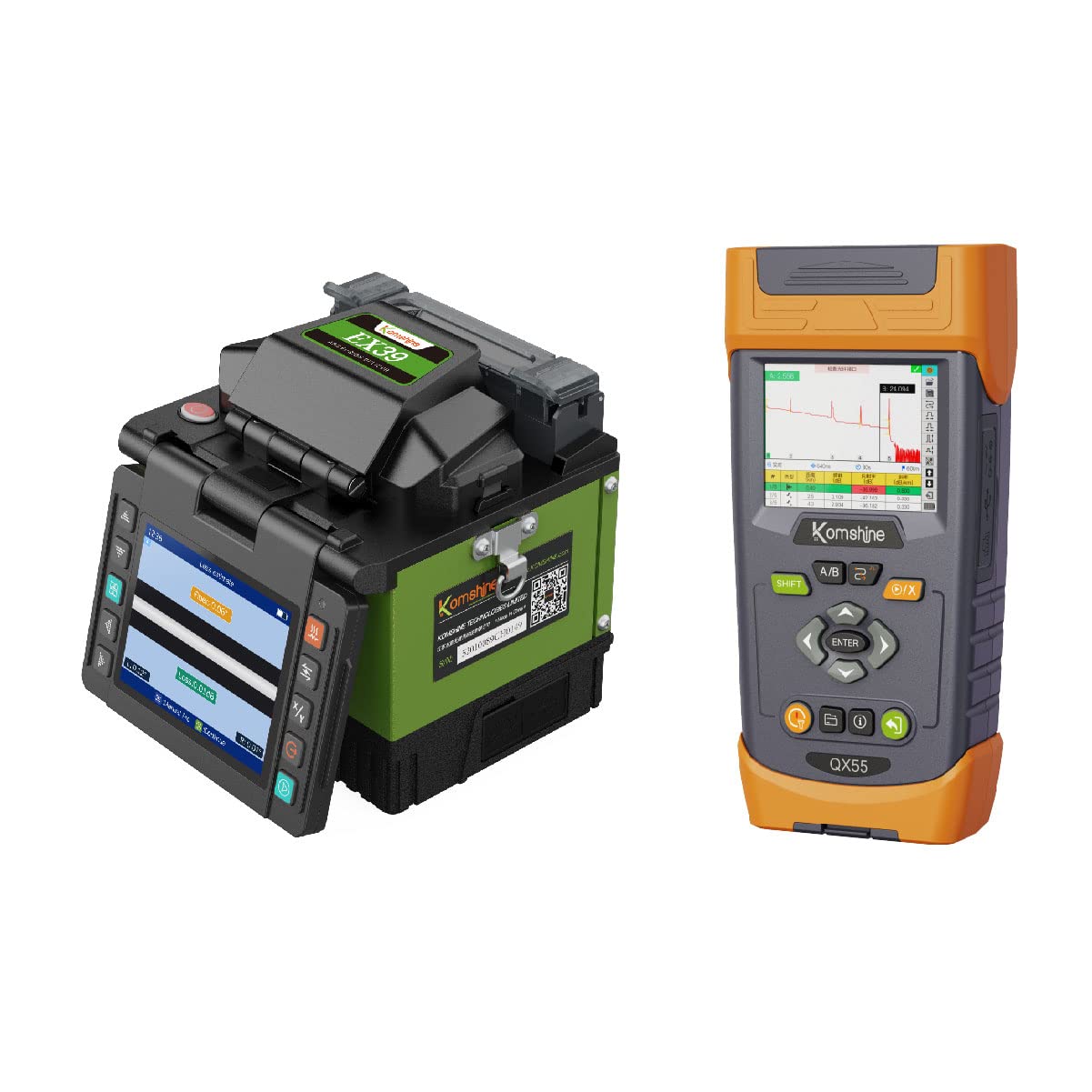
Figure 1: KomShine GX37 Fusion Splicer and QX45 Mini SM OTDR kit with included accessories.
2. רכיבי המוצר
The KomShine GX37 Fusion Splicer and QX45 Mini SM OTDR package includes the following items:
KomShine GX37 Fusion Splicer Kit:
- GX37 Fusion Splicer (1 unit)
- High Precision KF-52 Cleaver with integrated Scrap Catcher (1 unit)
- High Precision Fiber Stripper (1 unit)
- Built-in Battery (1 unit)
- AC Adapter/Battery Charger (1 unit)
- כבל חשמל (יחידה אחת)
- Spare Electrodes (1 set)
- תיק נשיאה (יחידה אחת)
- מגש קירור (יחידה אחת)
- Fusion Splice Protection Sleeves (200 pieces)
KomShine QX45 Mini SM OTDR Kit:
- QX45 Mini SM OTDR (1 unit)
- Built-in 10mW VFL (Visible Fault Locator)
- 500m Single-mode OTDR Launch Cable Box (SC-UPC/FC-UPC)
- מתאם / מטען AC
- תיק נשיאה

Figure 2: The KomShine GX37 Fusion Splicer, a core component for fiber optic cable joining.

Figure 3: The high-precision fiber cleaver, essential for preparing fiber ends for splicing.

Figure 4: Fusion splice protection sleeves, used to protect the spliced fiber joint.
3. התקנה
3.1 טעינה ראשונית
Before first use, ensure both the GX37 Fusion Splicer and QX45 OTDR are fully charged. Connect the provided AC adapters to the respective devices and a power outlet. The battery indicator on each device will show charging status.
3.2 GX37 Fusion Splicer Preparation
- Open the splicer lid and ensure the fiber clamps and V-grooves are clean.
- Verify that the spare electrodes are correctly installed or replace them if necessary.
- Place the cooling tray in an accessible location for post-splicing fiber cooling.
3.3 QX45 OTDR Preparation
- Connect the 500m SM OTDR launch cable box to the OTDR's optical port when performing measurements that require a launch fiber.
- Ensure the optical connector is clean before connecting to the OTDR.
4. הוראות הפעלה
4.1 KomShine GX37 Fusion Splicer Operation
The GX37 Fusion Splicer utilizes core alignment technology for precise fiber splicing.
- הכנת סיבים: Use the fiber stripper to remove the fiber coating, then clean the bare fiber with an alcohol wipe. Use the KF-52 cleaver to achieve a precise 90-degree fiber end face.
- מיקום סיבים: Carefully place the prepared fibers into the V-grooves of the splicer, ensuring they are properly seated and secured by the clamps.
- תהליך שחבור: Close the splicer lid. The device will automatically align the fiber cores and initiate the fusion splicing process. The splicing loss is typically 0.02dB.
- הֲגָנָה: After successful splicing, remove the fiber, slide a protection sleeve over the splice point, and place it in the heating oven of the splicer to shrink the sleeve.
- הִתקָרְרוּת: Allow the protected splice to cool on the cooling tray before further handling.
4.2 KomShine QX45 Mini SM OTDR Operation
The QX45 OTDR offers various functions for fiber optic network testing.

Figure 5: The KomShine QX45 OTDR with its quick guide, illustrating basic operation steps.
4.2.1 Basic OTDR Test
- Power on the QX45 OTDR.
- Connect the fiber under test to the OTDR's optical port.
- Select the desired test parameters (e.g., wavelength 1310nm or 1550nm, pulse width, range).
- Press the 'Start' button to begin the measurement. The OTDR will display a trace and event table.
4.2.2 Link Map Function
The Link Map function provides a simplified graphical representation of fiber events.

Figure 6: The Link Map function on the QX45 OTDR, showing a graphical display of events along the fiber link.
This feature displays the length, event type, and breakpoint location of optical fiber links. A single-click test enables instant isolation and evaluation of fiber failures.
4.2.3 Visible Light Source (VFL)
The built-in 10mW VFL emits a continuous or modulated red light. It is used for checking continuity of patchcords, launch fibers, or short fiber trunks. Breaks and bends in the fiber can be visually identified as the visible light exits the fiber at fault locations.
4.2.4 Testing Three-level Splitters
The QX45 OTDR is capable of testing multi-level splitters, up to 1:32 configurations.

Figure 7: The QX45 OTDR displaying test results for a three-level splitter, showing attenuation at various split ratios.
This function allows for detailed analysis of loss and reflection characteristics through complex splitter networks.
4.2.5 QX45 Emulation Software
The powerful post-processing software allows for analyzing and editing trace data on a PC. The Report Creation Wizard function provides step-by-step guidance for generating comprehensive reports in a printable PDF format.
5. תחזוקה
5.1 ניקוי
- נקו באופן קבוע את חריצי ה-V ואת סיבי הסיבים.amps of the GX37 splicer with a cotton swab and alcohol.
- Keep optical connectors on the QX45 OTDR clean using appropriate fiber optic cleaning tools.
- Wipe the exterior of both devices with a soft, dry cloth. Avoid abrasive cleaners.
5.2 טיפול בסוללה
- The devices use Lithium-Ion batteries. For optimal battery life, avoid fully discharging the battery frequently.
- יש לאחסן את המכשירים במקום קריר ויבש כאשר אינם בשימוש למשך תקופות ממושכות.
- The QX45 OTDR battery provides approximately 18 hours of operation under Telcordia standard conditions, and 10 hours with continuous VFL use.
5.3 Electrode Replacement (GX37)
The splicer electrodes have a limited lifespan. Replace them when the splicer indicates or when splice loss becomes consistently high. Refer to the GX37's specific manual for detailed electrode replacement procedures.
6. פתרון תקלות
6.1 GX37 Fusion Splicer Issues
- High Splice Loss: Check fiber cleave quality, clean V-grooves and electrodes, replace electrodes if worn.
- Fiber Not Aligning: Ensure fibers are properly seated in V-grooves, clean V-grooves, check for damaged fiber clamps.
- כבלר לא נדלק: Check battery charge, ensure AC adapter is properly connected.
6.2 QX45 OTDR Issues
- No Trace/Poor Trace Quality: Clean optical connectors, ensure proper fiber connection, check test parameters (wavelength, range, pulse width).
- VFL Not Working: Check VFL port for obstructions, ensure VFL function is activated in the menu.
- OTDR Not Powering On: Check battery charge, ensure AC adapter is properly connected.
7. מפרטים
| תכונה | מִפרָט |
|---|---|
| יַצרָן | Komshine Technology Limited |
| דגמים | GX37 (Fusion Splicer), QX45 (Mini SM OTDR) |
| GX37 Splicing Loss | 0.02dB (אופייני) |
| QX45 Wavelengths | 1310/1550 ננומטר |
| QX45 Dynamic Range | 32/30dB |
| QX45 VFL Output Power | 10mW |
| סוג סוללה | Lithium Ion (4200mAh for QX45) |
| QX45 Battery Operation Time | Up to 18 hours (Telcordia standard), 10 hours (VFL continuous) |
| חיי סוללה | 3 years (estimated) |
| משקל פריט | 20 ק"ג (סה"כ חבילה) |
| חוֹמֶר | מַתֶכֶת |
| צֶבַע | ירוק, צהוב |
| רכיבים כלולים | Fiber Cleaver, Stripper, Protection Sleeves |
8. אחריות ותמיכה
Both the KomShine GX37 Fusion Splicer and QX45 Mini SM OTDR come with a שנה אחריות. Additionally, the QX45 OTDR includes whole life technical support.
For technical assistance, warranty claims, or further inquiries, please contact Komshine Technology Limited directly or visit their official webאתר למשאבי תמיכה.
רִשְׁמִי Webאֲתַר: https://www.jxgtx.com/