
מָבוֹא
Thank you for choosing the PowerPac 12-Inch Table Fan, model PPTF303. This manual provides comprehensive instructions for the safe and efficient use of your new fan. Please read all instructions carefully before operating the appliance and retain this manual for future reference.
הוראות בטיחות חשובות
כדי להפחית את הסיכון לשריפה, התחשמלות או פציעה, יש להקפיד תמיד על אמצעי הזהירות הבסיסיים הבאים:
- קרא את כל ההוראות לפני השימוש במאוורר זה.
- ודא את אספקת החשמל כרךtage תואם לתווית הדירוג שעל המאוורר.
- יש לנתק תמיד את המאוורר משקע החשמל לפני ניקויו, טיפולו או הזזתו.
- אין להכניס אצבעות או חפצים אחרים דרך הסורג כאשר המאוורר פועל.
- הרחיקו את המאוורר ממים או נוזלים אחרים. אין להפעיל אותו בתנאים רטובים.
- אין להפעיל את המאוורר עם כבל או תקע פגומים. אם הכבל פגום, יש להחליפו על ידי היצרן, נציג השירות שלו או גורמים מוסמכים אחרים כדי למנוע סכנה.
- מכשיר זה אינו מיועד לשימוש על ידי אנשים (כולל ילדים) עם יכולות פיזיות, חושיות או נפשיות מופחתות, או חוסר ניסיון וידע, אלא אם כן הם קיבלו פיקוח או הדרכה לגבי השימוש במכשיר על ידי אדם האחראי לבטיחותם.
- יש לפקח על ילדים כדי להבטיח שהם לא ישחקו עם המכשיר.
- Do not use the fan near curtains, plants, or other objects that could be drawn into the fan blades.
- הנח את המאוורר על משטח יציב ושטוח כדי למנוע ממנו להתהפך.
- The fan is equipped with built-in thermal protection against overheating. If the fan overheats, it will automatically shut off. Unplug the fan and allow it to cool down before restarting.
המוצר נגמרview
רכיבים
The PowerPac 12-Inch Table Fan PPTF303 includes the main fan unit with its base, grille, blades, motor housing, control panel, and power cord.
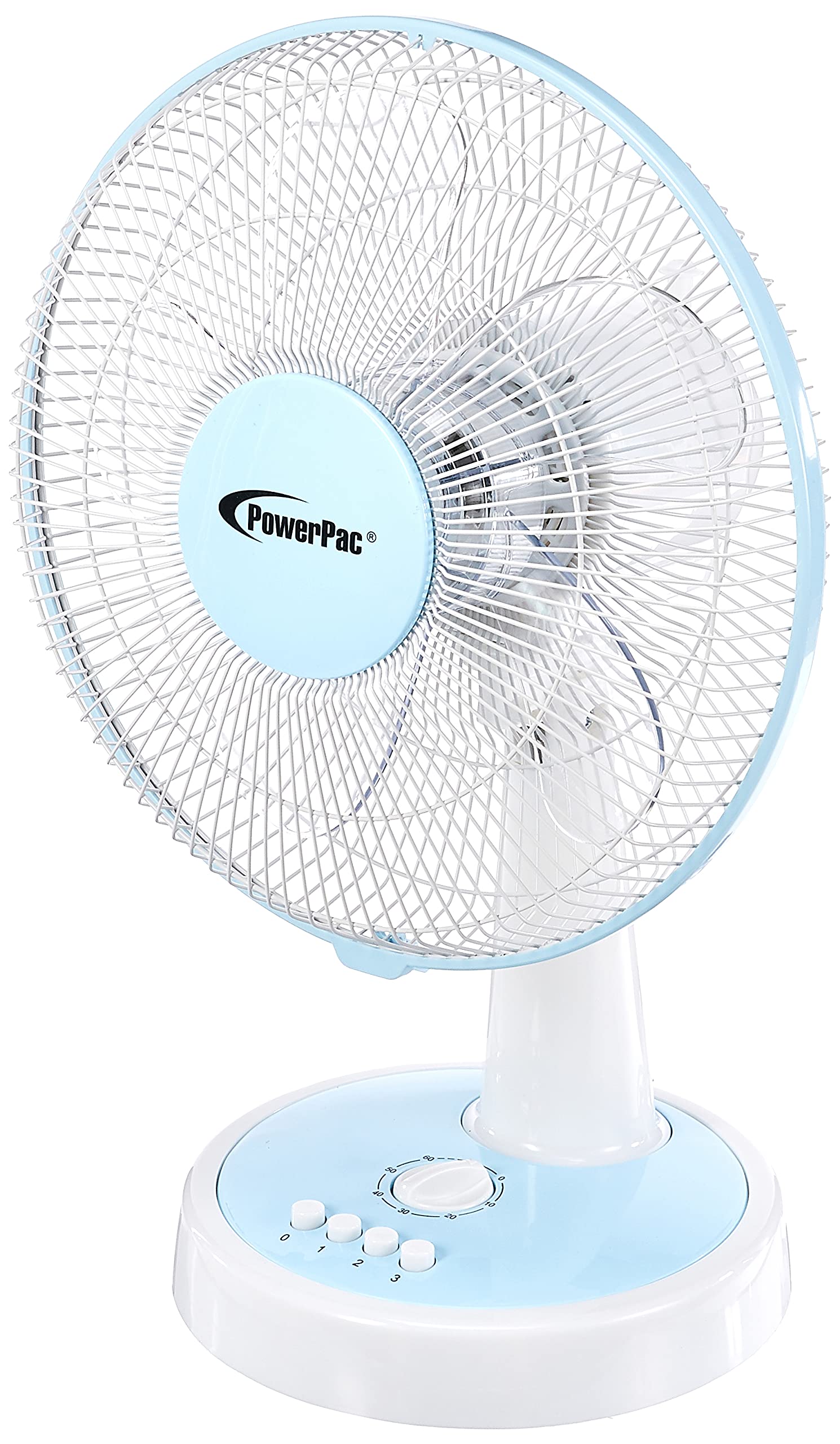
איור 1: חזית view of the PowerPac 12-Inch Table Fan PPTF303.
תכונות
- 3 הגדרות מהירות: Choose from low, medium, or high airflow.
- Built-in Thermal Protection: נכבה אוטומטית כדי למנוע התחממות יתר.
- High Velocity Motor: Designed for maximum air circulation.
- תְנוּדָה: Provides wide-area cooling.
- פונקציית טיימר: Allows for timed operation.
הגדרה
The PowerPac 12-Inch Table Fan PPTF303 typically comes pre-assembled. Follow these steps for initial setup:
- לִפְרוֹק: Carefully remove the fan from its packaging. Retain packaging for storage or return if necessary.
- מיקום: Place the fan on a firm, level surface where it will not be easily knocked over. Ensure there is adequate space around the fan for proper air circulation and oscillation.
- חיבור חשמל: Insert the power plug into a suitable electrical outlet. Ensure the outlet voltage תואם את דרישות המאוורר.
הוראות הפעלה
Your PowerPac Table Fan features a touch control method for easy operation.
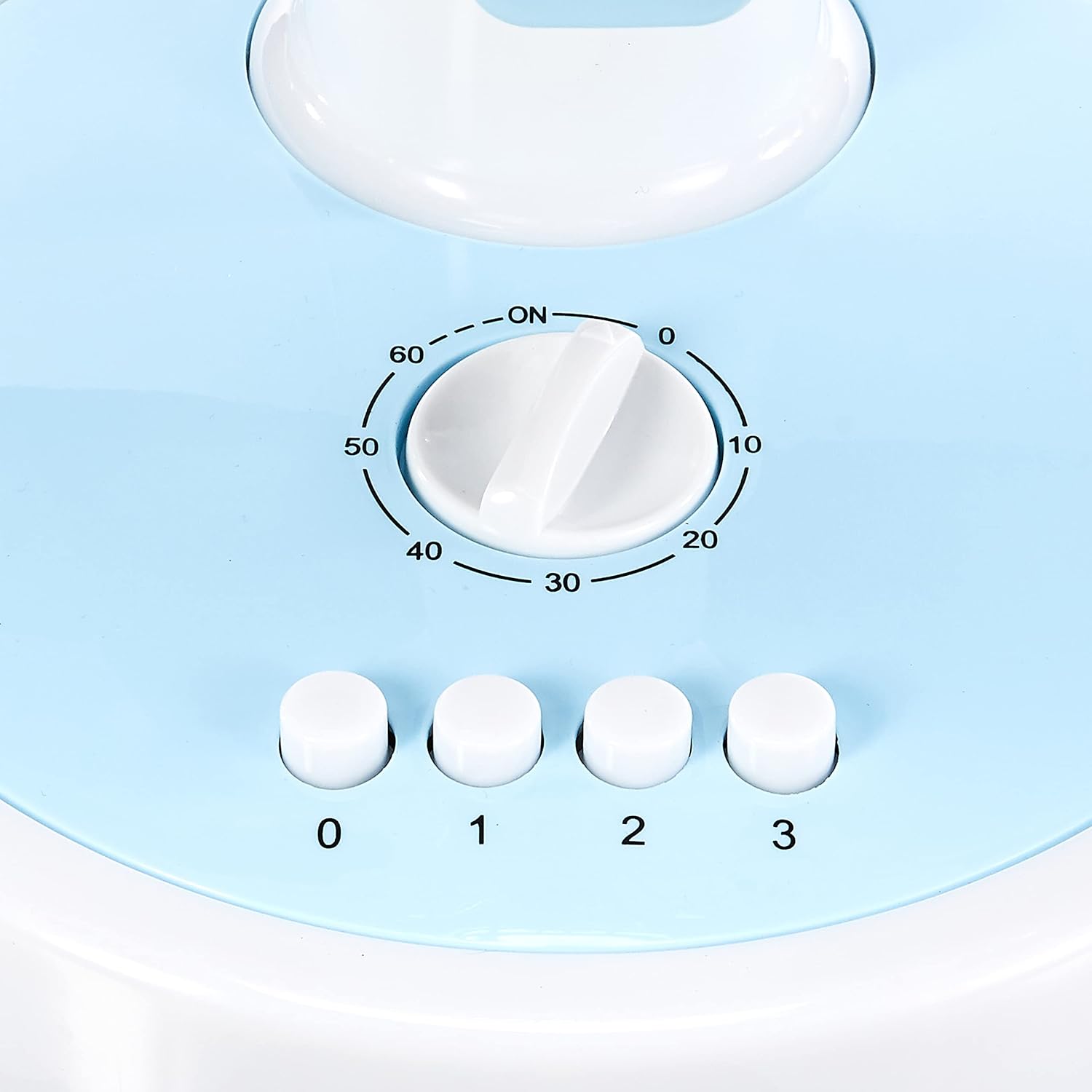
Figure 2: Close-up of the control panel with speed and timer settings.
- הפעלה/כיבוי: Press the '0' button to turn the fan off. To turn it on, select a speed setting (1, 2, or 3).
- התאמת מהירות המאוורר:
- Press '1' for Low speed.
- Press '2' for Medium speed.
- Press '3' for High speed.
- תְנוּדָה: To activate the oscillation feature, press the button located on the top of the motor housing. Press it again to stop oscillation.
- פונקציית טיימר: The fan includes a timer dial, typically marked from 0 to 60 minutes. Turn the dial clockwise to set the desired operating time. The fan will automatically switch off once the set time has elapsed.
תַחזוּקָה
תחזוקה שוטפת מבטיחה ביצועים אופטימליים ואורך חיים של המאוורר שלכם.
- ניקוי:
- נתק תמיד את המאוורר לפני הניקוי.
- השתמש רך, דamp מטלית לניגוב המשטחים החיצוניים. אין להשתמש בחומרי ניקוי שוחקים או ממסים.
- To clean the fan blades, carefully remove the front grille (refer to specific instructions if provided with your model for grille removal). Wipe the blades with a damp cloth. Ensure all parts are dry before reassembling and operating.
- אִחסוּן: כאשר המאוורר אינו בשימוש למשך תקופות ממושכות, יש לאחסן אותו באריזתו המקורית או במקום נקי ויבש.
פתרון בעיות
אם נתקלתם בבעיות כלשהן עם המאוורר שלכם, אנא עיינו בבעיות הנפוצות ובפתרונות הבאות:
| בְּעָיָה | סיבה אפשרית | פִּתָרוֹן |
|---|---|---|
| המאוורר לא נדלק. | No power supply; fan unplugged; thermal protection activated. | Check power cord connection; ensure outlet is functional; unplug and allow fan to cool for 30 minutes before restarting. |
| זרימת אוויר חלשה. | Fan speed set too low; dirty blades/grille. | Increase fan speed; clean blades and grilles as per maintenance instructions. |
| המאוורר משמיע רעש חריג. | Loose parts; obstruction in blades. | Unplug and check for any loose parts or obstructions. If noise persists, contact customer support. |
If the problem persists after attempting these solutions, please contact PowerPac customer support.
מפרטים
Key technical specifications for the PowerPac 12-Inch Table Fan PPTF303:
| מִפרָט | פְּרָט |
|---|---|
| מותג | PowerPac |
| שם הדגם | PPTF303 |
| עיצוב מאוורר חשמלי | מאוורר שולחן |
| גוֹדֶל | 12 אינץ' |
| מספר מהירויות | 3 |
| מקור כוח | חשמלי עם כבלים |
| מהtage | 70 וואט |
| שיטת בקרה | לָגַעַת |
| תכונות מיוחדות | Timer, Oscillation, Thermal Protection |
| חוֹמֶר | פּלָסטִי |
| ארץ מוצא | סִין |

Figure 3: Approximate dimensions of the PowerPac 12-Inch Table Fan PPTF303.
אחריות ותמיכה
The PowerPac 12-Inch Table Fan PPTF303 comes with a אחריות יצרן מקומית (סינגפור) לשנתייםאנא שמור את הוכחת הרכישה שלך לצורך תביעות אחריות.
For technical support, service, or warranty inquiries, please contact PowerPac customer service through their official webהאתר או הקמעונאי שבו המוצר נרכש.