
1. הקדמה
The Picun H12 Bluetooth Neckband Headset offers a comfortable and high-quality audio experience for various activities, including sports and daily use. Featuring Bluetooth 4.1 connectivity, a 13mm driver for clear sound, and IPX6 water resistance, these earphones are designed for durability and convenience. The magnetic earbuds and lightweight neckband design enhance portability and ease of use.
2. מה בקופסה
- Picun H12 Bluetooth Neckband Headset
- כבל טעינה USB
- Earbuds Covers (various sizes)
- מדריך למשתמש
3. המוצר נגמרview
The Picun H12 headset is engineered for superior sound and extended battery life, ensuring an immersive audio experience.

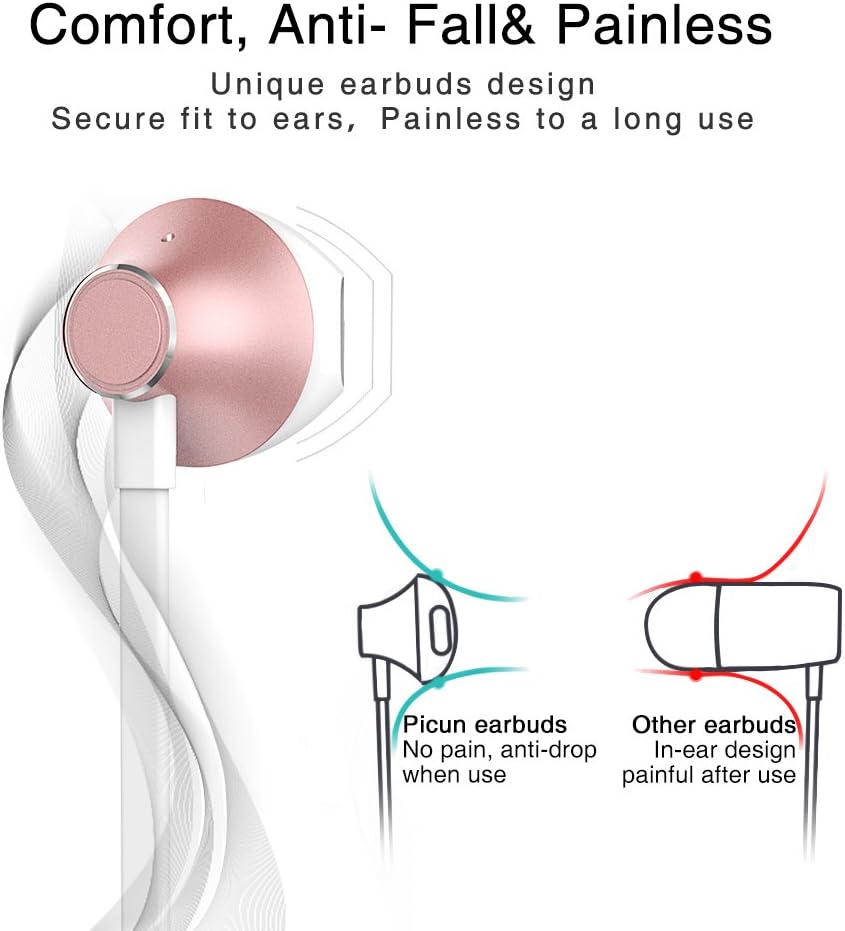
Designed for comfort, the unique earbud shape provides a secure fit without causing discomfort, even during prolonged use.
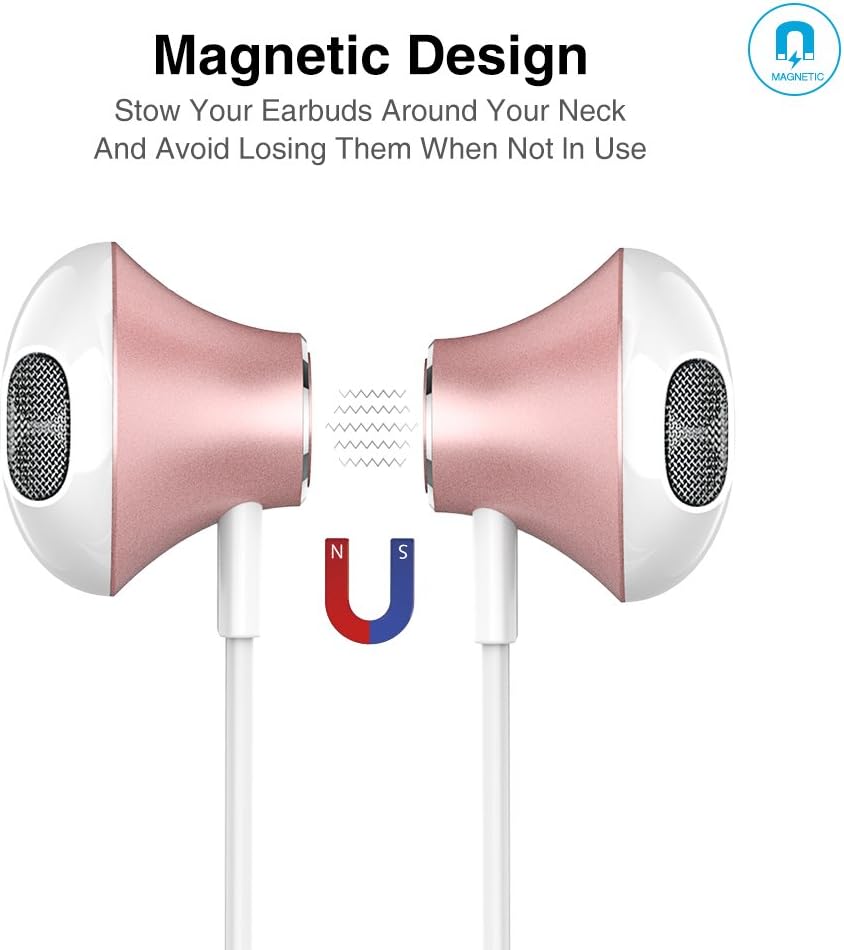
The magnetic design allows the earbuds to clip together when not in use, preventing tangles and making them easy to carry around your neck.
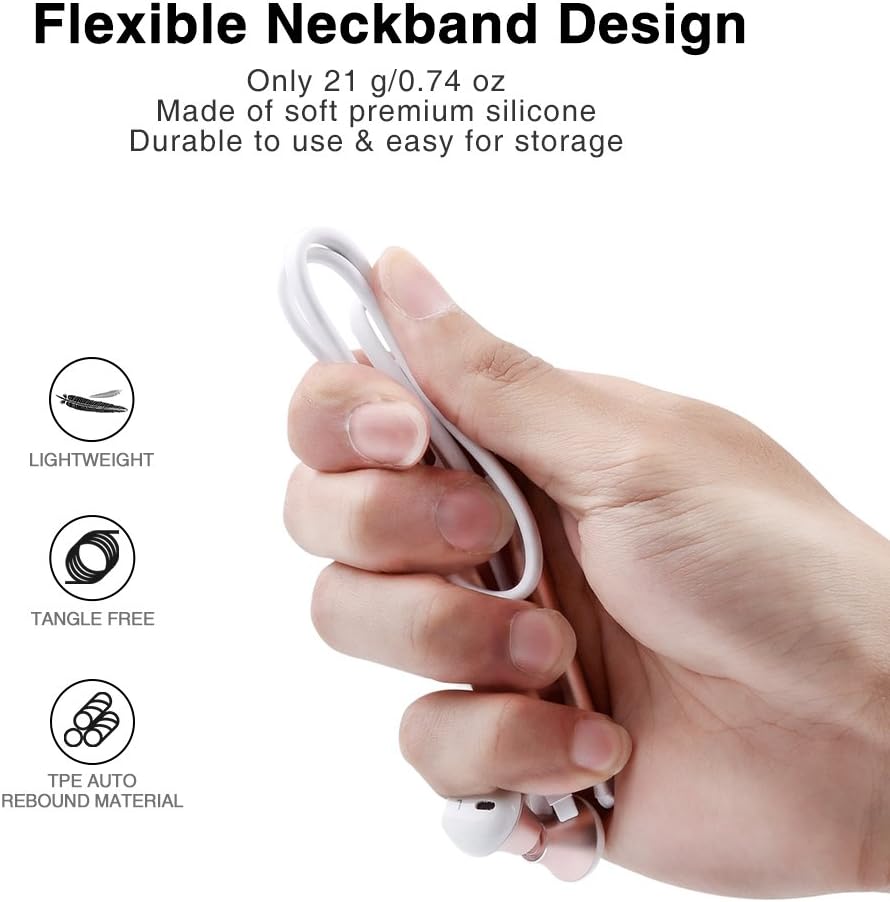
The flexible neckband is lightweight and made from TPE auto-rebound material, ensuring durability and tangle-free storage.
Control your audio and calls effortlessly with the integrated in-line remote and HD noise reduction microphone.

With an IPX6 water-resistant nano-coating, the headset is protected against sweat and rain, making it ideal for workouts.

צפו בסרטון הזה לקבלת הצצה חזותיתview of the Picun H12 Bluetooth Neckband Headset's features and design.
4. התקנה
4.1 טעינת האוזניות
- Connect the micro USB charging cable to the charging port on the headset.
- חבר את הקצה השני של הכבל למקור מתח USB (לדוגמה, מחשב, מתאם קיר).
- The indicator light will show charging status. A full charge takes approximately 1 hour and provides up to 10 hours of playtime.
4.2 זיווג בלוטות '
- ודא שהדיבורית טעונה במלואה.
- Press and hold the multi-function button (usually the center button on the in-line remote) until the indicator light flashes red and blue, indicating pairing mode.
- במכשיר שלך (סמארטפון, טאבלט וכו'), הפעל את Bluetooth וחפש מכשירים זמינים.
- Select "Picun H12" from the list of found devices.
- Once paired, the indicator light will typically turn solid blue or flash blue slowly. A voice prompt may confirm successful connection.
5. הוראות הפעלה
5.1 הפעלה/כיבוי
- הפעלה: Press and hold the multi-function button for approximately 3 seconds until the indicator light flashes blue and a voice prompt confirms power on.
- כיבוי: Press and hold the multi-function button for approximately 3-5 seconds until the indicator light flashes red and a voice prompt confirms power off.
5.2 השמעת מוזיקה
- הפעל/השהה: לחיצה קצרה על הכפתור הרב-תכליתי.
- השיר הבא: Long press the "V+" button.
- השיר הקודם: Long press the "V-" button.
- הגבר קול: Short press the "V+" button.
- להנמיך קול: Short press the "V-" button.
5.3 ניהול שיחות
- תשובה לשיחה: לחץ לחיצה קצרה על כפתור הרב-תכליתי כאשר מתקבלת שיחה.
- סיום שיחה: לחיצה קצרה על כפתור הרב-תכליתי במהלך שיחה.
- דחה שיחה: לחץ לחיצה ארוכה על כפתור הרב-תכליתי כאשר מתקבלת שיחה.
- חיוג חוזר למספר האחרון: לחץ פעמיים על כפתור הרב-תכליתי.
6. תחזוקה
- ניקוי: השתמשו במטלית רכה ויבשה לניקוי האוזניות. אין להשתמש בחומרי ניקוי שוחקים או ממסים.
- עמידות במים: The headset is IPX6 water-resistant, meaning it can resist high-pressure, heavy sprays of water. It is not designed for submersion. Dry thoroughly if exposed to water or sweat.
- אִחסוּן: When not in use, store the headset in a cool, dry place. The magnetic earbuds help prevent tangling.
- טיפול בסוללה: כדי להאריך את חיי הסוללה, הימנעו מפריקה מלאה של הסוללה לעתים קרובות. טען את האוזניות באופן קבוע, גם אם אינן בשימוש למשך פרקי זמן ממושכים.
7. פתרון תקלות
| לְהַנפִּיק | פתרון אפשרי |
|---|---|
| האוזניות לא נדלקות | ודא שהאוזניות טעונות במלואן. חבר למקור חשמל ונסה שוב. |
| לא ניתן להתאים למכשיר | Ensure the headset is in pairing mode (flashing red and blue light). Turn off and on Bluetooth on your device. Move closer to the headset. |
| אין קול או עוצמת קול נמוכה | Check volume levels on both the headset and your connected device. Ensure the headset is properly paired. Try re-pairing. |
| חיבור לסירוגין | Ensure no obstacles are between the headset and your device. Stay within the 33-foot (10-meter) Bluetooth range. Avoid strong electromagnetic interference. |
| בעיית טעינה | Check the charging cable and USB power source. Try a different cable or power adapter. Ensure the charging port is clean and free of debris. |
8. מפרטים
- מותג: פיקון
- דֶגֶם: H12
- טכנולוגיית קישוריות: אלחוטי (Bluetooth)
- גרסת בלוטות': 4.1
- טווח אלחוטי: עד 33 רגל (10 מטר)
- זמן משחק: עד 10 שעות
- זמן טעינה: כשעה 1
- גודל דרייבר: 13 MM Neodymium
- תגובת תדירות: 20 הרץ - 20 קילוהרץ
- עמידות במים: IPX6 (Sweatproof and splash-resistant)
- מיקום אוזניים: אין אוזן
- גורם צורה: רצועת צוואר
- סוג בקרה: In-line Volume Control, Multi-function button
- מִיקרוֹפוֹן: Built-in HD noise reduction mic
- מִשׁקָל: 0.05 פאונד (כ-21 גרם)
- חוֹמֶר: Silicone, Thermoplastic Elastomer (TPE)
9. אחריות ותמיכה
The Picun H12 Bluetooth Neckband Headset comes with a 10-month guarantee period from the date of purchase. For any product-related inquiries, technical support, or warranty claims, please contact Picun customer service. Refer to the contact information provided on the product packaging or the official Picun webאתר לסיוע.