
מָבוֹא
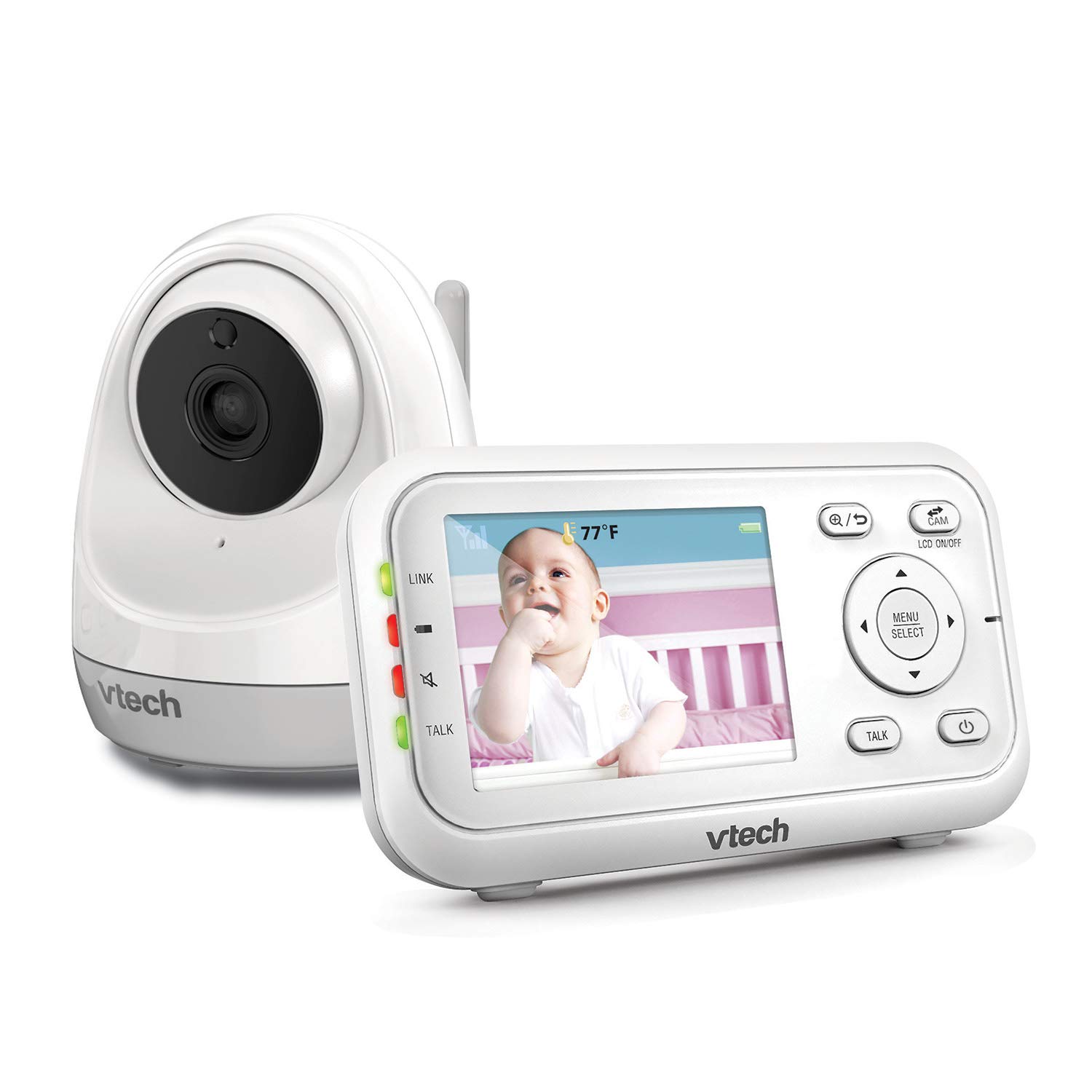
The VTech VM3261 2.8" Digital Video Baby Monitor provides a secure and reliable connection to your baby. With features like pan and tilt camera control, two-way talk, soothing sounds, and automatic night vision, you can monitor your little one with peace of mind. This manual will guide you through the setup, operation, and maintenance of your baby monitor.

תכונות המוצר
- Plug & Play: The monitor’s parent unit and the camera are pre-configured for local monitoring, requiring no complex setup.
- Fully Motorized Pan & Tilt with 2X Zoom: Remotely control the camera to pan 260-degrees side to side and tilt 23-degrees up and down, with 2x digital zoom for a closer look.
- טווח ארוך: Maintain connection with your baby from up to 1000 feet away.
- דיבור דו כיווני: Comfort your baby from another room using the built-in talk-back intercom.
- צלילים מרגיעים ושירי ערש: Choose from 5 calming melodies and 4 ambient sounds (including white noise and trickling stream) to help your baby sleep.
- Night Vision, Sound, and Temperature Sensor: מספק פו ברורtage in low light, alerts you to sounds, and displays the nursery temperature on the LCD screen.
- מצב הפעלת צליל: Conserve battery by having the parent unit screen turn off until noise is detected, with visual and audio alerts.
הגדרה
תוכן החבילה
- VM3261 Parent Unit
- VM3261 Baby Unit (Camera)
- מתאמי מתח (2)
- סוללה נטענת ליחידת ההורים (מותקנת מראש)
- מדריך למשתמש
שלבי ההתקנה הראשוניים
- טעינת יחידת ההורים: Connect the small plug of the power adapter to the parent unit's power jack and the large end to a wall outlet. The battery icon will indicate charging. For optimal performance, charge the parent unit for at least 12 hours before first use.
- Power the Baby Unit: Connect the small plug of the power adapter to the baby unit's power jack and the large end to a wall outlet. The baby unit will power on automatically.
- מיקום יחידת התינוק: מקמו את יחידת התינוק במקום המספק מרחב נקי view of your baby, such as on a dresser or shelf. Ensure it is at least 3 feet (1 meter) away from the baby to avoid potential hazards. Do not place the camera within reach of the baby.
- בדוק את החיבור: Once both units are powered on, the parent unit should automatically connect to the baby unit and display the video feed. If no connection is established, ensure both units are within range and properly powered.
הוראות הפעלה
בקרות יחידת ההורים
- הפעלה/כיבוי: לחץ והחזק את הפעלה/כיבוי כפתור ביחידת ההורים.
- בקרת עוצמת הקול: השתמש ב- הגברת עוצמת הקול ו הורדת עוצמת הקול כפתורים כדי לכוונן את עוצמת הקול של ההאזנה.
- בקרת בהירות: Adjust the screen brightness via the menu settings.
- תפריט/בחירה: הקש על תפריט/בחר button to access settings and confirm selections.
- לחצני ניווט: השתמש בלחצני החצים (למעלה, למטה, שמאלה, ימינה) to navigate through menus and control camera pan/tilt.
- כפתור שיחה: לחץ והחזק את לְדַבֵּר button to speak to your baby through the baby unit. Release to listen.
בקרת מצלמה (סיבוב, הטיה, זום)
The VM3261 allows you to remotely adjust the camera's view from the parent unit.

- הזזה/הטיה: בְּעוֹד viewing the live feed, press the שמאל/ימין arrow buttons to pan the camera horizontally (up to 260 degrees). Press the למעלה/למטה arrow buttons to tilt the camera vertically (up to 23 degrees).
- זום: הקש על זום button (magnifying glass icon) to digitally zoom in or out (2x zoom).
שיחה דו סטרית
Communicate with your baby or partner in the nursery using the two-way talk feature.

To use, press and hold the לְדַבֵּר button on the parent unit. Speak clearly into the microphone. Release the button to hear your baby's sounds.
צלילים מרגיעים ושירי ערש
Help your baby relax and fall asleep with built-in melodies and ambient sounds.

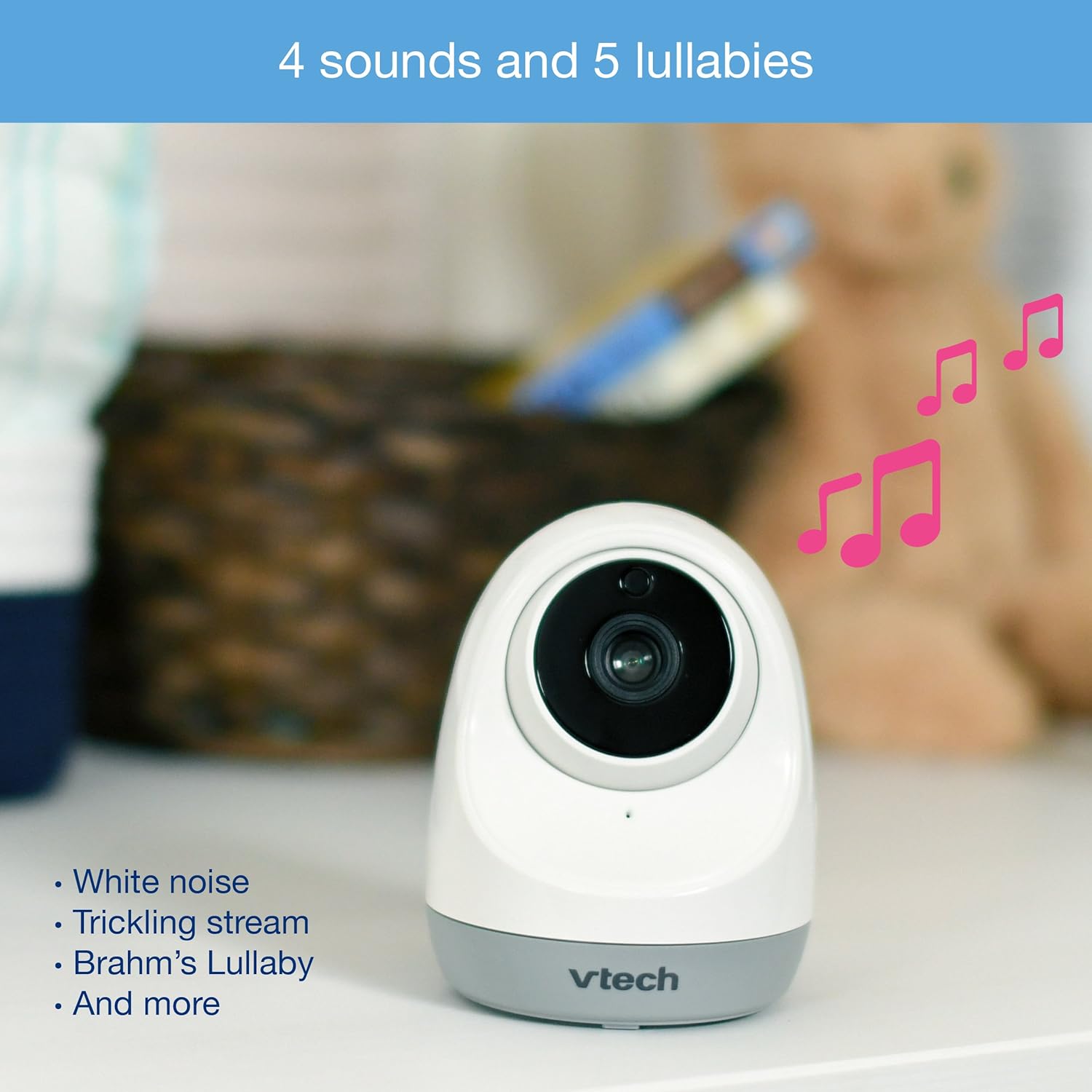
Access the lullaby menu from the parent unit to select from 5 melodies and 4 ambient sounds, including white noise and a trickling stream. You can set a timer for how long the sounds play.
Night Vision and Temperature Monitoring
The monitor automatically switches to infrared night vision in low light conditions, providing a clear black and white image. The baby unit also includes a temperature sensor.

The current room temperature is displayed on the parent unit's LCD screen. You can set temperature alerts to be notified if the room becomes too hot or too cold.
מצב הפעלת צליל (VOX)
To save power, especially during nap times, enable the sound activation mode.

When activated, the parent unit screen will turn off to conserve battery. It will automatically turn back on and provide audio/visual alerts when noise is detected in the baby's room.
הסרטון נגמרview
Watch this official product video for a visual guide to the VTech VM3261's features and operation.
Official VTech VM3261 Video Baby Monitor overview, הצגהasing its pan, tilt, zoom, long range, and night vision capabilities.
תַחזוּקָה
- ניקוי: Clean the monitor and camera units with a soft, damp מטלית. אין להשתמש בתרסיסי ניקוי או בחומרי ניקוי נוזליים.
- טיפול בסוללה: To prolong battery life, fully charge the parent unit before initial use and avoid completely draining the battery frequently.
- אִחסוּן: If storing the unit for an extended period, remove the battery from the parent unit and store both units in a cool, dry place.
פתרון בעיות
| בְּעָיָה | סיבה אפשרית | פִּתָרוֹן |
|---|---|---|
| No link/Poor connection | Units are too far apart or out of range. Obstructions between units. | Move parent unit closer to baby unit. Reduce obstructions (walls, electronics). |
| אין תמונה/סאונד | Baby unit or parent unit is off or not powered. | Ensure both units are plugged in and powered on. Check battery level of parent unit. |
| Screen is black in VOX mode | Sound activation mode is enabled and no sound is detected. | This is normal operation. The screen will activate when sound is detected. Disable VOX mode in settings if continuous display is desired. |
| קריאת הטמפרטורה נראית לא מדויקת | Camera placed near heat source/vent or in direct sunlight. | Relocate the baby unit to a more central location in the room, away from direct heat or cold sources. |
| סטטי או הפרעה | מכשירים אלקטרוניים אחרים בקרבת מקום. | Move the monitor away from other electronic devices like cell phones, Wi-Fi routers, or microwaves. |
מפרטים
| תכונה | פְּרָט |
|---|---|
| מספר דגם | VM3261 |
| גודל מסך | 2.8 אינץ' |
| פאן מצלמה | 260 מעלות אופקית |
| הטיית מצלמה | 23 מעלות אנכיות |
| זום | 2x זום דיגיטלי |
| לָנוּעַ | עד 1000 רגל (קו ראייה) |
| מקור כוח | מופעל באמצעות סוללה (יחידת הורים), מתאם AC (יחידת תינוק) |
| טכנולוגיית קישוריות | אלחוטי (2.4GHz FHSS) |
| ראיית לילה | אינפרא אדום אוטומטי |
| תכונות מיוחדות | Two-Way Talk, Lullabies, Temperature Sensor, Sound Activation |
| מידות (יחידת הורים) | משוער. 4.89 על 4.13 x 3.36 אינץ ' |
| מִשׁקָל | כ. 1.41 פאונד |
אחריות ותמיכה
VTech products are manufactured with high-quality components and are designed to provide years of reliable performance. For detailed warranty information, please refer to the warranty card included in your product packaging or visit the official VTech website. If you encounter any issues or require technical assistance, please contact VTech customer support.
VTech Customer Support:
- עיין בפרטי הקשר המופיעים באריזת המוצר.
- בקר ב-VTech הרשמי website for FAQs, troubleshooting guides, and contact options: www.vtechphones.com/support