
1. הקדמה
This manual provides comprehensive instructions for the installation, operation, and maintenance of the FAAC E600 (D600) Electronic Board Remote Control. Please read this manual carefully before using the product to ensure safe and efficient operation. Keep this manual for future reference.
2. מידע בטיחות
יש להקפיד תמיד על אמצעי הזהירות הבאים כדי למנוע פגיעה או נזק למוצר:
- Ensure the power supply is disconnected before any installation or maintenance procedures.
- רק אנשי מקצוע מוסמכים צריכים לבצע התקנה ותיקונים.
- אין לחשוף את המכשיר לטמפרטורות קיצוניות, ללחות או לאור שמש ישיר.
- הרחק את המכשיר מילדים וחיות מחמד.
- Use only original FAAC spare parts and accessories.
3. תכולת החבילה
ודא שכל הפריטים נמצאים בחבילה:
- FAAC E600 (D600) Electronic Board Remote Control
- מדריך למשתמש (מסמך זה)
- חומרת הרכבה (אם רלוונטי)
4. המוצר נגמרview
The FAAC E600 (D600) is an electronic board remote control designed for reliable operation of compatible FAAC systems. It features a robust design and ergonomic handling.
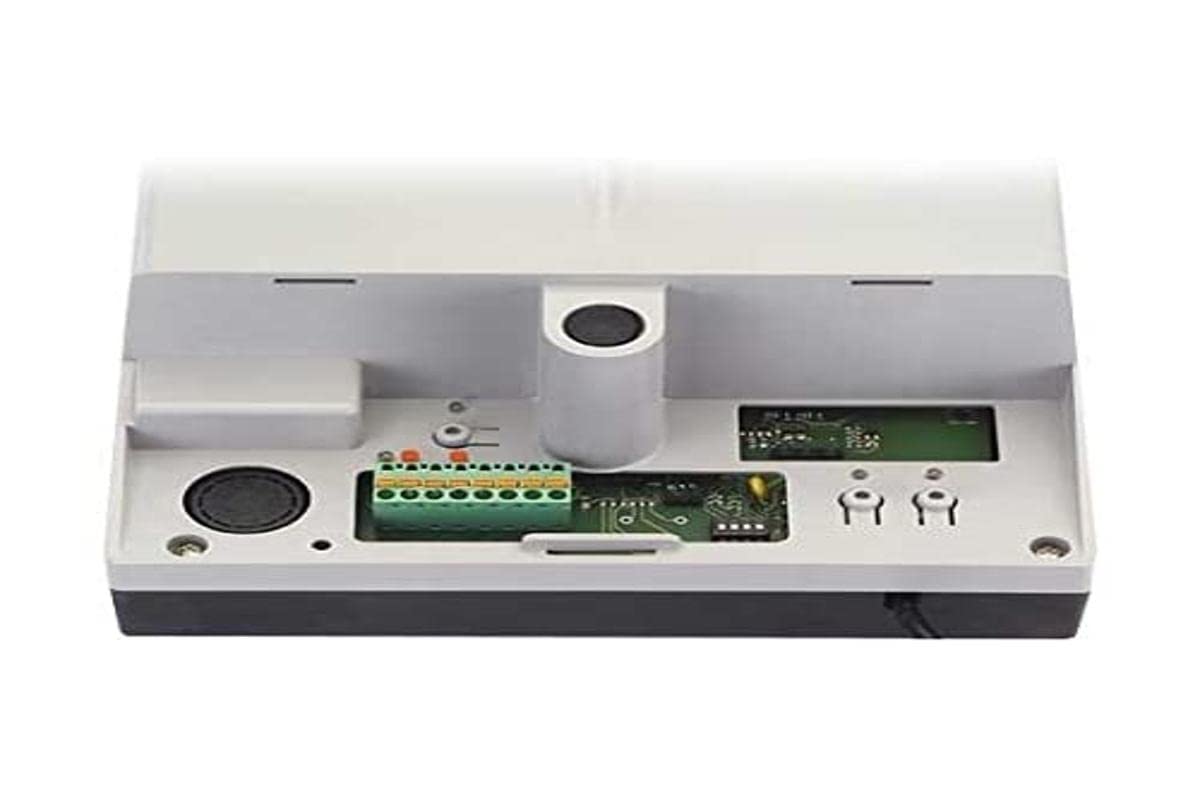
Image 1: FAAC E600 (D600) Electronic Board Remote Control. This image shows the compact design of the remote control unit.
תכונות מפתח כוללות:
- עיצוב ארגונומי: נוח לאחיזה ולשימוש.
- קישוריות: Radio frequency and Infrared technology for versatile control.
- מספר כפתורים: 1 button for simple operation.
5. התקנה והתקנה
Follow these steps to set up your FAAC E600 (D600) remote control:
- התקנת סוללה:
Open the battery compartment on the back of the remote control. Insert the required batteries, ensuring correct polarity (+/-). Close the compartment securely.
- התאמה עם מקלט:
Refer to the manual of your FAAC receiver unit (e.g., gate opener, barrier system) for specific pairing instructions. Typically, this involves pressing a programming button on the receiver and then pressing the button on the E600 (D600) remote control within a short timeframe.
- בּוֹחֵן:
After successful pairing, test the remote control's functionality by operating the connected device from a safe distance.
6. הוראות הפעלה
The FAAC E600 (D600) remote control is designed for simple, single-button operation.
- להפעיל: Press and hold the single button on the remote control. The connected FAAC device will respond according to its programmed function (e.g., open/close gate, activate barrier).
- לָנוּעַ: Ensure you are within the operational range of the receiver for reliable communication. Obstacles can reduce the effective range.
7. תחזוקה
כדי להבטיח את אורך החיים והביצועים המיטביים של השלט רחוק, יש לפעול לפי הנחיות התחזוקה הבאות:
- ניקוי: נגבו את השלט הרחוק בעזרת מטלית רכה ויבשה. אין להשתמש בחומרי ניקוי שוחקים או ממסים.
- החלפת סוללה: Replace batteries when the operational range decreases or the indicator light (if present) signals low power. Dispose of old batteries responsibly.
- אִחסוּן: Store the remote control in a dry place, away from direct sunlight and extreme temperatures, when not in use for extended periods.
8. פתרון תקלות
If you encounter issues with your FAAC E600 (D600) remote control, refer to the following table:
| בְּעָיָה | סיבה אפשרית | פִּתָרוֹן |
|---|---|---|
| השלט רחוק לא עובד. | סוללות מתות. | החלף סוללות. |
| לשלט רחוק יש טווח קצר. | Low batteries; Obstruction between remote and receiver. | Replace batteries; Ensure clear line of sight or reduce distance. |
| Device not responding after battery change. | Remote control lost pairing with receiver. | Re-pair the remote control with the receiver (refer to Section 5). |
If the problem persists, contact FAAC customer support or a qualified technician.
9. מפרטים
| תכונה | פְּרָט |
|---|---|
| מותג | FAAC |
| שם הדגם | E600 (D600) |
| תכונה מיוחדת | ארגונומי |
| מכשירים תואמים | FAAC Camera Systems (and other compatible FAAC devices) |
| טכנולוגיית קישוריות | Radio Frequency, Infrared |
| מספר כפתורים | 1 |
| סוג בקר | בקרת כפתור |
| משקל פריט | 100 גרם |
| קוד פריט בינלאומי (EAN) | 08055195014853 |
10. אחריות ותמיכה
For warranty information and technical support, please refer to the official FAAC website or contact your authorized FAAC dealer. Keep your proof of purchase for warranty claims.