
מָבוֹא
Thank you for choosing the PRORECK UK-2000 UHF 2 Channel Wireless Microphone System. This system is designed to provide clear, distortion-free audio for various applications, including parties, weddings, church events, conferences, and speeches. It features a stable UHF signal transmission and offers 560 selectable frequencies for optimal performance. This manual provides detailed instructions for setting up, operating, and maintaining your wireless microphone system.
תוכן החבילה
אנא ודא שכל הפריטים המפורטים להלן כלולים בחבילה שלך:
- 1 x יחידת מקלט
- 2 מיקרופונים ניידים
- 1 x 6.35mm TS Cable
- 1 x Power Charger
- מדריך למשתמש אחד (מסמך זה)
המוצר נגמרview
Receiver Unit (Rear Panel)
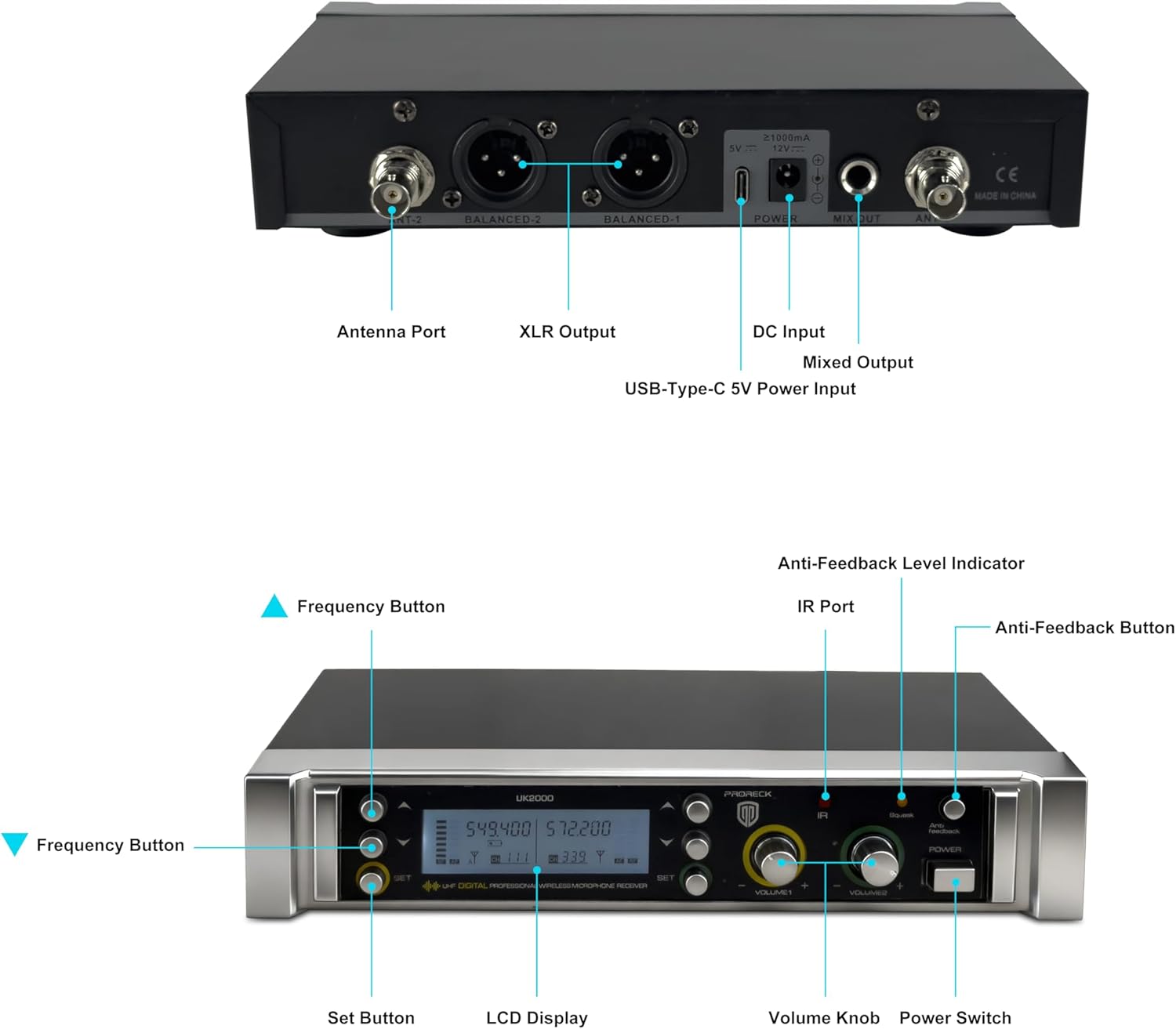
Image: Rear panel of the PRORECK UK-2000 receiver. This view highlights the Antenna Ports, Balanced XLR Outputs (1 and 2), DC Input for power, Mixed Output (6.35mm), and USB-Type-C 5V Power Input.
- יציאת אנטנה: Connect the included antennas for signal reception.
- XLR Output (BALANCED 1/2): Balanced audio outputs for connecting to a mixer or ampחיים יותר.
- קלט DC: Connect the provided power charger.
- Mixed Output (MIX OUT): Unbalanced 6.35mm (1/4") audio output for connecting to various audio devices.
- USB-Type-C 5V Power Input: Alternative power input, useful with a portable power bank.
Receiver Unit (Front Panel)

Image: Front panel of the PRORECK UK-2000 receiver. This view shows the Frequency Buttons, Set Button, LCD Display, IR Port, Volume Knobs, Power Switch, Anti-Feedback Level Indicator, and Anti-Feedback Button.
- Frequency Buttons: Used to adjust the operating frequency.
- לחצן הגדר: Confirms frequency selection and other settings.
- תצוגת LCD: Shows channel, frequency, signal strength, and battery status.
- יציאת אינפרא אדום: Infrared sensor for syncing frequencies with microphones.
- ידית עוצמת הקול: Adjusts the output volume for each microphone channel.
- מתג הפעלה: מדליק או מכבה את יחידת המקלט.
- Anti-Feedback Level Indicator: Displays the level of anti-feedback processing.
- Anti-Feedback Button: Activates or deactivates the anti-feedback function.
מיקרופון כף יד

תמונה: פיצוץ view of the handheld microphone. This shows the Mic Grill, LCD Display, Metal Construction, Battery Compartment, and Battery Cover.
- Mic Grill: מגן על קפסולת המיקרופון.
- תצוגת LCD: Shows frequency and battery status.
- בניית מתכת: Durable housing for the microphone.
- תא סוללות: מחזיק שתי סוללות AA.
- מכסה סוללה: Secures the batteries in place.
- IR Sync Sensor: Located on the microphone body, used for automatic frequency synchronization with the receiver.
הוראות התקנה
1. התקנת סוללות במיקרופונים
- Unscrew the battery cover at the bottom of each handheld microphone.
- הכניסו שתי סוללות AA לתא הסוללות, תוך הקפדה על קוטביות נכונה (+/-).
- Screw the battery cover back on securely.
פֶּתֶק: Each microphone requires 2xAA batteries (not included).
2. חבר את המקלט
- Attach the antennas to the Antenna Ports on the rear panel of the receiver. Position them vertically for optimal signal reception.
- Connect the power charger to the DC Input on the receiver and plug it into a power outlet. Alternatively, you can use a portable power bank with the USB-Type-C 5V Power Input.
- חבר את הרסיבר למערכת השמע שלך (מיקסר, amplifier, powered speaker) using either the Balanced XLR Outputs or the Mixed Output (6.35mm TS cable).
3. Power On and Sync
- Turn on the receiver unit using the Power Switch on the front panel. The LCD display will illuminate.
- Turn on each handheld microphone.
- To synchronize the microphone with the receiver, press the מַעֲרֶכֶת button on the receiver. The display will show "IR---".
- Align the IR Sync Sensor on the microphone with the IR Port on the receiver (within a few inches). The frequency will automatically sync. Repeat for the second microphone.

Image: Connectivity diagram illustrating how the PRORECK UK-2000 system can connect to a mixer, TV, amplifier, PA system, computer, powered speaker, or pad/phone.
הוראות הפעלה
בחירת תדרים
The PRORECK UK-2000 system offers 560 selectable UHF frequencies (280 per channel) to avoid interference.
- If you experience interference, press the לחצן תדר on the receiver to cycle through available frequencies.
- Once a clear frequency is selected on the receiver, perform the IR sync process again with the corresponding microphone to match its frequency.

Image: Microphone display showing frequency selection. The system offers 560 selectable frequencies, with each channel having 280 options, ranging from 539.000 MHz to 599.000 MHz.
בקרת עוצמת הקול
Adjust the output volume of each microphone independently using the dedicated Volume Knobs on the receiver's front panel. Start with a low volume and gradually increase it to prevent feedback.
טווח פעולה
The system has an operating range of up to 328 feet (100 meters) within the line of sight. Obstacles, walls, and other wireless devices may reduce this range.
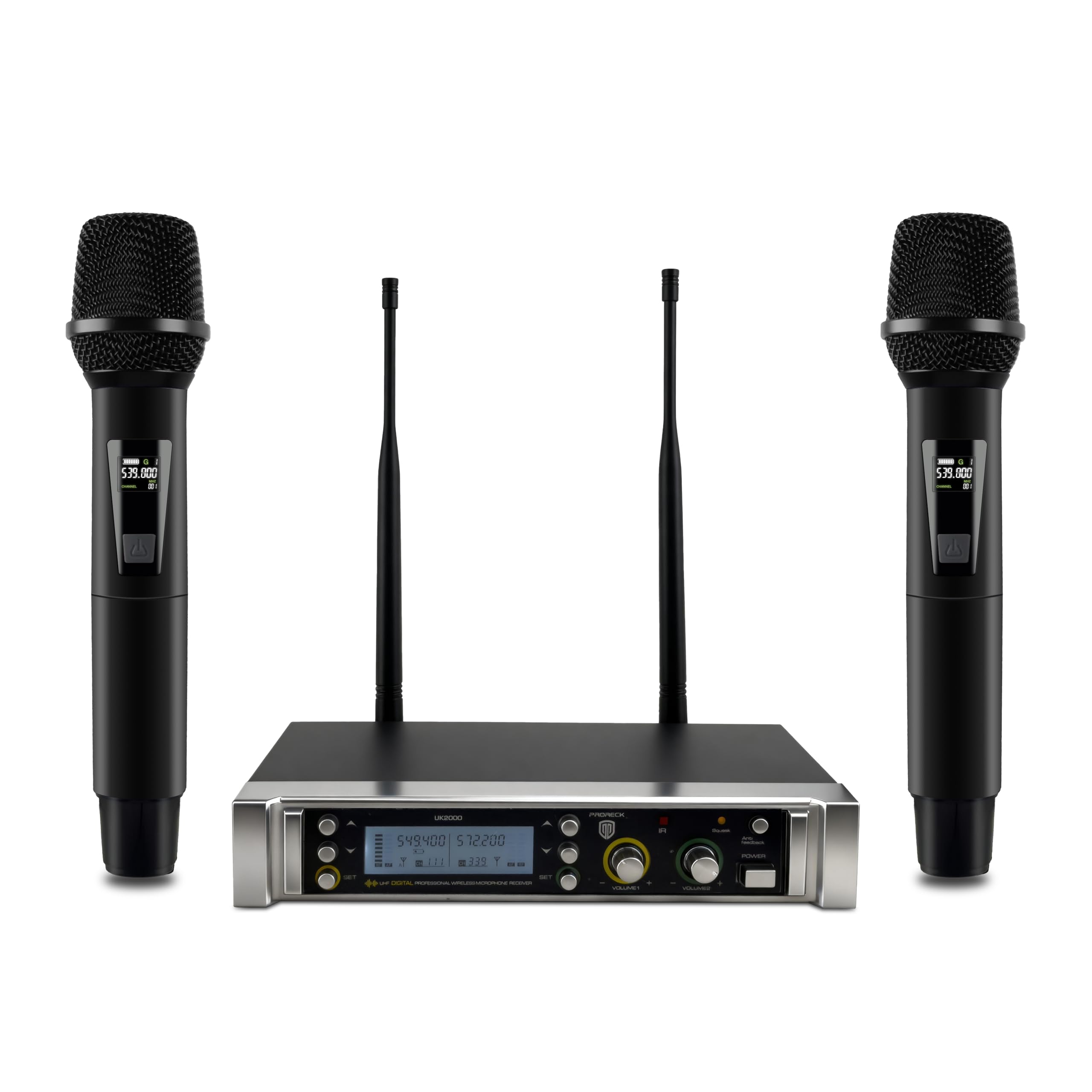
Image: Operating range diagram. A microphone wirelessly transmits to the receiver, indicating an effective operating range of up to 328 feet.
Anti-Feedback Function
The receiver includes an anti-feedback function to minimize unwanted audio feedback. Press the Anti-Feedback Button to activate or deactivate this feature. The Anti-Feedback Level Indicator will show its status.
תַחזוּקָה
- Keep the receiver and microphones clean by wiping them with a soft, dry cloth.
- הימנע מחשיפת המערכת לטמפרטורות קיצוניות, לחות או לאור שמש ישיר.
- Remove batteries from the microphones if they will not be used for an extended period to prevent leakage.
- Store the system in a dry, dust-free environment.
פתרון בעיות
| בְּעָיָה | סיבה אפשרית | פִּתָרוֹן |
|---|---|---|
| אין פלט קול |
|
|
| הפרעות או חשמל סטטי |
|
|
| צליל חלש או מעוות |
|
|
| משוב (קול יללה) |
|
|
מפרטים
| שם הדגם | בריטניה-2000 |
| מותג | PRORECK |
| מספר ערוצים | 2 |
| טווח תדרים | 538.3MHz to 599MHz (560 selectable frequencies) |
| טווח פעולה | עד 328 רגל (קו ראייה) |
| טכנולוגיית קישוריות | UHF Wireless, XLR |
| סוג מחבר | XLR, 6.35mm (1/4") |
| מקור כוח למיקרופון | 2 x AA batteries (per microphone) |
| חוֹמֶר | Metal (microphones) |
| דפוס קוטבי | חַד כִּוּוּנִי |
| משקל פריט | 3.79 פאונד (מערכת) |
| מידות חבילה | 11 x 8 x 4 אינץ' |
אחריות ותמיכה
PRORECK products are designed for reliability and performance. For any questions, technical support, or warranty inquiries, please refer to the contact information provided with your purchase or visit the official PRORECK webאתר. אנא שמור את הוכחת הרכישה שלך לצורך שירות במסגרת האחריות.