1. הקדמה
The Snakebyte Gamepad S Pro is a wireless controller designed for use with Nintendo Switch, Switch Lite, and Switch OLED consoles. It offers a console-style gaming experience with features such as dual precision analog sticks, dual rumble motors for immersive feedback, and a dedicated Capture button for recording gameplay moments. The controller connects via Bluetooth 3.0, aiming to provide a low-latency gaming experience. It also includes an assignable turbo feature and charges via an included USB-C cable.

איור 1: חזית view of the Snakebyte Gamepad S Pro Controller.
2. התקנה
2.1 טעינת הבקר
Before initial use, fully charge the controller. Connect the included 5.9 ft (1.8 m) USB-C cable to the controller's charging port and the other end to a USB power source (e.g., Nintendo Switch dock, USB wall adapter, or computer USB port). The charging indicator lights on the controller will provide status feedback.
2.2 צימוד עם נינטנדו סוויץ'
To pair the Snakebyte Gamepad S Pro with your Nintendo Switch console:
- ודא שקונסולת ה-Nintendo Switch שלך מופעלת ומעודכנת לתוכנת המערכת העדכנית ביותר.
- מתפריט HOME בחר "Controllers", אז "Change Grip/Order".
- On the Snakebyte Gamepad S Pro, press and hold the כפתור בית (house icon) and the כפתור Y simultaneously for approximately 5 seconds. The indicator lights on the controller will begin to flash rapidly.
- Once the controller is successfully paired, the player indicator light(s) on the bottom of the controller will illuminate solid.
The controller is compatible with Nintendo Switch, Switch OLED, and Switch Lite models.

Figure 2: The Gamepad S Pro is compatible with Nintendo Switch, Switch OLED, and Switch Lite.
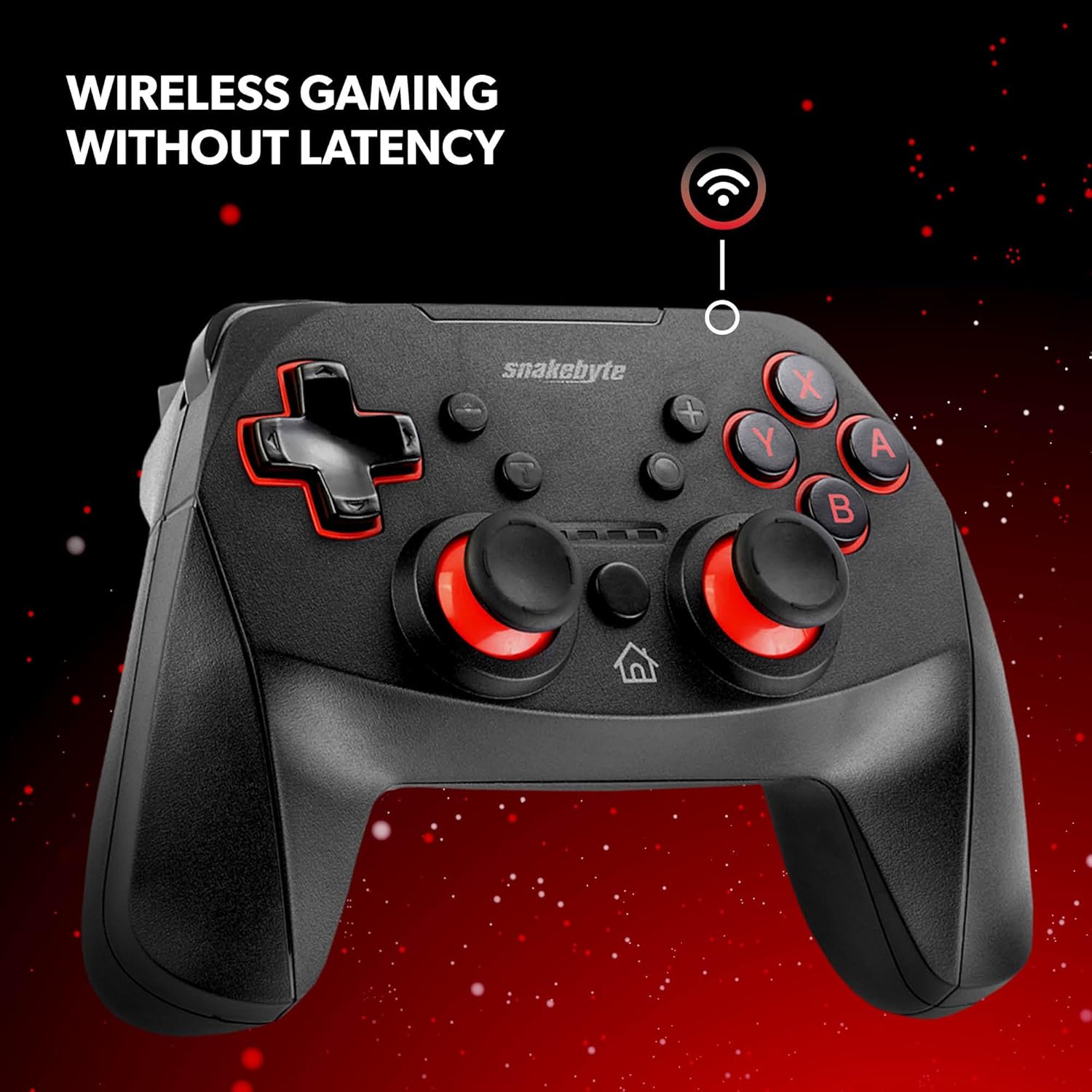
Figure 3: The controller offers wireless connectivity for gaming without latency.
3. הפעלת הבקר
3.1 פריסת כפתורים ותפקודים
- כפתורי A/B/X/Y: כפתורי פעולה סטנדרטיים.
- D-Pad: קלט כיווני.
- מקלות אנלוגיים שמאל/ימין: לתנועה מדויקת ושליטה במצלמה.
- כפתורי שמאל/ימין: כפתורי כתף.
- כפתורי ZL/ZR: כפתורי טריגר.
- כפתור בית: חוזר לתפריט הבית.
- כפתור לכידת: Saves screenshots or video clips of gameplay.
- כפתורי פלוס (+) / מינוס (-): Equivalent to Start/Select or Menu buttons.
3.2 Dual Rumble Vibration
The controller features dual rumble motors that provide haptic feedback, enhancing immersion during gameplay. The intensity of the vibration is determined by the game.
3.3 Assignable Turbo Feature
The assignable turbo feature allows a button to be pressed repeatedly with a single hold. Consult the controller's specific instructions (often included in the packaging or on the manufacturer's website) for details on how to assign and activate the turbo function for desired buttons.
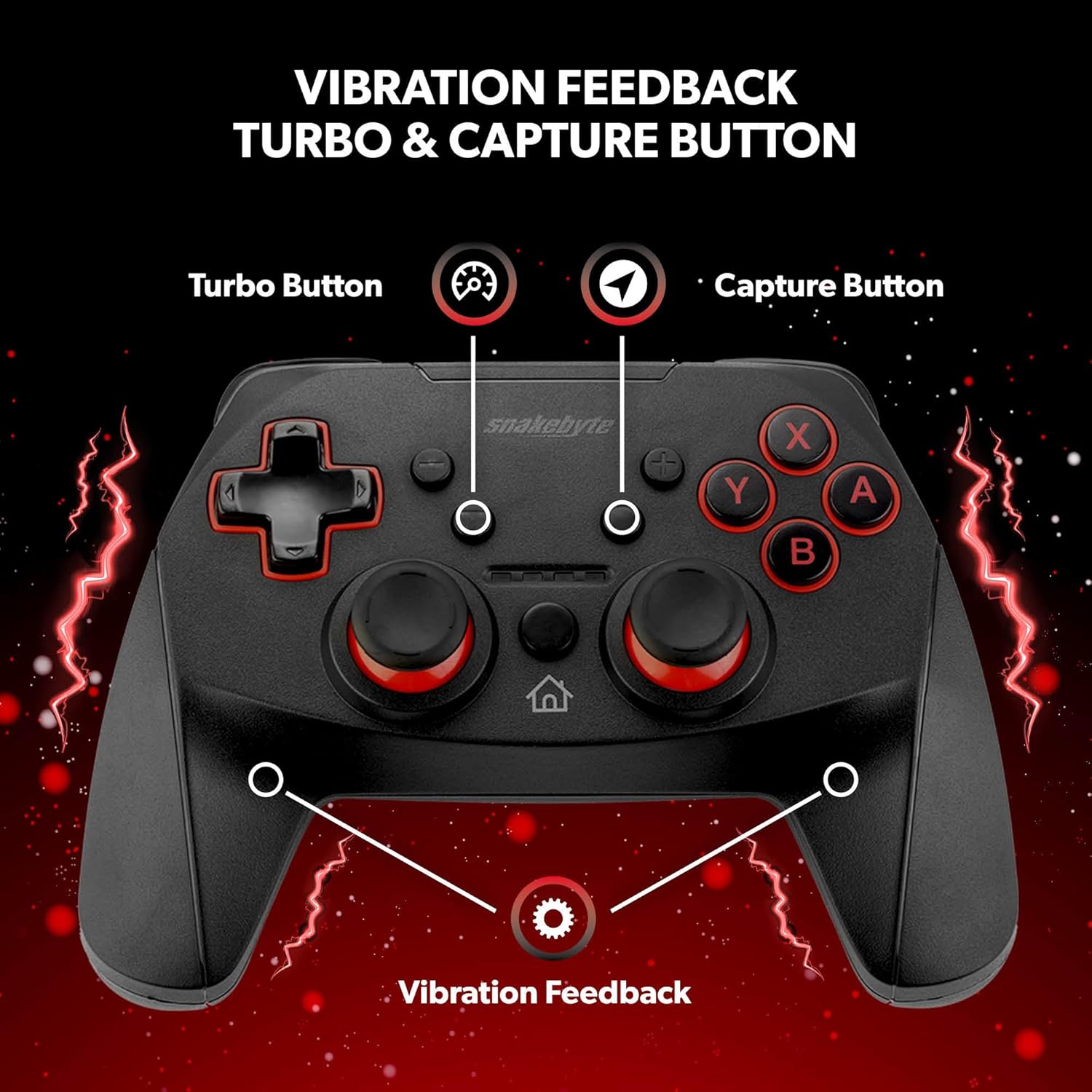
Figure 4: Key features including Turbo Button, Capture Button, and Vibration Feedback.
3.4 שקע שמע
The controller is equipped with an audio jack, allowing you to connect a compatible headset for in-game audio and communication (if supported by the game and console settings).

Figure 5: Detail of the controller's audio jack.
4. תחזוקה
4.1 ניקוי
לניקוי הבקר, השתמשו במטלית רכה ויבשה. במקרה של לכלוך עיקש, נגבו מעטampen the cloth with water. Avoid using harsh chemicals, abrasive cleaners, or solvents, as these can damage the controller's surface and internal components.
4.2 טיפול בסוללה
The controller contains a rechargeable Lithium Metal battery. To prolong battery life:
- הימנעו מפריקת הסוללה באופן מלא לעתים קרובות.
- יש לאחסן את הבקר במקום קריר ויבש כאשר אינו בשימוש למשך תקופות ממושכות.
- אין לחשוף את הבקר לטמפרטורות קיצוניות.
5. פתרון תקלות
- Controller not pairing or disconnecting frequently:
- ודא שהבקר טעון במלואו.
- Verify the pairing steps (Home + Y buttons) are followed correctly.
- Move closer to the Nintendo Switch console to ensure a strong Bluetooth connection.
- Check for any firmware updates for the controller on the official Snakebyte website, as updates can resolve connectivity issues.
- Restart both the Nintendo Switch console and the controller.
- Buttons or joysticks are unresponsive or sticking:
- Power off the controller and then power it back on.
- Ensure no debris is lodged around the buttons or joysticks. Clean as per maintenance instructions.
- Controller does not wake the Nintendo Switch from standby:
- This controller may not support waking the console from standby mode. Power on the console manually using the power button on the console itself.
- No Gyro Sensor:
- Please note that this controller does not include a gyro sensor. Games requiring motion controls or fine aiming adjustments via tilting will not function as intended with this controller.
6. מפרטים
| מספר דגם | SB911194 |
| מותג | סנייקבייט |
| קישוריות | בלוטות' 3.0 |
| תְאִימוּת | נינטנדו סוויץ', סוויץ' לייט, סוויץ' OLED |
| מידות (L x W x H) | 3.94 x 2.36 x 5.51 אינץ' |
| משקל פריט | 8.47 אונקיות (240 גרם) |
| סוג סוללה | סוללת ליתיום מתכת אחת (כלול) |
| אורך כבל טעינה | 5.9 רגל (1.8 מ') |
| תכונות מיוחדות | Dual Motor Vibration, Assignable Turbo, Capture Button, Audio Jack |

Figure 6: The controller is designed for absolute durability.
7. אחריות ותמיכה
For detailed warranty information, please refer to the warranty card included with your product packaging or visit the official Snakebyte website. For technical support, product registration, or further inquiries, please contact Snakebyte customer service through their official channels.
Official Snakebyte Webאֲתַר: www.snakebyte.com