
מָבוֹא
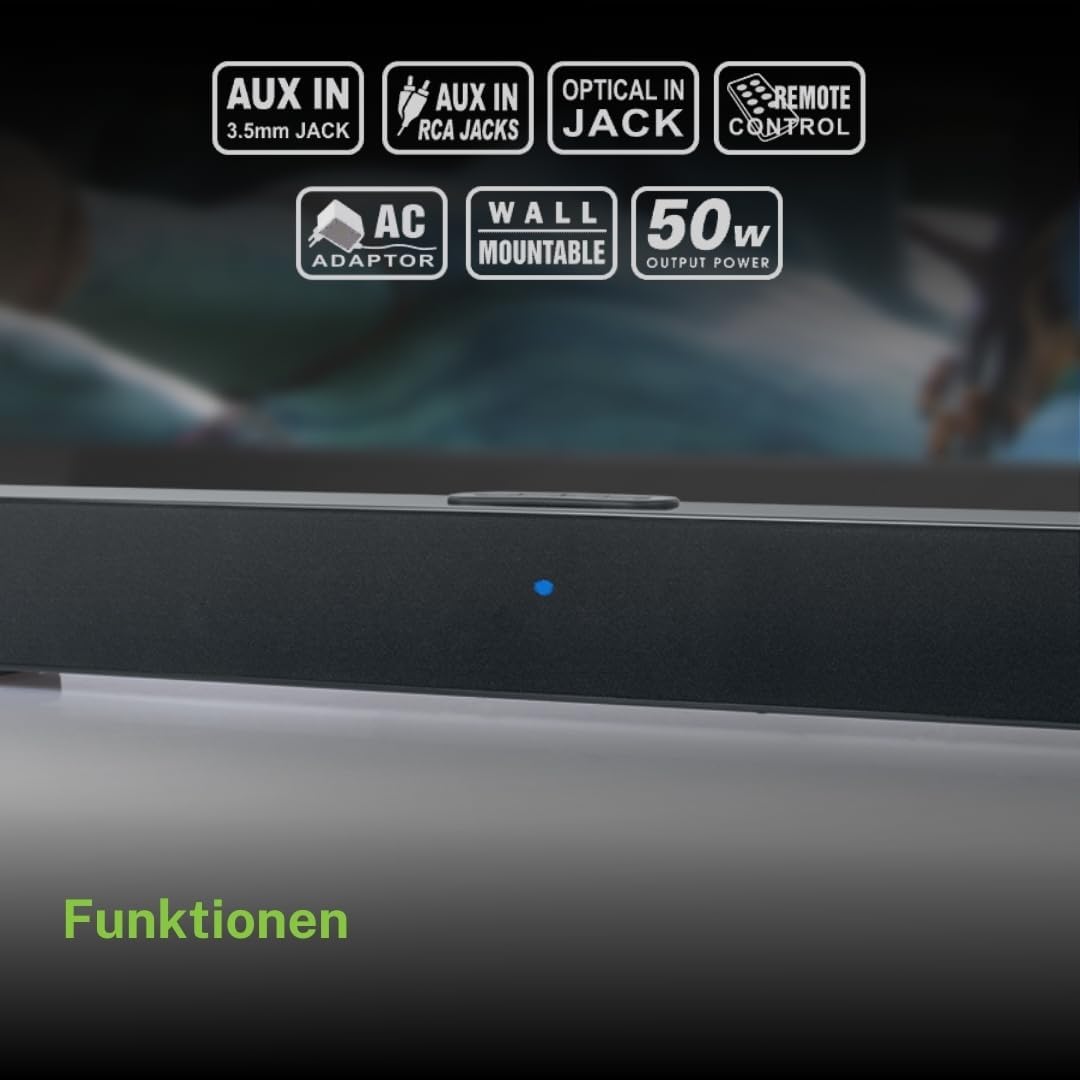
תודה על הרכישהasing the Muse M-1520 SBT Soundbar. This device is designed to enhance your audio experience with 50W of power and versatile connectivity options including Bluetooth, AUX-IN, RCA, and Optical inputs. Please read this manual carefully before use to ensure proper setup and operation.

The Muse M-1520 SBT Soundbar integrated into a home entertainment setup.
הוראות בטיחות
- אין לחשוף את היחידה לגשם או לחות.
- אל תפתח את ה-casinז; הפנה את כל הטיפולים לצוות מוסמך.
- ודא אוורור נאות סביב היחידה.
- הרחק את היחידה מאור שמש ישיר, מקורות חום ושדות מגנטיים חזקים.
- השתמש רק במתאם החשמל המצורף.
- אין להניח חפצים כבדים על הסאונד בר.
- השלך את הסוללות באחריות.
תוכן החבילה
אנא ודאו שכל הפריטים המפורטים להלן כלולים בחבילה שלכם:
- Muse M-1520 SBT Soundbar
- מתאם מתח AC
- RCA כבלים
- 3.5 mm Aux-In Cable
- שְׁלַט רָחוֹק
- 2 סוללות AA (לשלט רחוק)

All accessories included with the Muse M-1520 SBT Soundbar.
בקרות וחיבורים
חיבורי לוח אחורי

מְפוֹרָט view of the soundbar's rear input ports.
- חיבור AUX 1 (3.5 מ"מ): חברו התקני שמע חיצוניים באמצעות כבל שמע 3.5 מ"מ.
- AUX 2 (RCA L/R): Connect external audio devices using an RCA stereo cable.
- אוֹפּטִי: Connect to a TV or other device with an optical digital audio output.
- DC 12V: Connect the provided AC power adapter.
Top Panel Controls and Indicators
Top panel controls and LED indicator for the soundbar.
The top panel features buttons for power, volume control, and source selection. A blue LED indicator shows the current status or selected input.
הגדרה
1. מיקום
Place the soundbar on a stable, flat surface in front of your television, or mount it on the wall below your TV. Ensure there are no obstructions blocking the sound.
2. חיבור חשמל
- Connect the AC power adapter to the DC 12V input on the rear of the soundbar.
- חבר את מתאם החשמל AC לשקע בקיר.
3. חיבור שמע
Choose one of the following methods to connect the soundbar to your audio source (e.g., TV, DVD player):
- חיבור אופטי: For best audio quality, connect an optical cable (not included) from your TV's optical output to the OPTICAL input on the soundbar.
- חיבור RCA: Connect the supplied RCA cable from your audio source's RCA L/R output to the AUX 2 (RCA) input on the soundbar.
- 3.5mm AUX-IN Connection: Connect the supplied 3.5mm Aux-In cable from your audio source's headphone jack or AUX output to the AUX 1 (3.5mm) input on the soundbar.
הוראות הפעלה
הפעלה/כיבוי
- הקש על כּוֹחַ button on the remote control or the soundbar's top panel to turn the unit on or off.
בחירת מקור
- הקש על מָקוֹר button on the remote control or the soundbar's top panel repeatedly to cycle through input sources: Bluetooth, AUX 1, AUX 2, Optical.
- The LED indicator will change color or pattern to indicate the selected source.
בקרת עוצמת הקול
- הקש על VOL+ or כרך- buttons on the remote control or the soundbar's top panel to adjust the volume.
Bluetooth
- Turn on the soundbar and select the Bluetooth input source. The LED indicator will flash, indicating it is in pairing mode.
- הפעל את בלוטות' במכשיר הנייד שלך (סמארטפון, טאבלט וכו').
- חפש available Bluetooth devices. The soundbar will appear as "M-1520 SBT".
- Select "M-1520 SBT" to pair. Once connected, the LED indicator will stop flashing and remain solid.
- כעת תוכלו להשמיע אודיו מהמכשיר שלכם דרך סאונד בר.
פֶּתֶק: אם תתבקש להזין סיסמה, הזן "0000".
הרכבה על הקיר
The Muse M-1520 SBT Soundbar is designed to be wall-mountable. Mounting hardware (screws, anchors) is not typically included and must be purchased separately based on your wall type.
חָשׁוּב: Ensure the wall can support the weight of the soundbar (approximately 1.2 kg). Consult a professional if you are unsure about wall mounting.
תַחזוּקָה
- ניקוי: השתמשו במטלית רכה ויבשה לניקוי פני השטח של הסאונד בר. אין להשתמש בחומרי ניקוי נוזליים או בחומרים שוחקים.
- אִחסוּן: אם מאחסנים את המכשיר לתקופה ממושכת, יש לנתק אותו משקע החשמל ולאחסן אותו במקום קריר ויבש.
פתרון בעיות
| בְּעָיָה | סיבה אפשרית | פִּתָרוֹן |
|---|---|---|
| אין כוח | Power adapter not connected or wall outlet not active. | ודא שמתאם החשמל מחובר היטב לסאונד בר ולשקע קיר תקין. |
| אין קול | Incorrect input source selected, volume too low, or audio cable not connected properly. | Select the correct input source. Increase the volume. Check all audio cable connections. Ensure the TV/source audio output is enabled. |
| צימוד Bluetooth נכשל | סאונד בר לא במצב צימוד, המכשיר רחוק מדי, או הפרעות. | Ensure the soundbar is in Bluetooth pairing mode (flashing LED). Move your device closer to the soundbar. Turn off other Bluetooth devices to reduce interference. |
| השלט רחוק לא עובד | Batteries are dead or inserted incorrectly, or line of sight is blocked. | Replace the batteries (2 x AA). Ensure batteries are inserted with correct polarity. Remove any obstructions between the remote and the soundbar. |
מפרטים
| שם הדגם | M-1520 SBT |
| כוח פלט | 50 וואט |
| קישוריות | Bluetooth, AUX-IN (3.5mm), RCA, Optical |
| טכנולוגיה אלחוטית | בלוטות' |
| מכשירים תואמים | TV, smartphone, PC, tablet |
| מידות (L x W x H) | 66 x 6 x 5.9 ס"מ (25.98 x 2.36 x 2.32 אינץ ') |
| מִשׁקָל | 1.2 ק"ג (2.65 פאונד) |
| שיטת בקרה | שְׁלַט רָחוֹק |
| מקור כוח | AC Adapter (12V DC) |
| צֶבַע | שָׁחוֹר |

Dimensional diagram of the Muse M-1520 SBT Soundbar.
אחריות ותמיכה
Specific warranty information for the Muse M-1520 SBT Soundbar is not available in the provided product details. Please refer to the warranty card included in your product packaging or contact your retailer for details regarding warranty coverage and customer support.