
1. הקדמה
תודה על הרכישהasing the MAX LED Partybar4. This versatile RGBW light set is designed to create dynamic and colorful light shows for various events. It features four PAR spots with RGBW LEDs, multiple operating modes, and comes with a sturdy stand for easy setup. This manual provides essential information for safe operation, setup, and maintenance of your device. Please read it thoroughly before use and keep it for future reference.

Image 1.1: The MAX LED Partybar4, showcasing its four PAR spots with vibrant purple illumination.
2. הוראות בטיחות
- קרא בעיון את כל ההוראות לפני הפעלת המכשיר.
- שמור מדריך זה לעיון עתידי.
- ודא שספק הכוח מתאים לנפחtagהמפורטים במכשיר.
- אין לחשוף את המכשיר לגשם או לחות כדי למנוע שריפה או התחשמלות.
- Always disconnect from the mains power supply before cleaning or servicing.
- Do not open the housing; there are no user-serviceable parts inside. Refer servicing to qualified personnel.
- הימנעו מחשיפה ישירה לעיניים למקור האור, שכן הדבר עלול לגרום נזק לעיניים.
- ודא אוורור נאות סביב היחידה כדי למנוע התחממות יתר.
- Position the device on a stable surface or mount it securely using appropriate hardware.
3. המוצר נגמרview
3.1 רכיבים
- LED Partybar4 unit with 4 PAR spots
- מעמד חצובה מתכוונן
- שלט אלחוטי
- כבל חשמל
- מדריך למשתמש
3.2 תכונות עיקריות
- 4 PAR spots with RGBW LEDs for vibrant color mixing.
- Plug and Play design for quick setup.
- Multiple operating modes: Sound-activated, Auto, DMX, and Master/Slave.
- Pre-programmed shows for instant effects.
- שלט רחוק אלחוטי לתפעול נוח.
- Integrated control panel with LED display for easy settings adjustment.
- Sturdy, adjustable tripod stand with a maximum height of 1.8m.

Image 3.1: The MAX LED Partybar4 with its included wireless remote control, highlighting ease of color and function adjustment.
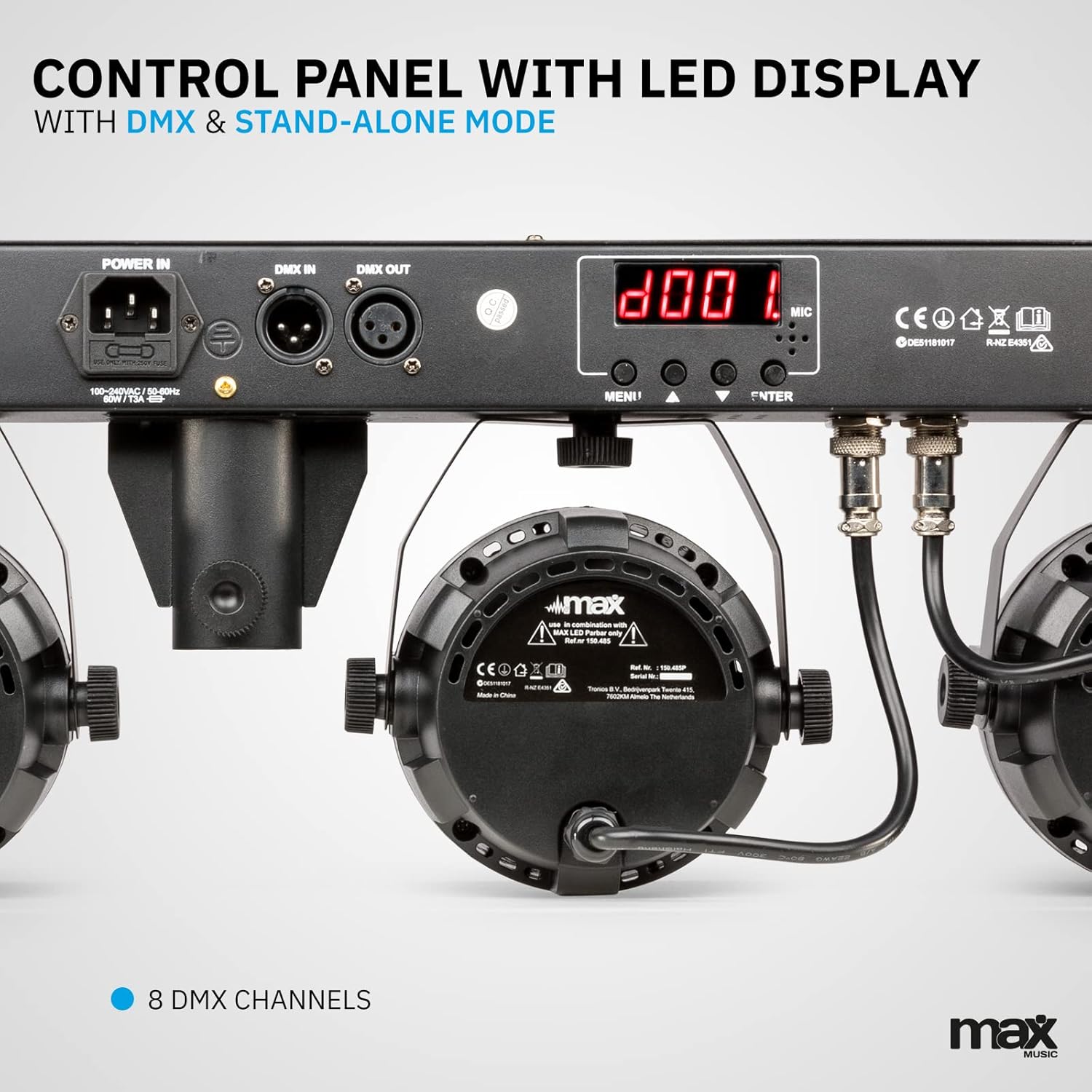
תמונה 3.2: מפורט view of the control panel, featuring power input, DMX connections, and the LED display for mode selection.
4. התקנה
4.1 הרכבת המעמד
- Unfold the tripod legs and ensure they are fully extended and stable.
- Loosen the height adjustment knob on the stand.
- Extend the central pole to the desired height, ensuring it is securely locked in place. The maximum height is 1.8 meters.
- הדק את כפתור כוונון הגובה בחוזקה.
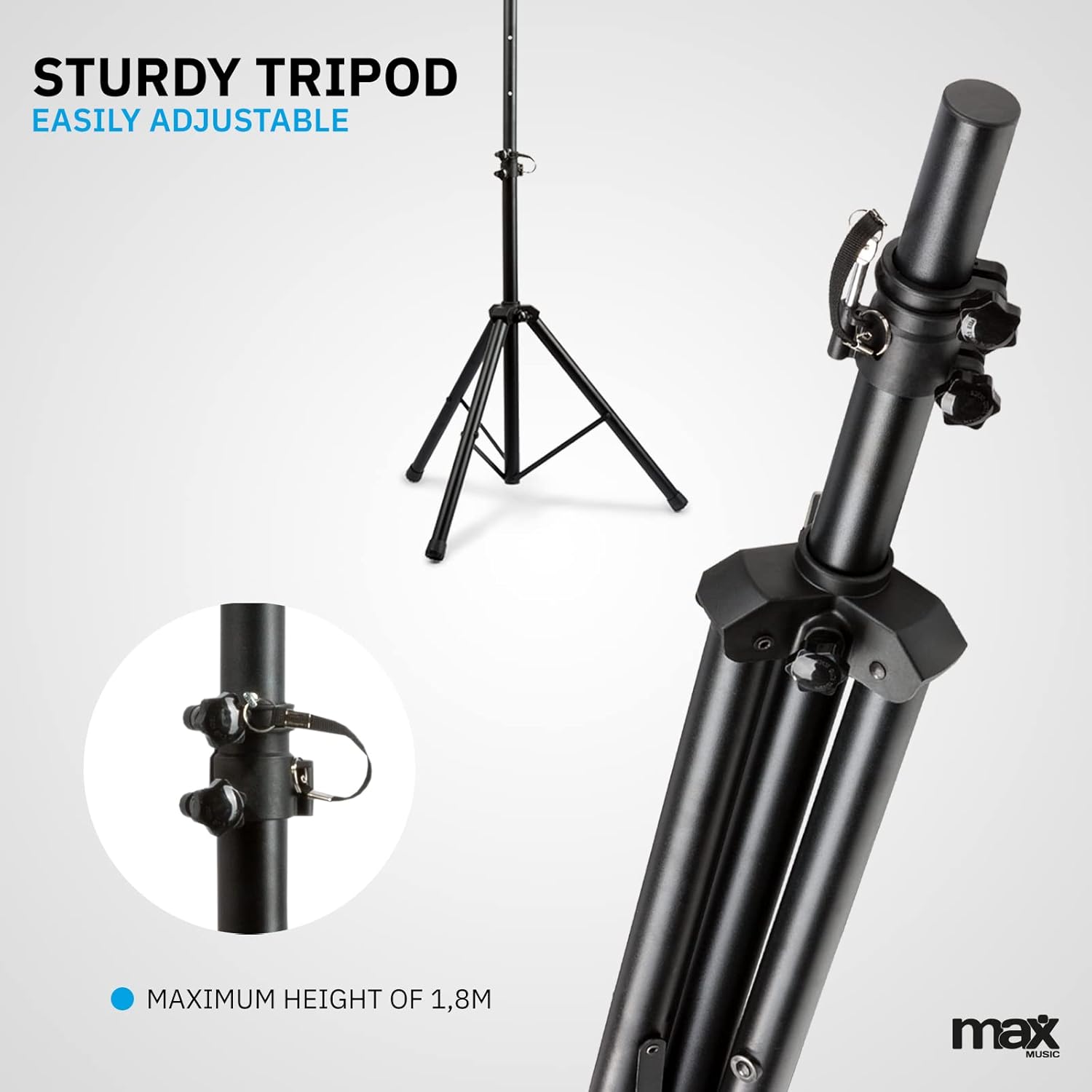
Image 4.1: The sturdy tripod stand, illustrating its adjustable height mechanism for optimal positioning.
4.2 Mounting the Partybar4 Unit
- Carefully place the Partybar4 unit onto the top of the assembled tripod stand.
- Secure the unit to the stand using the provided mounting hardware (if applicable) to prevent accidental dislodgement.
- Adjust the angle of the PAR spots as desired by loosening and tightening their side knobs.
4.3 חיבור מתח
- Connect the power cable to the "POWER IN" socket on the Partybar4 unit.
- Plug the other end of the power cable into a suitable mains power outlet.
- Ensure the power switch on the unit is in the "OFF" position before connecting to power.
4.4 חיבור DMX (אופציונלי)
For advanced control, connect a DMX controller to the "DMX IN" port using a standard 3-pin DMX cable. If linking multiple units, connect the "DMX OUT" of the first unit to the "DMX IN" of the next unit in a daisy chain.
5. מצבי הפעלה
The MAX LED Partybar4 offers several operating modes, which can be selected via the control panel on the unit or the wireless remote control.
5.1 תפעול לוח הבקרה
Use the "MENU", "UP", "DOWN", and "ENTER" buttons on the control panel to navigate through the settings and select your desired mode. The LED display will show the current mode or setting.
5.2 פעולת שלט רחוק
The included wireless remote control provides convenient access to various functions:
- הפעלה/כיבוי: הפעלה או כיבוי.
- AUTO/MUTE: Activates automatic program mode.
- SOUND/SEEK: מפעיל מצב מופעל על ידי צליל.
- DMX: Selects DMX control mode.
- PAR/FLASH: Controls PAR spot flash function.
- LED/COLOR: Adjusts LED colors or color mixing.
- MOTOR/SEN: Adjusts motor speed or sound sensitivity.
- +/-: Adjusts parameters (speed, sensitivity, DMX address).
5.3 מצב אוטומטי
In Automatic mode, the Partybar4 cycles through pre-programmed light shows. You can adjust the speed of these shows using the remote control or control panel.
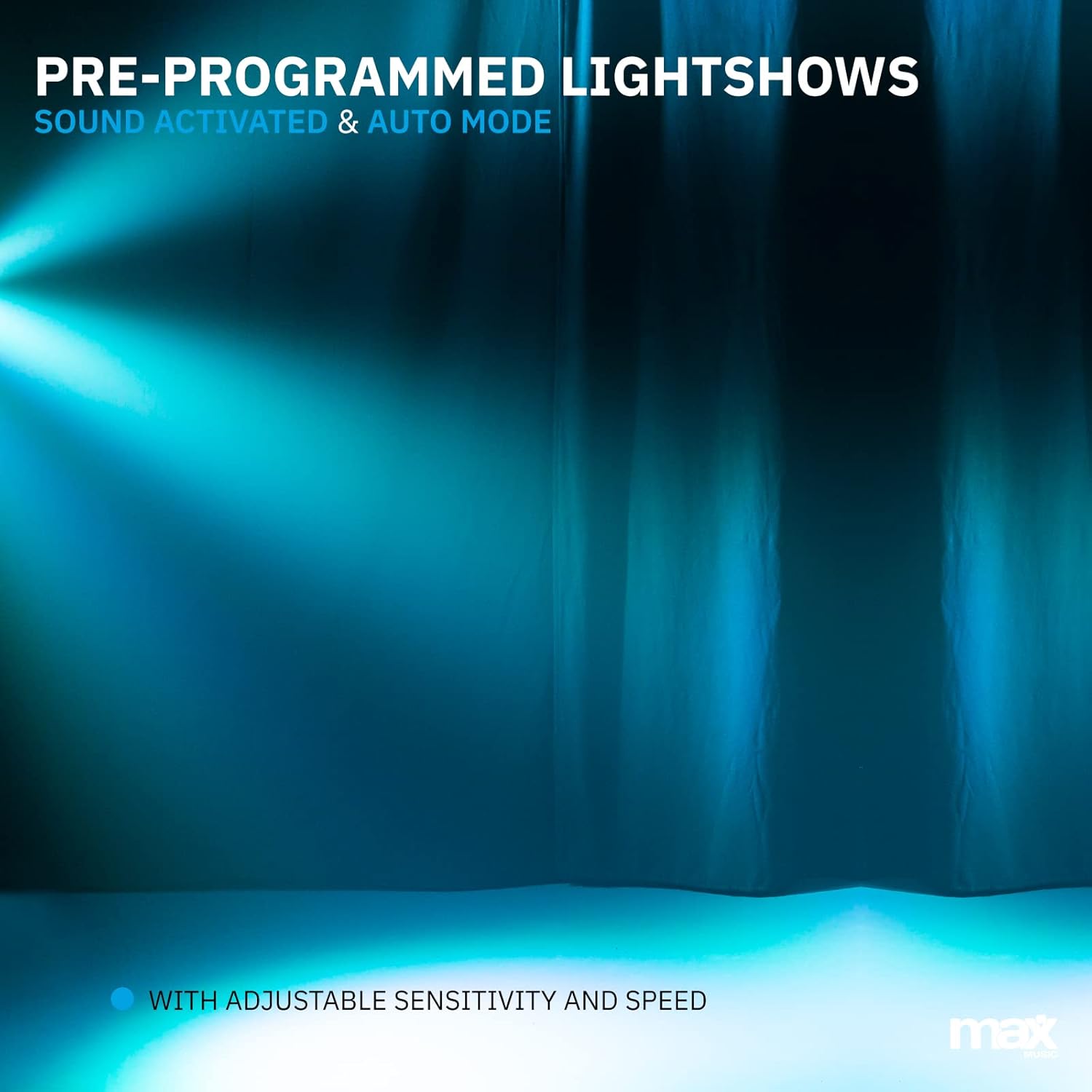
תמונה 5.1: אקסample of a pre-programmed light show, demonstrating dynamic blue and white light effects.
5.4 Sound-Activated Mode
In Sound-activated mode, the light effects react to the beat of the music detected by the built-in microphone. Adjust the sensitivity using the remote control or control panel to fine-tune its response.
5.5 מצב DMX
For professional control, use DMX mode. Set the DMX start address via the control panel. The Partybar4 uses 8 DMX channels, allowing precise control over colors, dimming, strobe, and program selection from an external DMX controller.
5.6 Color Mixing
The RGBW LEDs allow for a wide spectrum of colors. In certain modes, you can mix red, green, blue, and white to create custom hues.

Image 5.2: Illustration of RGBW color mixing capabilities, producing a vibrant blue light effect.
6. תחזוקה
6.1 ניקוי
- נתק תמיד את המכשיר מהחשמל לפני הניקוי.
- השתמש במטלית רכה ונטולת סיבים כדי לנגב את החלק החיצוני של היחידה.
- For lenses, use a specialized lens cleaning solution and a soft cloth to avoid scratches.
- אין להשתמש בחומרי ניקוי שוחקים או ממסים.
6.2 אחסון
- יש לאחסן את המכשיר בסביבה יבשה וללא אבק כאשר אינו בשימוש.
- If storing for extended periods, consider using the original packaging or a protective case.
- Ensure the tripod is collapsed and secured to prevent damage.
7. פתרון תקלות
| בְּעָיָה | סיבה אפשרית | פִּתָרוֹן |
|---|---|---|
| אין כוח | Power cable disconnected; power outlet faulty; unit switch off. | בדוק את חיבור כבל החשמל; נסה שקע אחר; ודא שמתג ההפעלה פועל. |
| Lights not responding to music (Sound-activated mode) | Microphone sensitivity too low; music volume too low; incorrect mode selected. | Increase microphone sensitivity; increase music volume; ensure Sound-activated mode is active. |
| השלט רחוק לא עובד | Battery depleted; obstruction between remote and unit; remote not pointed at IR receiver. | Replace remote control battery (CR2); remove obstructions; ensure remote is pointed at the IR receiver on the unit. |
| בעיות בקרת DMX | Incorrect DMX address; faulty DMX cable; DMX controller issue; unit not in DMX mode. | Verify DMX address settings; check DMX cable connections; test with another DMX controller; ensure DMX mode is selected on the unit. |
8. מפרטים
| תכונה | פְּרָט |
|---|---|
| מספר דגם | PartyBar4 |
| מקור אור | נוריות RGBW |
| ערוצי DMX | 8 |
| מצבי הפעלה | Auto, Sound-activated, DMX, Master/Slave |
| מקור כוח | כבל חשמל |
| מידות המוצר | 20 x 20 x 9 ס"מ |
| משקל פריט | 7.3 קילוגרם |
| חצובה גובה מקסימלי | 1.8 מטר |
| סוללת שלט רחוק | סוללה אחת CR1 (כלול) |
| הסמכות | CE |
9. סרטון מוצר רשמי
Video 9.1: A Closer Look at the MAX LED Partybar4. This video provides a detailed visual overview of the product's features and components.
10. אחריות ותמיכה
The MAX LED Partybar4 comes with a standard manufacturer's warranty. Please refer to the warranty card included in your packaging for specific terms and conditions. For technical support, troubleshooting assistance, or warranty claims, please contact your retailer or the MAX customer service department. Keep your proof of purchase for all warranty-related inquiries.
Note: The manual provided with the item may not be available in Dutch. This document serves as a comprehensive English instruction guide.