
מָבוֹא
This manual provides comprehensive instructions for the assembly, operation, and maintenance of your Fractal Design Focus G Mid Tower Computer Case. Designed for high airflow and versatile component compatibility, the Focus G offers a robust foundation for your PC build.
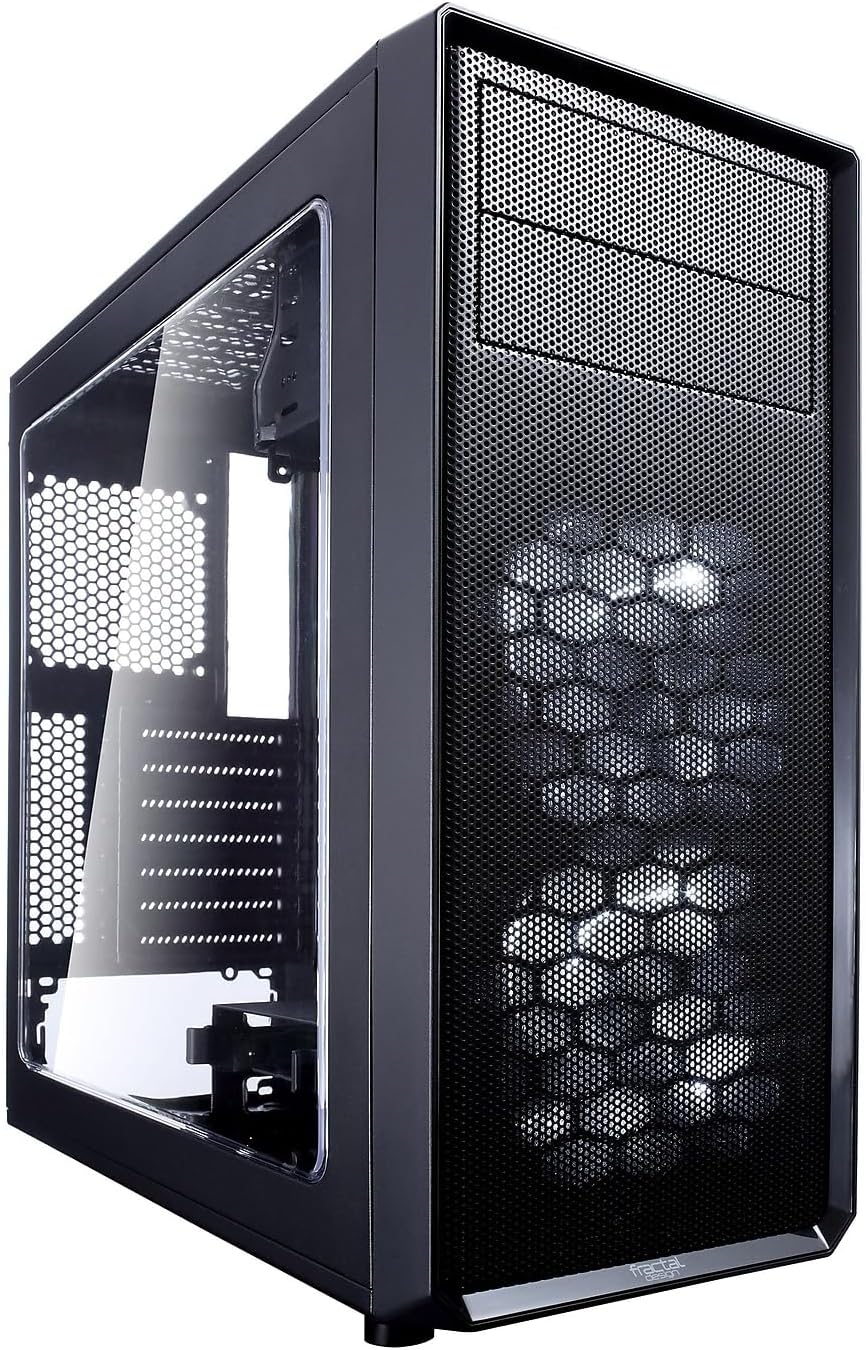
תמונה: חזית וצד view of the Fractal Design Focus G Mid Tower Computer Case, showcasing the windowed side panel and mesh front panel.
תכונות מפתח
- Contemporary ATX Case Design: Accommodates high-performance components with efficient space utilization for a compact footprint.
- Windowed Side Panel: A large windowed side panel allows for showcasing internal hardware.
- זרימת אוויר גבוהה: Includes two pre-installed Fractal Design Silent Series LL 120mm white LED fans. Supports a total of six fan positions.
- מסנני אבק: Filtered front, top, and base air intakes ensure a dust-free interior.
- תמיכה בקירור: Compatible with high-profile CPU coolers, multiple radiator configurations, and graphics cards up to 380mm long.
- אפשרויות אחסון גמישות: Features two vibration-dampened universal drive bays (supporting 6TB+ HDDs and 15mm SSDs) and an additional 2.5" mount behind the motherboard tray.
מפרטים
| תכונה | פְּרָט |
|---|---|
| מותג | עיצוב פרקטל |
| שם הדגם | FD-CA-FOCUS-BK-W |
| סוג מקרה | מגדל אמצע |
| תאימות לוח אם | ATX, מיקרו ATX, מיני ITX |
| מידות (LxWxH) | 20.8 x 19.2 x 10.7 אינץ' |
| משקל פריט | 9.92 פאונד |
| חוֹמֶר | מַתֶכֶת |
| צֶבַע | שָׁחוֹר |
| יציאות USB 2.0 | 2 |
| יציאות USB 3.0 | 2 |
| אורך PSU מקסימלי | 230 מ"מ |
| אורך מקסימלי של כרטיס מסך | 380 מ"מ |
| מקסימום גובה מצנן מעבד | 165 מ"מ |

תמונה: מעל מימדיview of the Fractal Design Focus G case, showing its height, width, and depth.
התקנה והתקנת רכיבים
The Fractal Design Focus G case is designed for straightforward assembly. Follow these steps for optimal component installation.
1. הכנת התיק
Remove the side panels by unscrewing the thumbscrews at the rear of the case. Gently slide the panels backward and lift them off. The front panel can also be removed by pulling from the bottom for fan installation or cleaning.

Image: Front panel detached from the Fractal Design Focus G case, revealing the pre-installed fans and internal structure.
2. התקנת לוח אם
Install the necessary motherboard standoffs into the motherboard tray. Carefully align your ATX, Micro ATX, or Mini ITX motherboard with the standoffs and secure it with screws. Ensure all screws are tightened to prevent movement.
3. התקנת יחידת ספק כוח (PSU)
The PSU mounts at the bottom of the case. Slide your ATX PSU into its designated slot and secure it with screws from the rear of the case. Route the necessary power cables through the cable management cutouts.
4. התקנת כונן אחסון
Utilize the two vibration-dampened universal drive bays for 3.5" HDDs or 2.5" SSDs. An additional 2.5" SSD can be mounted behind the motherboard tray. Secure drives using the provided screws.
5. התקנת כרטיס מסך וכרטיס הרחבה
Install your graphics card and other PCI-E expansion cards into the motherboard slots. The case features fully removable and reusable PCI-E slot covers, which are secured with thumbscrews for convenience.
6. ניהול כבלים
The case provides multiple cutouts and tie-down points behind the motherboard tray for efficient cable routing. This helps maintain optimal airflow and a clean interior aesthetic.
הפעלת התיק
The front I/O panel provides convenient access to essential ports and controls.
- לחצן הפעלה: Located on the top panel, used to power on/off the system.
- לחצן איפוס: Also on the top panel, for system reset.
- יציאות USB 3.0: Two high-speed USB 3.0 ports for data transfer.
- יציאות USB 2.0: Two USB 2.0 ports for peripheral connections.
- שקעי אודיו: Separate microphone and headphone jacks.
Ensure all internal front panel headers are correctly connected to your motherboard for full functionality.
תַחזוּקָה
תחזוקה שוטפת מבטיחה ביצועים אופטימליים ואורך חיים של מארז המחשב שלך.
- ניקוי מסנן אבק: The front, top, and bottom panels feature removable dust filters. Regularly clean these filters to prevent dust buildup and maintain airflow. For the front filter, a vacuum cleaner can be used without removal. Top filters are screwed in and require removal for thorough cleaning. The bottom filter is held by metal tabs and can be slid out.
- ניקוי פנים: Periodically clean the interior of the case with compressed air to remove dust from components and internal surfaces.
- ניקוי חיצוני: נגב את המשטחים החיצוניים בעזרת חומר רך, דamp בַּד. הימנע מחומרי ניקוי שוחקים.
פתרון בעיות
סעיף זה עוסק בבעיות נפוצות שאתה עשוי להיתקל בהן.
- Missing Motherboard Standoff: If a motherboard standoff is missing, ensure you acquire a replacement to properly secure your motherboard and prevent short circuits.
- Difficulty with USB 3.0 Front Panel Header: The USB 3.0 front panel header can be difficult to connect or disconnect from the motherboard. Exercise extreme caution to avoid damaging the motherboard pins or the cable connector. If frequent disconnection is needed, consider using a USB 3.0 to USB 3.1 adapter cable for easier handling.
- Limited Space for Cables: While the case offers cable management options, space behind the motherboard tray can be minimal. Plan your cable routing carefully, especially for thick PSU cables, to ensure side panels close properly.
- Top Fan/Radiator Clearance: If using an external 5.25" drive in the top bay, one of the top fan/radiator positions might be obstructed. Plan your cooling setup accordingly.
- SSD Placement (Rear): The 2.5" SSD mount behind the motherboard tray has limited airflow. Avoid placing high-heat producing SSDs in this location if possible.
סרטון מוצר רשמי
Watch the official Fractal Design Focus G Series overview video for a visual guide to its features and capabilities.
וידאו: סרטון מוצר רשמיasing the Fractal Design Focus G case, highlighting its design, features, and various color options.
אחריות ותמיכה
The Fractal Design Focus G case comes with a 2-year warranty. For warranty claims, technical support, or any inquiries, please visit the official Fractal Design webאתר או צור קשר ישירות עם תמיכת הלקוחות שלהם.
רִשְׁמִי Webאֲתַר: www.fractal-design.com
For additional support and resources, you may also visit the Fractal Design Store on Amazon.