
1. הקדמה
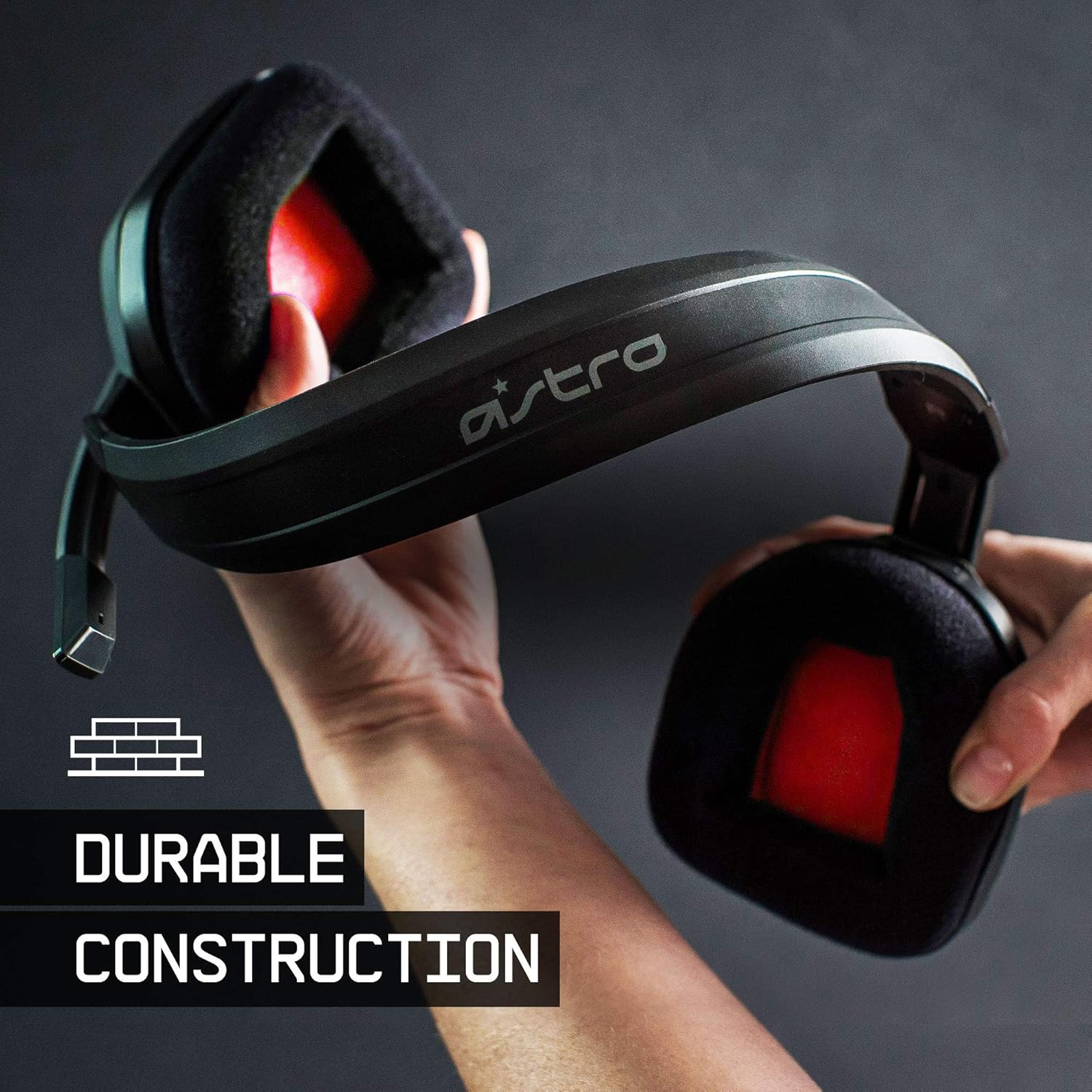
The ASTRO Gaming A10 Headset is engineered for gaming, offering durable construction and extended comfort for prolonged use. It features ASTRO Audio for clear and precise sound, an omnidirectional microphone with flip-up mute functionality, and in-line volume control for a comprehensive audio experience.
2. מה בקופסה
Upon unboxing your ASTRO Gaming A10 Headset, you should find the following components:
- ASTRO Gaming A10 Headset
- A10 Volume Cable (3.5mm jack)

3. תכונות מוצר
- עֲמִידוּת: The A10 Headset is constructed with a durable headband made of anodized aluminum and a damage-resistant polycarbonate blend, designed to withstand rigorous use.
- נוֹחוּת: Featuring extended comfort memory foam ear-cushions, the headset is designed to minimize fatigue during long gaming sessions.
- תִקשׁוֹרֶת: An omnidirectional microphone with flip-up mute functionality and in-line volume control ensures clear communication with teammates.
- איכות סאונד: Tuned with ASTRO Audio, the A10 delivers immersive and accurate audio, providing low latency and precise voice communication.
- תְאִימוּת: The headset is compatible with multiple platforms including PS5, PC/MAC, XBOX SERIES X|S, NINTENDO SWITCH, VR, and streaming devices.



4. הוראות התקנה
- Connect the A10 Volume Cable: Insert the smaller end of the A10 Volume Cable into the 3.5mm port located on the left earcup of the ASTRO A10 Headset. Ensure it is securely connected.
- התחבר למכשיר: Plug the larger end of the A10 Volume Cable into the 3.5mm headphone jack on your gaming controller (e.g., Xbox, PlayStation), PC, Mac, Nintendo Switch, or other compatible device.
- התאם את עוצמת הקול: Use the in-line volume control wheel on the A10 Volume Cable to adjust the audio level to your preference.
- מיקרופון מיקום: Lower the microphone boom arm to activate the microphone. Position it appropriately for clear voice capture.

5. הוראות הפעלה
שימוש במיקרופון (הפוך להשתקה)
The ASTRO A10 Headset features a convenient flip-to-mute microphone. To activate the microphone, simply lower the boom arm into the speaking position. To mute the microphone, flip the boom arm upwards until it clicks into the vertical position. This action instantly mutes your voice input.
בקרת עוצמת הקול
Adjust the audio volume using the in-line control wheel located on the A10 Volume Cable. Rotate the wheel upwards to increase volume and downwards to decrease volume.
6. תאימות
The ASTRO Gaming A10 Headset is designed for broad compatibility across various gaming and media platforms:
- פלייסטיישן 5 (PS5)
- פלייסטיישן 4 (PS4)
- Xbox Series X|S
- Xbox One
- Nintendo Switch
- PC
- מק
- VR devices
- מכשירי סטרימינג
- Most mobile phones and tablets with a 3.5mm jack

7. תחזוקה
- ניקוי: השתמשו במטלית רכה ויבשה לניקוי האוזניות. הימנעו משימוש בכימיקלים חזקים או בחומרים שוחקים.
- אִחסוּן: יש לאחסן את האוזניות במקום קריר ויבש, הרחק מאור שמש ישיר וטמפרטורות קיצוניות.
- טיפול בכבלים: הימנע מכיפופים חדים או משיכה מוגזמת של הכבל כדי למנוע נזק.
- כריות אוזניים: בדקו מעת לעת את כריות האוזניים לאיתור בלאי. כריות חלופיות עשויות להיות זמינות מהיצרן.
8. פתרון תקלות
- אין שמע / שמע חלש:
- Ensure the 3.5mm cable is fully inserted into both the headset and the device.
- בדוק את בקרת עוצמת הקול המובנה וודא שהיא מוגברת.
- Verify that the audio output settings on your device are correctly configured for the headset.
- בדוק את האוזניות עם מכשיר אחר כדי לשלול בעיה ספציפית למכשיר.
- המיקרופון לא עובד:
- Ensure the microphone boom arm is fully lowered into the speaking position (not flipped up for mute).
- Check the microphone input settings on your device to ensure the headset microphone is selected and not muted.
- בדוק את המיקרופון באמצעות אפליקציה או מכשיר אחר.
- Static or Distorted Audio:
- Ensure the 3.5mm cable connections are secure and free from debris.
- Try using a different 3.5mm cable if available, to rule out a faulty cable.
- Reduce the volume on your device or headset if the audio is clipping.
9. מפרטים
| תכונה | פְּרָט |
|---|---|
| מותג | משחקי ASTRO |
| שם הדגם | ASTRO Gaming A10 |
| מספר דגם | 939-001508 |
| טכנולוגיית קישוריות | חוטי |
| שקע אוזניות | 3.5 מ"מ ג 'ק |
| משקל פריט | 12.35 אונקיות |
| טווח תדרים | 20 הרץ - 20 קילוהרץ |
| סוג מנהל התקן שמע | מנהל התקן דינמי |
| חומר המארז | אֲלוּמִינְיוּם |
| תכונות נוספות | Microphone Included, Volume Control |
| מכשירים תואמים | PS5, PC/MAC, XBOX SERIES X|S, NINTENDO SWITCH, VR, STREAMING, most mobile phones, tablets |
10. אחריות ותמיכה
The ASTRO Gaming A10 Headset comes with a אחריות יצרן לשנה. For warranty claims, technical support, or additional product information, please visit the official ASTRO Gaming webאתר או צרו קשר ישירות עם שירות הלקוחות שלהם.
11. סרטוני מוצר
ASTRO A10 Experience
Video: An official video showcasing the overall experience and key aspects of the ASTRO A10 Headset. This video provides a visual overview של עיצוב המוצר ופונקציונליותו.