
1. המוצר נגמרview
The ADATA XPG EX500 is a tool-free external enclosure designed to convert any 2.5-inch SATA III hard disk drive (HDD) or solid state drive (SSD) into a portable storage solution. It supports USB 3.1 connectivity, offering fast data transfer speeds, and is backward compatible with USB 2.0 and USB 3.0. Its robust, shock-resistant design provides protection for your valuable data.
תכונות עיקריות:
- Suitable for 2.5-inch SSD and 2.5-inch Hard Disk Drive
- Tool-less design for quick installation process
- פונקציונליות הכנס והפעל
- Shock resistant construction
- USB 3.1 connectivity (backward compatible with USB 3.0 and USB 2.0)
2. תכולת החבילה
אנא ודא שכל הפריטים נמצאים בחבילה שלך:
- XPG EX500 External Enclosure
- כבל USB 3.1
- מדריך למשתמש (מסמך זה)
3. הוראות התקנה
Installing a 2.5-inch Drive:
The XPG EX500 features a tool-free design for easy installation of your 2.5-inch SATA HDD or SSD.
- פתח את המארז: Gently slide the top cover of the XPG EX500 enclosure in the direction indicated by the arrows until it detaches.
- הכנס את הכונן: Align your 2.5-inch SATA HDD or SSD with the SATA connector inside the enclosure. Carefully push the drive into the connector until it is firmly seated. Ensure the drive is oriented correctly.
- סגור את המארז: Place the top cover back onto the enclosure, aligning the tabs. Slide the cover until it clicks securely into place.
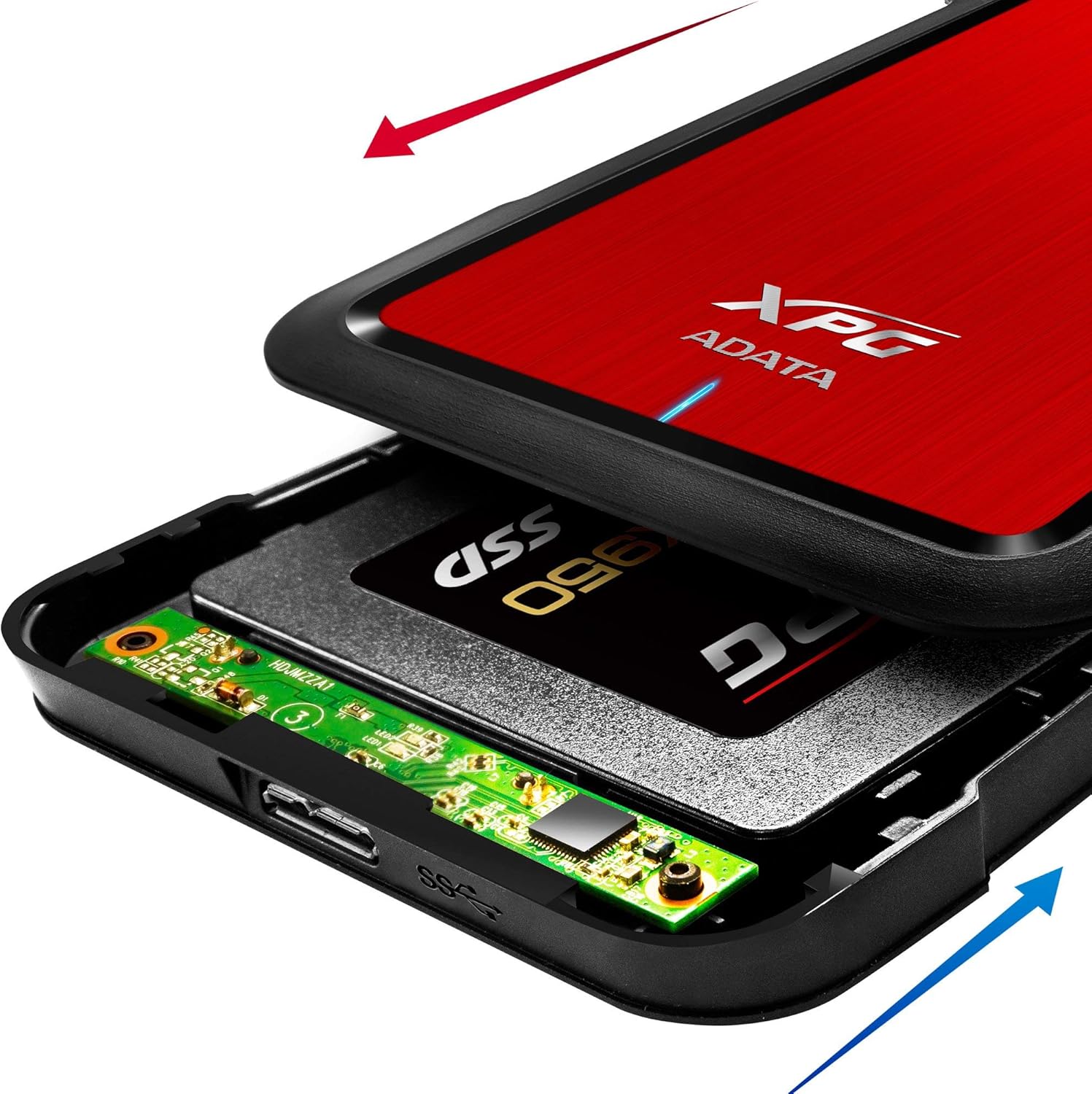
Image: The XPG EX500 enclosure shown open, with a solid state drive (SSD) being inserted into the internal SATA connector. Red and blue arrows indicate the sliding motion for opening and closing the cover.
4. הוראות הפעלה
חיבור למכשיר:
Once your drive is installed, connect the XPG EX500 to your computer or gaming console.
- חבר כבל USB: Plug one end of the provided USB 3.1 cable into the USB port on the XPG EX500 enclosure.
- התחברות להתקן מארח: Plug the other end of the USB cable into an available USB port on your PC, notebook, Mac, PlayStation 4, Xbox 360, or Xbox One. For optimal performance, use a USB 3.1 (or USB 3.0) port.
- הכנס והפעל: The enclosure is plug-and-play. Your operating system should automatically detect the drive. If it's a new drive, you may need to initialize and format it through your operating system's disk management tools before use.
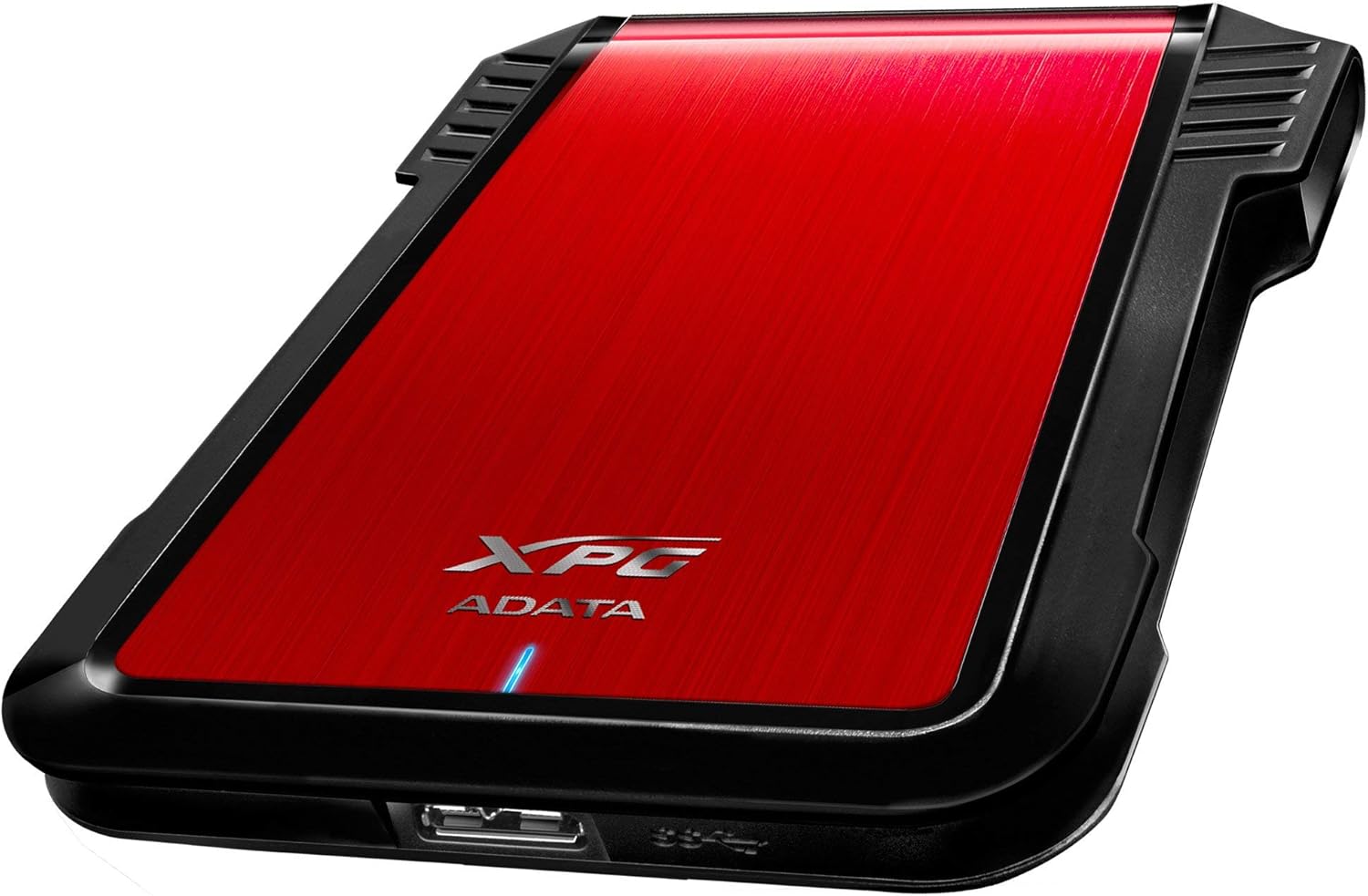
תמונה: צד view of the XPG EX500 external enclosure, highlighting the USB 3.1 port for connecting to a host device.
העברת נתונים:
The XPG EX500 supports USB 3.1, providing high-speed data transfer. Actual speeds may vary depending on the connected device, the drive installed, and the type of data being transferred.
5. תחזוקה
To ensure the longevity and optimal performance of your XPG EX500 enclosure:
- ניקוי: השתמש במטלית רכה ויבשה לניקוי החלק החיצוני של המארז. הימנע משימוש בחומרי ניקוי נוזליים או ממסים.
- טיפול: While the enclosure is shock-resistant, avoid dropping it or subjecting it to severe impacts, as this can still damage the internal drive.
- סְבִיבָה: Store and operate the enclosure in a dry environment, away from extreme temperatures, direct sunlight, and humidity.
- ניתוק: הוצא תמיד את הכונן ממערכת ההפעלה בצורה בטוחה לפני ניתוק כבל ה-USB כדי למנוע פגיעה בנתונים.
6. פתרון תקלות
If you encounter issues with your XPG EX500, please refer to the following common solutions:
- כונן לא זוהה:
- Ensure the USB cable is securely connected to both the enclosure and the host device.
- נסה להתחבר ליציאת USB אחרת במחשב שלך.
- Verify that the 2.5-inch drive is properly seated within the enclosure's SATA connector.
- If it's a new drive, check your operating system's Disk Management (Windows) or Disk Utility (macOS) to see if the drive needs to be initialized and formatted.
- מהירויות העברת נתונים איטיות:
- Ensure you are connected to a USB 3.1 or USB 3.0 port on your host device. USB 2.0 ports will result in significantly slower speeds.
- Check the condition of the USB cable. Try using a different USB 3.1 compatible cable if available.
- The performance of the internal drive itself can affect transfer speeds.
- המארז מרגיש חם:
- It is normal for the enclosure to feel warm during extended use, especially during heavy data transfers. Ensure adequate airflow around the device.
7. מפרטים
| תכונה | מִפרָט |
|---|---|
| מספר דגם | AEX500U3-CRD |
| כוננים תואמים | כונן קשיח/SSD SATA בגודל 2.5 אינץ' |
| מִמְשָׁק | USB 3.1 (backward compatible with USB 3.0, USB 2.0) |
| קצב העברת נתונים | Up to 1 Gigabits Per Second (USB 3.1 theoretical max) |
| מכשירים תואמים | PC, Notebook, Mac, PlayStation 4, Xbox 360, Xbox One |
| חוֹמֶר | פּלָסטִי |
| מידות המוצר | 4.92 x 3.54 x 0.67 אינץ' (125 x 90 x 17 מ"מ) |
| משקל פריט | 2.43 אונקיות (0.07 קילוגרם) |
8. מידע על אחריות
The ADATA XPG EX500 External Enclosure comes with a אחריות מוגבלת לשנה ממועד הרכישה. אחריות זו מכסה פגמי ייצור וביצוע תחת שימוש רגיל. היא אינה מכסה נזק שנגרם כתוצאה משימוש לרעה, תאונה, שינוי לא מורשה או סיבות חיצוניות.
Please retain your proof of purchase for warranty claims. For detailed warranty terms and conditions, refer to the official ADATA webאתר או צור קשר עם תמיכת הלקוחות.
9. תמיכה
For further assistance, technical support, or to download the latest drivers and firmware (if applicable), please visit the official ADATA webאֲתַר:
You may also contact ADATA customer service directly through the contact information provided on their webאֲתַר.