
1. הקדמה
Thank you for choosing the 2BOOM HPBT500K Wireless Headphone System. This manual provides essential information for the proper setup, operation, and maintenance of your new headphones. Please read it thoroughly before use to ensure optimal performance and longevity of the product.
The HPBT500K headphones offer a wireless audio experience with a built-in microphone for hands-free calling, enhanced bass sound, and comfortable wear.
2. מה בקופסה
- 2BOOM HPBT500K Wireless Headphone
- כבל טעינה USB
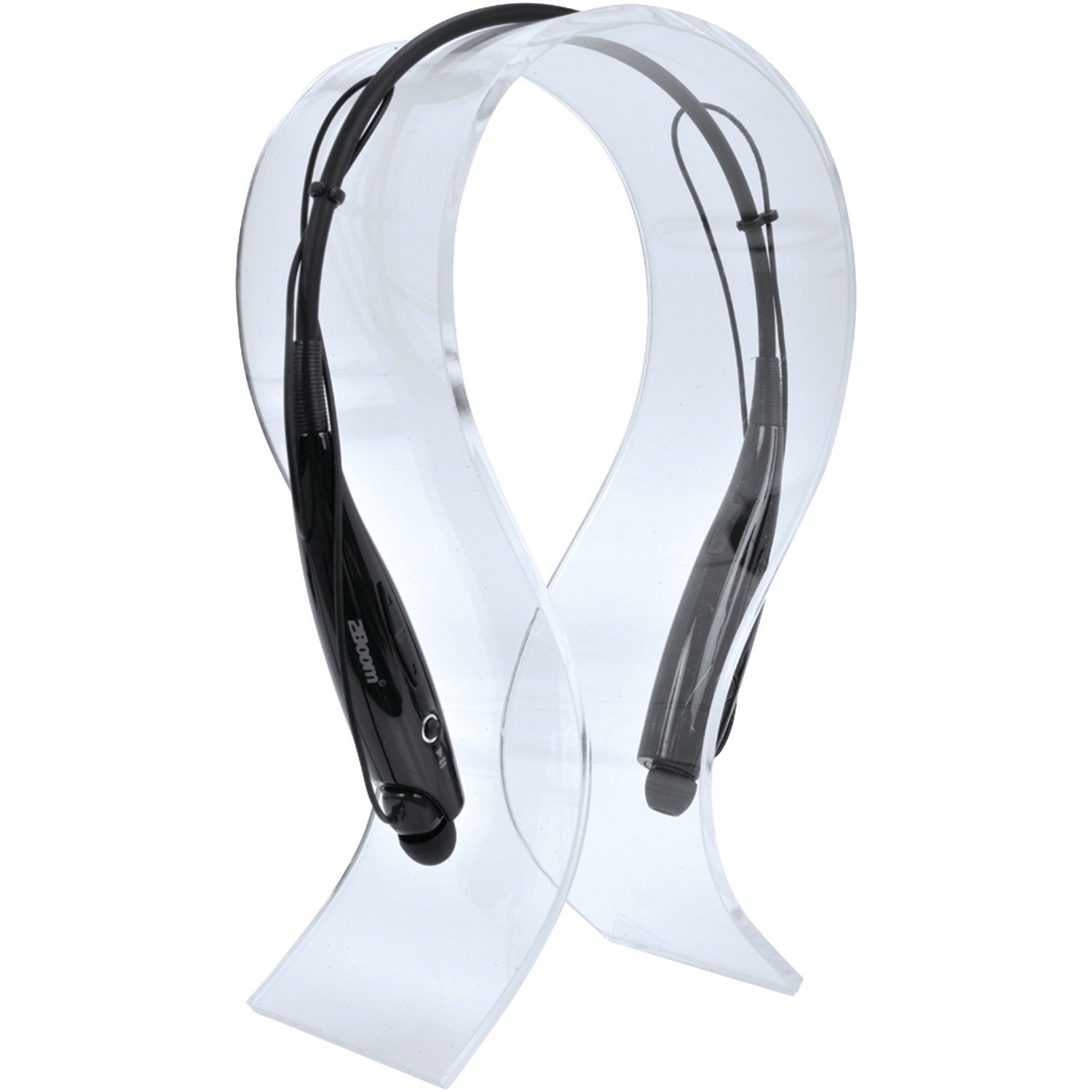
Image: The 2BOOM HPBT500K Wireless Headphone, showcasinהעיצוב שלו.
Image: The included USB charging cable for the headphones.
3. המוצר נגמרview
Familiarize yourself with the various parts and controls of your HPBT500K headphones.

תמונה: צד view of the 2BOOM HPBT500K Wireless Headphone, highlighting control buttons and ports.
בקרות ומחוונים:
- לחצן הפעלה: Used to turn the headphones on/off and for pairing.
- הגברת עוצמת הקול/הרצועה הבאה: מגביר את עוצמת הקול או מדלג לשיר הבא.
- הורדת עוצמת הקול/הרצועה הקודמת: Decreases volume or goes to the previous song.
- כפתור רב-תכליתי (MFB): הפעלה/השהיה, מענה/סיום שיחה.
- מִיקרוֹפוֹן: לתקשורת ללא ידיים.
- מחוון LED: מציג את מצב ההפעלה, מצב הצימוד ומצב הטעינה.
- יציאת טעינת מיקרו USB: לחיבור כבל הטעינה.
4. טעינת האוזניות
Before first use, fully charge your headphones. A full charge typically takes about 2-3 hours.
- Connect the small end of the USB charging cable to the Micro USB charging port on your headphones.
- Connect the larger end of the USB charging cable to a USB power source (e.g., computer USB port, USB wall adapter). Ensure the power source provides DC 5V.
- The LED indicator will illuminate during charging and change color or turn off once charging is complete.
פֶּתֶק: Do not use chargers with a voltage higher than DC 5V, as this may damage the headphones.
5. הגדרה וצימוד Bluetooth
Follow these steps to pair your HPBT500K headphones with your Bluetooth-enabled device.
- הפעלה: Press and hold the Power button on the headphones until the LED indicator flashes, usually alternating blue and red, indicating pairing mode.
- הפעל בלוטות': On your smartphone, tablet, or other Bluetooth device, go to the Bluetooth settings and ensure Bluetooth is turned on.
- חפש מכשירים: המכשיר שלך יסרוק אחר התקני Bluetooth זמינים.
- Select 'HPBT500K': From the list of found devices, select 'HPBT500K'.
- אשר את ההתאמה: Once paired, the LED indicator on the headphones will typically flash blue slowly or remain solid blue, and your device may confirm the connection.
The operating distance for Bluetooth connectivity is up to 33 feet (10 meters) in an open environment. Obstacles may reduce this range.
6. הוראות הפעלה
השמעת מוזיקה:
- הפעל/השהה: לחץ פעם אחת על הלחצן הרב-תכליתי (MFB).
- הרצועה הבאה: לחץ והחזק את לחצן הגברת עוצמת הקול.
- רצועה קודמת: לחץ והחזק את לחצן החלשת עוצמת הקול.
- הגבר קול: לחץ לחיצה קצרה על כפתור הגברת עוצמת הקול.
- להנמיך קול: לחץ לחיצה קצרה על כפתור הנמכת עוצמת הקול.
Music playback time is up to 3 hours on a full charge.
שיחות ללא ידיים:
- תשובה לשיחה: Press the MFB once when a call comes in.
- סיום שיחה: לחץ על MFB פעם אחת במהלך שיחה.
- דחה שיחה: Press and hold the MFB for approximately 2 seconds when a call comes in.
- חיוג חוזר למספר האחרון: לחץ פעמיים על ה-MFB.
Talk time is up to 3 hours on a full charge.
7. תחזוקה
כדי להבטיח את אורך החיים והביצועים האופטימליים של האוזניות שלכם, יש לפעול לפי הנחיות התחזוקה הבאות:
- Keep the headphones dry. Avoid exposure to moisture, rain, or liquids.
- נקו את האוזניות בעזרת מטלית רכה ויבשה. אין להשתמש בכימיקלים חזקים או בחומרי ניקוי שוחקים.
- יש לאחסן את האוזניות במקום קריר ויבש, הרחק מטמפרטורות קיצוניות.
- הימנעו מהפלת האוזניות או מחשיפתן לפגיעות חזקות.
- אל תנסו לפרק או לשנות את האוזניות, שכן פעולה זו תגרום לביטול האחריות.
8. פתרון תקלות
If you encounter issues with your HPBT500K headphones, refer to the following common problems and solutions:
- האוזניות לא נדלקות:
Ensure the headphones are fully charged. Connect them to a power source using the provided USB cable. - לא ניתן להתאים למכשיר:
Make sure Bluetooth is enabled on your device and the headphones are in pairing mode (LED flashing blue/red). Move the headphones closer to your device. Try turning both devices off and on again. - אין צליל או עוצמת קול נמוכה:
בדקו את עוצמת הקול הן באוזניות והן במכשיר המחובר. ודאו שהאוזניות מותאמות כראוי. - איכות צליל ירודה או ניתוקים:
Ensure there are no obstructions between the headphones and your device. Move closer to your device. Avoid environments with strong Wi-Fi or other wireless interference. - המיקרופון לא עובד:
ודא שהאוזניות מחוברות כראוי ונבחרו כהתקן קלט השמע בטלפון/מחשב שלך.
9. מפרטים
| תכונה | מִפרָט |
|---|---|
| גרסת בלוטות' | 2.1 + EDR |
| מרחק פעולה | עד 33 רגל (10 מטר) |
| זמן השמעת מוסיקה | עד 3 שעות |
| זמן דיבור | עד 3 שעות |
| טעינת קלט כרךtage | DC 5V |
| זמן טעינה | בערך 2-3 שעות |
| פלט רמקול | 2 x 40mW |
| סוללה מובנית | 3.7V, 150mAh |
| משקל פריט | 113 גרם |
| מידות המוצר (LxWxH) | 23.11 x 16.76 x 3.81 ס"מ |
| רכיבים כלולים | Headphone with charging cable |
| שיטת בקרה | לָגַעַת |
| תכונות מיוחדות | קל משקל, כולל מיקרופון |
10. אחריות ותמיכה
For warranty information or technical support, please refer to the documentation provided at the time of purchase or contact 2BOOM customer service. Keep your proof of purchase for warranty claims.