
1. הקדמה
Thank you for choosing the Lenco PDR-030 DAB+/FM Portable Digital Radio. This manual provides essential information for setting up, operating, and maintaining your device. The PDR-030 offers high-quality digital radio reception (DAB+) and traditional FM radio, along with features such as an integrated rechargeable battery for portability, an RDS display, station memory, and an alarm clock function.
רכיבים כלולים:
- Lenco PDR-030 Digital Radio
- AC Power Adapter (220 Volt)
- מדריך למשתמש
2. מידע בטיחות חשוב
- אין לחשוף את המכשיר לגשם או לחות כדי למנוע שריפה או התחשמלות.
- ודא שעוצמת מתאם החשמלtage תואם לספק הכוח המקומי שלך.
- אל תפתח את ה-casinז. הפנה את כל הטיפולים לצוות מוסמך.
- הימנע מהצבת היחידה ליד מקורות חום או באור שמש ישיר.
- Handle the integrated battery with care. Do not attempt to replace it yourself.
- הרחק את המכשיר משדות מגנטיים חזקים.
3. המוצר נגמרview
Familiarize yourself with the main components and controls of your Lenco PDR-030 radio.
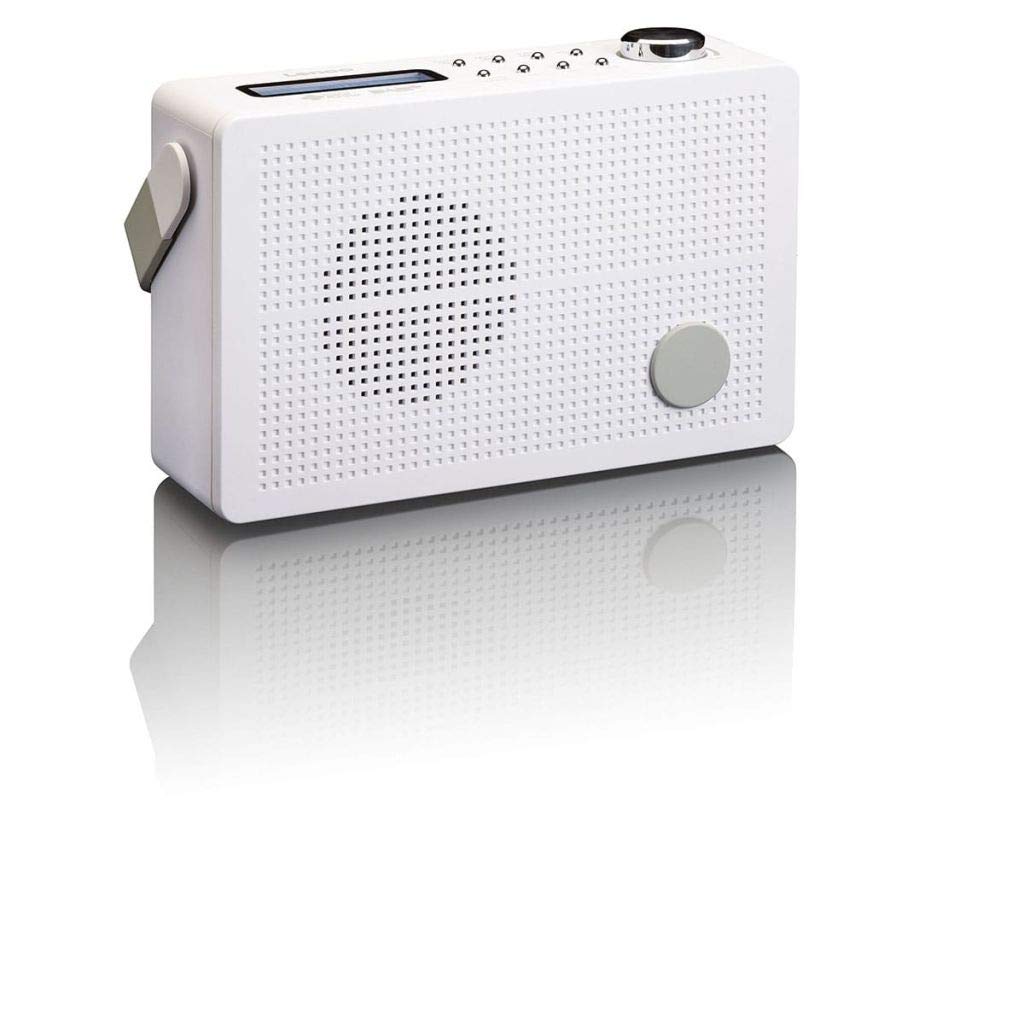
איור 3.1: Front Panel of Lenco PDR-030 Radio. Features include a blue backlit LCD display, power/source button, alarm, sleep, info/menu, preset buttons, select/snooze, scan, previous, next buttons, and a rotary volume knob.
בקרות ותכונות מרכזיות:
- לְהַצִיג: Two-line illuminated LCD for time, date, station name, and information.
- כפתור הפעלה/מקור: Turns the radio on/off and switches between DAB+ and FM modes.
- ידית עוצמת הקול: מכוונן את רמת פלט השמע.
- אנטנה טלסקופית: לקבלת קליטת אות רדיו אופטימלית.
- שקע אוזניות (3.5 מ"מ): להאזנה פרטית.
- Alarm/Sleep/Info/Menu/Preset Buttons: For various functions including setting alarms, sleep timer, accessing information, menu navigation, and managing station presets.
- Select/Snooze/Scan/Prev/Next Buttons: For station tuning, menu selection, and snooze function.
4. התקנה
4.1 הפעלת הרדיו
The PDR-030 can be powered by the included AC adapter or its integrated rechargeable battery.
- מתח AC: Connect the supplied 220V AC power adapter to the DC input jack on the radio and then to a wall outlet. The radio will automatically begin charging the internal battery.
- כוח סוללה: The integrated Lithium-ion battery allows for portable use. Ensure the battery is sufficiently charged before use without the AC adapter.
4.2 הגדרת אנטנה
Extend the telescopic antenna fully for optimal reception of both DAB+ and FM signals. Adjust its position for the best signal quality.
4.3 Initial Power On and Station Scan
- הקש על מקור כוח לחצן להפעלת הרדיו.
- Upon first use, the radio will automatically enter DAB+ mode and perform a full scan for available digital radio stations. This may take a few minutes.
- לאחר השלמת הסריקה, הרדיו יכוונן לתחנה הזמינה הראשונה.
5. הוראות הפעלה
5.1 הפעלה/כיבוי
הקש על מקור כוח כפתור כדי להפעיל או לכבות את הרדיו.
5.2 Mode Selection (DAB+/FM)
הקש על מָקוֹר button repeatedly to switch between DAB+ and FM radio modes.
5.3 תחנות כוונון
- DAB+ Mode:
- After the initial scan, use the הקודם ו הַבָּא buttons to navigate through the list of available DAB+ stations.
- To perform a new full scan, press the תַפרִיט button, navigate to "Full Scan" using הקודם הבא ×, ולחץ לִבחוֹר.
- מצב FM:
- הקש על לִסְרוֹק כדי לסרוק אוטומטית את תחנת ה-FM הזמינה הבאה.
- For manual tuning, press and hold the הקודם or הַבָּא כפתורים לכוונון מדויק של התדר.
5.4 Saving and Recalling Preset Stations
The radio allows you to store up to 10 DAB+ and 10 FM preset stations.
- כדי לשמור הגדרה קבועה מראש:
- כוון לתחנה הרצויה.
- לחץ והחזק את מוגדר מראש לחץ על הכפתור עד להופעת "אחסון הגדרות קבועות מראש" על הצג.
- השתמש ב- הקודם הבא × כפתורים לבחירת מספר מוגדר מראש (1-10).
- לִלְחוֹץ לִבחוֹר כדי לאשר ולשמור את התחנה.
- כדי להחזיר הגדרה מראש:
- הקש על מוגדר מראש כפתור קצר.
- השתמש ב- הקודם הבא × כפתורים כדי לבחור את המספר הקבוע מראש הרצוי.
- לִלְחוֹץ לִבחוֹר to tune to the preset station.
5.5 בקרת עוצמת הקול
סובב את ה כפתור עוצמת הקול עם כיוון השעון כדי להגביר את עוצמת הקול ונגד כיוון השעון כדי להנמיך אותה.
5.6 RDS Functionality (FM Mode)
In FM mode, the RDS (Radio Data System) function displays information such as station name, program type, and other broadcast data on the two-line LCD display.
5.7 פונקציית שעון מעורר
The PDR-030 can be used as an alarm clock with two separate alarm times.
- הגדרת אזעקה:
- הקש על אַזעָקָה לַחְצָן.
- לְהִשְׁתַמֵשׁ הקודם הבא × to select Alarm 1 or Alarm 2, then press לִבחוֹר.
- Follow the on-screen prompts to set the alarm time, duration, source (Buzzer or Radio), frequency (Daily, Once, Weekdays, Weekends), and volume.
- Ensure the alarm is set to "On" and press לִבחוֹר כדי לשמור.
- פונקצית נודניק: כאשר האזעקה נשמעת, לחץ על נִמנוּם button to temporarily silence it for a set period.
- טיימר שינה: הקש על לִישׁוֹן לחץ שוב ושוב על הלחצן כדי להגדיר טיימר שינה (למשל, 15, 30, 45, 60 דקות) ולאחר מכן הרדיו יכבה אוטומטית.
5.8 חיבור אוזניות
Connect 3.5mm stereo headphones to the headphone jack for private listening. The internal speaker will be muted automatically.
6. תחזוקה
6.1 ניקוי
Wipe the radio's exterior with a soft, dry cloth. Do not use abrasive cleaners, waxes, or solvents as they may damage the finish. Ensure no liquids enter the device.
6.2 טיפול בסוללה
The integrated Lithium-ion battery is designed for long life. To maximize battery lifespan:
- הימנעו מפריקת הסוללה באופן מלא לעתים קרובות.
- If storing the radio for an extended period, charge the battery to approximately 50% and store in a cool, dry place.
- Do not attempt to replace the battery yourself. Contact qualified service personnel if battery issues arise.
7. פתרון תקלות
| בְּעָיָה | סיבה אפשרית | פִּתָרוֹן |
|---|---|---|
| אין כוח | AC adapter not connected or faulty; battery discharged. | Check AC adapter connection. Charge the battery. |
| קליטת DAB+/FM גרועה | אנטנה לא מורחבת; אזור אות חלש; הפרעות. | Fully extend and adjust the telescopic antenna. Move the radio to a location with better signal. Avoid placing near other electronic devices. |
| אין קול | עוצמת קול נמוכה מדי; אוזניות מחוברות; השתקה מופעלת. | Increase volume. Disconnect headphones. Check if mute is active (if applicable). |
| אזעקה לא נשמעת | Alarm not activated; alarm volume too low; incorrect time setting. | Ensure alarm is set to "On". Check alarm volume. Verify current time and alarm time settings. |
8. מפרטים
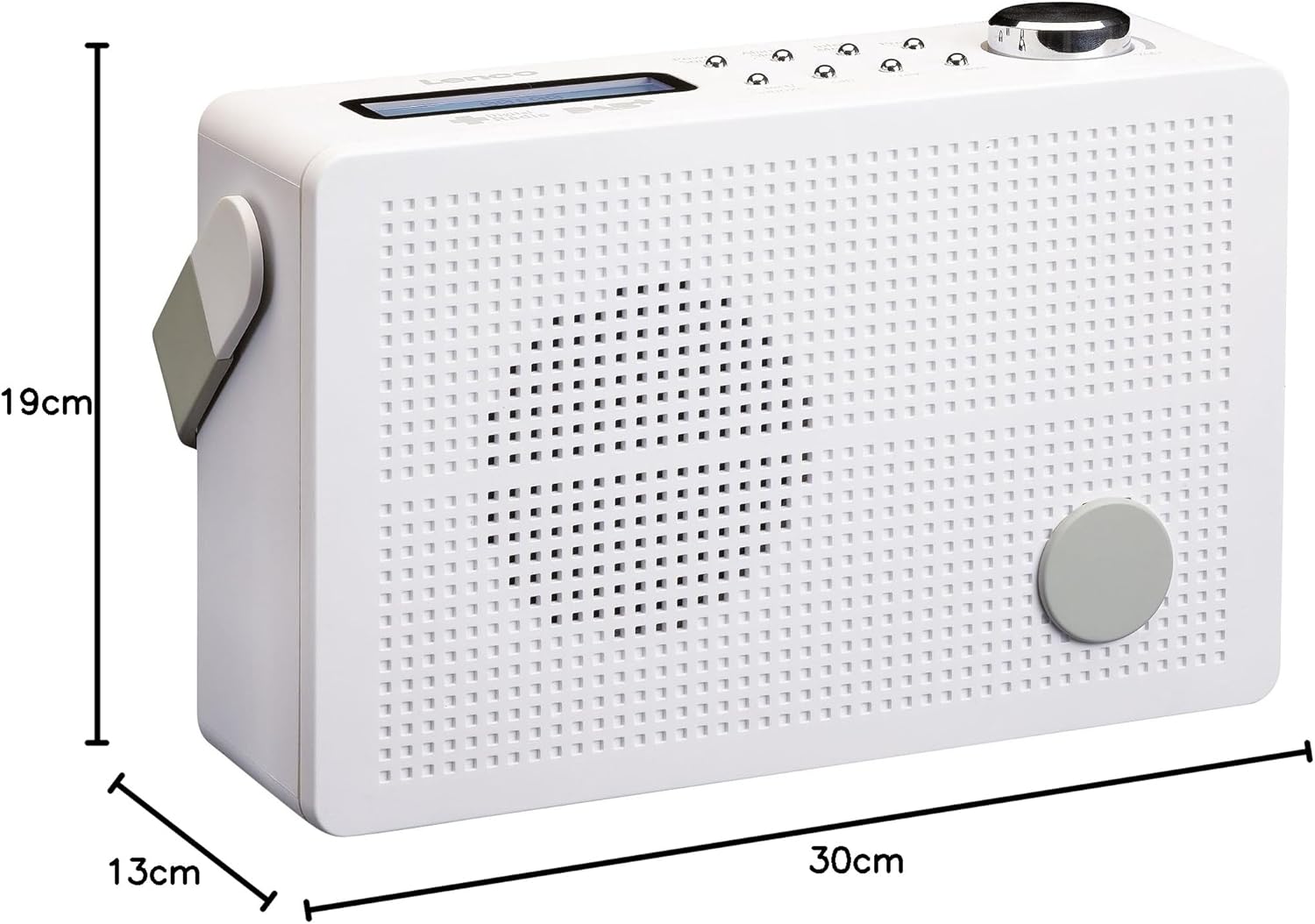
איור 8.1: Lenco PDR-030 Dimensions.
| תכונה | פְּרָט |
|---|---|
| מספר דגם | PDR-030 |
| טכנולוגיית טיונר | DAB+, FM (Ukw) |
| מקור כוח | Battery-Powered (Integrated Lithium-ion), AC Adapter |
| AC כרךtage | 220 וולט |
| מידות המוצר (רוחב x דק) | 21.4 x 6.5 x 13.8 cm (approx. 22.5 x 8.5 x 15 cm as per another spec) |
| משקל פריט | 9 g (Note: This seems incorrect, likely 670g from description) |
| סוג חומר | פּלָסטִי |
| ממשק חומרה | 3.5 mm Audio (Headphone Jack) |
| תכונות מיוחדות | Portable, RDS Display, Alarm Clock, Station Memory (10 DAB+, 10 FM) |
Note: Some dimensions and weight specifications provided by the manufacturer may vary slightly. The description states 670 grams for weight, while specifications list 9g. Please refer to the product packaging for the most accurate information.
9. אחריות ותמיכה
Lenco products are designed for reliability and performance. This product typically comes with a 24-month manufacturer's warranty from the date of purchase, covering defects in materials and workmanship. Please retain your proof of purchase for warranty claims.
For technical support, service, or warranty inquiries, please refer to the contact information provided on the Lenco official website or your local retailer. Do not attempt to repair the device yourself.
למידע נוסף, אתם מוזמנים לבקר ב Lenco Store on Amazon.