
המוצר נגמרview
The 8Bitdo Ultimate Wired Controller is officially licensed by Xbox, offering a modern design and robust features for an enhanced gaming experience. It is compatible with Xbox Series X, Xbox Series S, Xbox One, and Windows 10 & 11.
תכונות מפתח כוללות:
- Officially Licensed by Xbox. Compatible with Xbox Series X, Xbox Series S, Xbox One & Windows 10 and above.
- Ultimate Software wirelessly with iOS and Android & wired on Xbox and PC.
- Pro מותאם אישיתfile switch button, 3 profiles, switch on the fly.
- Customize button mapping, adjust stick & trigger sensitivity, vibration control and more.
- Two extra Pro-level Back Buttons and 3.5mm Audio Jack to directly connect your headphones.
- Perfect classic d-pad, trigger vibration, enhanced grip & a 3 meter cable.

איור 1: חזית view of the 8Bitdo Ultimate Wired Controller in Black.
הגדרה
The 8Bitdo Ultimate Wired Controller is designed for plug-and-play functionality. Simply connect the controller to your compatible device using the integrated USB cable.
Connecting to Xbox Console:
- Ensure your Xbox Series X|S or Xbox One console is powered on.
- Plug the USB-A end of the controller's cable into an available USB port on your Xbox console.
- The controller will automatically connect and the Xbox button on the controller will illuminate.
חיבור למחשב Windows:
- Ensure your Windows 10 or Windows 11 PC is powered on.
- Plug the USB-A end of the controller's cable into an available USB port on your PC.
- The PC should automatically detect and install the necessary drivers. The Xbox button on the controller will illuminate once connected.

Figure 2: The 8Bitdo Ultimate Wired Controller connected to a laptop for PC gaming.
פועל
פקדים בסיסיים:
- מקלות אנלוגיים: משמש לתנועה ובקרת מצלמה.
- D-Pad: For directional input, often used in retro games or menu navigation.
- כפתורי A/B/X/Y: כפתורי פעולה סטנדרטיים.
- LT/RT (טריגרים): Analog triggers with vibration motors for immersive feedback.
- כפתורי כתף (LB/RB): Digital shoulder buttons.
- כפתור Xbox: Powers on the controller, accesses the Xbox Guide.
- View Button (Two squares icon): גישה לתפריטים בתוך המשחק או לתכונות מערכת.
- Menu Button (Three lines icon): Accesses game options or system menus.
- Share Button (Arrow pointing up): לוכד צילומי מסך או קטעי וידאו.
כפתורי גב ברמה מקצועית:
The controller features two extra programmable back buttons (P1 and P2) located on the underside. These can be mapped to any other button for quick access during gameplay.
מִקצוֹעָןfile החלפה:
The controller has a dedicated Custom Profile switch button (three dots icon) to cycle through 3 customizable profiles on the fly. Each profile can store different button mappings, stick/trigger sensitivities, and vibration settings.
בקרות אודיו:
- שקע שמע 3.5 מ"מ: Connect your gaming headset directly to the controller.
- מתג השתקה: A dedicated switch to mute your microphone.
- התאמת עוצמת הקול: החזק את המקצועןfile button and press UP/DOWN on the D-Pad to increase/decrease game volume. Hold the Profile button and press LEFT/RIGHT on the D-Pad to adjust game/chat balance.

Figure 3: The bottom of the controller with the 3.5mm audio jack and mute switch.
Customization (Ultimate Software)
The 8Bitdo Ultimate Software allows for extensive customization of your controller. It is available on Xbox, Windows 10 and above, Android, and iOS. While the controller is wired for gameplay, the mobile app connects wirelessly via Bluetooth for customization.
Features of Ultimate Software:
- מיפוי לחצנים: מיפוי מחדש של כל כפתור לפונקציה המועדפת עליך.
- Stick Sensitivity: Adjust the sensitivity and dead zones of both analog sticks.
- רגישות טריגר: Fine-tune the sensitivity and dead zones of the LT/RT triggers.
- בקרת רטט: Adjust the strength of the vibration motors in different areas of the controller.
- מִקצוֹעָןfile הַנהָלָה: צור ושמור עד 3 פרופילים מותאמים אישיתfiles directly on the controller, allowing you to switch between them without re-configuring.
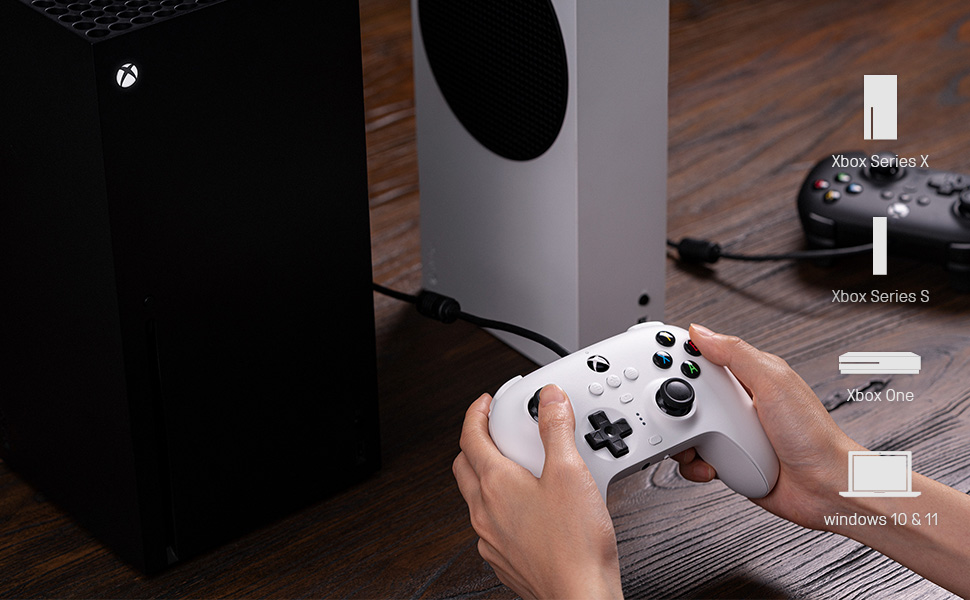
Figure 4: The 8Bitdo Ultimate Software interface for customizing button mapping.
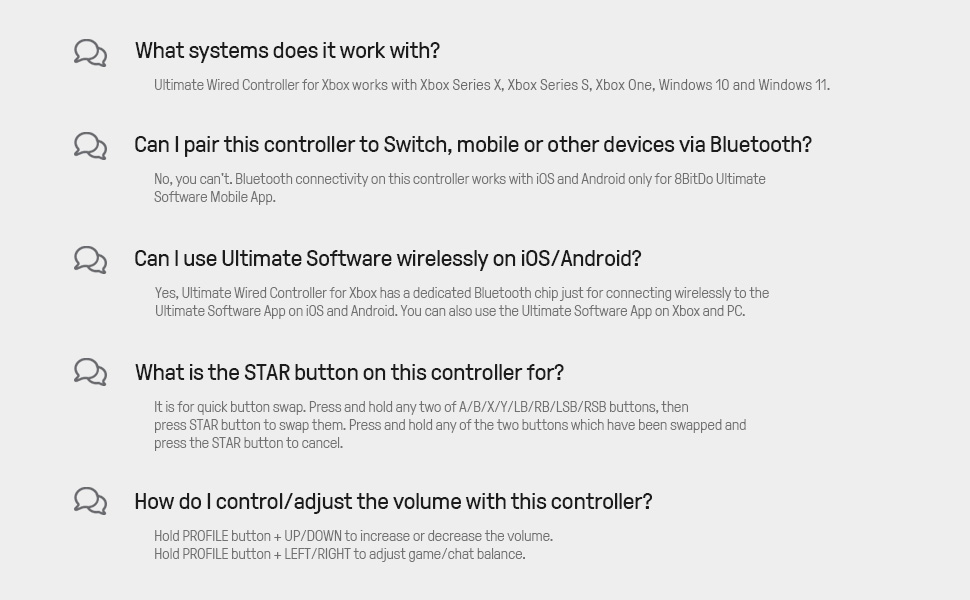
Figure 5: The 8Bitdo Ultimate Software interface for adjusting stick and trigger sensitivity.
תְאִימוּת
The 8Bitdo Ultimate Wired Controller is designed for broad compatibility across various gaming platforms:
- Xbox Consoles: Xbox Series X, Xbox Series S, Xbox One.
- PC: Windows 10 and Windows 11.
- פלטפורמות אחרות: The controller has also been tested to work with RetroPie on Raspberry Pi and the Mr. Project for retro gaming emulation.
פֶּתֶק: While the Ultimate Software is available on iOS and Android for customization, the controller itself does not function as a game controller on mobile phones or tablets for gameplay.

Figure 6: The 8Bitdo Ultimate Wired Controller is compatible with Xbox consoles and Windows PCs.
תַחזוּקָה
To ensure the longevity and optimal performance of your 8Bitdo Ultimate Wired Controller, follow these maintenance guidelines:
- ניקוי: השתמשו במטלית רכה ויבשה כדי לנגב את הבקר באופן קבוע. במקרה של לכלוך עיקש, נגבו מעטamp cloth can be used, but ensure no moisture enters the ports or buttons.
- אִחסוּן: Store the controller in a cool, dry place away from direct sunlight and extreme temperatures. Avoid wrapping the cable tightly around the controller to prevent damage to the cable or internal connections.
- טיפול בכבלים: The integrated 3-meter (9.84 ft) USB cable is durable, but avoid excessive pulling, bending, or twisting, especially near the connection points.
פתרון בעיות
- הבקר לא מגיב:
- ודא שכבל ה-USB מחובר היטב גם לבקר וגם לקונסולה/מחשב.
- נסה לחבר את הבקר ליציאת USB אחרת.
- הפעל מחדש את הקונסולה או המחשב.
- Buttons Feeling Sticky or Unresponsive:
- Clean around the buttons with a cotton swab lightly dampהסתיים עם איזופרופיל אלכוהול.
- ודא שהקושחה של הבקר מעודכנת באמצעות תוכנת 8Bitdo Ultimate.
- D-Pad Input Issues (Errant Diagonals):
- While the D-Pad is designed for precision, some retro games may interpret inputs differently. Experiment with the stick sensitivity settings in the Ultimate Software.
- Rumble Motors Noise/Weakness:
- Adjust vibration strength via the Ultimate Software. Note that some noise may be inherent to the motor design.
- Cable Length Insufficient:
- The controller comes with a 3-meter (9.84 ft) cable. If more length is needed, a USB extension cable may be required.
מפרטים
| תכונה | פְּרָט |
|---|---|
| שם מותג | 8Bitdo |
| שם הדגם | 6922621502227 |
| מכשירים תואמים | Xbox Series X, Xbox Series S, Xbox One, Windows 10, Windows 11, PC |
| סוג בקר | Gamepad |
| טכנולוגיית קישוריות | USB (קווית) |
| אורך כבל | 3 מטר (9.84 רגל) |
| תכונות נוספות | Two Pro-level Back Buttons, 3.5mm Audio Jack, Custom Profile Switch Button, Ultimate Software (iOS/Android/Xbox/PC) |
| כמות הכפתורים | 18 |
| משקל פריט | 11.7 אונקיות |
| מידות פריט | 3.94 x 1.97 x 1.57 אינץ' |
| צֶבַע | שָׁחוֹר |
אחריות ותמיכה
אַחֲרָיוּת: This product comes with a 1-year warranty from the manufacturer, 8Bitdo.
For further support, firmware updates, or detailed information on the Ultimate Software, please visit the official 8Bitdo webלאתר או לפנות לשירות הלקוחות שלהם.
סרטון מוצר רשמי
סרטון 1: אובר רשמיview of the 8Bitdo Ultimate Wired Controller for Xbox, showcasinהתכונות והעיצוב שלו.