
1. הקדמה
This manual provides essential information for the proper installation, operation, and maintenance of your TELEVES TVMOTION Terrestrial Tri-motion Receiver, Model 512501. This device is designed to process advanced video signals, ensuring high-quality reception of terrestrial television broadcasts. Please read this manual thoroughly before using the product to ensure optimal performance and safety.
2. התקנה
2.1 פירוק
הוציאו בזהירות את כל הרכיבים מהאריזה. ודאו שכל הפריטים המפורטים להלן נמצאים:
- TELEVES TVMOTION Receiver (Model 512501)
- שְׁלַט רָחוֹק
- מתאם מתח
- מדריך למשתמש (מסמך זה)
2.2 חיבורים
Follow these steps to connect your receiver to your television and antenna:
- חיבור אנטנה: Connect your terrestrial antenna cable to the 'ANT IN' port on the back of the receiver.
- חיבור HDMI: Connect an HDMI cable from the 'HDMI OUT' port on the receiver to an available HDMI input on your television. This receiver has a total of 1 HDMI port.
- חיבור חשמל: Connect the power adapter to the 'DC IN' port on the receiver, then plug the adapter into a wall outlet.
- חיבור USB (אופציונלי): For multimedia playback or software updates, connect a USB device to the USB port.
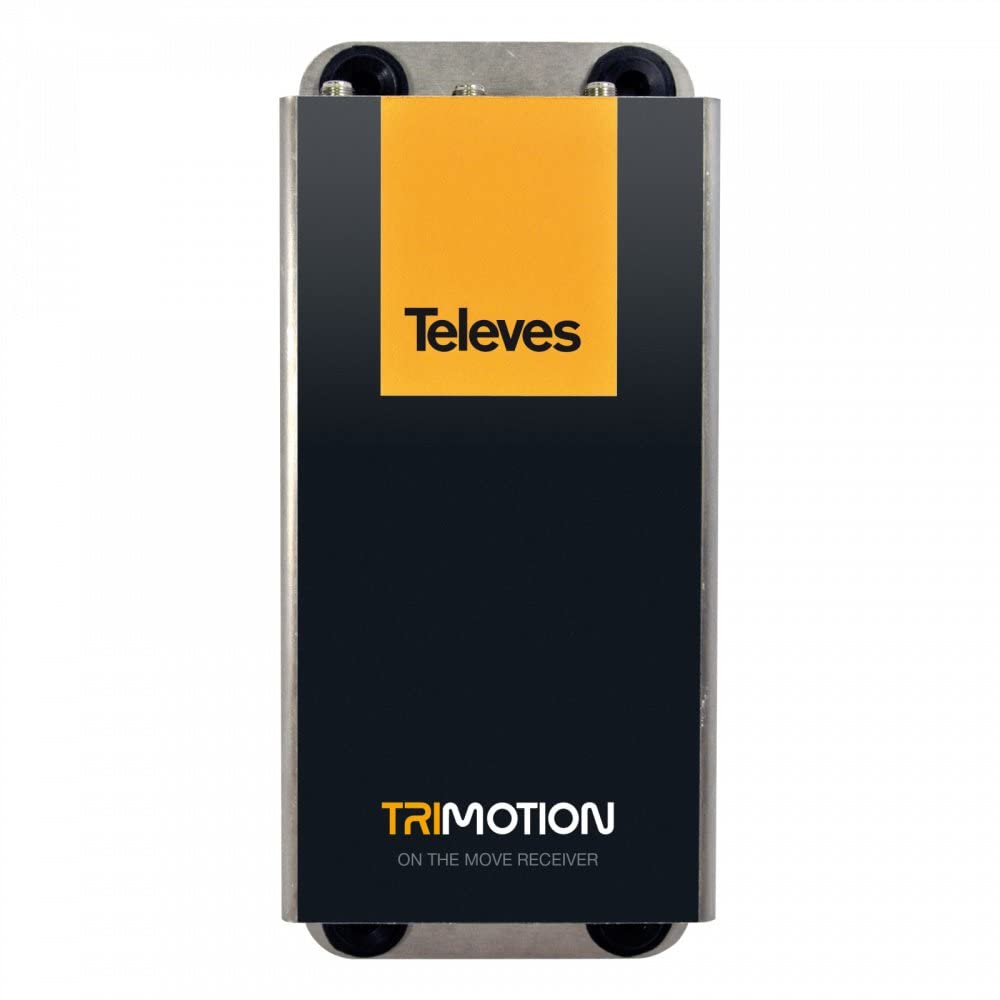
This image shows the front panel of the TELEVES TVMOTION Terrestrial Tri-motion Receiver, highlighting its compact design and user interface elements.
3. הוראות הפעלה
3.1 שימוש בפעם הראשונה
After connecting all cables and powering on the receiver, your television should display the initial setup wizard. Follow the on-screen prompts to select your language, country, and perform an automatic channel scan. This process will detect and store all available terrestrial channels.
3.2 פעולה בסיסית
The receiver is primarily controlled using the provided remote control. Ensure the remote control has batteries installed and is pointed towards the front panel of the receiver.
- לחצן הפעלה: Turns the receiver on or off (standby mode).
- ערוץ למעלה/למטה: Navigates through television channels.
- עוצמת הקול מעלה/הנמכת: מכוונן את עוצמת השמע.
- לחצן תפריט: Accesses the main menu for settings, channel management, and other features.
- כפתור אישור/כניסה: מאשר בחירות בתפריטים.
- כפתורי ניווט (חיצים): עובר בין אפשרויות התפריט.
- EPG (מדריך תוכניות אלקטרוני): מציג מידע על התוכנית.
- הגדרות שמע: This receiver supports 5.1 surround sound channel configuration. Adjust audio settings as needed through the menu.
4. תחזוקה
To ensure the longevity and optimal performance of your TELEVES TVMOTION receiver, follow these maintenance guidelines:
- ניקוי: Use a soft, dry cloth to clean the exterior of the receiver. Do not use liquid cleaners, aerosols, or abrasive materials, as these can damage the finish or internal components.
- אוורור: Ensure the receiver has adequate ventilation. Do not block any ventilation openings. Avoid placing the unit in enclosed spaces or on soft surfaces that may obstruct airflow.
- כיבוי: If the receiver will not be used for an extended period, disconnect it from the power outlet.
- תנאים סביבתיים: הימנעו מחשיפת המקלט לטמפרטורות קיצוניות, לחות או אור שמש ישיר.
5. פתרון תקלות
If you encounter issues with your receiver, consult the table below for common problems and their solutions. If the problem persists, contact customer support.
| בְּעָיָה | סיבה אפשרית | פִּתָרוֹן |
|---|---|---|
| אין תמונה או קול | Loose cable connections; Incorrect input selected on TV; Receiver not powered on. | Check all cable connections (HDMI, antenna, power). Ensure the TV is on the correct HDMI input. Power on the receiver. |
| איכות תמונה ירודה | Weak antenna signal; Antenna not properly aligned. | Check antenna connection. Adjust antenna position for better signal reception. Perform a channel rescan. |
| השלט רחוק לא עובד | Dead batteries; Obstruction between remote and receiver; Remote not pointed correctly. | Replace remote control batteries. Remove any obstructions. Point the remote directly at the receiver's front panel. |
| No channels found during scan | Antenna not connected; No terrestrial signal in the area; Incorrect country selected. | Verify antenna connection. Check for terrestrial broadcast availability in your location. Re-run setup and ensure correct country selection. |
6. מפרטים
Below are the technical specifications for the TELEVES TVMOTION Terrestrial Tri-motion Receiver, Model 512501:
| תכונה | עֵרֶך |
|---|---|
| יַצרָן | טלוויזיות |
| מזהה מוצר של היצרן | 512501 |
| מספר דגם המוצר | 512501 |
| מספר מוצרים | 1 |
| תכונות מיוחדות | Advanced video signal processing |
| ASIN | B01MRU7CSM |
| תאריך זמין ראשון | 5 בדצמבר 2016 |
| מותג | טלוויזיות |
| טכנולוגיית קישוריות | USB |
| מכשירים תואמים | טֵלֶוִיזִיָה |
| סך כל יציאות HDMI | 1 |
| תצורת ערוץ סאונד סראונד | 5.1 |
| כוח פלט | 5 וואט |
| מספר ערוצים | 6 |
| שיטת בקרה | שְׁלַט רָחוֹק |
7. אחריות ותמיכה
For information regarding the product warranty, please refer to the warranty card included in the product packaging or visit the official TELEVES website. In case of technical issues or for further assistance, please contact TELEVES customer support. Keep your purchase receipt as proof of purchase for warranty claims.