
מָבוֹא
This manual provides instructions for the proper setup, operation, and maintenance of your Targus W600 Wireless Optical Mouse. Please read this manual thoroughly before using the device to ensure optimal performance and longevity.
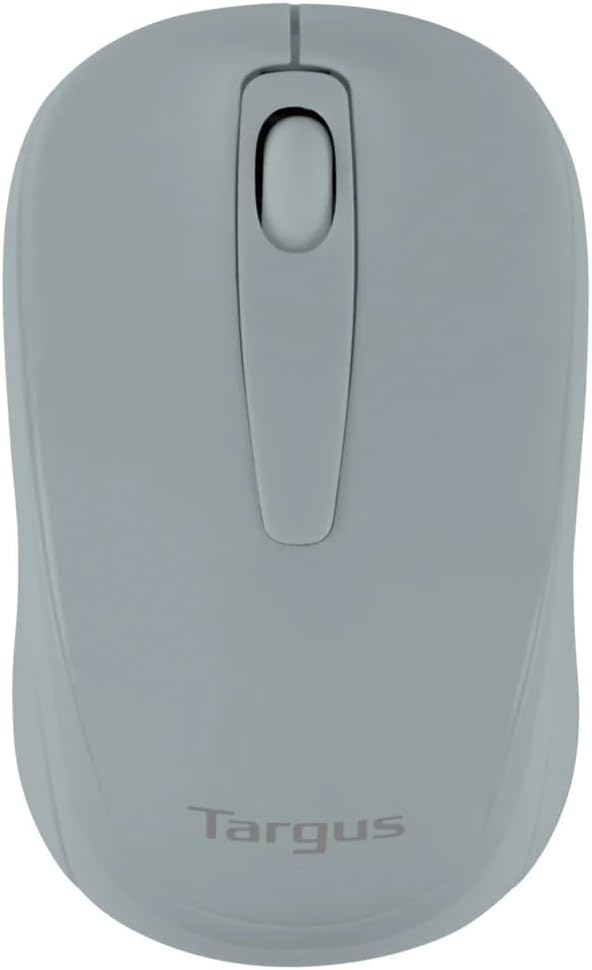
Figure 1: Targus W600 Wireless Optical Mouse (Quarry Gray)
תוכן החבילה
ודא שכל הפריטים נמצאים בחבילה:
- Targus W600 Wireless Optical Mouse
- מקלט USB
- מדריך למשתמש (מסמך זה)
Note: 1 AA battery is required and sold separately.
תכונות המוצר
- 2.4 GHz Wireless Technology for reliable connection
- 1600 DPI Optical Sensor for precise tracking
- עיצוב ארגונומי לשימוש נוח
- תואם עם Windows ו- Mac מערכות הפעלה
- Integrated USB receiver storage compartment
הגדרה
1. התקנת הסוללה
- Turn the mouse over to locate the battery compartment cover.
- Gently slide the cover off.
- הכנס סוללת AA אחת (1) תוך הקפדה על קוטביות נכונה (+/-).
- החזר את מכסה תא הסוללות למקומו.
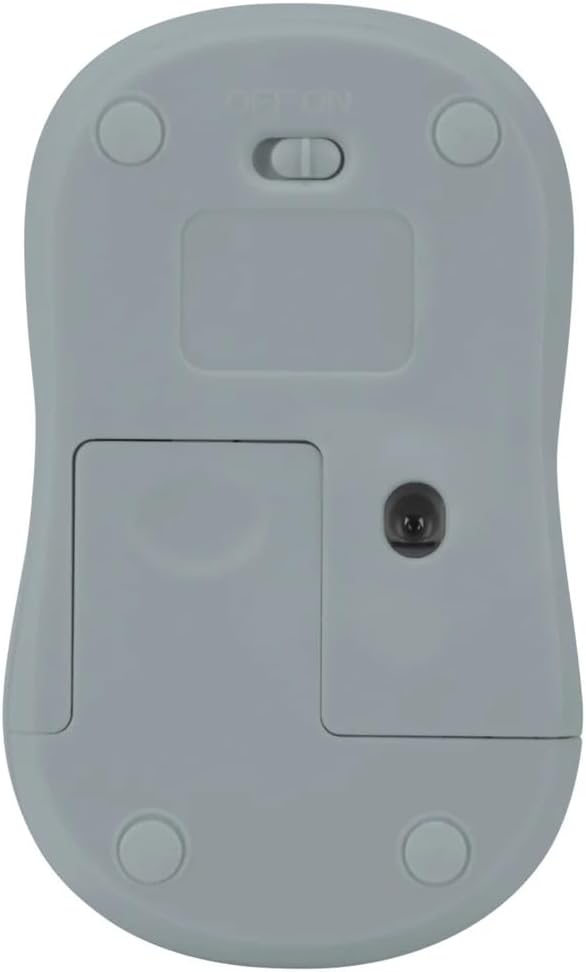
איור 2: תחתון view of the mouse with battery compartment and power switch.
2. חיבור מקלט ה-USB
- Locate the USB receiver, typically stored inside the mouse's battery compartment or a dedicated slot.
- חבר את מקלט ה-USB ליציאת USB זמינה במחשב שלך.
- המחשב שלך אמור לזהות ולהתקין באופן אוטומטי את מנהלי ההתקנים הדרושים. פעולה זו עשויה להימשך מספר רגעים.
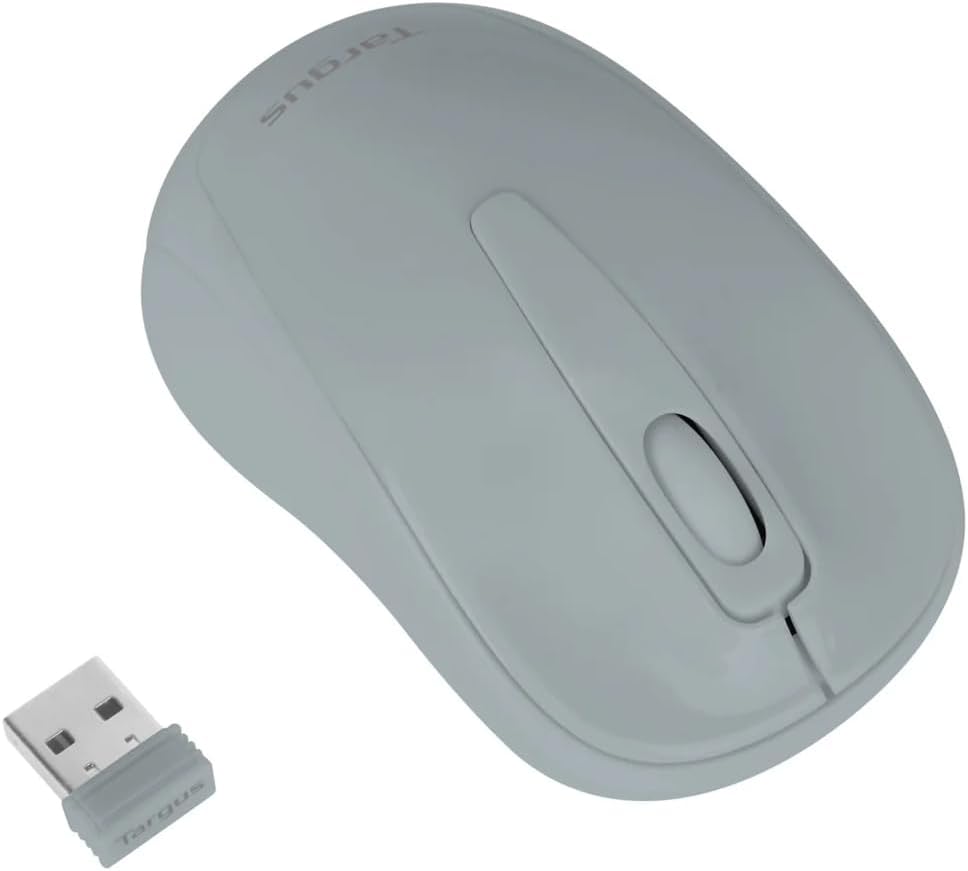
Figure 3: Targus W600 mouse and its USB receiver.

Figure 4: USB receiver plugged into a laptop, with the mouse nearby.
3. הפעלת העכבר
On the bottom of the mouse, slide the ON/OFF switch to the "ON" position. The mouse is now ready for use.
הפעלת העכבר
The Targus W600 Wireless Optical Mouse functions like a standard 3-button mouse. It features a left button, a right button, and a scroll wheel that also acts as a middle button.
- לחיצה שמאלית: Primary action, selection, opening items.
- מקש ימני: פותח תפריטים תלויי הקשר.
- גלגל גלילה: גלילה של מסמכים ו web pages vertically. Pressing the scroll wheel acts as a middle click, often used for opening links in new tabs or specific application functions.
The 1600 DPI optical sensor provides smooth and accurate cursor control on most surfaces. For best performance, use on a mouse pad or a non-reflective, uniform surface.
תַחזוּקָה
ניקוי
כדי לנקות את העכבר, נגבו בעדינות את המשטח בעזרת מטלית רכהamp cloth. Avoid using harsh chemicals or abrasive cleaners, as these can damage the finish or internal components. Ensure no liquid enters the mouse.
החלפת סוללה
When the mouse performance degrades or stops responding, it may be time to replace the battery. Follow the steps outlined in the "Installing the Battery" section to replace the AA battery. Dispose of used batteries responsibly according to local regulations.
פתרון בעיות
| בְּעָיָה | פִּתָרוֹן |
|---|---|
| העכבר לא מגיב |
|
| תנועת סמן לא יציבה |
|
| טווח אלחוטי קצר |
|
מפרטים
| מספר דגם | AMW60006AP-55 |
| קישוריות | אלחוטי 2.4 גיגה-הרץ (מקלט USB) |
| טכנולוגיית חיישנים | אוֹפּטִי |
| DPI | 1600 DPI |
| מספר כפתורים | 3 (שמאל, ימין, גלגל גלילה/לחיצה אמצעית) |
| מקור כוח | 1 x סוללת AA (לא כלול) |
| מערכות הפעלה תואמות | Windows, Mac |
הערה: המפרטים עשויים להשתנות ללא הודעה מוקדמת.
אחריות ותמיכה
למידע על אחריות ותמיכה טכנית, אנא עיינו במדריך הרשמי של Targus webאתר או צרו קשר עם שירות הלקוחות שלהם. שמרו את קבלת הרכישה כהוכחת קנייה לתביעות אחריות.
טרגוס רשמי Webאֲתַר: www.targus.com