
מָבוֹא
This manual provides comprehensive instructions for the Comfast CF-912AC 1200Mbps Dual Band USB WiFi Network Adapter. Please read this guide carefully before installation and use to ensure optimal performance and proper operation of your device. This adapter is designed to provide high-speed wireless connectivity for various devices.
תכונות
- קישוריות אלחוטית במהירות גבוהה: Supports IEEE 802.11a/b/g/n/ac WiFi standards for fast and reliable internet access.
- ביצועי דו-פס: Achieves transfer speeds up to 300Mbps on the 2.4GHz band and 867Mbps on the 5.8GHz band, totaling 1200Mbps.
- WPS Security: Features a one-key WPS (Wi-Fi Protected Setup) button for quick and secure wireless network encryption (supports 64/128-bit WEP).
- Wide Operating System Compatibility: Fully compatible with Windows XP (32/64-bit), Vista (32/64-bit), Windows 7 (32/64-bit), Windows 8 (32/64-bit), Windows 8.1, and Windows 10.
- ממשק USB 3.0: Equipped with a USB 3.0 port, offering data transmission speeds up to 10 times faster than traditional USB 2.0, while remaining backward compatible with USB 2.0/1.1.
- אות יציב: Incorporates a powerful inner core with an RTL8812AC chip and two RTC5633 power amplifiers for stable, fluctuation-free signal transmission.
- חסכוני באנרגיה: Designed for low power consumption, with a maximum power usage of only 5 watts.
- אזור כיסוי: Provides an indoor coverage range of approximately 100 meters and an outdoor range of up to 300 meters (actual range may vary based on environmental factors).
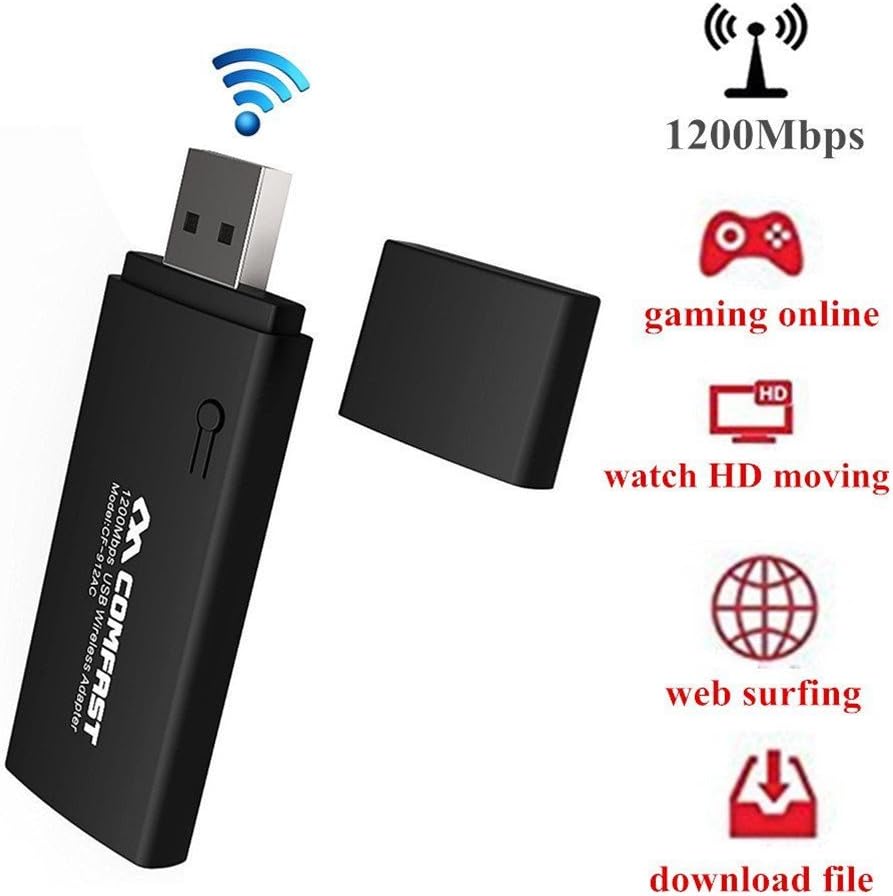
Image: The Comfast CF-912AC USB WiFi adapter highlighting its capabilities for high-speed activities like online gaming, HD video streaming, web browsing, and file הורדות.

Image: The Comfast CF-912AC adapter demonstrating compatibility with a range of devices including PCs, laptops, smart TVs, IPTV boxes, DVB boxes, and smartphones/tablets.

Image: A visual comparison illustrating the faster transmission speed of USB 3.0 (867 Mbps) compared to USB 2.0 (64 Mbps) when using the Comfast CF-912AC adapter.

Image: A chart comparing wireless speeds: 802.11g at 54Mbps, 802.11n at 300Mbps, and 802.11ac (CF912AC) at 1167Mbps, highlighting the superior performance of the 802.11ac protocol.
הוראות התקנה
1. התקנת חומרה
Insert the Comfast CF-912AC USB WiFi adapter into an available USB port on your computer. For optimal performance, use a USB 3.0 port if available.
- For Windows 7, 8, 8.1, 10: The operating system may attempt to install a generic driver automatically. Proceed to software installation if the device is not recognized or does not function correctly.
- For Windows XP/Vista: After inserting the adapter, if a "New Hardware Wizard" window appears, click "Cancel" to prevent automatic driver installation.
2. התקנת תוכנה
The driver installation process is similar across Windows XP, Vista, and 7. The following steps use Windows XP as an exampעל:
- הכנס את תקליטור מנהל ההתקן המצורף לכונן התקליטורים של המחשב.
- Navigate to the CD drive in "My Computer" or "This PC" and double-click the setup.exe icon to start the installation wizard.
- The setup process will begin. Click הַבָּא to proceed through the installation steps.
- Follow the on-screen prompts. The installation typically takes a few seconds.
- Once the installation is complete, click סִיוּם כדי לצאת מהאשף.
After successful installation, your computer should recognize the Comfast CF-912AC adapter, and you will be able to connect to wireless networks.
הוראות הפעלה
חיבור לרשת אלחוטית
- After installing the drivers, locate the wireless network icon in your system tray (usually in the bottom-right corner of your screen).
- לחץ על הסמל כדי view רשתות אלחוטיות זמינות.
- בחר את רשת ה-Wi-Fi הרצויה מהרשימה.
- לחץ על "התחבר" והזן את מפתח אבטחת הרשת (סיסמה) כאשר תתבקש.
- Once connected, the icon will indicate a successful connection, and you can access the internet.
שימוש ב- WPS (הגדרת Wi-Fi Protected)
The WPS button on the adapter allows for a quick and secure connection to a WPS-enabled router without manually entering the password.

Image: Illustration of using the WPS button on the Comfast CF-912AC adapter for a quick and secure wireless network setup with a compatible router.
- לחץ על לחצן WPS בנתב האלחוטי שלך.
- Within two minutes, press the WPS button on your Comfast CF-912AC adapter.
- המתאם ייצור באופן אוטומטי חיבור מאובטח עם הנתב.
Creating a Wi-Fi Hotspot (AP Function)
The Comfast CF-912AC adapter can function as a soft Access Point (AP), allowing your computer to share its internet connection with other wireless devices like smartphones or tablets.

Image: The Comfast CF-912AC adapter being used to create a Wi-Fi hotspot, enabling other mobile devices to connect to the internet through the computer.
To enable this feature, you typically need to access the utility software installed with the adapter drivers. Look for an option like "AP Mode" or "SoftAP" within the utility. Follow the on-screen instructions to configure the hotspot name (SSID) and password.
תַחזוּקָה
- שמרו על ניקיון המתאם ואבק. השתמשו במטלית רכה ויבשה לניקוי.
- הימנע מחשיפת המכשיר לטמפרטורות קיצוניות, לחות או לאור שמש ישיר.
- Do not attempt to disassemble or repair the adapter yourself, as this will void the warranty and may cause damage.
- אחסנו את המתאם במקום בטוח כאשר אינו בשימוש כדי למנוע נזק פיזי.
פתרון בעיות
- אין חיבור אינטרנט:
- Ensure the adapter is properly inserted into a USB port.
- Verify that the drivers are correctly installed. Check Device Manager for any error symbols.
- Confirm that your Wi-Fi network is active and broadcasting.
- בדוק שוב את סיסמת ה-Wi-Fi לדיוק.
- נסה להפעיל מחדש את המחשב והראוטר.
- מהירות חיבור איטית:
- Ensure the adapter is plugged into a USB 3.0 port if your computer has one.
- בדוק אם יש הפרעות אפשריות ממכשירים אלקטרוניים אחרים (למשל, מיקרוגלים, טלפונים אלחוטיים).
- Update the adapter drivers to the latest version from the Comfast webאֲתַר.
- התקרב לנתב האלחוטי שלך כדי לשפר את עוצמת האות.
- מתאם לא זוהה:
- נסה יציאת USB אחרת במחשב שלך.
- Test the adapter on another computer to rule out a device malfunction.
- Reinstall the drivers completely.
מפרטים
| מותג | קומפאסט |
| דֶגֶם | CF-912AC |
| ממשק חומרה | USB, USB 2.0 (USB 3.0 compatible) |
| מכשירים תואמים | Smart TV, Desktop PC, Laptop, Tablet, Smartphone |
| פרוטוקול קישור נתונים | IEEE 802.11a / b / g / n / ac |
| קצב העברת נתונים | עד 1200 מגה-ביט לשנייה (2.4GHz: 300 מגה-ביט לשנייה, 5.8GHz: 867 מגה-ביט לשנייה) |
| אבטחה אלחוטית | 64/128-bit WEP, WPS |
| מערכות הפעלה | Windows XP/Vista/7/8/8.1/10 (32/64-bit) |
| יַצרָן | Moobom |
| מספר חלק | 112509BENQA160 |
| UPC / GTIN | 889250872106 |
| ASIN | B01KX1M436 |
אחריות ותמיכה
For warranty information and technical support, please refer to the documentation included with your product packaging or visit the official Comfast webאֲתַר. שמור את קבלה הרכישה שלך לתביעות אחריות.