
מָבוֹא
Thank you for choosing the Divoom Onbeat 500 Portable Wireless Bluetooth Speaker. This device is designed to deliver powerful sound with convenient wireless connectivity. This manual will guide you through the setup, operation, and maintenance of your speaker to ensure optimal performance and longevity.
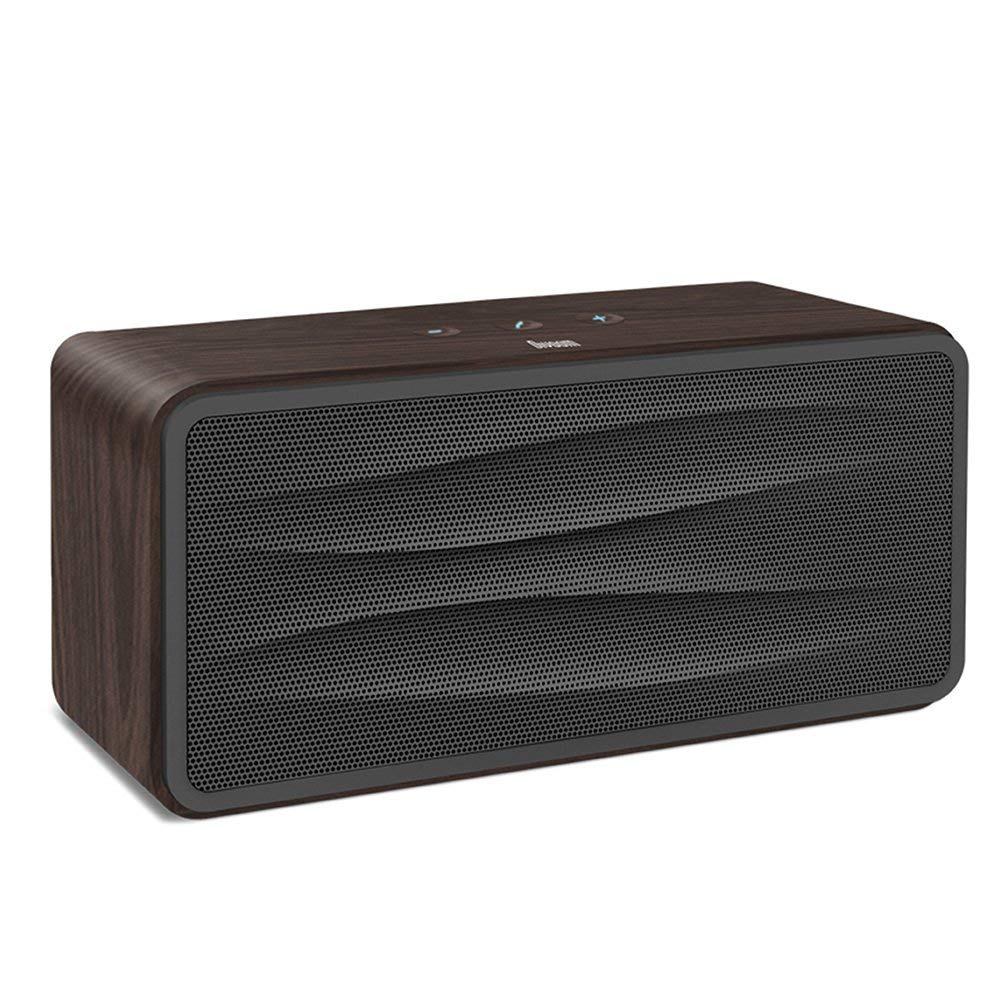
איור 1: חֲזִית view of the Divoom Onbeat 500 speaker. This image displays the speaker's main grille and overall design.
תוכן החבילה
אנא בדקו את החבילה עבור הפריטים הבאים:
- Divoom Onbeat 500 Speaker
- כבל טעינה מיקרו USB
- כבל עזר
- מדריך למשתמש (מסמך זה)
- תעודת אחריות
תכונות המוצר
The Divoom Onbeat 500 speaker offers a range of features for an enhanced audio experience:
- סאונד חזק: 2.1 channel design with a proprietary passive bass radiator for rich audio.
- טכנולוגיית NFC: Tap-to-pair functionality for quick and easy Bluetooth connection.
- קישוריות בלוטות': Wirelessly play and control music from up to 33 feet (10 meters) away.
- רמקול מובנה: Allows you to make and take calls directly from the speaker.
- סוללה עמידה לאורך זמן: Integrated 5000mAh battery provides extended playback time.
- קלט עזר: For wired connection to non-Bluetooth devices.
הגדרה
1. טעינת הרמקול
Before initial use, fully charge your Divoom Onbeat 500 speaker. Use the provided Micro USB charging cable to connect the speaker to a USB power source (e.g., computer USB port, USB wall adapter). The charging indicator light will illuminate during charging and turn off or change color when fully charged. A full charge typically provides 8-10 hours of playback.
2. הפעלה / כיבוי
- כדי להפעיל: לחץ והחזק את לחצן ההפעלה למשך מספר שניות עד שתשמע הנחיה קולית או עד שתראה את נורית החיווי נדלקת.
- כדי לכבות: לחץ והחזק את לחצן ההפעלה שוב למשך מספר שניות עד שהרמקול יכבה.
3. זיווג Bluetooth
The Onbeat 500 offers two methods for wireless connection:
NFC (Near Field Communication) Pairing:
If your device supports NFC, you can pair quickly:
- ודא ש-NFC מופעל בטלפון החכם או בטאבלט שלך.
- With the Onbeat 500 powered on, gently tap your NFC-enabled device against the NFC area on the speaker.
- Confirm the pairing request on your device. The speaker will indicate a successful connection.
צימוד Bluetooth סטנדרטי:
For devices without NFC or for manual pairing:
- Power on the Divoom Onbeat 500 speaker. It will automatically enter Bluetooth pairing mode if no device is connected, or you may need to press a dedicated Bluetooth button (refer to speaker controls).
- On your audio device (smartphone, tablet, computer), go to the Bluetooth settings and enable Bluetooth.
- חפש available devices. You should see "Divoom Onbeat 500" in the list.
- Select "Divoom Onbeat 500" to connect. The speaker will confirm the connection with an audible prompt.
4. חיבור AUX
To connect a device using the auxiliary cable:
- Connect one end of the provided auxiliary cable to the AUX-in port on the Divoom Onbeat 500.
- Connect the other end of the auxiliary cable to the headphone jack or audio output of your device.
- The speaker will automatically switch to AUX mode, or you may need to select it manually (refer to speaker controls).

איור 2: צַד view of the Divoom Onbeat 500, illustrating the location of the charging port, AUX input, and control buttons.
הפעלת הרמקול
1. השמעת מוזיקה
Once connected via Bluetooth or AUX, you can control music playback from your connected device. The speaker may also have integrated controls for volume adjustment, play/pause, and track skipping. Refer to the speaker's physical buttons for these functions.
2. פונקציונליות הרמקול
When connected to a smartphone via Bluetooth, the Divoom Onbeat 500 can be used as a speakerphone:
- מענה לשיחה: Press the Call button (often indicated by a phone icon) on the speaker.
- סיום שיחה: לחץ שוב על כפתור התקשר.
- דוחה שיחה: לחץ והחזק את לחצן השיחה.

איור 3: אֲחוֹרִי view of the Divoom Onbeat 500, highlighting the passive bass radiator for enhanced low-frequency sound.
תַחזוּקָה
1. ניקיון
כדי לשמור על המראה והפונקציונליות של הרמקול שלך:
- נגבו את החלק החיצוני בעזרת מטלית רכה, יבשה ונטולת סיבים.
- אין להשתמש בחומרי ניקוי שוחקים, אלכוהול, בנזן או ממסים כימיים אחרים, מכיוון שאלה עלולים לפגוע בגימור.
- הימנעו מלחות להיכנס לפתחים כלשהם.
2. טיפול בסוללה
כדי להאריך את חיי סוללת הליתיום-יון המובנית:
- הימנעו מפריקת הסוללה באופן מלא לעתים קרובות.
- אחסנו את הרמקול במקום קריר ויבש כאשר אינו בשימוש למשך תקופות ממושכות.
- Charge the speaker at least once every three months if stored for a long time to prevent deep discharge.
פתרון בעיות
If you encounter issues with your Divoom Onbeat 500, please refer to the following common solutions:
| בְּעָיָה | פתרון אפשרי |
|---|---|
| הרמקול לא נדלק | Ensure the battery is charged. Connect the speaker to a power source using the Micro USB cable and try again. |
| אין קול מהרמקול | Check the volume level on both the speaker and your connected device. Ensure the speaker is correctly paired via Bluetooth or connected via AUX. Try re-pairing the Bluetooth device. |
| צימוד Bluetooth נכשל | Ensure the speaker is in pairing mode. Turn off and on Bluetooth on your device. Move your device closer to the speaker. Clear previous Bluetooth connections on your device and try again. |
| איכות סאונד ירודה | Ensure the speaker and connected device are within range (for Bluetooth). Check for interference from other wireless devices. Try a different audio source or cable. |
מפרטים
Detailed technical specifications for the Divoom Onbeat 500 speaker:
- שם הדגם: Divoom Onbeat 500
- סוג רמקול: מחשב רמקול
- טכנולוגיית קישוריות: בלוטות'
- טכנולוגיית תקשורת אלחוטית: בלוטות'
- שיטת בקרה: לָגַעַת
- מקור כוח: מופעל על סוללה
- סוֹלְלָה: סוללת ליתיום-יון אחת (5000mAh)
- אודיו וואטtage: 20 וואט
- עוצמת פלט מקסימלית של רמקול: 100 וואט
- תצורת ערוץ סאונד סראונד: 2.1
- מכשירים תואמים: Android, Windows, iPhone (iOS)
- סוג מחבר: USB (לטעינה)
- מידות המוצר: 22.5 x 7.49 על 10.49 ס"מ (LxWxH)
- משקל פריט: 1.55 ק"ג
- צֶבַע: פֶּחָם
- מאפיינים מיוחדים: NFC, Built-in Speakerphone, Passive Bass Radiator
אחריות ותמיכה
Your Divoom Onbeat 500 speaker comes with a limited warranty. Please refer to the included Warranty Card for detailed terms and conditions, including warranty period and coverage.
For technical support, service inquiries, or further assistance, please visit the official Divoom website or contact their customer service department using the information provided on your Warranty Card or product packaging. Please have your model number (Onbeat 500) and purchase details ready when contacting support.