
מָבוֹא
The HyperGear Rave Wireless Stereo Speaker delivers high-fidelity sound with an interactive multi-colored LED light show. It features Bluetooth connectivity, a built-in speakerphone, and an FM radio, making it suitable for various audio needs.
תוכן החבילה
- Rave Wireless Speaker
- 3.5mm Stereo Auxiliary Cable
- כבל טעינה מיקרו USB
- מדריך למשתמש (מסמך זה)

המוצר נגמרview
הכירו את הבקרות והיציאות של הרמקול.

כפתורי שליטה
- לחצן הפעלה: לחץ והחזק כדי להפעיל או לכבות את הרמקול.
- לחצן מצב (M): לחץ כדי לעבור בין מצבי Bluetooth, רדיו FM ו-AUX.
- Play/Pause Button (►/∕): לחץ כדי להשמיע או להשהות אודיו. במצב שיחה, לחץ כדי לענות/לסיים שיחות.
- Volume Down / Previous Track (-/◀◀): לחץ כדי להנמיך את עוצמת הקול. לחץ לחיצה ממושכת כדי לחזור לרצועה הקודמת.
- Volume Up / Next Track (+/►►): לחץ כדי להגביר את עוצמת הקול. לחץ לחיצה ממושכת כדי לעבור לרצועה הבאה.
- Light Mode Button (*): Press to cycle through different LED light patterns or turn off the light show.
נמלים
- יציאת טעינת מיקרו USB: לטעינת הסוללה הפנימית של הרמקול.
- כניסת AUX 3.5 מ"מ: לחיבור התקני שמע חיצוניים באמצעות כבל עזר.
הגדרה
טעינת הרמקול
Before first use, fully charge the speaker. Connect the Micro USB charging cable to the speaker's charging port and the other end to a USB power adapter (not included) or a computer's USB port. The charging indicator light will illuminate during charging and turn off when fully charged. A full charge takes approximately 3-4 hours and provides up to 8 hours of playback.
הפעלה/כיבוי
לחץ והחזק את כפתור הפעלה למשך כ-3 שניות כדי להפעיל או לכבות את הרמקול. הנחיה קולית תציין את מצב ההפעלה.
הוראות הפעלה
Bluetooth
- ודא שהרמקול דולק ונמצא במצב Bluetooth. אם לא, לחץ על לחצן מצב (M) until you hear the Bluetooth pairing prompt. The LED indicator will flash, indicating it is ready to pair.
- במכשיר הנייד שלך, הפעל את Bluetooth וחפש מכשירים זמינים.
- Select "HyperGear Rave" from the list of devices.
- לאחר הצימוד, הרמקול ישמיע צליל אישור, ונורית ה-LED תפסיק להבהב.

נְגִינָה
מצב Bluetooth
After successful pairing, you can play music from your connected device. Use the speaker's הפעל/השהה, הגברת עוצמת הקול/הרצועה הבאה, ו הורדת עוצמת הקול/רצועה קודמת buttons to control playback, or control directly from your device.
מצב AUX
Connect one end of the 3.5mm auxiliary cable to the speaker's AUX input and the other end to the audio output of your external device. Press the לחצן מצב (M) to switch to AUX mode. Audio will play directly from your connected device.
שיחות ללא ידיים
When connected via Bluetooth, the speaker can be used as a speakerphone. When a call comes in, the music will pause. Press the לחצן הפעלה/השהה to answer an incoming call. Press it again to end the call. Press and hold the לחצן הפעלה/השהה לדחות שיחה נכנסת.
תפעול רדיו FM
הקש על לחצן מצב (M) to switch to FM Radio mode. The speaker will automatically scan and save available stations. Use the הגברת עוצמת הקול/הרצועה הבאה ו הורדת עוצמת הקול/רצועה קודמת buttons to navigate between saved stations. Press and hold these buttons to fine-tune the frequency.
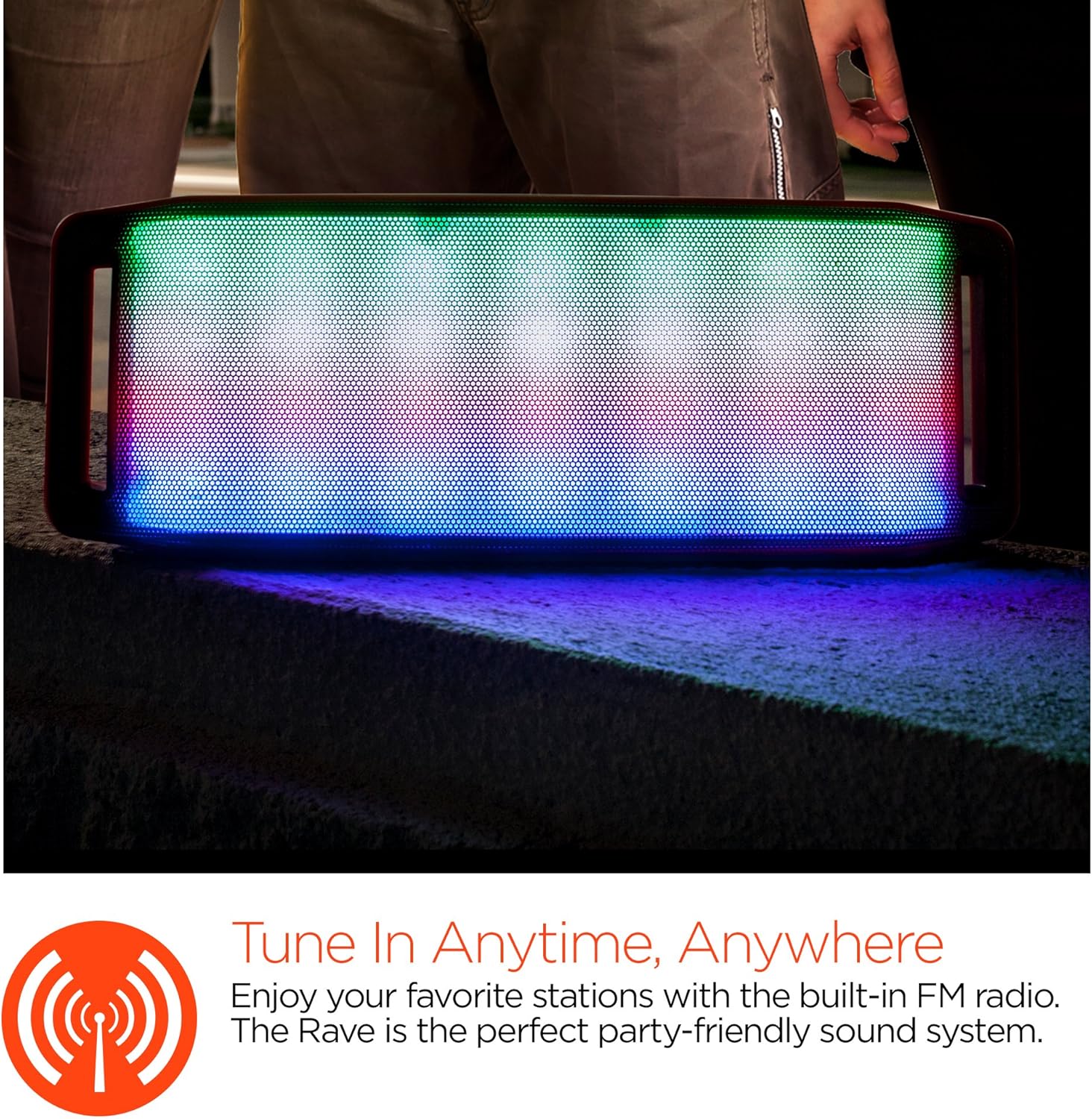
מופע אורות לד
The speaker features an interactive multi-colored LED light show. Press the Light Mode Button (*) to cycle through different light patterns or to turn the light show off.

תַחזוּקָה
ניקוי
Wipe the speaker with a soft, dry cloth. Do not use abrasive cleaners or solvents. Avoid exposing the speaker to excessive moisture.
אִחסוּן
יש לאחסן את הרמקול במקום קריר ויבש, הרחק מאור שמש ישיר וטמפרטורות קיצוניות. אם מאחסנים אותו למשך זמן ממושך, יש לטעון את הסוללה מעת לעת כדי לשמור על אורך חייה.
טיפול בסוללה
To prolong battery life, avoid fully discharging the speaker frequently. Charge the speaker regularly, even if not in use, to prevent deep discharge.
פתרון בעיות
| בְּעָיָה | סיבה אפשרית | פִּתָרוֹן |
|---|---|---|
| הרמקול לא נדלק. | הסוללה התרוקנה. | טען את הרמקול באמצעות כבל Micro USB. |
| לא ניתן לבצע צימוד דרך בלוטות'. | הרמקול אינו במצב צימוד; Bluetooth כבוי במכשיר; המכשיר רחוק מדי. | Ensure speaker is in Bluetooth pairing mode (flashing LED). Turn on Bluetooth on your device. Move device closer to speaker (within 10 meters). |
| אין קול. | Volume is too low; incorrect mode selected; device not playing. | Increase volume on both speaker and connected device. Ensure correct mode (Bluetooth/AUX/FM) is selected. Verify audio is playing on the source device. |
| עיוות סאונד. | עוצמת קול גבוהה מדי; סוללה חלשה; הפרעות. | הנמך את עוצמת הקול. טען את הרמקול. הרחק את הרמקול ממכשירים אלקטרוניים אחרים. |
| קליטת רדיו FM גרועה. | אות חלש; הפרעות סביבתיות. | Relocate the speaker to an area with better reception. Extend the charging cable (if connected) as it can act as an antenna. |
מפרטים
| תכונה | פְּרָט |
|---|---|
| מספר דגם | 13604 |
| גרסת בלוטות' | 3.0 ± EDR |
| כוח פלט רמקול | 2 x 5W (סה"כ 10W) |
| יחס אות לרעש (S/N) | 80dB |
| קיבולת סוללה | 1500mAh |
| זמן משחק | עד 8 שעות |
| טווח בלוטות' | עד 33 רגל / 10 מטר |
| טכנולוגיית קישוריות | בלוטות', אלחוטי |
| מצב פלט שמע | סטריאו |
| שיטת בקרה | לָגַעַת |
| מִשׁקָל | 2.25 פאונד |
| תכונות מיוחדות | Bass Boost, Display, Multi-colored LED Light Show, Built-in Speakerphone, FM Radio |
אחריות ותמיכה
For warranty information or technical support, please refer to the contact details provided on the product packaging or visit the official HYPERGEAR webאתר. שמור את קבלת הרכישה כהוכחת קנייה.