
Thrustmaster T16000M FCS Hotas
Thrustmaster T16000M FCS HOTAS PC Flight Control System User Manual
Model: T16000M FCS HOTAS (2960778)
מָבוֹא
This manual provides detailed instructions for the setup, operation, and maintenance of your Thrustmaster T16000M FCS HOTAS (Hands On Throttle And Stick) flight control system. The system includes the T.16000M FCS flight stick, featuring H.e.A.R.T magnetic precision technology, and the TWCS (Thrustmaster Weapon Control System) throttle, featuring S.M.A.R.T technology. This system is designed for use with PC platforms running Windows 10, 8, 7, and Vista (32-bit and 64-bit).
המוצר נגמרview
The Thrustmaster T16000M FCS HOTAS system is comprised of two main components: the T.16000M FCS Joystick and the TWCS Throttle. Each component offers a range of controls for precise flight simulation.
T.16000M FCS Joystick
The joystick features advanced precision with 3D (Hall Effect) magnetic sensors, ensuring accurate control. It includes a total of 16 action buttons and 4 independent axes.
- דִיוּק: H.e.A.R.T (Hall Effect Accurate Technology) magnetic sensors for enhanced accuracy.
- צירים: 4 independent axes, including a twist rudder controlled by rotating the stick.
- כפתורים: 16 action buttons with braille-style physical identification.
- POV Hat: One 8-way Point of View (POV) hat switch.

איור 1: חזית view of the Thrustmaster T16000M FCS HOTAS system, showing both the joystick and the throttle unit.
מצערת TWCS
The TWCS throttle unit provides comprehensive control over engine power and other aircraft functions, utilizing S.M.A.R.T (Sliding Motion Advanced Rail Tracks) technology for smooth and precise movement.
- טֶכנוֹלוֹגִיָה: S.M.A.R.T technology for smooth sliding motion.
- כפתורים: 14 action buttons, including two 4-way switches, 3 standard buttons, one 2-position slider, and one push mini-stick.
- POV Hat: One 8-way Point of View (POV) hat switch.
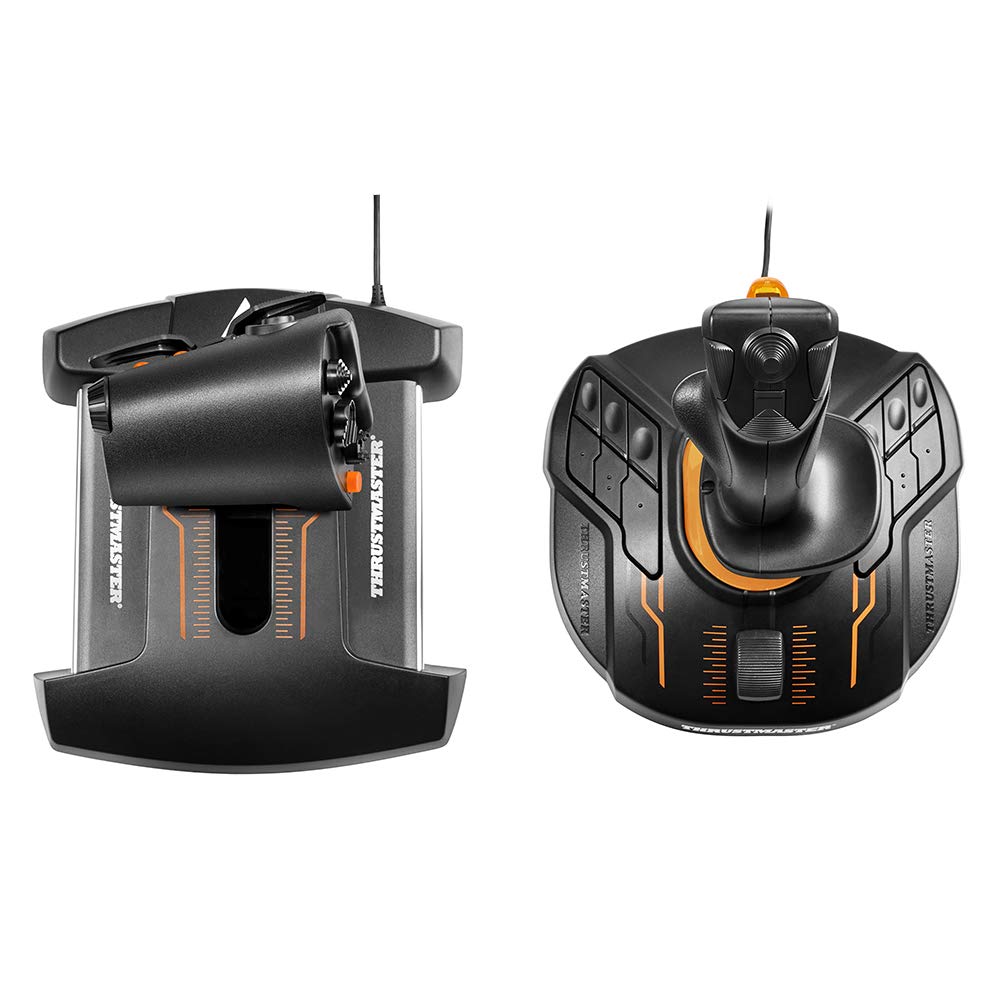
איור 2: מלמעלה למטה view of the Thrustmaster T16000M FCS HOTAS, illustrating the layout of controls on both the joystick and throttle.
הגדרה
Follow these steps to set up your Thrustmaster T16000M FCS HOTAS system.
- דרישות מערכת: Ensure your PC runs Windows 10, 8, 7, or Vista (32-bit or 64-bit).
- התקנת דרייבר: Before connecting the devices, download and install the latest drivers and software from the official Thrustmaster support website. This ensures optimal performance and access to all features.
- חיבור ג'ויסטיק: Plug the USB cable from the T.16000M FCS Joystick into an available USB port on your PC.
- חיבור מצערת: Plug the USB cable from the TWCS Throttle into an available USB port on your PC.
- זיהוי מערכת: Your operating system should automatically detect and configure the devices. Verify successful installation through your PC's Device Manager.
- תצורת תוכנה: Launch the Thrustmaster TARGET software (if installed) to customize button mappings, axis sensitivities, and create profiles for specific games.
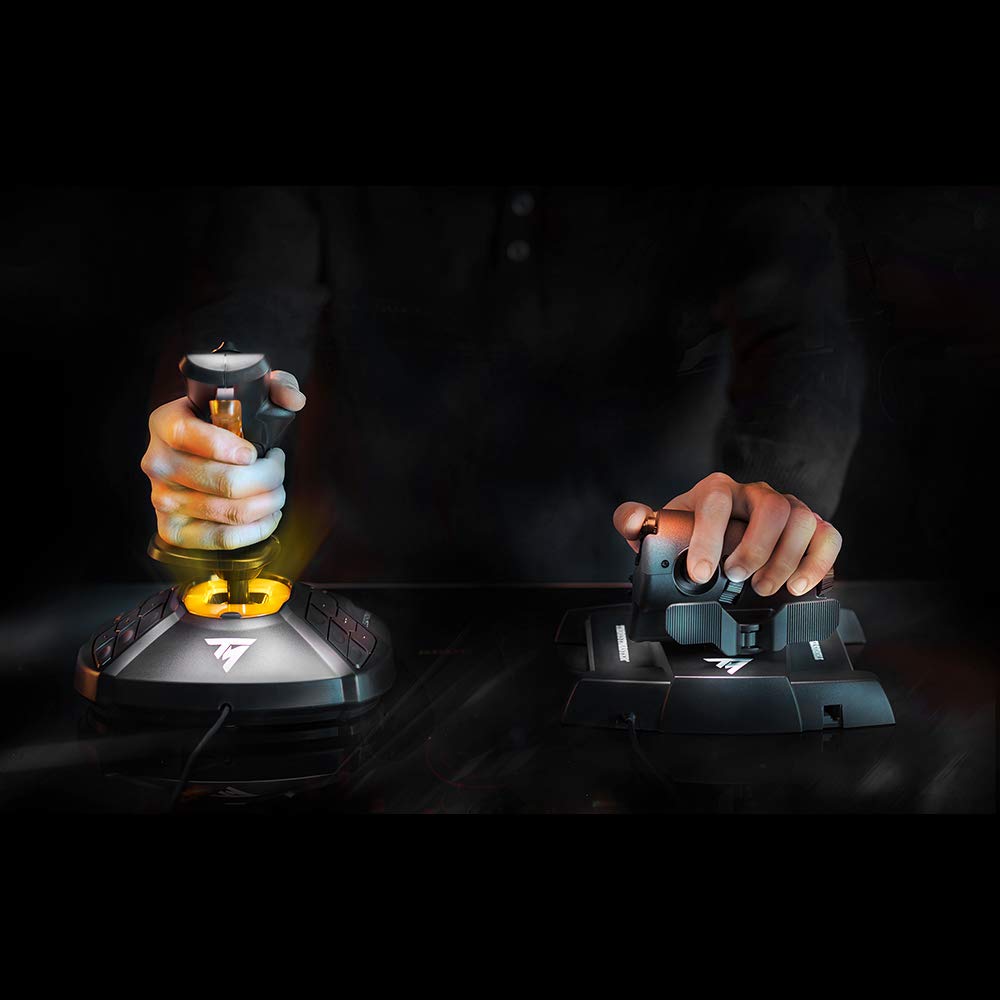
Figure 3: A user's hand on the T.16000M FCS Joystick, demonstrating typical grip during setup or operation.
הוראות הפעלה
This section outlines the basic operation of the T16000M FCS HOTAS components.
מבצע ג'ויסטיק
- Pitch & Roll: Move the joystick forward/backward for pitch control and left/right for roll control.
- Yaw (Rudder): Twist the joystick handle left or right to control the yaw axis (rudder).
- לְהַפְעִיל: The primary trigger on the front of the stick is typically used for firing weapons.
- כפתורים: Utilize the 16 programmable action buttons for various in-game functions such as gear, flaps, targeting, etc.
- POV Hat: The 8-way POV hat switch is commonly used for camera viewאו ניווט מהיר בתפריט.
פעולת מצערת
- Thrust Control: Slide the main throttle lever forward and backward to adjust engine thrust. The S.M.A.R.T technology ensures smooth and precise movement.
- Mini-Stick: The push mini-stick on the throttle can be used for precise camera control or strafing in space simulations.
- Switches & Buttons: The 14 action buttons, including 4-way switches and a slider, can be assigned to functions like speed brakes, landing gear, weapon selection, or communication.

Figure 4: A user's hand on the TWCS Throttle, demonstrating the ergonomic design and accessible controls.
תַחזוּקָה
Proper maintenance ensures the longevity and optimal performance of your flight control system.
- ניקוי: Use a soft, dry cloth to clean the surfaces of the joystick and throttle. Avoid abrasive cleaners or solvents.
- הגנה מפני אבק: When not in use, cover the devices to prevent dust accumulation, especially in the throttle's sliding mechanism.
- ניהול כבלים: Avoid sharp bends or excessive tension on the USB cables to prevent damage.
- אִחסוּן: יש לאחסן את המכשירים במקום קריר ויבש, הרחק מאור שמש ישיר וטמפרטורות קיצוניות.
פתרון בעיות
If you encounter issues with your Thrustmaster T16000M FCS HOTAS, refer to the following common solutions.
- התקן לא מזוהה:
- Ensure USB cables are securely connected to both the devices and the PC.
- נסה יציאת USB אחרת.
- Reinstall the latest drivers from the Thrustmaster support webאֲתַר.
- הפעל מחדש את המחשב.
- כפתורים/צירים לא מגיבים:
- Check in your game's control settings if the buttons/axes are correctly mapped.
- Calibrate the devices through Windows Game Controller settings or Thrustmaster's TARGET software.
- Ensure no other conflicting input devices are connected.
- תנועת המצערת אינה חלקה:
- Dust or debris might be in the sliding mechanism. Gently clean the throttle track.
- Consider applying a small amount of non-conductive, plastic-safe lubricant (e.g., Nyogel 767A) to the rails if the issue persists and you are comfortable with advanced maintenance.
מפרטים
| מספר דגם | 2960778 |
| מידות המוצר | 10.71 x 9.02 x 10.39 אינץ' |
| משקל פריט | 4.84 פאונד |
| תְאִימוּת | PC (Windows 10, 8, 7, Vista - 32-bit and 64-bit) |
| יַצרָן | Thrustmaster VG |
| תאריך ראשון זמין | 19 ביוני 2016 |
| תאריך יציאה | 10 באוקטובר 2016 |
אחריות ותמיכה
For warranty information, technical support, and additional resources, please visit the official Thrustmaster support website. You can find drivers, firmware updates, and FAQs there.
הערה: תנאי האחריות הספציפיים עשויים להשתנות בהתאם לאזור ולקמעונאי. אנא שמור את הוכחת הרכישה שלך.