
1. הקדמה
The Lenco BT-210 Light is a versatile Bluetooth stereo speaker designed for portable audio playback. It features integrated LED lighting, which can be controlled via a dedicated application, and offers multiple connectivity options including Bluetooth, AUX-in, and USB. This manual provides essential information for the safe and efficient use of your speaker.
2. מידע בטיחות
- קרא בעיון את כל ההוראות לפני השימוש במכשיר.
- שמור מדריך זה לעיון עתידי.
- אין לחשוף את המכשיר לגשם, לחות או טמפרטורות קיצוניות.
- הימנעו מהצבת המכשיר בקרבת מקורות חום כגון רדיאטורים, אוגרי חום, תנורים או מכשירים אחרים (כולל ampמחצבים) המייצרים חום.
- השתמש רק בתוספות/אביזרים שצוינו על ידי היצרן.
- נתק את המכשיר מהחשמל במהלך סופות ברקים או כאשר אינו בשימוש לתקופות ארוכות.
- אין לחסום פתחי אוורור. יש להתקין בהתאם להוראות היצרן.
- הגן על כבל החשמל מפני הליכה או צביטה, במיוחד בתקעים, בשקעי נוחות ובנקודה שבה הם יוצאים מהמכשיר.
3. תכולת החבילה
אנא בדקו שכל הפריטים נמצאים ובמצב תקין:
- Lenco BT-210 Light Bluetooth Stereo Speaker
- כבל טעינה USB
- AUX-in Cable (3.5mm)
- מדריך למשתמש
4. המוצר נגמרview
Familiarize yourself with the various parts of your Lenco BT-210 Light speaker.
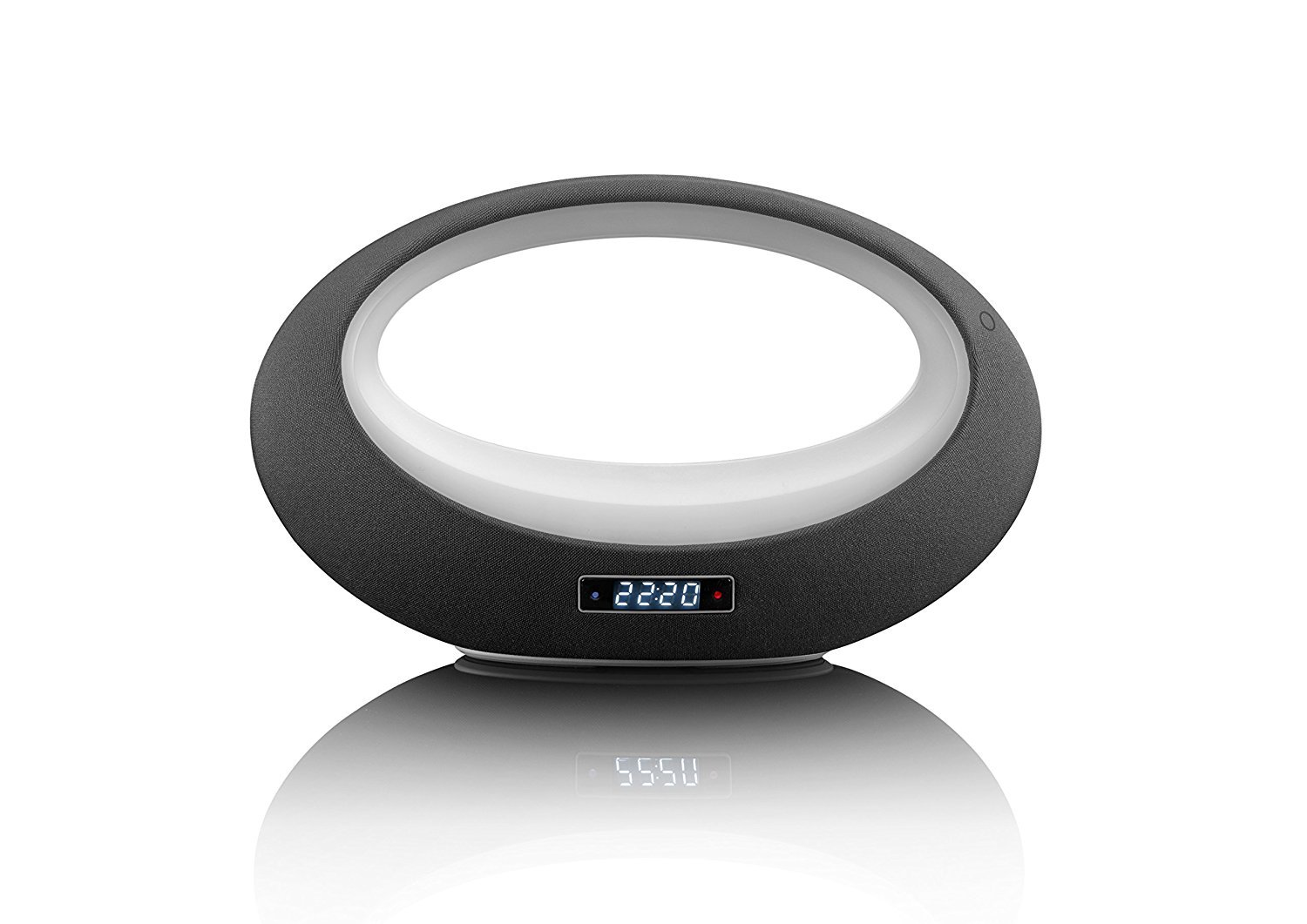
איור 1: חֲזִית view of the Lenco BT-210 Light speaker, showing the central LED light ring and the digital display.

איור 2: בְּחֲזָרָה view of the Lenco BT-210 Light speaker, illustrating the various input ports and control buttons.
בקרות ויציאות:
- לחצן הפעלה: מפעיל או מכבה את הרמקול.
- עוצמת הקול מעלה/הנמכת: מכוונן את רמת פלט השמע.
- לחצן הפעלה/השהה: שולט בהפעלת מדיה.
- לחצן מצב: Switches between Bluetooth, AUX, and USB input modes.
- לחצן בקרת אור LED: Cycles through LED light modes or turns them off.
- כניסת DC 5V: לטעינת הסוללה הפנימית.
- AUX-in Port (3.5mm): לחיבור התקני שמע חיצוניים באמצעות כבל.
- יציאת USB: להשמעת שמע מהתקני אחסון USB.
5. התקנה
5.1 טעינת הרמקול
- Connect the supplied USB charging cable to the DC 5V input port on the speaker.
- חבר את הקצה השני של כבל ה-USB למתאם חשמל USB תואם (לא כלול) או ליציאת USB של מחשב.
- נורית חיווי הטעינה תידלק. יש להמתין כ-3-4 שעות לטעינה מלאה.
- לאחר טעינה מלאה, נורית החיווי עשויה להשתנות או להיכבות. נתק את כבל הטעינה.
5.2 הפעלה/כיבוי
- כדי להפעיל: Press and hold the Power button for a few seconds until the display lights up and you hear an audible prompt.
- כדי לכבות: Press and hold the Power button again until the display turns off.
6. הוראות הפעלה
6.1 זיווג בלוטות '
- Ensure the speaker is powered on and in Bluetooth mode. If not, press the Mode button until 'Bluetooth' or a similar indicator appears on the display. The LED light will flash, indicating it's in pairing mode.
- בטלפון החכם, בטאבלט או במכשיר אחר התומך ב-Bluetooth, הפעל את Bluetooth וחפש מכשירים זמינים.
- Select "Lenco BT-210 Light" from the list of devices.
- Once paired, the speaker will emit a confirmation sound, and the LED light will stop flashing. You can now play audio from your device through the speaker.
6.2 מצב כניסת AUX
- Connect one end of the 3.5mm AUX-in cable to the AUX-in port on the speaker.
- חבר את הקצה השני של הכבל לשקע האוזניות או ליציאת השמע של התקן השמע החיצוני שלך.
- Press the Mode button on the speaker until 'AUX' or a similar indicator appears on the display.
- הפעל אודיו מהמכשיר החיצוני שלך. כוונן את עוצמת הקול הן ברמקול והן במכשיר שלך.
6.3 השמעת USB
- הכנס כונן הבזק מסוג USB המכיל קובץ שמע MP3 fileליציאת ה-USB ברמקול.
- Press the Mode button on the speaker until 'USB' or a similar indicator appears on the display.
- הרמקול יתחיל להשמיע אודיו באופן אוטומטי files from the USB drive. Use the Play/Pause and Volume buttons to control playback.
6.4 בקרת תאורת LED
The integrated LED lighting can be controlled directly from the speaker or via a dedicated application (if available). Press the LED Light Control button to cycle through different light modes or to turn the lights off. Refer to the product's official website or app store for information on the companion application for advanced control.
6.5 בקרת עוצמת הקול
Use the Volume Up (+) and Volume Down (-) buttons on the speaker to adjust the playback volume. For Bluetooth and AUX modes, you may also need to adjust the volume on your connected device.
7. תחזוקה
- ניקוי: השתמשו במטלית רכה ויבשה לניקוי החלק החיצוני של הרמקול. אין להשתמש בחומרי ניקוי נוזליים או בחומרים שוחקים.
- אִחסוּן: כאשר הרמקול אינו בשימוש למשך תקופות ממושכות, יש לאחסן אותו במקום קריר ויבש, הרחק מאור שמש ישיר וטמפרטורות קיצוניות.
- טיפול בסוללה: כדי להאריך את חיי הסוללה, הימנעו מפריקה מלאה של הסוללה לעתים קרובות. טען את הרמקול באופן קבוע, גם אם אינו בשימוש.
8. פתרון תקלות
| בְּעָיָה | סיבה אפשרית | פִּתָרוֹן |
|---|---|---|
| הרמקול לא נדלק. | הסוללה התרוקנה. | טען את הרמקול באמצעות כבל ה-USB המצורף. |
| אין קול. | עוצמת הקול נמוכה מדי או מושתקת. מצב קלט שגוי. | Increase volume on speaker and connected device. Press the Mode button to select the correct input. |
| התאמת Bluetooth נכשלה. | הרמקול לא במצב צימוד. המכשיר רחוק מדי. הפרעות. | Ensure speaker is in Bluetooth pairing mode. Move devices closer. Turn off other Bluetooth devices. |
| AUX-in not working. | Cable not connected properly. Incorrect mode. | Check cable connections. Ensure speaker is in AUX mode. |
| ניגון USB לא עובד. | כונן ה-USB אינו מעוצב כראוי או אינו נתמך file סוגים. | Ensure USB drive is formatted to FAT32 and contains MP3 files. |
9. מפרטים
| תכונה | מִפרָט |
|---|---|
| מותג | לנקו |
| דֶגֶם | BT-210 Light |
| צֶבַע | אנתרציט/לבן |
| מידות המוצר (D x W x H) | 18.3D x 29.4W x 11.5H ס"מ |
| Speaker Output Power (Max) | 6 וואט |
| פלט וואטtage | 3 וואט |
| כרך ידtage | 3.7 וולט |
| קלט כרךtage | 5 Volt DC (VDC) |
| מקור כוח | סוֹלְלָה |
| סוג סוללה | ליתיום-פולימר |
| חיי סוללה ממוצעים | 10 שעות |
| טכנולוגיית קישוריות | בלוטות ', AUX, USB |
| טכנולוגיית תקשורת אלחוטית | בלוטות' |
| מצב פלט שמע | סטריאו |
| מכשירים תואמים | נגן MP3 |
| תכונות מיוחדות | Bluetooth, Portable, LED Light |
| שיטת בקרה | Remote Control (implied by app control) |
| סוג הרכבה | מתקן לשולחן |
10. מידע על אחריות
Lenco products are designed and manufactured to the highest quality standards. This product is covered by a limited warranty against defects in materials and workmanship. The warranty period and terms may vary by region. Please refer to the official Lenco website or your local retailer for specific warranty details and registration information.
11. תמיכה
For technical support, troubleshooting assistance, or further information about your Lenco BT-210 Light speaker, please visit the official Lenco website or contact their customer service department. Contact details can typically be found on the Lenco webבאתר או באריזת המוצר.
Webאֲתַר: www.lenco.com