
1. הקדמה
The Shure BLX14/SM31 Wireless Microphone System is engineered for clear, reliable audio performance, particularly suited for fitness and aerobics instructors. This system combines the robust BLX4 single-channel receiver with the comfortable and durable SM31FH fitness headset condenser microphone and BLX1 bodypack transmitter. Enjoy wireless freedom with easy setup and up to 14 hours of continuous use.
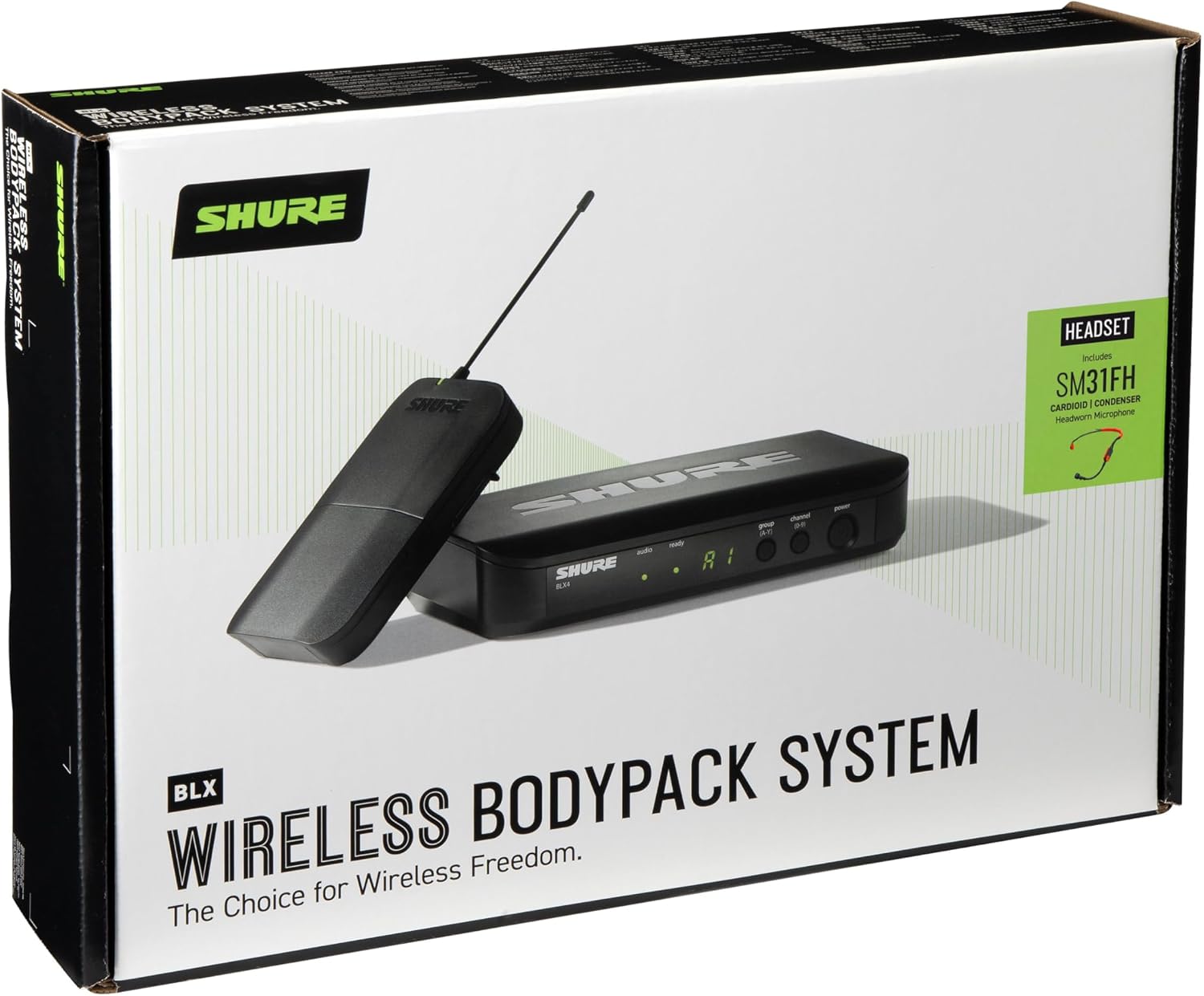
2. מה בקופסה
Your Shure BLX14/SM31 Wireless Microphone System package includes the following components:
- BLX4 single-channel receiver
- ספק כוח
- BLX1 wireless bodypack transmitter
- חגורת קליפ
- SM31FH fitness headset condenser mic
- קליפ לבוש
- מָגֵן רוֹחַ
- 2x סוללות AA
- מדריך למשתמש
3. רכיבי מוצר מעלview
BLX4 Single Channel Receiver
The BLX4 receiver is the central unit for your wireless system, featuring a user-friendly interface for channel selection and monitoring.


משדר גוף חבילה BLX1
The BLX1 bodypack transmitter is compact and durable, designed to be worn comfortably. It connects to the SM31FH headset microphone.


SM31FH Fitness Headset Condenser Microphone
The SM31FH is a durable, moisture-resistant headset microphone designed for active use in fitness and aerobics environments.

4. התקנה
4.1. בחירת פס תדרים אלחוטי
Before setting up, ensure the selected wireless frequency band (H9 Band: 512-542 MHz for this model) is suitable for your area. Refer to the Shure webמאתר התדרים האלחוטיים של האתר לקבלת מידע אזורי מפורט.

4.2. הגדרת מקלט
Follow these steps to set up your BLX4 receiver:
- מיקום: Position the receiver in a location that maintains a clear line of sight to the transmitter, minimizing obstructions.
- חיבור חשמל: Securely connect the included power supply to the receiver's power input.
- פלט שמע: Connect the receiver to your sound system (mixer or amplifier) using either the XLR output (Mic Out) or the 1/4" output (Instrument Out).
- הפעלה: הפעל את המקלט על ידי לחיצה על לחצן ההפעלה.
- סריקה קבוצתית: Press the 'group' button on the receiver to perform an automatic scan for the best available group and channel. The receiver will display the selected group and channel. Ensure all transmitters are off during this scan.
4.3. הגדרת משדר
Prepare your BLX1 bodypack transmitter and SM31FH headset microphone:
- התקן סוללות: Open the battery compartment of the BLX1 bodypack transmitter and insert two AA batteries, ensuring correct polarity.
- חיבור מיקרופון: Plug the SM31FH headset microphone into the TA4F (TGQ) connector on the BLX1 bodypack transmitter.
- הפעלה: הפעל את המשדר.
- Match Group and Channel: Set the group and channel on the transmitter to match the settings displayed on the receiver. Use the 'group' and 'channel' buttons within the battery compartment to cycle through options until they align with the receiver.
5. תפעול
5.1. Performing a Soundcheck
After initial setup, perform a soundcheck to ensure optimal audio levels and clear transmission:
- הפעלת מערכת: Ensure both the receiver and transmitter are powered on. The 'ready' LED on the receiver should be illuminated.
- בדיקת אודיו: Speak or sing into the SM31FH headset microphone at typical performance levels. Observe the 'audio' LED on the receiver.
- התאם רווח: If the 'audio' LED is consistently red, indicating excessive sound levels (overload), adjust the gain setting on the BLX1 bodypack transmitter. For the bodypack, rotate the gain dial to decrease the setting. For handheld transmitters (if applicable), press and hold the 'channel' button for 5 seconds until a dot appears, then adjust. Aim for the 'audio' LED to be green most of the time, with occasional red flashes during peak audio.
5.2. טיפים כלליים להפעלה
- חיי סוללה: The BLX transmitters provide up to 14 hours of power from a single pair of AA batteries.
- טווח פעולה: The system operates up to a range of 300 feet (100m) under optimal conditions. Maintain line of sight between the transmitter and receiver for best performance.
- הרחבת מערכת: You can run up to 12 channels per frequency band, allowing for multiple wireless systems in one location.
6. תחזוקה
To ensure the longevity and optimal performance of your Shure BLX14/SM31 Wireless Microphone System, follow these maintenance guidelines:
- ניקוי: Regularly wipe down the receiver, transmitter, and headset microphone with a soft, dry cloth. Avoid using harsh chemicals or abrasive materials.
- טיפול בסוללה: Remove batteries from the transmitter if the system will not be used for an extended period to prevent leakage. Use high-quality AA batteries for best performance.
- אִחסוּן: Store the system in a cool, dry place away from extreme temperatures and humidity. The included carrying case is ideal for protection during transport and storage.
- Headset Hygiene: For the SM31FH headset, regularly clean the microphone windscreen and replace it if it becomes worn or damaged.
7. פתרון תקלות
If you encounter issues with your Shure BLX14/SM31 Wireless Microphone System, consider the following common troubleshooting steps:
- אין שמע/שמע לסירוגין:
- Check all cable connections (power, audio output, microphone to transmitter).
- Ensure both the receiver and transmitter are powered on and the 'ready' LED on the receiver is lit.
- Verify that the transmitter and receiver are set to the same group and channel.
- Replace batteries in the transmitter if they are low or depleted.
- Ensure there is a clear line of sight between the transmitter and receiver, free from obstructions.
- איכות צליל ירודה/הפרעות:
- Perform a new group scan on the receiver to find a clearer frequency.
- Adjust the transmitter gain to prevent audio overload (red 'audio' LED).
- Move the receiver away from potential sources of interference (e.g., Wi-Fi routers, other wireless devices, large metal objects).
- Ensure the SM31FH microphone is positioned correctly near the mouth.
8. מפרטים
| תכונה | מִפרָט |
|---|---|
| שם הדגם | BLX14/SM31 Wireless Cardioid Fitness Headset Microphone System |
| מותג | שור |
| מספר דגם של פריט | BLX14/SM31-H9 |
| פס תדרים אלחוטי | H9 Band (512-542 MHz) |
| גורם צורת מיקרופון | Headset (SM31FH) |
| דפוס קוטבי | חד כיווני (קרדיואיד) |
| טכנולוגיית קישוריות | אַלחוּט |
| מקור כוח | Corded Electric (Receiver), Battery Powered (Transmitter) |
| סוג סוללה | נדרשת 2 סוללת AA (כלול) |
| חיי סוללה | עד 14 שעות |
| טווח פעולה | עד 300 רגל (100 מ') |
| מספר ערוצים | 1 (single channel receiver) |
| Max Systems per Frequency Band | Up to 12 (region and environment dependent) |
| תגובת תדר | 20 KHz |
| יחס אות לרעש | 76 dB |
| עַכָּבָּה | 150 אוהם |
| משקל פריט | 2.8 פאונד |
| מידות המוצר (L x W x H) | 13.5 x 12 x 4 אינץ' |
| חוֹמֶר | נירוסטה |
| תאריך ראשון זמין | 6 באוקטובר 2015 |
9. אחריות ותמיכה
The Shure BLX14/SM31 Wireless Microphone System includes a 2-YEAR WARRANTY, providing peace of mind for your investment.
For additional support, detailed product information, or to access the Shure Wireless Frequency Finder, please visit the official Shure website. You can also contact Shure customer service for technical assistance.