
1. הקדמה
Thank you for choosing the Baseus Bluetooth Selfie Stick with Tripod. This versatile device combines an extendable selfie stick with a stable tripod and a detachable Bluetooth remote control, allowing you to capture photos and videos with ease. Please read this manual carefully before use to ensure proper operation and to maximize your product experience.
2. המוצר נגמרview
The Baseus Selfie Stick with Tripod is designed for portability and functionality. It features a compact, foldable design that extends to 810mm, a 360-degree rotatable phone holder, and a removable Bluetooth remote for convenient shooting.
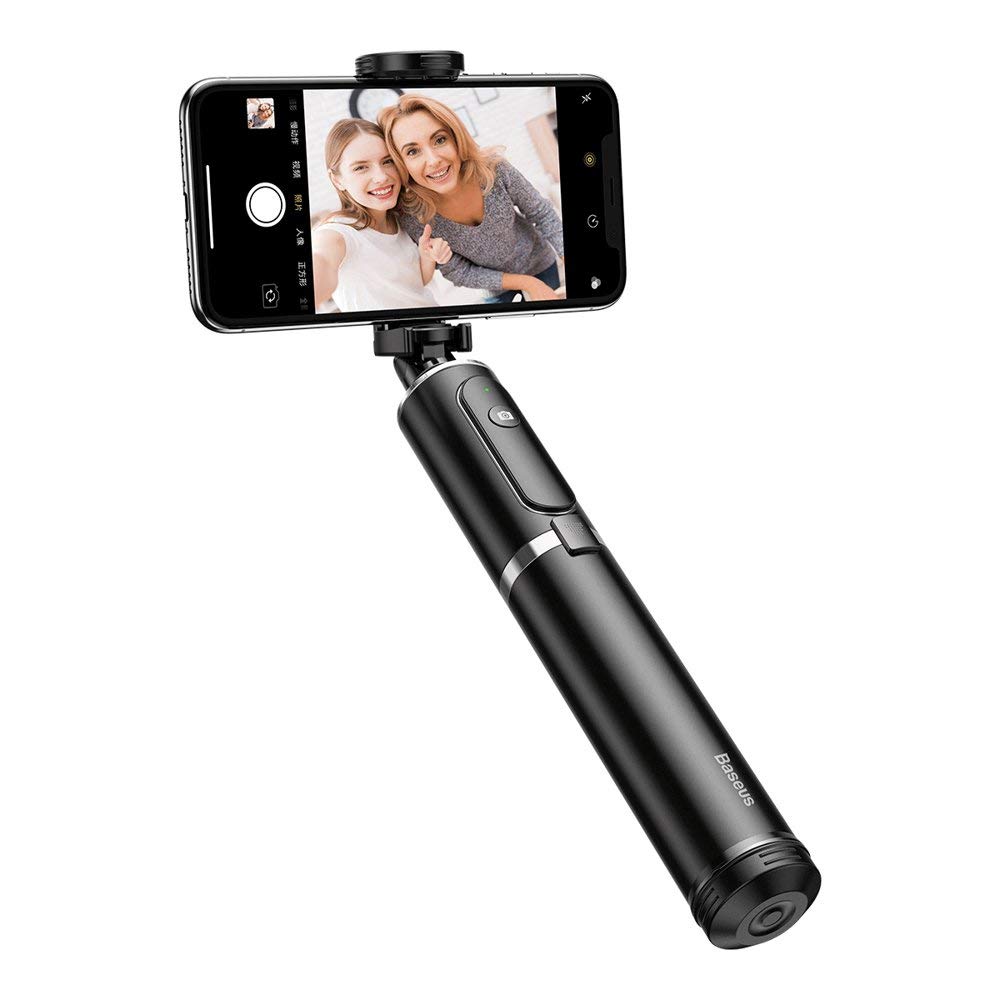
איור 2.1: The Baseus Selfie Stick fully extended with a smartphone in tripod mode.

איור 2.2: The selfie stick in its compact, folded form, highlighting the remote control.
3. מידע בטיחות
- אין לחשוף את המכשיר לטמפרטורות קיצוניות או לאור שמש ישיר למשך תקופות ממושכות.
- הרחק את המכשיר ממים ומנוזלים אחרים.
- אל תנסה לפרק או לשנות את המכשיר.
- Ensure your smartphone is securely mounted before extending the stick or using the tripod.
- הרחק מהישג ידם של ילדים.
4. תכולת החבילה
ודא שכל הפריטים נמצאים בחבילה שלך:
- Baseus Bluetooth Selfie Stick with Tripod (Black/Gray)
- שלט רחוק Bluetooth נשלף
5. התקנה
5.1 Unfolding and Extending the Selfie Stick
- Gently pull the top part of the stick upwards to unfold it from its compact state.
- Extend the telescopic rod segments to your desired length. The stick can extend up to 810mm.
5.2 חיבור הטלפון החכם
- פתח את הטלפון clamp בחלק העליון של המקל.
- הנח בזהירות את הטלפון החכם שלך בתוך ה-clamp, ensuring it is held securely. The clamp supports phones up to 6.5 inches.
- Adjust the phone holder's angle and rotation (360 degrees) as needed.

איור 5.1: Smartphone mounted horizontally in the clamp.

איור 5.2: Smartphone mounted vertically in the clamp.
5.3 Bluetooth Pairing for Remote Control
- Remove the remote control from its slot on the selfie stick.
- Press and hold the button on the remote control until the indicator light starts flashing, indicating it is in pairing mode.
- בטלפון החכם שלך, עבור להגדרות Bluetooth וחפש מכשירים זמינים.
- Select "Baseus Selfie" or a similar name from the list to pair.
- Once paired, the indicator light on the remote will stop flashing and remain solid or turn off.
6. הוראות הפעלה
6.1 שימוש כמקל סלפי
Hold the handle firmly and extend the stick to your desired length. Use the Bluetooth remote control to take photos or start/stop video recording.

איור 6.1: Using the selfie stick in handheld mode.

איור 6.2: Example of a user taking a selfie with the stick.
6.2 שימוש כחצובה
- While the stick is folded or partially extended, gently push the bottom part to deploy the tripod legs.
- הנח את החצובה על משטח ישר ויציב.
- Adjust the stick's height and phone holder's angle for optimal shooting.
- Use the remote control to capture photos or videos from a distance.

איור 6.3: Close-up of the tripod legs.
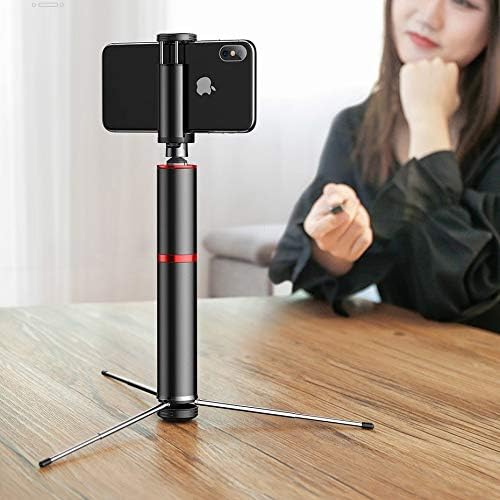
איור 6.4: Selfie stick used as a tripod on a table.

איור 6.5: Tripod setup with the remote control nearby.
7. תחזוקה
- ניקוי: נגבו את המכשיר במטלית רכה ויבשה. אין להשתמש בכימיקלים חזקים או בחומרי ניקוי שוחקים.
- אִחסוּן: When not in use, fold the selfie stick to its compact size and store it in a cool, dry place away from direct sunlight.
- סוֹלְלָה: The remote control uses a small button cell battery. Replace it when the remote's performance degrades.
8. פתרון תקלות
8.1 השלט רחוק לא מתחבר
- Ensure the remote control is charged or has a fresh battery.
- ודא ש-Bluetooth מופעל בטלפון החכם שלך.
- Restart both your smartphone and the remote control (by removing and reinserting the battery if possible, or turning it off and on).
- נקה חיבורי Bluetooth קודמים בטלפון שלך ונסה להתאים שוב.
8.2 Selfie Stick Instability
- Ensure all telescopic segments are fully extended and locked into place (if applicable).
- When using as a tripod, ensure the legs are fully deployed and placed on a flat, stable surface.
- Verify that your smartphone is securely clamped and balanced.
9. מפרטים
| מספר דגם | SUDYZP-D1S |
| מותג | Baseus |
| מכשירים תואמים | Mobile Phones (up to 6.5 inches) |
| משקל המוצר | 0.3 קילוגרם |
| אורך הארכה מקסימלי | 810 מ"מ |
| תכונות | Bluetooth Remote Control, Tripod Function, 360-Degree Rotatable Phone Holder |
| צֶבַע | Black - Gray |
10. אחריות ותמיכה
This product comes with a manufacturer's warranty. For detailed warranty information, please refer to the warranty card included in your product packaging or visit the official Baseus webאֲתַר.
For technical support, troubleshooting assistance, or any other inquiries, please contact Baseus customer service through their official channels. You can often find support contact information on the Baseus webבאתר או על אריזת המוצר.
תמיכה מקוונת: www.baseus.com