
המוצר נגמרview
The Muse M-1280 BT is a versatile Bluetooth tower speaker designed to deliver clear audio with multiple connectivity options. It features A2DP Bluetooth for wireless streaming, a powerful 120W output, a PLL FM radio tuner, and ports for USB and SD card playback. Additionally, it includes a USB charging function and an auxiliary input for wired connections. The speaker is housed in a stylish wooden cabinet and stands approximately 100cm tall, making it a prominent addition to any room.
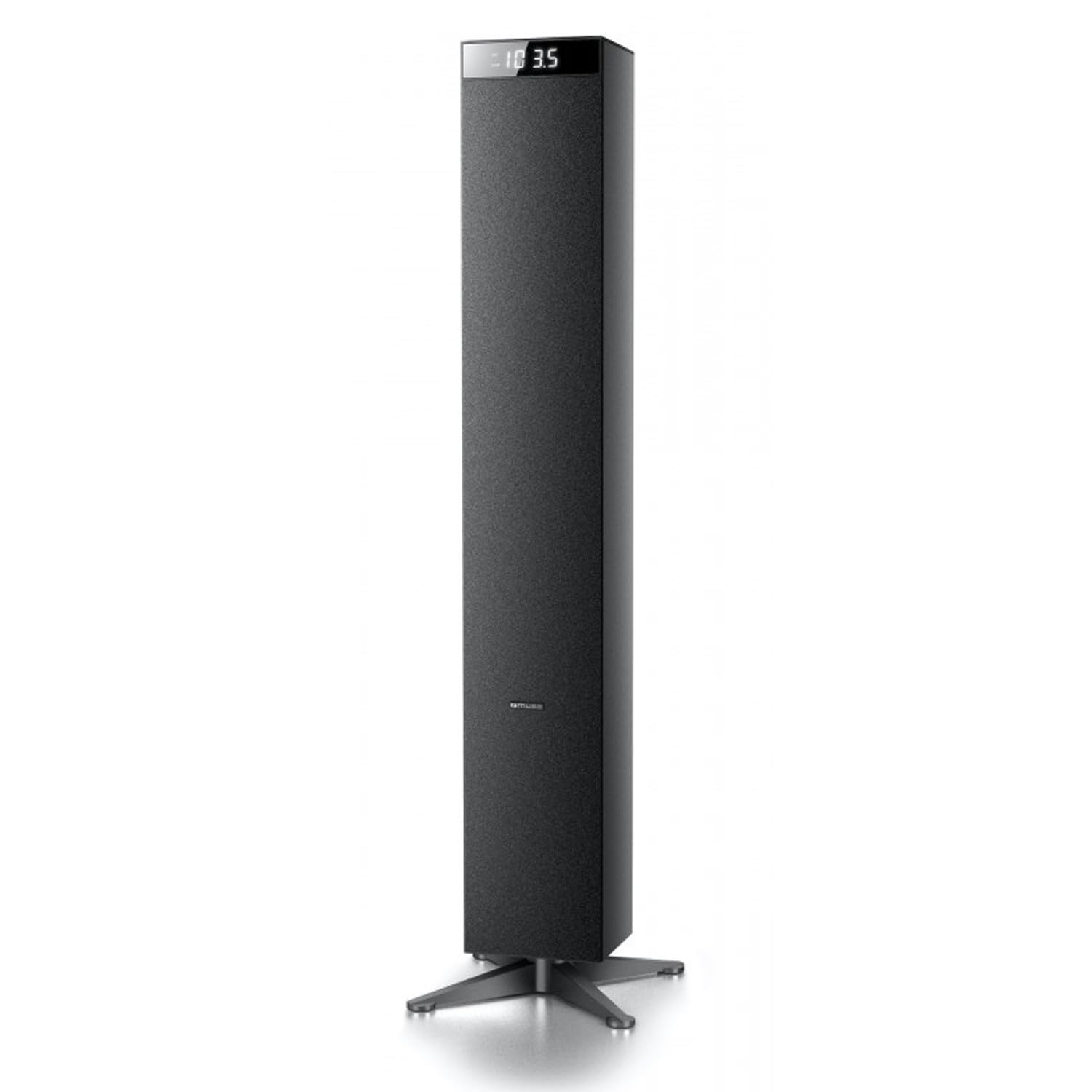
תמונה: חזית view of the Muse M-1280 BT Bluetooth Tower Speaker, showcasinהעיצוב השחור והחלקלק שלו והתצוגה המשולבת.
תוכן החבילה
לפני ההתקנה, אנא ודא שכל הפריטים נמצאים בחבילה:
- Muse M-1280 BT Bluetooth Tower Speaker
- שְׁלַט רָחוֹק
- כבל Aux In
- מדריך להתחלה מהירה
- כבל חשמל
הוראות התקנה
- פריקת אריזה: הוציאו בזהירות את הרמקול ואת כל האביזרים מהאריזה.
- מיקום: Position the M-1280 BT speaker on a stable, flat surface. Ensure it is placed in a location with good ventilation and away from direct sunlight, heat sources, or moisture. The speaker is designed for floor standing.
- חבר חשמל: Insert the power cable into the AC IN port on the back of the speaker, then plug the other end into a standard wall outlet.
- הפעלה ראשונית: Press the Power button on the top panel or the remote control to turn on the speaker. The display will illuminate.

Image: The Muse M-1280 BT speaker positioned in a room, with a detailed view of its top control panel and phone dock.
הוראות הפעלה
1. Selecting a Source
הקש על מָקוֹר button on the top panel or remote control to cycle through available input modes: Bluetooth, FM Radio, USB, SD, and AUX.
2. מצב Bluetooth
- לִבחוֹר בלוטות' mode using the SOURCE button. The display will show "BT" and flash, indicating it's in pairing mode.
- On your smartphone, tablet, laptop, or PC, enable Bluetooth and search for available devices.
- בחר "M-1280 BT" from the list of devices. Once paired, the speaker will emit a confirmation sound, and "BT" on the display will stop flashing.
- You can now play audio from your connected device. Use the playback controls on your device or the speaker's top panel/remote (Play/Pause, Next/Previous Track) to manage your music.
3. מצב רדיו FM
- לִבחוֹר רדיו FM mode using the SOURCE button.
- כדי לסרוק אוטומטית ולשמור תחנות, לחצו והחזיקו את המקש PLAY/PAUSE button (often labeled as "SCAN" or "AUTO" in radio mode). The speaker will scan for available FM stations and store them.
- השתמש ב- מסלול הבא/קודם כפתורים כדי לנווט בין התחנות השמורות.
- For manual tuning, briefly press the מסלול הבא/קודם כפתורים כדי להתאים את התדר צעד אחר צעד.
4. ניגון באמצעות כרטיס USB/SD
- הכנס כונן הבזק מסוג USB לתוך יציאת USB או כרטיס SD לתוך חריץ לכרטיס SD.
- לִבחוֹר USB or SD mode using the SOURCE button. The speaker will automatically begin playing compatible audio files.
- Use the playback controls (Play/Pause, Next/Previous Track) on the speaker or remote to control playback.
- Note: The speaker supports common audio file formats. Unsupported file types will not play.
5. קלט AUX
- Connect one end of the provided Aux-In cable to the AUX IN port on the speaker and the other end to the audio output (e.g., headphone jack) of your external audio device.
- לִבחוֹר AUX mode using the SOURCE button.
- הפעל אודיו מהמכשיר החיצוני שלך. ניתן לשלוט בעוצמת הקול דרך הרמקול או המכשיר החיצוני.
6. טעינת USB
The USB port on the speaker can also be used to charge compatible devices. Connect your device's USB charging cable to the speaker's USB port.

Image: Close-up of the Muse M-1280 BT speaker's top panel, highlighting the control buttons, digital display, and integrated dock for mobile devices.
תַחזוּקָה
- ניקוי: השתמשו במטלית רכה ויבשה לניקוי החלק החיצוני של הרמקול. אין להשתמש בחומרי ניקוי נוזליים או בחומרים שוחקים, מכיוון שהם עלולים לפגוע בגימור.
- אִחסוּן: אם מאחסנים את הרמקול לתקופה ממושכת, נתקו אותו מהחשמל ואחסנו אותו במקום קריר ויבש.
- אוורור: ודאו שפתחי האוורור של הרמקול אינם חסומים כדי למנוע התחממות יתר.
פתרון בעיות
| בְּעָיָה | סיבה אפשרית | פִּתָרוֹן |
|---|---|---|
| אין כוח | כבל חשמל לא מחובר; שקע החשמל אינו פעיל | Ensure power cable is securely connected to both the speaker and a working wall outlet. |
| אין קול | Volume too low; Incorrect source selected; Device not paired (Bluetooth) or connected (AUX) | Increase volume. Select the correct input source. For Bluetooth, ensure device is paired. For AUX, ensure cable is fully inserted. |
| צימוד Bluetooth נכשל | הרמקול לא במצב צימוד; המכשיר רחוק מדי; הפרעות | Ensure speaker is in Bluetooth pairing mode (BT flashing). Move device closer to speaker. Avoid strong electromagnetic interference. |
| קליטת רדיו FM גרועה | אות חלש; אנטנה לא מורחבת | Adjust the position of the speaker. Ensure the FM antenna (if external) is fully extended. |
מפרטים
- שם הדגם: M-1280 BT
- מותג: מוּזָה
- סוג רמקול: מִגדָל
- טכנולוגיית קישוריות: Bluetooth (A2DP), USB, SD, AUX
- כוח פלט: 120 וואט (מקסימום)
- מקלט רדיו: PLL FM
- יציאת USB: Yes (for playback and charging)
- קורא כרטיסי SD: כֵּן
- מקור כוח: כבל חשמלי
- חוֹמֶר: עֵץ
- צֶבַע: שָׁחוֹר
- מידות (L x W x H): 20 x 18 x 101.2 ס"מ (7.87 x 7.09 x 39.84 אינץ ')
- מִשׁקָל: 5.3 קילוגרם (11.68 פאונד)
- רכיבים כלולים: Aux-In Cable, Quick Start Guide, Remote Control
- מכשירים תואמים: Smartphone, Laptop, PC
אחריות ותמיכה
This Muse M-1280 BT speaker comes with a אחריות יצרן לשנה מתאריך הרכישה. אנא שמור את הוכחת הרכישה שלך לצורך תביעות אחריות.
For technical support, service, or warranty inquiries, please refer to the contact information provided in the Quick Start Guide or visit the official Muse website for your region. Do not attempt to repair the device yourself, as this may void the warranty.