
1. הקדמה
This manual provides comprehensive instructions for the installation, operation, and maintenance of your Speco Technologies HT5941T Intense IR HD TVI Dome Camera. This camera is designed to deliver high-definition surveillance with advanced features such as True WDR, Intense IR, and day/night operation. Please read this manual thoroughly before installation and use to ensure proper functionality and safety.
2. מידע בטיחות
- ספק כוח: Use only the specified 12VDC or 24VAC power supply. Incorrect voltagזה עלול לגרום נזק למצלמה.
- הַתקָנָה: Ensure the camera is securely mounted to prevent accidental falls. Professional installation is recommended.
- סְבִיבָה: אין לחשוף את המצלמה לטמפרטורות קיצוניות, לחות או סביבות קורוזיביות מעבר לתנאי ההפעלה שצוינו.
- ניקוי: נתק את החשמל לפני הניקוי. השתמש במטלית רכה ויבשה. הימנע משימוש בכימיקלים חזקים.
- שֵׁרוּת: Do not attempt to disassemble or service the camera yourself. Refer all servicing to qualified personnel.
3. תכולת החבילה
ודא שכל הפריטים נמצאים בחבילה שלך:
- HT5941T Dome Camera
- Chameleon Cover
- חומרת הרכבה (ברגים, עוגנים)
- מדריך התחלה מהירה (אם רלוונטי)
4. התקנה והתקנה
4.1 הרכבת המצלמה
The HT5941T camera supports 3-axis adjustment for both wall and ceiling mounting. Ensure the mounting surface is strong enough to support the camera's weight.
- בחר מיקום הרכבה מתאים.
- Use the provided mounting template (if included) or the camera base to mark drilling points.
- קדחו חורי פיילוט והכניסו עוגנים לקיר במידת הצורך.
- אבטחו את בסיס המצלמה למשטח ההרכבה באמצעות הברגים המצורפים.
- Adjust the camera's angle for optimal viewing.
4.2 חיווט וחיבור חשמל
The HT5941T is an HD-TVI output only camera, providing full HD resolution over coaxial cable.
- Connect a coaxial cable (RG59 or similar) from the camera's BNC output to your HD-TVI DVR or monitor.
- Connect the power cable to the camera's power input. The camera supports dual voltage operation (12VDC or 24VAC). Ensure the power supply matches the camera's requirements.
- ודא שכל החיבורים מאובטחים לפני הפעלת חשמל.
4.3 Chameleon Cover Installation
The included Chameleon Cover can be painted to match your décor.
- If desired, paint the Chameleon Cover before installation. Allow it to dry completely.
- Align the cover with the camera body and snap it into place.
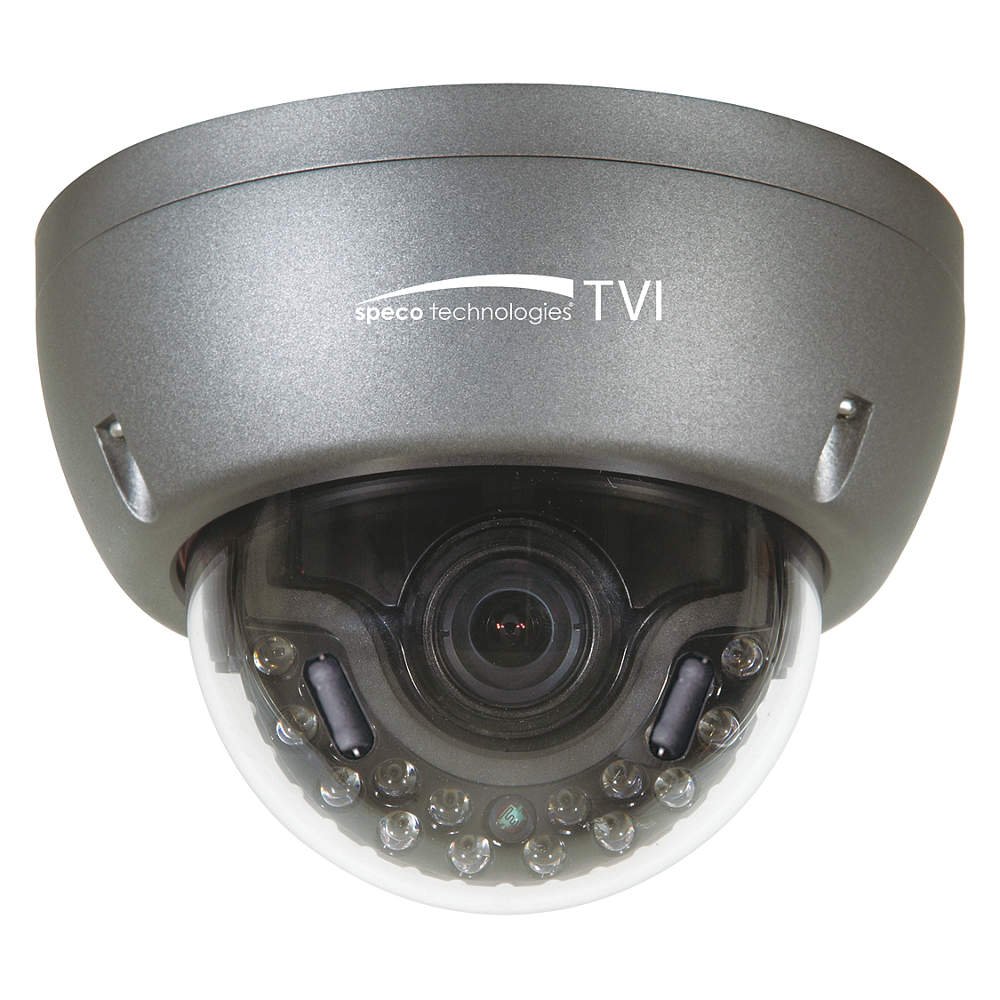
Figure 1: Speco Technologies HT5941T Dome Camera with its dark gray housing and dome design.
5. הוראות הפעלה
5.1 הפעלה והפעלה ראשונית View
Once the camera is properly wired and powered, it will automatically begin transmitting video. Connect your HD-TVI DVR or monitor to view הפיד החי.
5.2 תפריט תצוגה על המסך (OSD).
The camera features a full OSD menu for configuration, accessible via on-board controls or UTC (Up The Coax) control from a compatible DVR.
- גישה לתפריט המסך: Use the joystick or buttons on the camera (if present) or the UTC control function on your DVR to bring up the OSD menu.
- ניווט: Use the directional controls to navigate through menu options. Select options to adjust settings such as exposure, white balance, and image enhancements.
- תכונות עיקריות:
- WDR אמיתי: Wide Dynamic Range for clear images in high-contrast lighting.
- Intense IR: Adapts IR intensity to the subject, preventing saturation and providing vivid night vision.
- Day/Night Operation: Mechanical IR cut filter automatically switches between color (day) and monochrome (night) modes for optimal image quality.
6. תחזוקה
6.1 ניקוי
ניקוי קבוע מסייע לשמור על איכות תמונה אופטימלית.
- Gently wipe the camera lens and housing with a soft, lint-free cloth.
- עבור לכלוך עיקש, מעט דחוףampen the cloth with water or a mild lens cleaning solution. Avoid abrasive cleaners.
- ודא שהמצלמה כבויה לפני הניקוי.
6.2 שיקולים סביבתיים
The HT5941T features heater circuitry and anti-moisture glass to reduce fog or condensation in various weather conditions. No specific user maintenance is required for these features, but ensure the camera's power supply is stable to allow these functions to operate effectively.
7. פתרון תקלות
| בְּעָיָה | סיבה אפשרית | פִּתָרוֹן |
|---|---|---|
| אין פלט וידאו | No power; Loose cable connection; Incorrect video format (not HD-TVI compatible DVR) | Check power supply and connections; Ensure DVR supports HD-TVI input. |
| איכות תמונה ירודה (מטושטשת, מעוותת) | Dirty lens; Improper focus; Cable interference; Insufficient lighting | Clean the lens; Adjust focus via OSD; Use shielded coaxial cable; Verify adequate lighting or IR function. |
| IR not working at night | Insufficient power; Day/Night setting incorrect; IR sensor blocked | Check power supply; Verify Day/Night mode in OSD; Ensure nothing obstructs the IR LEDs or sensor. |
| תפריט OSD לא מופיע | Incorrect control method; DVR not compatible with UTC | Try on-board controls if available; Consult DVR manual for UTC compatibility and operation. |
8. מפרטים
| תכונה | מִפרָט |
|---|---|
| מספר דגם | HT5941T |
| מותג | ספקו טכנולוגיות |
| רזולוציית לכידת וידאו | 1080p (HD מלא) |
| קצב פריימים | 30 פריימים לשנייה |
| טכנולוגיית קישוריות | HD-TVI (Coaxial) |
| מקור כוח | 12VDC & 24VAC Dual Voltage |
| סוג הרכבה | Wall Mount (3-axis adjustment) |
| גורם צורה | כיפה |
| טכנולוגיית תאורה נמוכה | Day/Night, Intense IR |
| תכונות מיוחדות | True WDR, Heater circuitry, Anti-moisture glass, Chameleon Cover |
| דירוג הגנה בינלאומי | IP67 |
| מידות (L x W x H) | 5.12 x 4.84 x 3.66 אינץ' |
| משקל פריט | 1.5 פאונד |
| חוֹמֶר | זכוכית (עדשה) |
9. אחריות ותמיכה
למידע על אחריות ותמיכה טכנית, אנא עיינו באתר הרשמי של Speco Technologies webאתר או צרו קשר עם מחלקת שירות הלקוחות שלהם. שמרו את קבלת הרכישה כהוכחת קנייה לתביעות אחריות.
Speco Technologies Official Webאֲתַר: www.specotech.com