
1. המוצר נגמרview
The Legrand On-Q WP3404WH10 is a 4-port single gang keystone wall plate designed to support up to four keystone inserts. This white, screw-in plastic wall plate is suitable for various low-voltage applications, including data, voice, audio, and video connections. It is constructed from high-impact flame-retardant plastic, ensuring durability and safety. The design features a matte finish and is slightly larger than standard wall plates to help cover minor drywall imperfections.
- תְאִימוּת: Supports most keystone insert combinations.
- חוֹמֶר: High-impact flame-retardant plastic.
- סִיוּם: Matte white.
- מידות: Approximately 4.69 inches (H) x 2.94 inches (W).
- הסמכות: RoHS Compliant, UL Listed (ANSI/UL 1863).

איור 1: חזית view of the Legrand On-Q 4-Port Keystone Wall Plate. This image shows the white plastic wall plate with four square openings for keystone inserts and two screw holes for mounting.
2. הוראות התקנה
This section outlines the steps for installing the Legrand On-Q 4-Port Keystone Wall Plate. Ensure all power is off before beginning any electrical work.
2.1 כלים וחומרים נדרשים
- מברג (מומלץ ראש פיליפס)
- כרך נמוךtage mounting bracket or single gang wall box
- Keystone inserts (e.g., RJ45, HDMI, Coaxial)
- Associated cabling
2.2 התקנה שלב אחר שלב
- הכנת פתח הקיר: Ensure a standard single gang wall box or low voltage mounting bracket is properly installed in the wall.
- Install Keystone Inserts: Before mounting the wall plate, snap the desired keystone inserts into the four openings on the wall plate. Ensure they are oriented correctly (not upside down) to avoid difficulty in seating them fully. Apply firm, even pressure until each keystone clicks securely into place.
- חיבור כבלים: Connect the appropriate cables to the rear of each keystone insert.
- התקן את לוח הקיר: Align the wall plate with the mounting holes of the wall box or bracket. Secure the plate using the provided screws. Do not overtighten.
- בדיקת חיבורים: Once installed, test all connections to ensure proper functionality.

Figure 2: Installation in progress. A screwdriver is used to secure the wall plate to the wall, with keystone jacks already inserted.
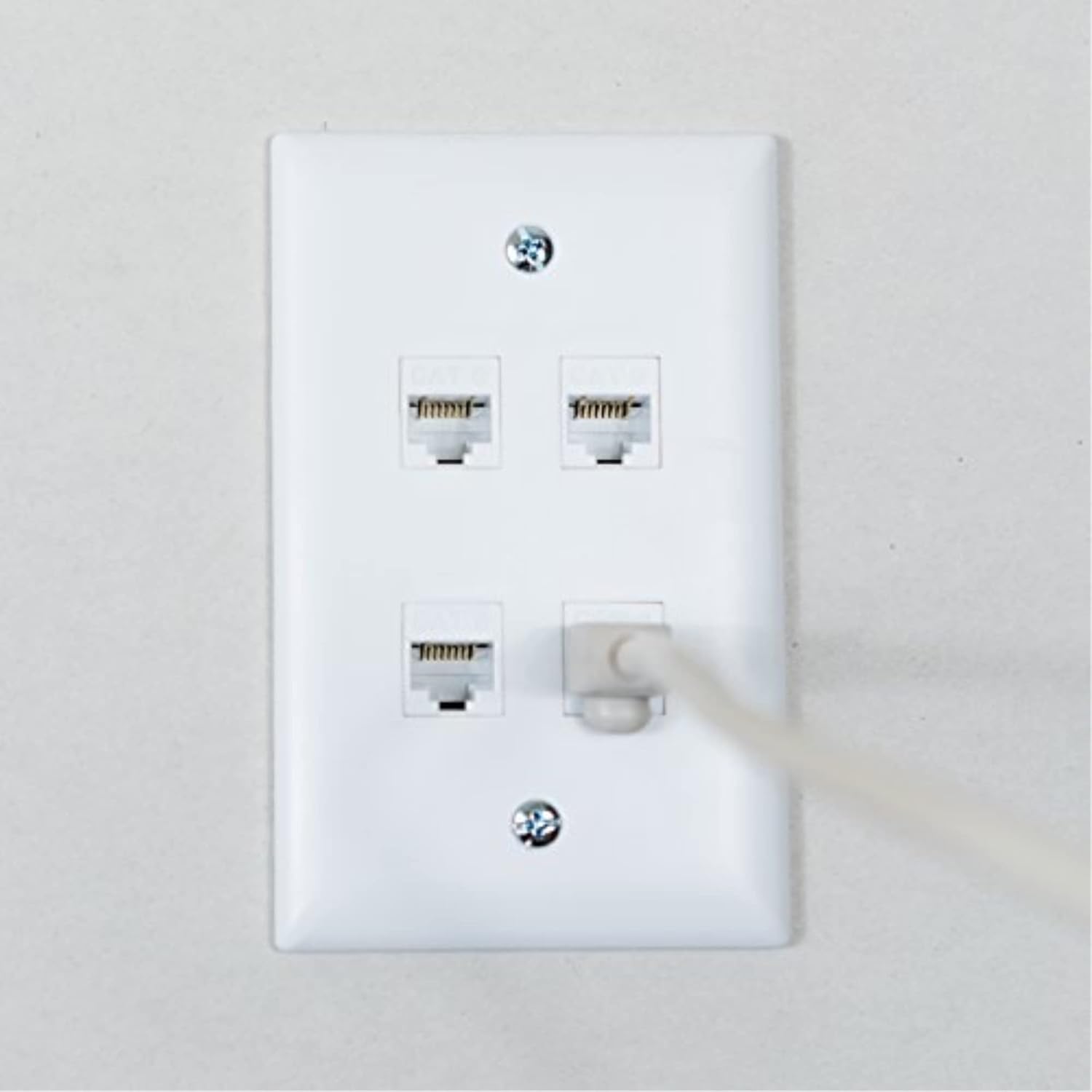
Figure 3: A network cable connected to one of the installed keystone jacks on the wall plate, demonstrating usage.
3. תפעול
The Legrand On-Q 4-Port Keystone Wall Plate functions as a passive interface for your keystone-compatible connections. Once installed and populated with keystone inserts, its operation involves simply plugging in the corresponding cables (e.g., Ethernet, HDMI, coaxial) into the front of the keystone jacks.
- חיבור התקנים: Insert the appropriate cable connector into the front port of the keystone jack until it clicks into place.
- ניתוק התקנים: To remove a cable, gently press the release tab (if present on the connector) and pull the cable straight out. Avoid pulling on the cable itself without releasing the tab to prevent damage to the keystone jack or cable.
4. תחזוקה
The Legrand On-Q Keystone Wall Plate requires minimal maintenance to ensure its longevity and appearance.
- ניקוי: השתמש בחומר רך, יבש או מעט דamp cloth to wipe the surface of the wall plate. Avoid abrasive cleaners, solvents, or harsh chemicals, as these can damage the finish.
- בְּדִיקָה: Periodically check the wall plate and keystone inserts for any signs of damage or loose connections. Ensure mounting screws remain snug.
5. פתרון תקלות
This section addresses common issues that may arise during installation or use.
| בְּעָיָה | סיבה אפשרית | פִּתָרוֹן |
|---|---|---|
| Keystone insert does not snap into place easily. |
|
|
| Cables do not connect securely to keystone jacks. |
|
|
| Wall plate appears loose after installation. |
|
|
6. מפרטים
| תְכוּנָה | פְּרָט |
|---|---|
| מספר דגם | WP3404WH10 |
| מותג | On-Q (Legrand) |
| מספר יציאות | 4 Keystone openings |
| Gang Type | כנופיה יחידה |
| צֶבַע | לָבָן |
| חוֹמֶר | High Impact Flame Retardant Plastic |
| סוג הרכבה | Screw-In (for Single Gang Wall Box or LV Bracket) |
| Product Dimensions (H x W) | 4.69 אינץ' x 2.94 אינץ' |
| סוג גימור | Plastic, Matte |
| הסמכות | UL Listed (ANSI/UL 1863), RoHS Compliant |
| משקל פריט | 8 אונקיות |
| UPC | 804428121497 |

Figure 4: Diagram showing the approximate dimensions of the wall plate: 4.69 inches in height and 2.94 inches in width.
7. אחריות ותמיכה
For specific warranty information regarding your Legrand On-Q WP3404WH10 wall plate, please refer to the documentation included with your purchase or visit the official Legrand On-Q website. General product support and technical assistance can also be found through the manufacturer's resources.
יַצרָן: Legrand On-Q
Webאֲתַר: www.legarand.us/onq (זהו קישור כללי, דפי תמיכה ספציפיים עשויים להשתנות)