
1. הקדמה
The Xiaomi Mi 5000mAh Power Bank is a portable charging solution designed for smartphones and other USB-powered devices. Its slim 9.9mm design and lightweight construction (156 grams) make it highly portable, fitting easily into a pocket or bag. Equipped with a 5000mAh lithium-ion polymer battery, it provides reliable power on the go. The integrated battery indicator keeps you informed about the remaining charge level.
2. מידע בטיחות
- Do not expose the power bank to extreme temperatures (above 60°C / 140°F or below 0°C / 32°F), direct sunlight, or fire.
- Avoid dropping, disassembling, or attempting to repair the device yourself. This may cause damage or injury.
- Keep the power bank away from water, moisture, and other liquids.
- Use only certified charging cables and adapters. Using incompatible accessories may lead to fire, explosion, or other hazards.
- הרחק מהישג ידם של ילדים.
- Dispose of the power bank according to local regulations for electronic waste. Do not dispose of it in household waste.
3. תכולת החבילה
- Xiaomi Mi 5000mAh Power Bank (Model XPB5000)
- USB Charging Cable (Micro USB to USB-A)
- מדריך למשתמש
4. המוצר נגמרview
Familiarize yourself with the components of your Xiaomi Mi 5000mAh Power Bank.
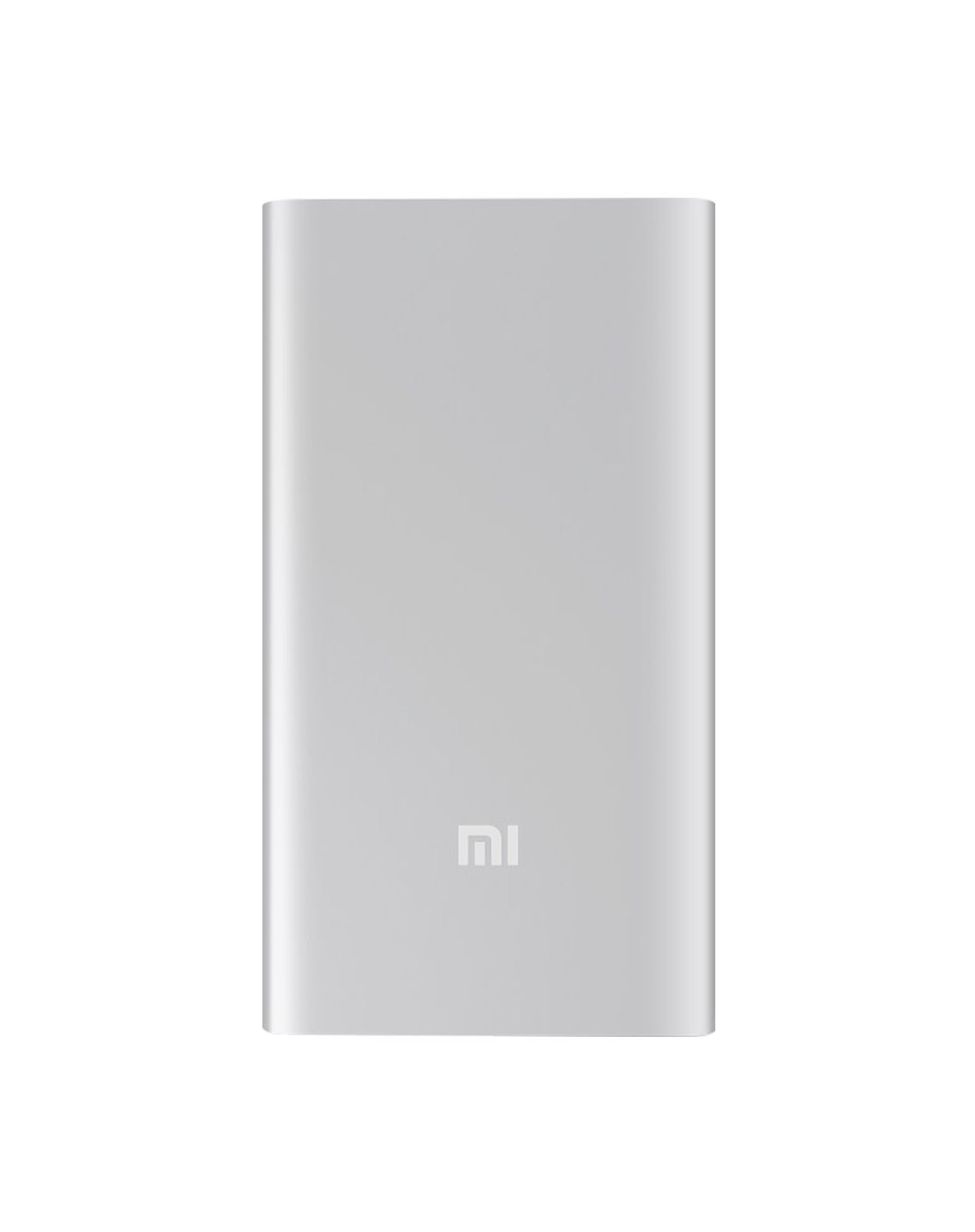
איור 4.1: חזית view of the Xiaomi Mi 5000mAh Power Bank, silver color with the 'Mi' logo.

איור 4.2: למעלה view of the power bank, highlighting the ports and indicators.
- יציאת קלט מיקרו USB: משמש לטעינת סוללת הכוח עצמה.
- יציאת יציאת USB-A: משמש לטעינת התקנים חיצוניים.
- לחצן הפעלה: Press once to check battery level; press and hold to turn on/off (if applicable, some power banks are auto-on).
- מחווני LED: Four small lights that show the remaining battery capacity of the power bank. Each light typically represents 25% of the charge.
5. התקנה
5.1 חיוב ראשוני
Before using your Xiaomi Mi 5000mAh Power Bank for the first time, it is recommended to fully charge it.
- Connect the Micro USB end of the provided cable to the power bank's Micro USB Input Port.
- חבר את קצה ה-USB-A של הכבל למתאם USB לקיר (לא כלול) או ליציאת USB של מחשב.
- The LED indicators will light up and blink, showing the charging progress. All four LEDs will remain solid when the power bank is fully charged.
6. הוראות הפעלה
6.1 טעינת הסוללה
כדי לטעון את סוללת הכוח שלך:
- Use the included USB cable to connect the power bank's Micro USB input port to a power source (e.g., wall charger, computer USB port).
- The LED indicators will show the charging status. When all four LEDs are solid, the power bank is fully charged.
6.2 טעינת המכשיר שלך
To charge a smartphone or other USB-powered device:
- Connect your device's charging cable to the USB-A Output Port of the power bank.
- חבר את הקצה השני של הכבל למכשיר שלך.
- סוללת הכוח אמורה להתחיל לטעון את המכשיר באופן אוטומטי. אם לא, לחץ פעם אחת על כפתור ההפעלה כדי להתחיל בטעינה.
- מחווני ה-LED יציגו את הטעינה שנותרה של סוללת הסוללה בזמן שהיא בשימוש.
7. תחזוקה
- ניקוי: השתמשו במטלית רכה ויבשה לניקוי סוללת הכוח. אין להשתמש בכימיקלים חזקים או בחומרים שוחקים.
- אִחסוּן: Store the power bank in a cool, dry place away from direct sunlight and extreme temperatures. If storing for extended periods, charge it to about 50% every three months to prolong battery life.
- טיפול בסוללה: הימנעו מפריקת סוללת הסוללה באופן מלא לעתים קרובות, שכן הדבר עלול לקצר את תוחלת החיים הכוללת שלו.
8. פתרון תקלות
| בְּעָיָה | פתרון אפשרי |
|---|---|
| בנק הכוח לא נטען | Ensure the charging cable is securely connected to both the power bank and the power source. Try a different cable or wall adapter. Check if the power source is active. |
| המכשיר לא נטען מבנק הכוח | Check if the power bank has sufficient charge (indicated by LEDs). Ensure the cable connecting the device to the power bank is functional and securely connected. Press the power button on the power bank once. |
| טעינה איטית | Ensure you are using a high-quality cable. The charging speed may vary depending on the device being charged and the power bank's remaining capacity. |
| מחווני LED לא עובדים | The power bank might be completely discharged or damaged. Try charging it for a few hours. If the issue persists, contact support. |
9. מפרטים
| תכונה | פְּרָט |
|---|---|
| שם מותג | שיאומי |
| מספר דגם | XPB5000 |
| קיבולת סוללה | 5000 מיליאמפר/שעה |
| הרכב תא הסוללה | ליתיום פולימר |
| צֶבַע | כֶּסֶף |
| תכונות מיוחדות | קַל מִשְׁקָל |
| כרך ידtage | 5 וולט |
| נוֹכְחִי | 2.1 Amps |
| מקור כוח | מופעל על סוללה |
| מכשירים תואמים | סמארטפונים |
| דגמי טלפונים תואמים | Apple iPhone 5S, Apple iPhone 6 (and other USB-compatible devices) |
| יציאת קלט | 1 (מיקרו USB) |
| יציאת פלט | 1 (USB-A) |
| מידות פריט (L x W x H) | 15 x 4.5 x 2.5 ס"מ |
| מִשׁקָל | 156 גרם (בערך) |
| GTIN / UPC | 06954176883742 / 700254076065 190268050890 |
Note: The specification 'Number of Ports: 6' from product data likely refers to the combination of physical ports (Micro USB input, USB-A output) and the four LED indicators.
10. אחריות ותמיכה
10.1 מידע אחריות
According to the product specifications, this item is sold with "No Warranty". Please refer to your point of purchase for any return or exchange policies.
10.2 תמיכת לקוחות
For further assistance or inquiries regarding your Xiaomi Mi 5000mAh Power Bank, please contact the retailer where the product was purchased or visit the official Xiaomi support webאתר למידע כללי על המוצר.
שיאומי הרשמי Webאֲתַר: https://www.mi.com/global/support