
1. הקדמה
This manual provides essential information for the proper use and maintenance of your Transcend 8GB SDHC Class 4 Memory Card, model HDR-XR160-KSD48GB. This memory card is designed for compatibility with devices such as the Sony HDR-XR160 Camcorder, offering reliable storage for your digital content.
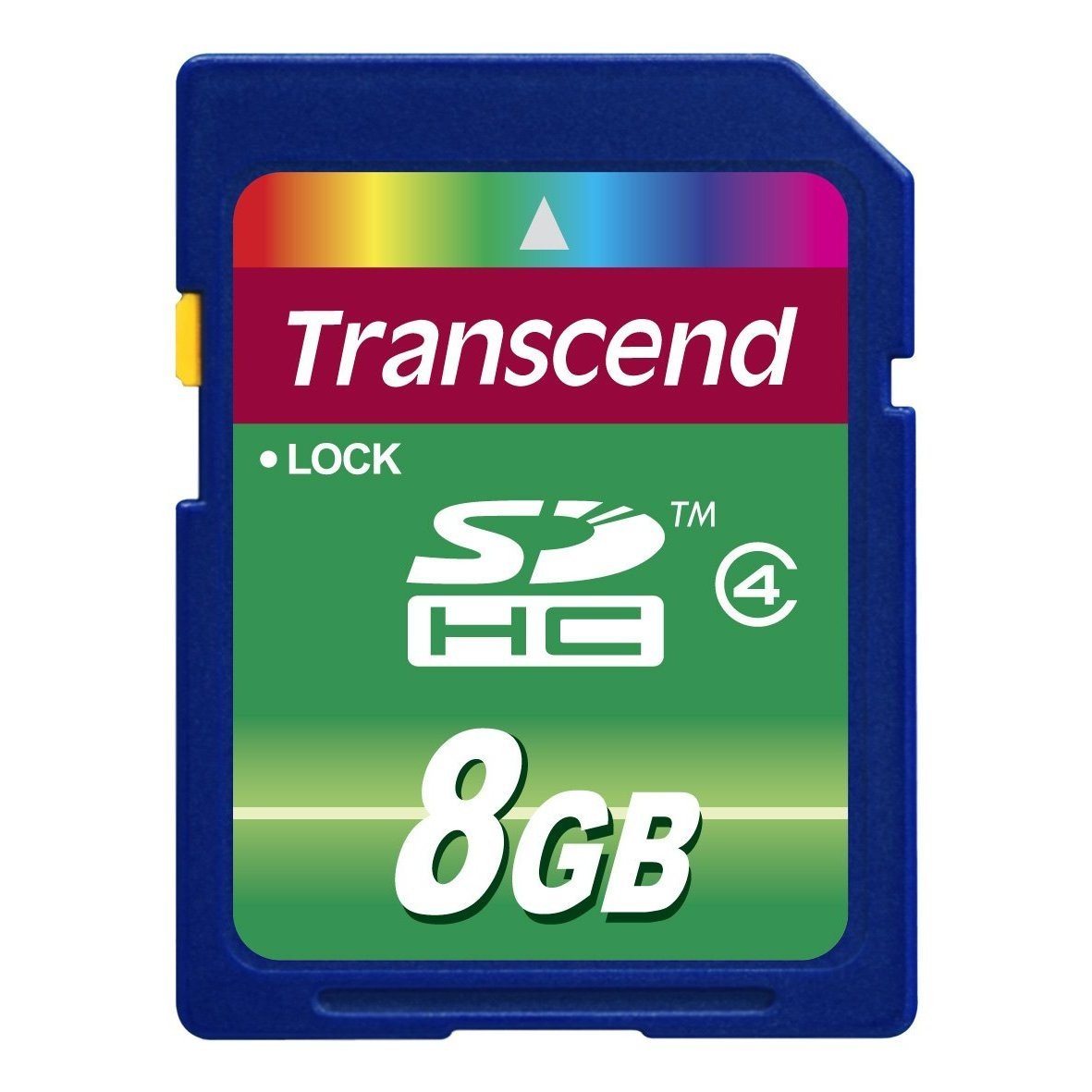
Image 1: Transcend 8GB SDHC Class 4 Memory Card. This image displays the physical appearance of the memory card, highlighting its compact design and branding.
2. תכונות
The Transcend 8GB SDHC Class 4 Memory Card offers the following key features:
- יְכוֹלֶת: 8GB (Gigabytes) of storage, suitable for recording videos and storing photos.
- סוּג: SDHC (Secure Digital High Capacity) format, designed for larger storage needs.
- שיעור מהירות: Class 4 rating, ensuring a minimum write speed of 4 MB/s, which is suitable for standard definition video recording and continuous shooting of still images.
- תְאִימוּת: Specifically designed for use with compatible devices such as camcorders, including the Sony HDR-XR160.
- עֲמִידוּת: עיצוב קל משקל לטיפול קל.
3. התקנה והתקנה
Follow these steps to properly install your memory card into a compatible device:
- כיבוי מכשיר: Ensure your camcorder or other compatible device is powered off before inserting the memory card. This prevents potential data corruption or damage to the card or device.
- אתר את חריץ הכרטיס: Identify the SD card slot on your device. Refer to your device's user manual for the exact location.
- הכנס כרטיס זיכרון: Gently slide the Transcend SDHC card into the slot with the gold contacts facing down (or as indicated by your device's manual). Push until it clicks into place. Do not force the card, as this may cause damage.
- הפעלה של מכשיר: Turn on your device. It should recognize the newly inserted memory card.
- Format Card (Optional but Recommended): For optimal performance and to ensure compatibility, it is recommended to format the memory card using your device's internal formatting function before first use. Note: Formatting will erase all data on the card. Back up any important data before proceeding.
4. הוראות הפעלה
Once installed and formatted, your Transcend SDHC memory card is ready for use.
- Recording/Storing Data: Use your device's functions to record videos, capture photos, or store other digital files directly onto the memory card. The Class 4 speed rating supports standard video recording and photo capture.
- גישה לנתונים: אֶל view or transfer data, connect your device to a computer, or insert the memory card into a compatible card reader connected to a computer. The card will appear as a removable storage device.
- Safely Removing Card: Before physically removing the memory card from your device or card reader, always ensure that all data transfer operations are complete and safely eject the card through your operating system (e.g., "Safely Remove Hardware" on Windows, "Eject" on macOS). This prevents data corruption.
5. תחזוקה וטיפול
Proper care extends the life of your memory card and protects your data.
- הגנה פיזית: Store the memory card in a protective case when not in use to prevent scratches, dust, and static discharge. Avoid bending or dropping the card.
- תנאים סביבתיים: Do not expose the card to extreme temperatures, direct sunlight, moisture, or strong magnetic fields.
- ניקוי: If necessary, gently wipe the gold contacts with a clean, dry, lint-free cloth. Avoid using harsh chemicals or abrasive materials.
- גיבוי נתונים: גבה באופן קבוע נתונים חשובים מכרטיס הזיכרון שלך להתקן אחסון אחר (למשל, כונן קשיח במחשב, אחסון ענן) כדי למנוע אובדן נתונים.
6. פתרון תקלות
If you encounter issues with your Transcend memory card, consider the following:
- כרטיס לא מזוהה:
- Ensure the card is fully inserted into the device slot.
- Power off and restart your device.
- Try the card in another compatible device or card reader to determine if the issue is with the card or the device.
- Check your device's manual for maximum supported memory card capacity and type (SD, SDHC, SDXC).
- שגיאות העברת נתונים:
- Ensure the card is securely connected.
- Avoid disconnecting the card during data transfer.
- Try a different USB port or card reader.
- Check for sufficient free space on both the card and the destination device.
- ביצועים איטיים:
- ודא שהמכשיר שלך תומך בקטגוריית המהירות של הכרטיס.
- Format the card periodically (after backing up data) to optimize performance.
- Avoid filling the card to its absolute maximum capacity.
7. מפרטים
| תכונה | פְּרָט |
|---|---|
| מספר דגם | HDR-XR160-KSD48GB |
| סוג זיכרון פלאש | SDHC (Secure Digital High Capacity) |
| קיבולת אחסון זיכרון | 8 ג'יגה-בייט |
| מחלקת מהירות של אסוציאציה דיגיטלית מאובטחת | Class 4 (Minimum 4 MB/s write speed) |
| ממשק חומרה | SDHC, Secure Digital Card |
| מכשירים תואמים | Camcorders (e.g., Sony HDR-XR160) |
| מידות המוצר | 0.08 x 1.26 x 0.94 אינץ' (בערך) |
| משקל פריט | 0.16 אונקיות (בערך) |
| UPC | 876544745239 |
8. אחריות ותמיכה
For information regarding warranty coverage, technical support, or frequently asked questions, please visit the official Transcend webאתר. שמור את קבלת הרכישה כהוכחת קנייה לתביעות אחריות.
להתעלות על הרשמי Webאֲתַר: www.transcend-info.com