
1. הקדמה
This manual provides essential information for the proper setup, operation, and maintenance of your Sony SLV-FT5 VHS Video Cassette Recorder (VCR). Please read these instructions thoroughly before using the unit to ensure optimal performance and safety.
2. מידע בטיחות
יש להקפיד תמיד על אמצעי זהירות בסיסיים בעת השימוש במוצר זה כדי להפחית את הסיכון לשריפה, התחשמלות ופציעה.
- אין לחשוף את היחידה לגשם או לחות.
- אל תפתח את הארון. הפנה את השירות לצוות מוסמך בלבד.
- יש לוודא אוורור נאות; אין לחסום פתחי אוורור.
- השתמשו רק בספק הכוח שצוין עבור יחידה זו.
- הרחק את היחידה ממקורות חום ואור שמש ישיר.
3. התקנה
3.1 פירוק
Carefully remove the VCR and all accessories from the packaging. Verify that all components are present: the SLV-FT5 VCR unit, remote control, and necessary connection cables (e.g., RCA audio/video cables).
3.2 חיבור לטלוויזיה
To connect the VCR to your television, use the provided RCA audio/video cables. Match the colored plugs to the corresponding colored jacks on both the VCR and your TV (Yellow for Video, White for Left Audio, Red for Right Audio).

איור 1: Rear panel of the Sony SLV-FT5 VCR. This image displays the various input and output ports, including RCA jacks for audio and video, and the power input. The product label with model number SLV-FT5 and power specifications (100V 18W 50/60Hz) is also visible.
3.3 חיבור מתח
Plug the VCR's power cord into a standard electrical outlet (AC 100V, 50/60Hz). Ensure the power outlet is easily accessible.
3.4 הגדרת שלט רחוק
Open the battery compartment on the back of the remote control and insert two AA batteries, observing the correct polarity (+/-). Close the compartment securely.

איור 2: The Sony RMT-V219 remote control, designed for the SLV-FT5 VCR. This image also shows the included RCA audio/video cables, which are typically used for connecting the VCR to a television.
4. Operating the VCR
4.1 הפעלה/כיבוי
הקש על כּוֹחַ button on the VCR's front panel or the remote control to turn the unit on or off.
4.2 Loading and Unloading a VHS Tape
- טְעִינָה: Insert a VHS cassette into the tape slot on the front of the VCR with the tape window facing forward. The VCR will automatically pull the tape in.
- פְּרִיקָה: הקש על לִפְלוֹט button on the VCR or remote control. The tape will be ejected.
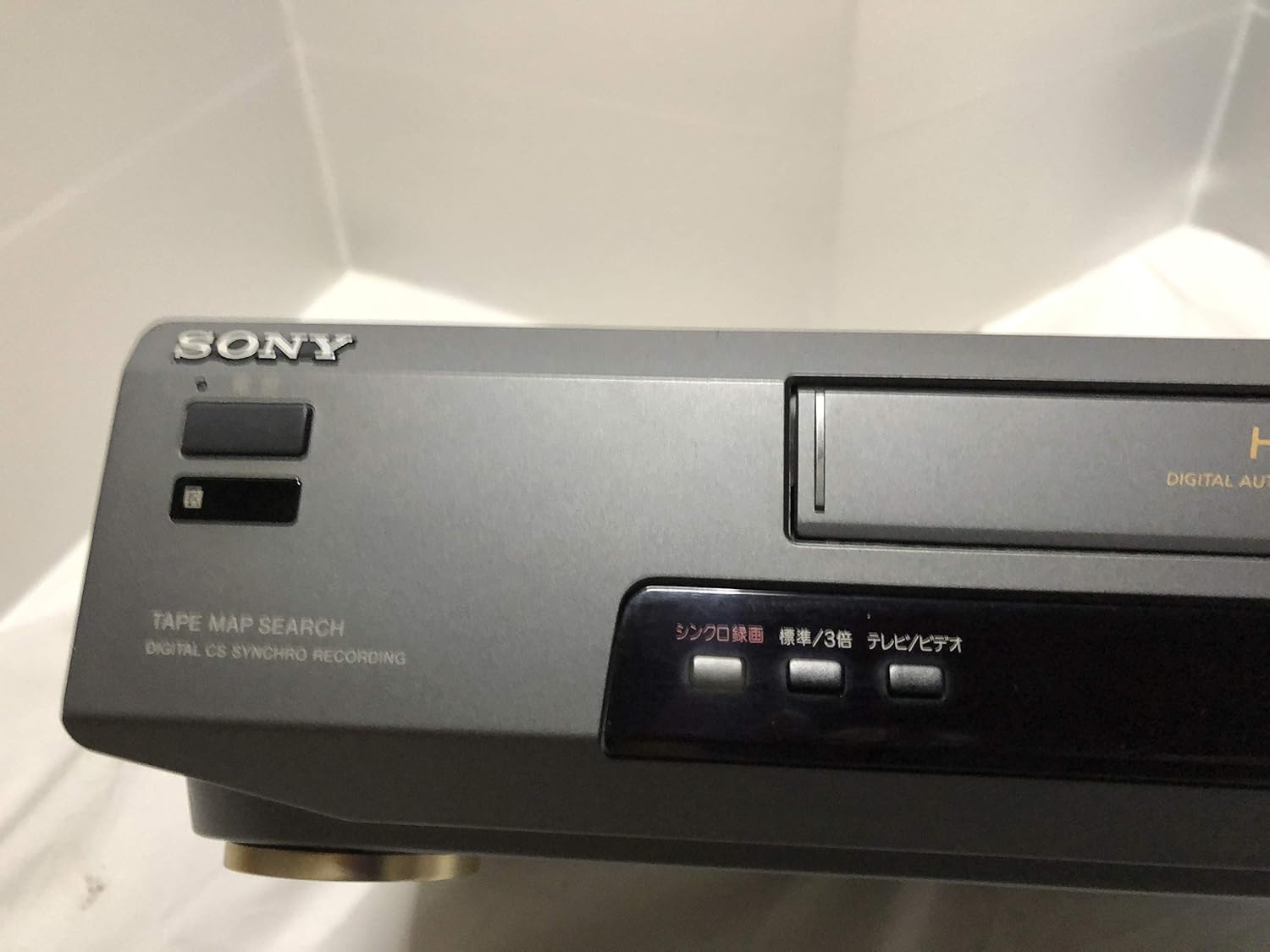
איור 3: Front left section of the Sony SLV-FT5 VCR. This view highlights the tape loading slot and the 'TAPE MAP SEARCH' feature, which assists in navigating recorded content on a tape.
4.3 השמעה
After loading a tape, press the לְשַׂחֵק button (►) on the VCR or remote control to begin playback. Use the הַפסָקָה (∥), לְהַפְסִיק (■), גלגל אחורה (◀◀), ו FAST FORWARD כפתורי (►►) לשליטה בנגינה.

איור 4: Front right section of the Sony SLV-FT5 VCR. This image displays the main playback controls (Play, Stop, Rewind, Fast Forward, Pause) and additional buttons for 'Quick Timer' and 'Tracking' adjustments.
4.4 הקלטה
To record, ensure a blank or recordable tape is inserted. Select the desired input source (e.g., TV channel). Press the REC (●) button on the VCR or remote control. Press לְהַפְסִיק (■) כדי לסיים את ההקלטה.
4.5 Tracking Adjustment
If the picture quality during playback is poor (e.g., horizontal lines or noise), use the מַעֲקָב buttons on the front panel or remote control to fine-tune the tape's alignment with the VCR's heads.
5. תחזוקה
5.1 ניקוי היחידה
Wipe the exterior of the VCR with a soft, dry cloth. For stubborn stains, use a cloth lightly dampיש לשטוף בתמיסת ניקוי עדינה, ולאחר מכן לנגב יבש. אין להשתמש בחומרי ניקוי שוחקים או ממסים.
ניקוי ראשי 5.2
Over time, VCR heads can accumulate dirt, leading to poor picture and sound quality. Use a commercially available dry-type VHS head cleaning cassette according to its instructions. Avoid wet-type cleaners as they can damage the heads.
5.3 אחסון
When not in use for extended periods, disconnect the VCR from the power outlet. Store the unit in a cool, dry place, away from dust and direct sunlight.
6. פתרון תקלות
If you encounter issues with your VCR, refer to the following common problems and solutions before seeking professional service.
| בְּעָיָה | סיבה אפשרית | פִּתָרוֹן |
|---|---|---|
| אין כוח | כבל החשמל מנותק; בעיה בשקע החשמל | בדוק את חיבור כבל החשמל; נסה שקע אחר. |
| אין תמונה/סאונד | Incorrect TV input; loose A/V cables | Select correct TV input (e.g., Video 1, AV); ensure A/V cables are securely connected. |
| Poor picture quality (snowy, lines) | Dirty VCR heads; tracking issue; old/damaged tape | Clean VCR heads; adjust tracking; try a different tape. |
| הקלטת לא יוצאת | Power issue; mechanical malfunction | Ensure power is on; try pressing EJECT multiple times. If issue persists, seek service. |
| השלט רחוק לא עובד | סוללות ריקות; חיישן חסום | Replace batteries; ensure no obstacles between remote and VCR sensor. |
7. מפרטים
| תכונה | מִפרָט |
|---|---|
| מותג | סוני |
| מספר דגם | SLV-FT5 |
| סוג מדיה | VHS |
| הַחְלָטָה | 720 x 480 פיקסלים |
| משקל המוצר | 4160 גרם |
| מצב פלט שמע | סטריאו |
| פורמטי שמע נתמכים | Monaural, Stereo |
| קידוד וידאו | אנלוגי |
| מכשירים תואמים | טֵלֶוִיזִיָה |
| תאימות וידאו לקלט | NTSC |
| דרישות חשמל | 100V, 18W, 50/60Hz |
8. אחריות ותמיכה
For warranty information and customer support, please refer to the documentation included with your purchase or visit the official Sony webאתר. שמור את הוכחת הרכישה שלך לצורך תביעות אחריות.