
1. הקדמה
Thank you for choosing the Pro-Ject Debut Carbon DC Turntable. This manual provides essential information for the proper setup, operation, and maintenance of your turntable. Please read these instructions carefully before using the device to ensure optimal performance and longevity.
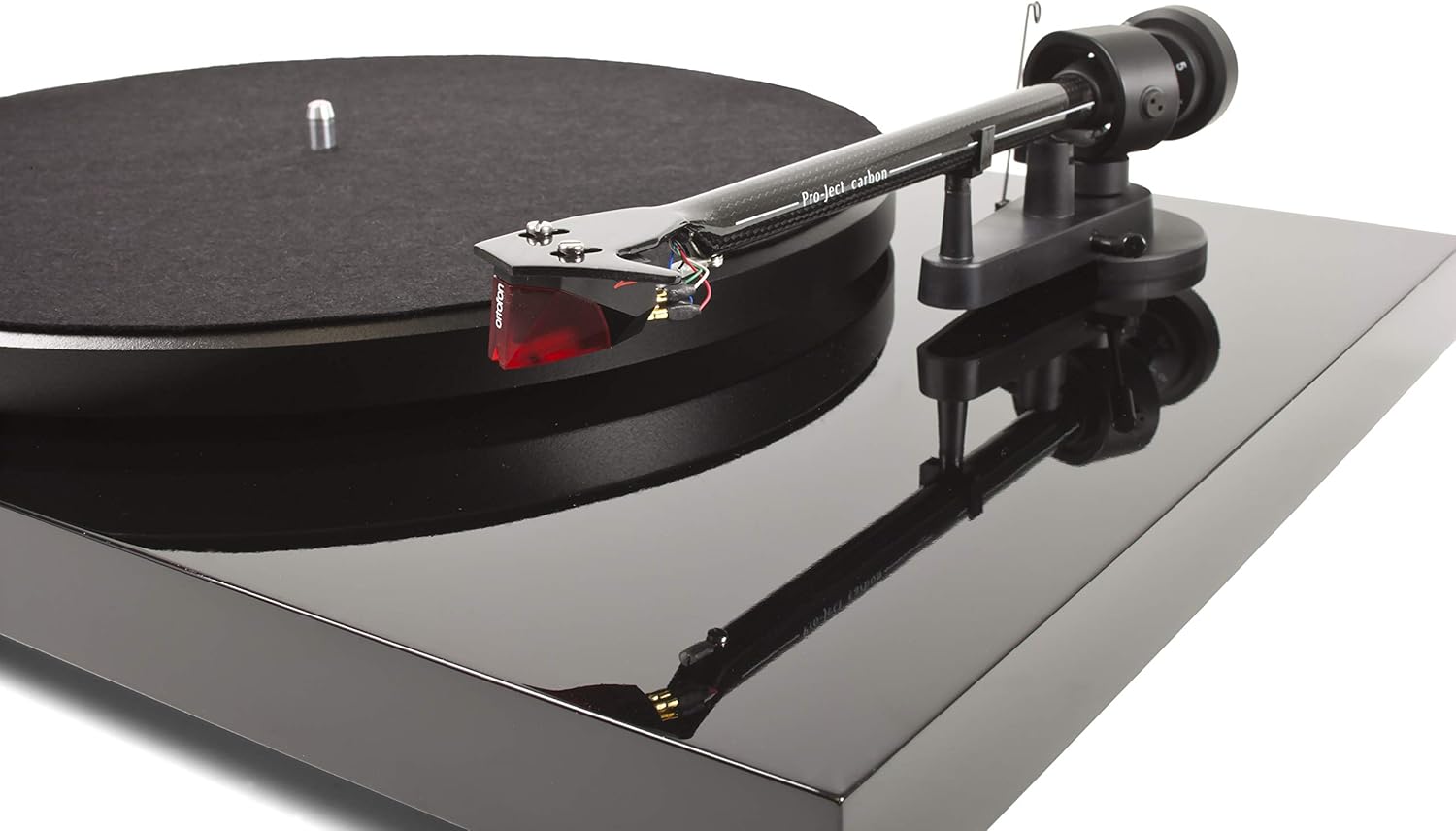
The Pro-Ject Debut Carbon DC is a high-fidelity turntable designed for exceptional audio reproduction, featuring an 8.6-inch carbon fiber tonearm and a pre-mounted Ortofon 2M Red cartridge.
2. הוראות בטיחות
- יש לנתק תמיד את הפטיפון מאספקת החשמל לפני ניקוי או ביצוע כל תחזוקה.
- הרחיקו את הפטיפון ממים, לחות ואור שמש ישיר.
- Place the turntable on a stable, level surface to prevent vibrations and ensure proper operation.
- אל תנסה לתקן את היחידה בעצמך. יש לפנות לכל טיפול וטיפול באנשי מקצוע מוסמכים.
- Avoid touching the stylus with your fingers to prevent damage.
3. תכולת החבילה
ודא שכל הפריטים המפורטים להלן נמצאים בחבילה שלך:
- Pro-Ject Debut Carbon DC Turntable with pre-mounted Ortofon 2M Red Cartridge
- Connect-It E RCA Cable
- Removable Power Supply
- מחצלת מגש לבד
- כיסוי אבק
- משקל נגד
- משקל נגד החלקה
4. התקנה
4.1 פריקה ומיקום
הוציאו בזהירות את כל הרכיבים מהאריזה. הניחו את הפטיפון על משטח יציב ומאוזן, הרחק ממקורות חום ישירים או מרעידות חזקות. ודאו אוורור נאות סביב היחידה.
4.2 התקנת מגש וחגורה
- Place the main platter onto the turntable spindle.
- Locate the drive belt. Carefully stretch the belt around the inner rim of the platter and around the motor pulley. Ensure the belt is not twisted.
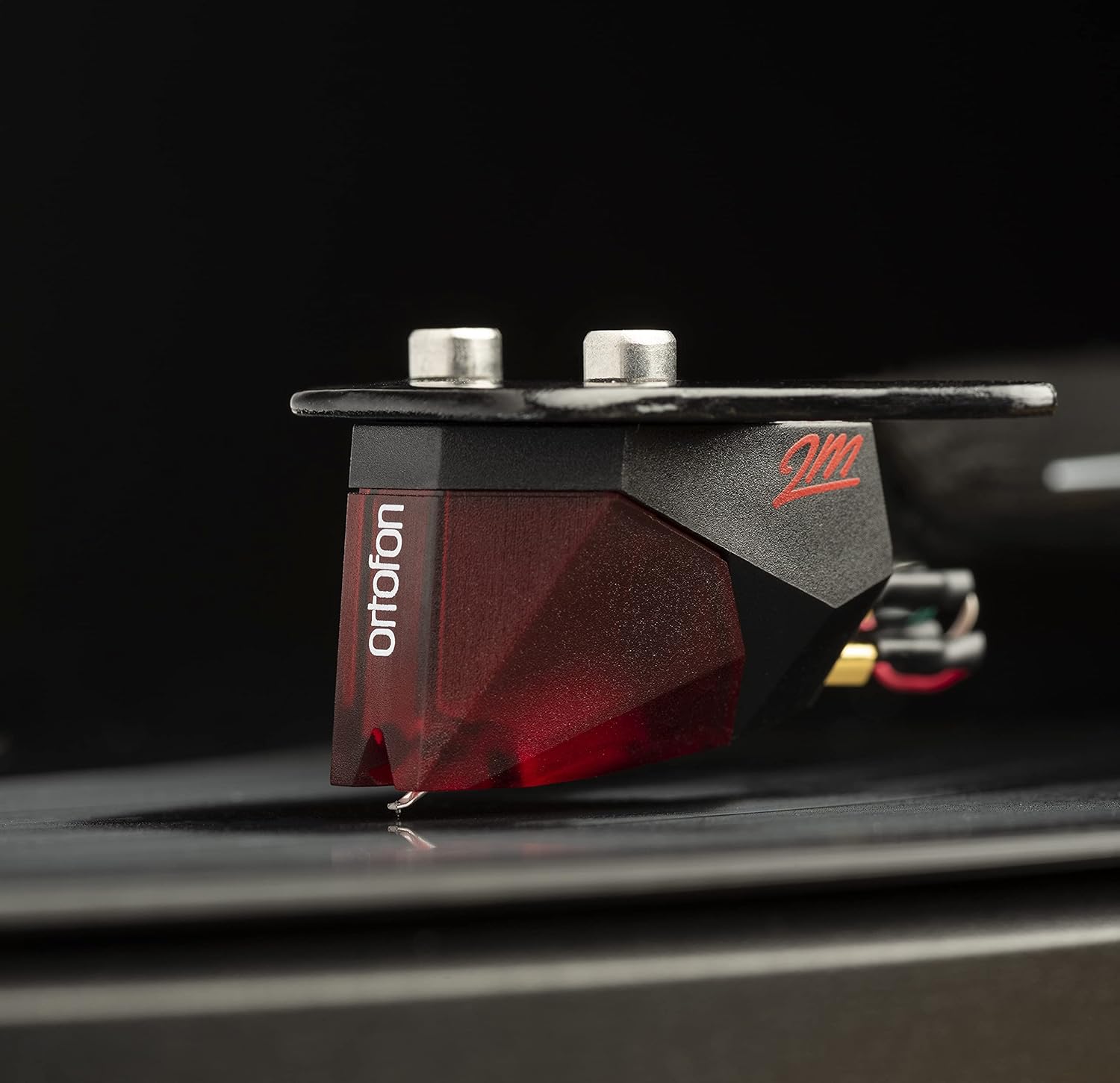
Image: The Pro-Ject Debut Carbon DC Turntable fully assembled, showing the platter, tonearm, and Ortofon 2M Red cartridge. This image illustrates the overall appearance of the turntable after initial setup.
4.3 איזון זרוע הטון וכוח העקיבה
The Ortofon 2M Red cartridge is pre-mounted. However, proper tonearm balance and tracking force adjustment are crucial for optimal sound and record preservation.
- With the anti-skate weight removed, carefully unclip the tonearm and move it away from the tonearm rest.
- Rotate the counterweight on the rear of the tonearm until the tonearm floats freely and is perfectly balanced horizontally.
- Once balanced, return the tonearm to its rest. Hold the counterweight steady and rotate the numbered ring until '0' aligns with the line on the tonearm.
- Rotate the entire counterweight counter-clockwise until the desired tracking force is set. For the Ortofon 2M Red, the recommended tracking force is typically 1.8 grams.
תמונה: תקריב view of the Ortofon 2M Red cartridge mounted on the carbon fiber tonearm of the Pro-Ject Debut Carbon DC turntable. This highlights the stylus and cartridge assembly.
4.4 Anti-Skate Adjustment
The anti-skate mechanism prevents the tonearm from being pulled inwards towards the center of the record. Attach the small loop of the anti-skate weight's thread to the second groove of the anti-skate stub on the tonearm support.
4.5 התחברות ל Ampחיים יותר
Connect the supplied RCA cable from the turntable's output jacks to the 'Phono' input on your amplifier or a dedicated phono pre-ampליפר. אם שלך amplifier does not have a 'Phono' input, you will need an external phono pre-amplifier. Connect the ground wire from the turntable to the ground terminal on your amplifier or phono pre-ampמפחית זמזום כדי למזער אותו.

תמונה: צד view of the Pro-Ject Debut Carbon DC Turntable, illustrating the rear panel with RCA output jacks and the power input. This shows where to connect audio cables and the power supply.
4.6 חיבור מתח
Connect the power supply to the turntable's power input and then plug it into a suitable wall outlet.
4.7 כיסוי אבק
Carefully attach the dust cover to the hinges on the rear of the turntable. The dust cover protects the turntable from dust when not in use.
5. הוראות הפעלה
5.1 הפעלה/כיבוי
The power switch is located on the underside of the turntable, near the front left corner. Flip the switch to the 'ON' position to start the platter rotation. Flip it to 'OFF' to stop.
5.2 השמעת תקליט
- הניחו תקליט על הצלחת, וודאו שהוא במרכז.
- הפעל את הפטיפון באמצעות מתג ההפעלה.
- הרם בזהירות את זרוע הטונוס באמצעות ידית הרדיו.
- מקמו את זרוע הטונוס מעל חריץ ההתחלה הרצוי של התקליט.
- הנמיכו בעדינות את זרוע הטונוס באמצעות ידית המקל. העט ייגע בתקליט וההשמעה תתחיל.
- At the end of the record, lift the tonearm using the cueing lever and return it to the tonearm rest.
5.3 Changing Playback Speed (33/45 RPM)
The Pro-Ject Debut Carbon DC requires manual adjustment to change playback speed between 33 and 45 RPM.
- כבה את הפטיפון.
- Carefully remove the felt mat and lift the platter off the spindle.
- Locate the motor pulley. It has two different diameter steps.
- For 33 RPM, place the drive belt around the smaller diameter step of the motor pulley.
- For 45 RPM, place the drive belt around the larger diameter step of the motor pulley.
- Replace the platter and felt mat.
6. תחזוקה
6.1 ניקוי הפטיפון
Use a soft, lint-free cloth to gently wipe the turntable chassis and dust cover. Avoid using abrasive cleaners or solvents. For the platter, use a slightly damp cloth if necessary, ensuring it is dry before use.
6.2 טיפול בסטיילוס
The stylus is delicate. Use a soft stylus brush, brushing gently from back to front, to remove dust and debris. Never use your fingers to clean the stylus. A dirty stylus can damage your records and degrade sound quality.
6.3 Drive Belt Inspection
Periodically inspect the drive belt for signs of wear or stretching. A worn belt can lead to inconsistent playback speed. Replace the belt if it appears damaged or loose.
7. פתרון תקלות
| בְּעָיָה | סיבה אפשרית | פִּתָרוֹן |
|---|---|---|
| אין כוח | כבל חשמל לא מחובר; שקע חשמל פגום; מתג ההפעלה כבוי. | בדוק את חיבורי החשמל; נסה שקע אחר; ודא שמתג ההפעלה פועל. |
| אין צליל מאחד או משני הערוצים | RCA cables not connected correctly; phono input not selected; damaged stylus; ampבעיות ליפיר. | בדוק את חיבורי ה-RCA; בחר את הקלט הנכון ב amplifier; inspect stylus; test amplifier with another source. |
| רעש זמזום | Ground wire not connected; proximity to other electronic devices; faulty cables. | Connect ground wire; move turntable away from other electronics; try different RCA cables. |
| מהירות השמעה שגויה | Drive belt incorrectly positioned; worn drive belt. | Adjust drive belt to correct motor pulley step; replace drive belt if worn. |
| צליל מעוות | Dirty or damaged stylus; incorrect tracking force; worn record. | Clean or replace stylus; re-adjust tracking force; try a different record. |
If you encounter problems not listed here or if the suggested solutions do not resolve the issue, please contact your dealer or Pro-Ject customer support for assistance.
8. מפרטים
| תכונה | פְּרָט |
|---|---|
| שם הדגם | Debut Carbon DC |
| מספר דגם של פריט | 9120050435933 |
| מידות המוצר | 12.6 x 16.34 x 4.65 אינץ' |
| משקל פריט | 12.35 פאונד (5600 גרם) |
| מותג | פּרוֹיֶקט |
| מהירות סיבוב מקסימלית | 45 RPM (also supports 33 RPM) |
| רכיבים כלולים | Turntable with pre-mounted Ortofon 2M Red Cartridge, Connect-It E RCA Cable, removable Power Supply, felt platter mat, and dust cover |
| תכונות מיוחדות | Carbon Tube Tone-Arm, Balanced Steel Platter, Decoupled Motor, Pre-Mounted Ortofon 2M Red Cartridge |
| חוֹמֶר | עץ מהונדס, פלסטיק |
| צֶבַע | פסנתר שחור |
| מכשירים תואמים | Speaker, Personal Computer, Desktop, Smartphone, Tablet, Laptop (via appropriate audio interfaces/pre-amps) |
9. אחריות ותמיכה
Specific warranty information for the Pro-Ject Debut Carbon DC Turntable is typically provided with the product packaging or available from your authorized dealer. Please retain your proof of purchase for warranty claims.
For technical support, service, or further inquiries, please contact your local Pro-Ject dealer or visit the official Pro-Ject Audio Systems webאֲתַר.