
1. הקדמה
This manual provides essential instructions for the safe and efficient operation of your ICOM BC-152 charger. Please read this manual thoroughly before using the charger to ensure proper setup, operation, and maintenance. Keep this manual for future reference.
2. מידע בטיחות
Always observe the following safety precautions to prevent injury, damage to the charger, or damage to the device being charged.
- Use only with compatible ICOM battery packs. Using incompatible batteries may cause fire, explosion, or injury.
- אין לחשוף את המטען לגשם, לחות או טמפרטורות קיצוניות.
- אין לפרק או לשנות את המטען. יש לפנות לכל טיפול וטיפול בטכנאי מוסמך.
- ודא שעוצמת הקול של שקע החשמלtage matches the charger's specifications.
- הרחק את המטען ממקורות חום ומאור שמש ישיר.
- נתק את המטען משקע החשמל כאשר אינו בשימוש או לפני ניקויו.
3. התקנה
3.1 פירוק
Carefully remove the ICOM BC-152 charger from its packaging. Verify that all components are present:
- ICOM BC-152 Charger Unit
- AC Adapter (if included)
- מדריך הוראות (מסמך זה)
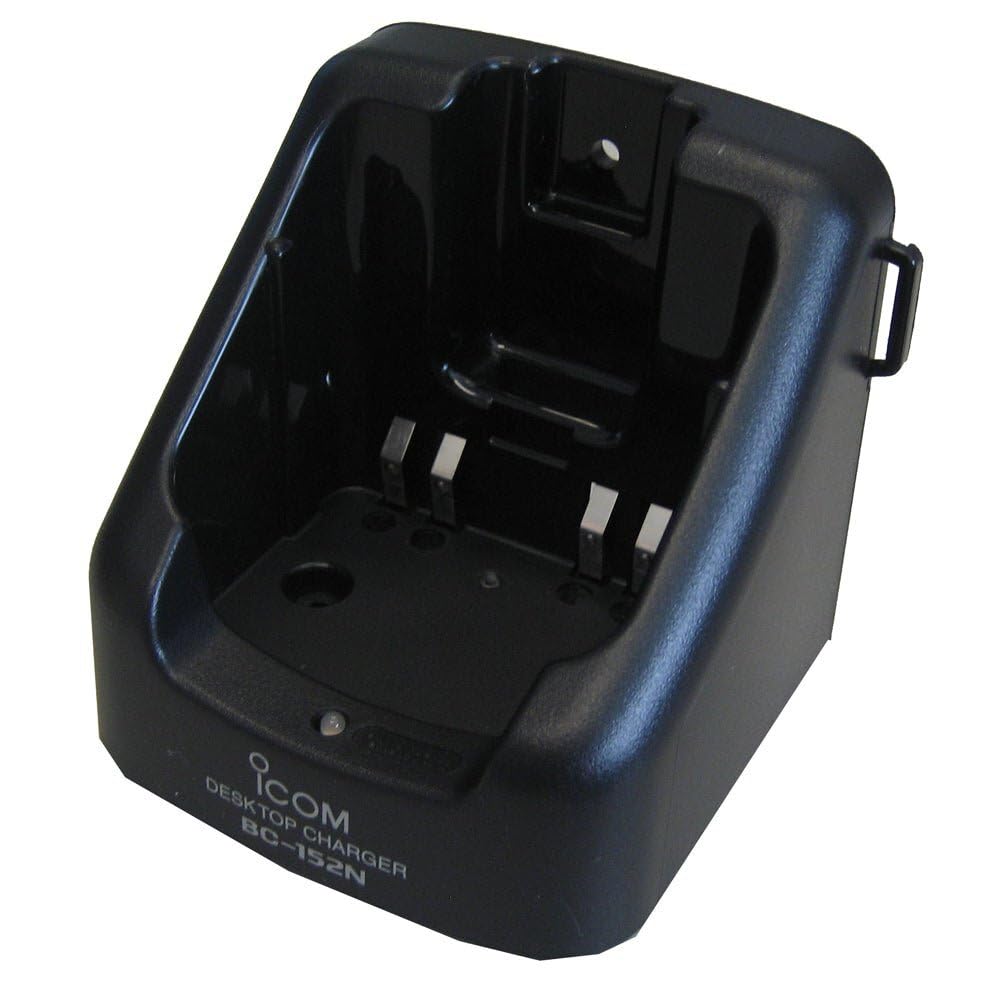
Figure 1: The ICOM BC-152 charger unit. This image shows the compact black charger with a single slot for a battery pack.
3.2 חיבור חשמל
- Connect the AC adapter cable to the DC input jack on the rear of the BC-152 charger unit.
- חבר את מתאם ה-AC לשקע רגיל בקיר.
- המטען מוכן כעת לשימוש.
4. הוראות הפעלה
4.1 Charging a Battery Pack
Follow these steps to charge a compatible ICOM battery pack:
- Ensure the charger is connected to a power source as described in Section 3.2.
- Carefully insert the battery pack into the charging slot of the BC-152 charger. Ensure it is seated firmly.
- Observe the charging indicator light.
4.2 נוריות חיווי
The BC-152 charger features an LED indicator to show the charging status:
- אדום (מוצק): הסוללה נטענת כעת.
- ירוק (מוצק): Charging is complete. The battery pack is fully charged.
- מהבהב אדום: Charging error or battery fault. Remove the battery and re-insert. If the error persists, consult the troubleshooting section.
- אין אור: Charger is not connected to power, or no battery is inserted.
Charging time may vary depending on the battery's capacity and its current charge level. Typically, a fully depleted battery will take approximately 2-4 hours to charge.
5. תחזוקה
5.1 ניקוי
כדי לשמור על ביצועים ומראה אופטימליים:
- Always unplug the charger from the power outlet before cleaning.
- השתמש במטלית רכה ויבשה כדי לנגב את החלק החיצוני של המטען.
- אין להשתמש בחומרי ניקוי שוחקים, ממסים או כימיקלים חזקים.
- Ensure no moisture enters the charging slot or power input.
5.2 אחסון
When not in use for extended periods, store the charger in a cool, dry place, away from direct sunlight and extreme temperatures. Disconnect it from the power supply.
6. פתרון תקלות
If you encounter issues with your BC-152 charger, refer to the table below for common problems and solutions.
| בְּעָיָה | סיבה אפשרית | פִּתָרוֹן |
|---|---|---|
| נורית חיווי המטען כבויה. | No power supply or battery not inserted. | Check AC adapter connection. Ensure battery is correctly inserted. |
| נורית החיווי מהבהבת באדום. | Battery fault or charging error. | Remove and re-insert the battery. Try a different compatible battery if available. |
| הסוללה אינה נטענת. | Faulty battery, charger, or power supply. | Verify power connection. Test with a known good battery. If problem persists, contact support. |
7. מפרטים
| מותג | ICOM |
| דֶגֶם | BC-152 |
| קלט כרךtage | 12-16V DC (via AC adapter) |
| פלט כרךtage | 8.4V DC |
| זרם טעינה | משוער. 450mA |
| מידות (W×H×D) | Approx. 80 × 50 × 90 mm (3.1 × 2.0 × 3.5 inches) |
| מִשׁקָל | 0.18 פאונד (כ-82 גרם) |
| צֶבַע | שָׁחוֹר |
הערה: המפרטים עשויים להשתנות ללא הודעה מוקדמת לצורך שיפור.
8. מידע על אחריות
ICOM products are manufactured with high-quality components and are subject to rigorous quality control. This product is covered by a limited warranty against defects in materials and workmanship. The specific terms and duration of the warranty may vary by region. Please refer to the warranty card included with your purchase or visit the official ICOM webבאתר לקבלת מידע אחריות מפורט.
אחריות זו אינה מכסה נזק שנגרם כתוצאה משימוש לרעה, תאונה, שינוי לא מורשה או התקנה לא נכונה.
9. תמיכת לקוחות
If you have any questions, require technical assistance, or need to report a problem that cannot be resolved using the troubleshooting guide, please contact ICOM customer support.
ICOM America Inc.
Visit ICOM America's Contact Page
Please have your product model (BC-152) and serial number ready when contacting support.