
1. הקדמה
The Divoom Voombox Outdoor Speaker is a rugged, water-resistant portable audio device designed for outdoor use. It offers advanced audio performance and a long-lasting rechargeable battery, providing a full-range listening experience. This manual provides detailed instructions for setting up, operating, maintaining, and troubleshooting your Voombox Outdoor Speaker.

Figure 1: Divoom Voombox Outdoor Speaker, showcasinהעיצוב החזק שלו.
2. מה בקופסה
אנא בדקו את תוכן החבילה כדי לוודא שכל הפריטים נמצאים:
- (1) Divoom Voombox Outdoor Speaker
- (1) רצועת יד
- (1) Auxiliary Connection Cable
- (1) Micro-USB Charging Cable
3. תכונות מוצר
The Divoom Voombox Outdoor Speaker is equipped with several features for an enhanced audio experience:
- Booming Dual Speakers: מספק פלט שמע עוצמתי וברור.
- השמעה אלחוטית: Connects wirelessly via Bluetooth 4.0 from up to 10 meters away.
- מיקרופון מובנה: Enables hands-free calls and conference calls.
- סוללה עמידה לאורך זמן: Features a 3200 mAh rechargeable battery providing up to 12 hours of playback.
- Sturdy and Weather-Resistant Design: Built to withstand outdoor conditions with an IP44 rating.

איור 2: למעלה view of the Voombox Outdoor Speaker, highlighting its control panel.

Figure 3: The Voombox Outdoor Speaker demonstrating its IP44 weather resistance against splashes.
4. התקנה
4.1 טעינת הרמקול
- Locate the Micro-USB charging port on the speaker.
- Connect the Micro-USB charging cable to the speaker and the other end to a USB power source (e.g., computer USB port, USB wall adapter).
- The charging indicator light will illuminate. A full charge typically takes 3 to 4 hours.
- לאחר טעינה מלאה, נורית החיווי תשתנה או תכבה, בהתאם לדגם.

Figure 4: Visual representation of the Voombox Outdoor Speaker's 12-hour battery life.
5. הוראות הפעלה
5.1 הפעלה/כיבוי
- To power on, press and hold the Power button until you hear an audible cue or see the indicator light.
- כדי לכבות, לחץ והחזק שוב את לחצן ההפעלה עד שהמכשיר יכבה.
5.2 זיווג בלוטות '
- ודא שהרמקול דולק ונמצא בטווח של 10 מטרים ממכשיר ה-Bluetooth שלך.
- The speaker will automatically enter pairing mode (indicated by a flashing LED).
- בטלפון החכם, בטאבלט או במכשיר Bluetooth אחר, הפעל את Bluetooth וחפש מכשירים זמינים.
- Select "Voombox Outdoor" from the list of devices.
- לאחר הצימוד, הרמקול יספק אישור קולי, ונורית ה-LED תאיר אור קבוע.
- הרמקול יתחבר מחדש אוטומטית למכשיר האחרון המותאם לאחר הפעלתו, אם המכשיר נמצא בטווח קליטה.
5.3 השמעת אודיו
- הפעל/השהה: לחץ על כפתור הפעל/השהה.
- הגבר קול: לחץ על כפתור "+".
- להנמיך קול: לחץ על כפתור "-".
- הרצועה הבאה: לחץ והחזק את כפתור "+".
- רצועה קודמת: לחץ והחזק את הכפתור "-".
5.4 שיחות ללא ידיים
- תשובה לשיחה: Press the Call button (often the Play/Pause button) when a call comes in.
- סיום שיחה: לחץ שוב על כפתור השיחה כדי לסיים את השיחה.
- דחה שיחה: Press and hold the Call button to reject an incoming call.
- חיוג חוזר למספר האחרון: לחצו פעמיים על כפתור השיחה.
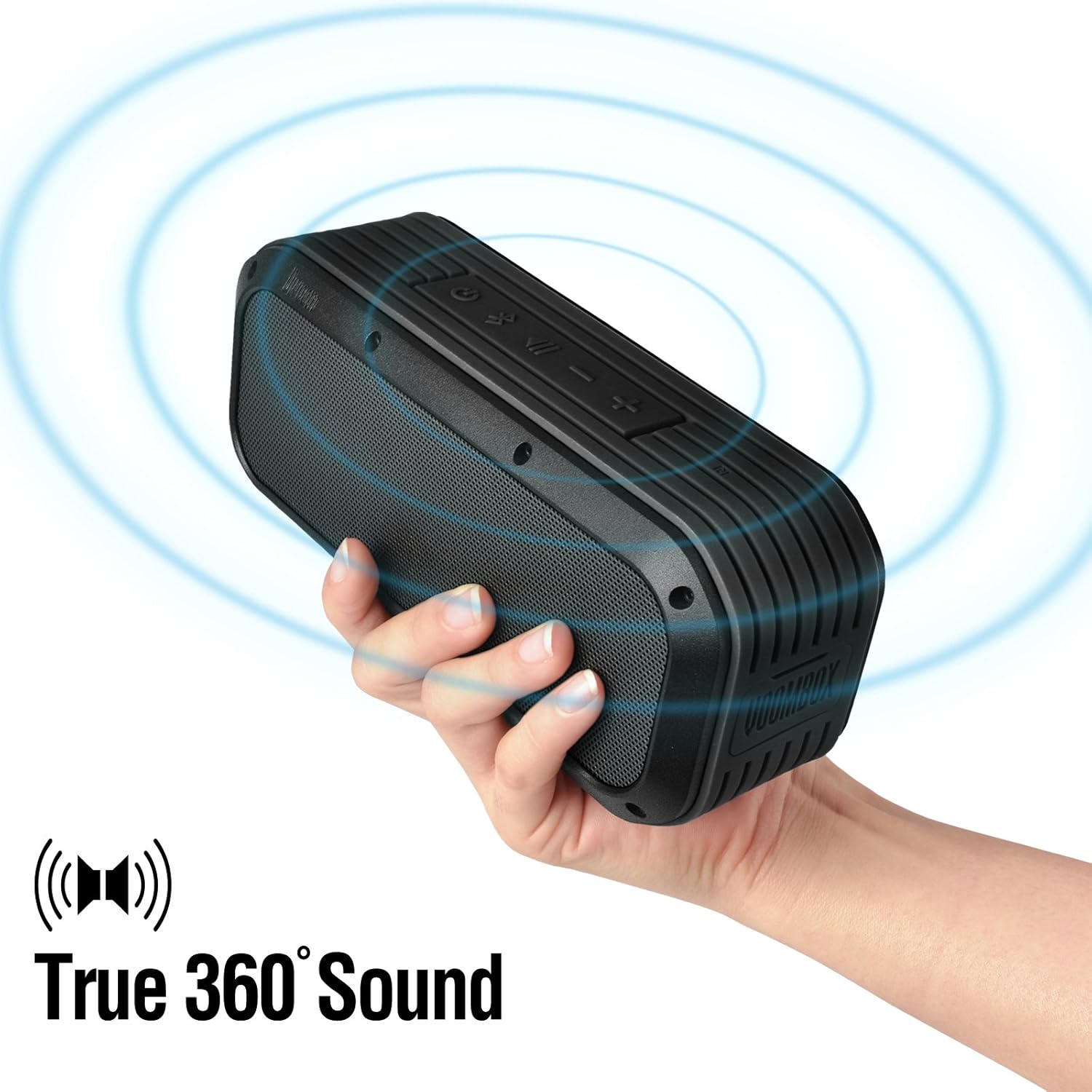
Figure 5: The Voombox Outdoor Speaker's ability to project 360-degree sound.
6. תחזוקה
Proper care will extend the life of your Divoom Voombox Outdoor Speaker:
- ניקוי: השתמש רך, דamp cloth to wipe the speaker's surface. Do not use harsh chemicals or abrasive cleaners.
- עמידות במים: While the speaker is weather-resistant (IP44), it is not designed for submersion. Ensure all port covers are securely closed before exposure to water splashes.
- אִחסוּן: יש לאחסן את הרמקול במקום קריר ויבש, הרחק מאור שמש ישיר וטמפרטורות קיצוניות.
- טיפול בסוללה: To maintain battery health, avoid fully discharging the battery frequently. Charge the speaker regularly, even if not in use for extended periods.
7. פתרון תקלות
| בְּעָיָה | סיבה אפשרית | פִּתָרוֹן |
|---|---|---|
| הרמקול לא נדלק. | הסוללה התרוקנה. | טען את הרמקול במשך 3-4 שעות. |
| לא ניתן להתאים עם מכשיר Bluetooth. | Speaker is not in pairing mode or too far. | Ensure speaker is on and within 10m. Turn Bluetooth off/on on your device. Forget previous pairings. |
| אין צליל או עוצמת קול נמוכה. | Volume too low on speaker or source device. | הגבירו את עוצמת הקול הן ברמקול והן במכשיר המחובר. |
| עיוות סאונד. | Volume too high or weak Bluetooth signal. | הנמיך את עוצמת הקול. קרב את הרמקול למכשיר המקור. |
8. מפרטים
| תכונה | פְּרָט |
|---|---|
| גודל דרייבר | 2-inches x 2-inches |
| כוח פלט | 7.5 W x 2 (Total 15 Watts) |
| מידות רמקול | 165L x 52D x 70 H (mm) |
| יחס אות לרעש | ≥75dB |
| קיבולת סוללה | 3200 מיליאמפר/שעה |
| סוללה כרךtage | 3.7 וולט |
| זמן טעינת הסוללה | 3 עד 4 שעות |
| טווח אלחוטי | עד 10 מטר |
| תאימות בלוטות' | בלוטות' 4.0 |
| Bluetooth Profile תְמִיכָה | A2DP stereo |
| זמן דיבור | עד 12 שעות |
| רגישות למיקרופון | -40db |
| מידות המוצר | 18.49 x 5.99 x 7.8 ס"מ |
| משקל פריט | 698.53 גרם |
| מספר דגם | 17620 |

Figure 6: Internal components of the Voombox Outdoor Speaker, illustrating its robust construction.
9. אחריות ותמיכה
Divoom products are designed for durability and performance. For warranty information and technical support, please refer to the official Divoom webאתר או צרו קשר ישירות עם שירות הלקוחות שלהם. שמרו את קבלת הרכישה כהוכחת קנייה לתביעות אחריות.
לתמיכה נוספת או שאלות, אנא בקרו באתר Divoom Official Webאֲתַר.