
מָבוֹא
The StarTech.com SDOCKU33HB is a USB 3.0 SATA Hard Drive Docking Station designed for quick and easy access to 2.5-inch or 3.5-inch SATA solid-state drives (SSDs) and hard disk drives (HDDs). It features a built-in USB Fast Charge hub and supports UASP (USB Attached SCSI Protocol) for enhanced performance with SATA 6Gbps drives. This manual provides instructions for setup, operation, and maintenance of your docking station.
המוצר נגמרview
Familiarize yourself with the components and features of your docking station.
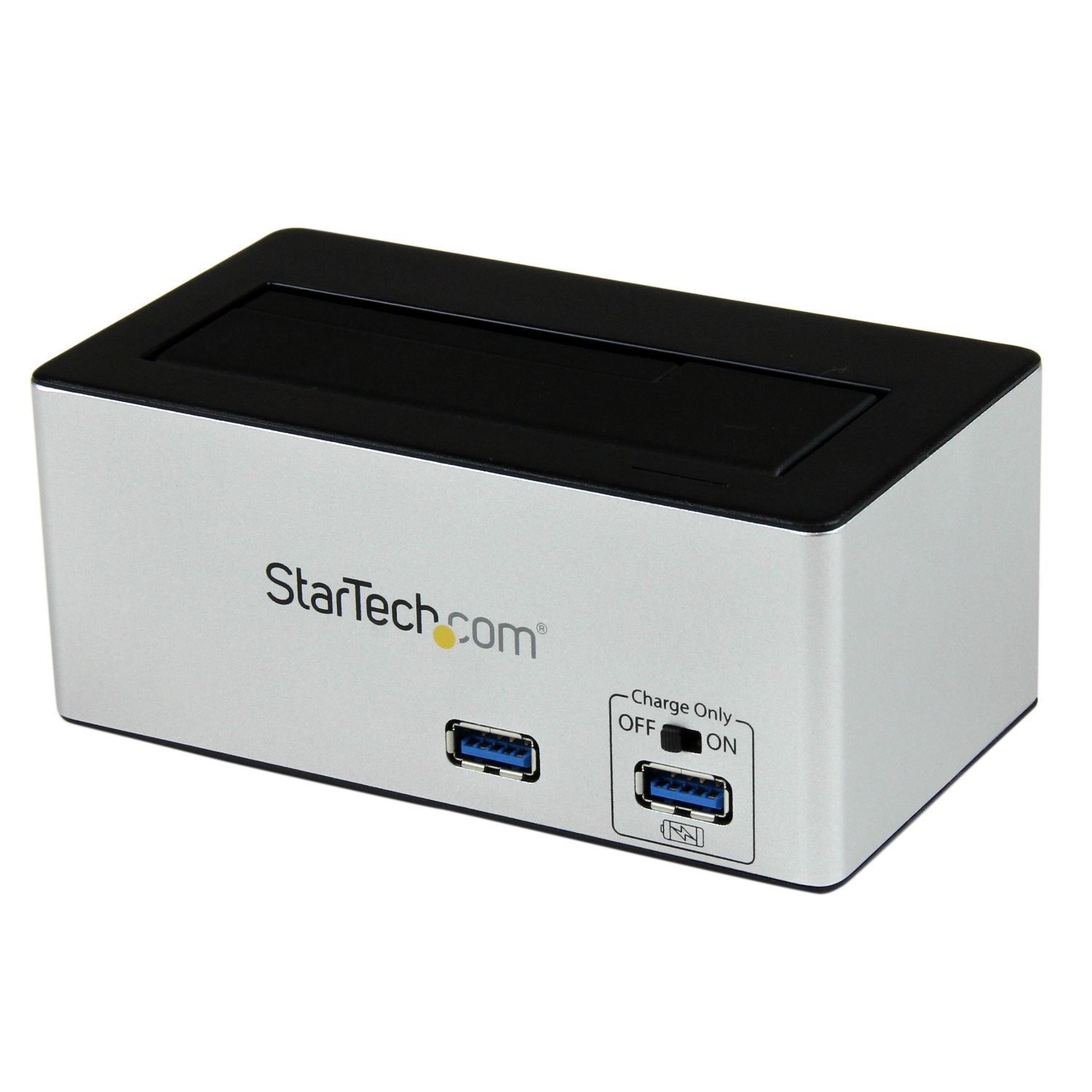
תְמוּנָה: The StarTech.com SDOCKU33HB docking station, showing the top-loading drive bay and front panel.
תכונות הלוח הקדמי
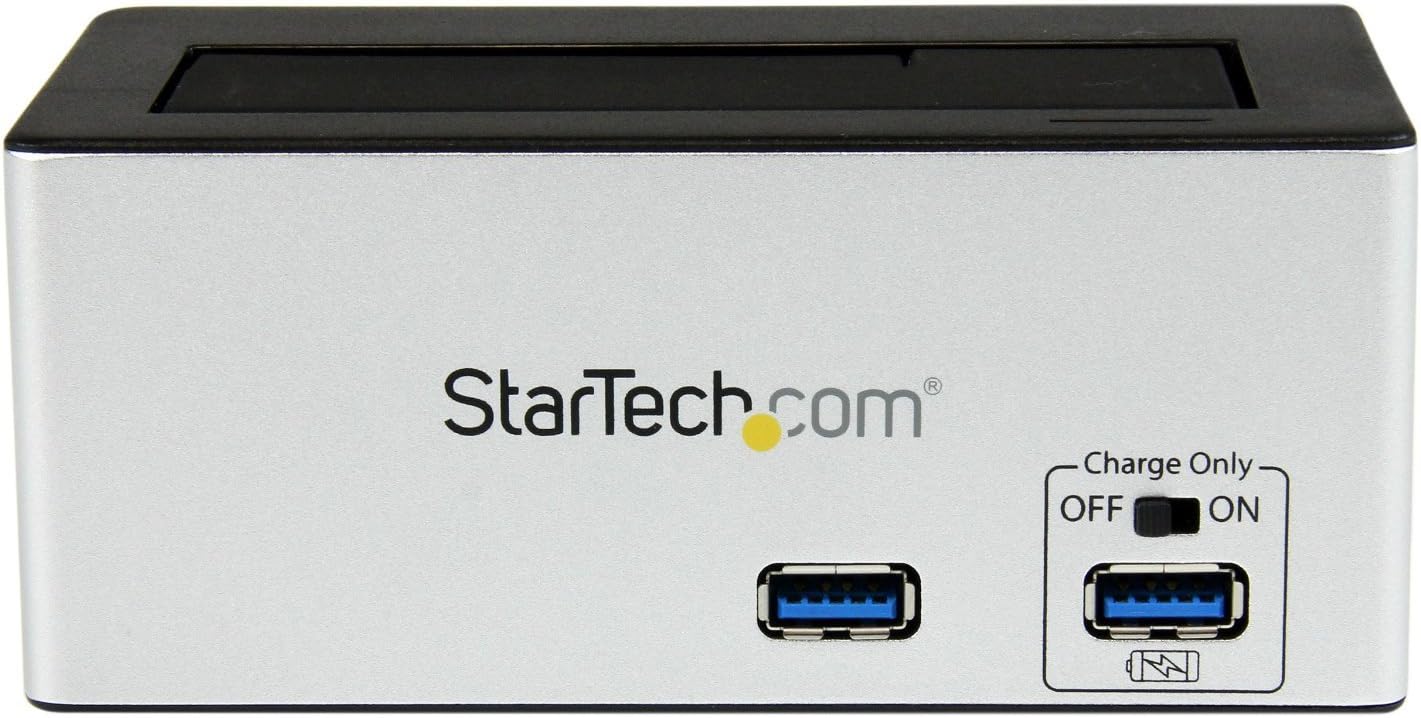
תְמוּנָה: חֲזִית view of the docking station, highlighting the USB 3.0 data port and the USB Fast Charge port with its ON/OFF switch.
- USB 3.0 Data Port: Connects to your computer for data transfer.
- USB Fast Charge Port: Provides accelerated charging for mobile devices. Features an ON/OFF switch for activation.
תכונות לוח אחורי

תְמוּנָה: אֲחוֹרִי view of the docking station, showing the power switch, DC-IN port, USB 3.0 host connection, and the OFF/Sleep switch.
- מתג הפעלה: Turns the docking station ON or OFF.
- יציאת DC-IN: מתחבר למתאם החשמל המצורף.
- יציאת מארח USB 3.0: Connects the docking station to your computer's USB 3.0 port.
- OFF/Sleep Switch: Controls the sleep mode functionality of the docking station.
תוכן החבילה
Verify that all components are present in your package.
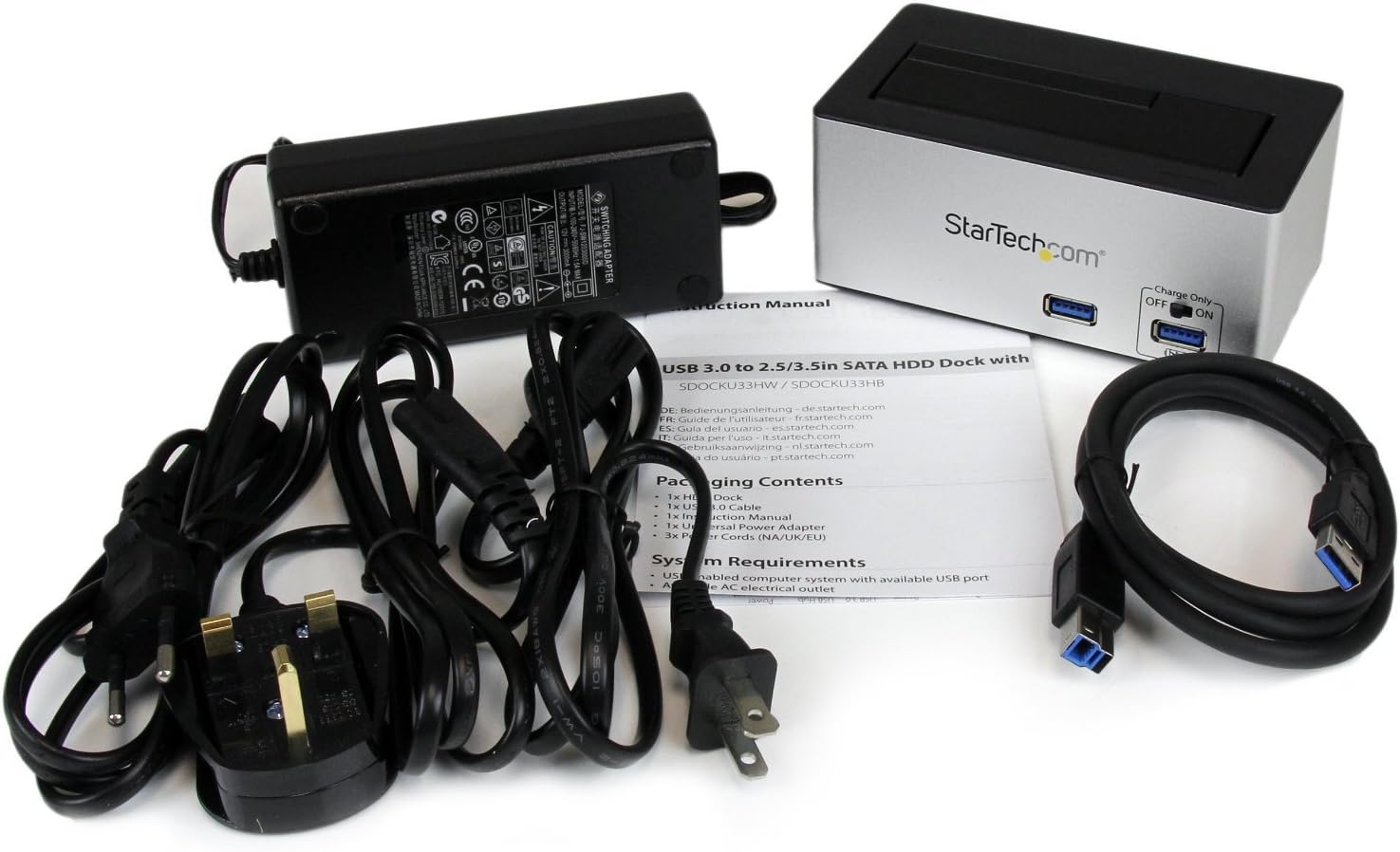
תְמוּנָה: The complete package contents, including the docking station, power adapter, USB 3.0 cable, and instruction manual.
- 1x USB 3.0 SATA Hard Drive Docking Station (SDOCKU33HB)
- 1x מתאם חשמל אוניברסלי
- 1x כבל USB 3.0
- 1x מדריך הוראות
דרישות מערכת
Ensure your system meets the following requirements for optimal performance.
- Computer with an available USB 3.0 port (USB 2.0/1.1 backward compatible)
- 2.5-inch or 3.5-inch SATA I/II/III SSD/HDD
- שקע חשמל זמין
- Operating System: Windows XP/Vista/7/8/10/11, macOS 10.x and later, Linux
הוראות התקנה
- חבר חשמל: Connect the universal power adapter to the DC-IN port on the rear of the docking station, then plug the adapter into an AC power outlet.
- התחבר למחשב: Connect one end of the included USB 3.0 cable to the USB 3.0 Host Port on the rear of the docking station, and the other end to an available USB 3.0 port on your computer.
- הכנס כונן: Gently slide your 2.5-inch or 3.5-inch SATA SSD/HDD into the top-loading drive bay until it is securely seated. Ensure the drive's SATA connector aligns with the docking station's connector.
- הפעלה: Flip the Power Switch on the rear of the docking station to the 'ON' position. The power LED (if present) should illuminate.
- התקנת דרייבר: מערכת ההפעלה שלך אמורה לזהות ולהתקין באופן אוטומטי את מנהלי ההתקנים הדרושים. בדרך כלל אין צורך בהתקנה ידנית של מנהלי התקנים.
- גישה לכונן: Once detected, the drive will appear as a removable storage device in your operating system's file explorer or disk management utility. You may need to initialize and format new drives before use.
הוראות הפעלה
Using the Hard Drive Dock
- העברת נתונים: Once the drive is recognized by your computer, you can drag and drop files to and from the drive as you would with any other storage device.
- החלפה חמה: The docking station supports hot-swapping. To safely remove a drive, ensure all data transfer operations are complete, then use your operating system's "Safely Remove Hardware" or "Eject" function before pulling the drive out of the bay.
- תמיכת UASP: For systems supporting UASP, the docking station will leverage this protocol to achieve faster data transfer speeds, especially with SATA 6Gbps drives.
Using the USB Fast Charge Port
- Activate Fast Charge: Flip the "Charge Only" switch on the front panel to the 'ON' position.
- חבר מכשיר: Connect your mobile device (e.g., smartphone, tablet) to the USB Fast Charge port using its charging cable.
- טְעִינָה: The port will provide enhanced power output for faster charging compared to standard USB ports.
פונקציונליות מצב שינה
- The "OFF/Sleep" switch on the rear panel controls the docking station's sleep mode behavior. Consult the full product manual for detailed information on sleep mode settings and compatibility.
תַחזוּקָה
- ניקוי: השתמשו במטלית רכה ויבשה לניקוי החלק החיצוני של תחנת העגינה. אין להשתמש בחומרי ניקוי נוזליים או ממסים.
- אִחסוּן: כאשר תחנת העגינה אינה בשימוש, יש לאחסן אותה במקום קריר ויבש, הרחק מאור שמש ישיר וטמפרטורות קיצוניות.
- Drive Handling: Always handle hard drives with care. Avoid dropping or subjecting them to physical shock.
פתרון בעיות
- Issue: Drive not detected by computer.
- Ensure the docking station is powered on and the power adapter is securely connected.
- ודא שכבל ה-USB 3.0 מחובר היטב הן לתחנת העגינה והן למחשב.
- נסה יציאת USB אחרת במחשב שלך.
- Ensure the SATA drive is correctly seated in the docking bay.
- Check your computer's Disk Management (Windows) or Disk Utility (macOS) to see if the drive is recognized but uninitialized or unformatted. New drives require initialization and formatting.
- Test with a different SATA drive to rule out a drive issue.
- בעיה: מהירויות העברת נתונים איטיות.
- ודא שאתה מחובר ליציאת USB 3.0 במחשב שלך. יציאות USB 2.0 יגרמו למהירויות נמוכות יותר.
- Verify your operating system and drivers support UASP for optimal performance with SATA 6Gbps drives.
- The performance of the drive itself can affect transfer speeds.
- Issue: Fast Charge port not working.
- Ensure the "Charge Only" switch on the front panel is in the 'ON' position.
- Verify the docking station is powered on.
- Try a different charging cable or device to confirm the issue is not with the device or cable.
מפרטים
| תכונה | מִפרָט |
|---|---|
| דֶגֶם | SDOCKU33HB |
| מִמְשָׁק | USB 3.0 (תאימות לאחור עם USB 2.0/1.1) |
| סוגי כוננים תואמים | 2.5" and 3.5" SATA I/II/III HDDs/SSDs |
| קצב העברת נתונים | עד 5 ג'יגה-ביט לשנייה (USB 3.0) |
| תמיכת UASP | כֵּן |
| Fast Charge Port | כֵּן |
| מידות (L x W x H) | 3.6 אינץ' x 3.6 אינץ' x 6.8 אינץ' (9.14 ס"מ x 9.14 ס"מ x 17.27 ס"מ) |
| מִשׁקָל | 1.4 פאונד (0.64 ק"ג) |
| צֶבַע | שָׁחוֹר |
| ספק כוח | Universal AC Adapter (Input: 100-240V AC, Output: 12V DC) |
אחריות ותמיכה טכנית
מוצר זה של StarTech.com מגובה על ידי אחריות לשנה.
For the most up-to-date information on warranty, technical support, and product documentation, please visit the official StarTech.com website or the product page:
You can also find additional resources and contact information for technical assistance on the StarTech.com webאֲתַר.