
1. הקדמה
Welcome to the Dometic CFX 40 user manual. This portable compressor cooler is designed for reliable cooling and freezing in various mobile environments, including cars, trucks, boats, and campers. It offers efficient performance with a capacity of 36 liters and can reach temperatures as low as -22 °C. This manual provides essential information for the safe and effective use of your Dometic CFX 40.
2. מידע בטיחות
Please read this manual carefully before operating the Dometic CFX 40. Failure to follow these instructions may result in product damage or personal injury. Keep this manual for future reference.
- ודא את אספקת החשמל כרךtage תואם את המפרטים שעל תווית המוצר.
- Do not operate the cooler if it appears damaged.
- שמרו על פתחי האוורור נקיים מחסימות כדי למנוע התחממות יתר.
- אין להשתמש במכשירים חשמליים בתוך המצנן אלא אם כן הם מומלצים על ידי היצרן.
- Avoid contact with moving parts, such as the fan.
- נתק את המכשיר מהחשמל לפני ניקוי או ביצוע כל תחזוקה.
- מכשיר זה אינו מיועד לשימוש על ידי אנשים (כולל ילדים) עם יכולות פיזיות, חושיות או נפשיות מופחתות, או חוסר ניסיון וידע, אלא אם כן הם קיבלו פיקוח או הדרכה לגבי השימוש במכשיר על ידי אדם האחראי לבטיחותם.
- אין לאחסן חומרים נפיצים כגון פחיות אירוסול עם חומר הנעה דליק במכשיר זה.
3. המוצר נגמרview
The Dometic CFX 40 is a robust portable compressor cooler designed for demanding outdoor and mobile use. Below are key features and components.
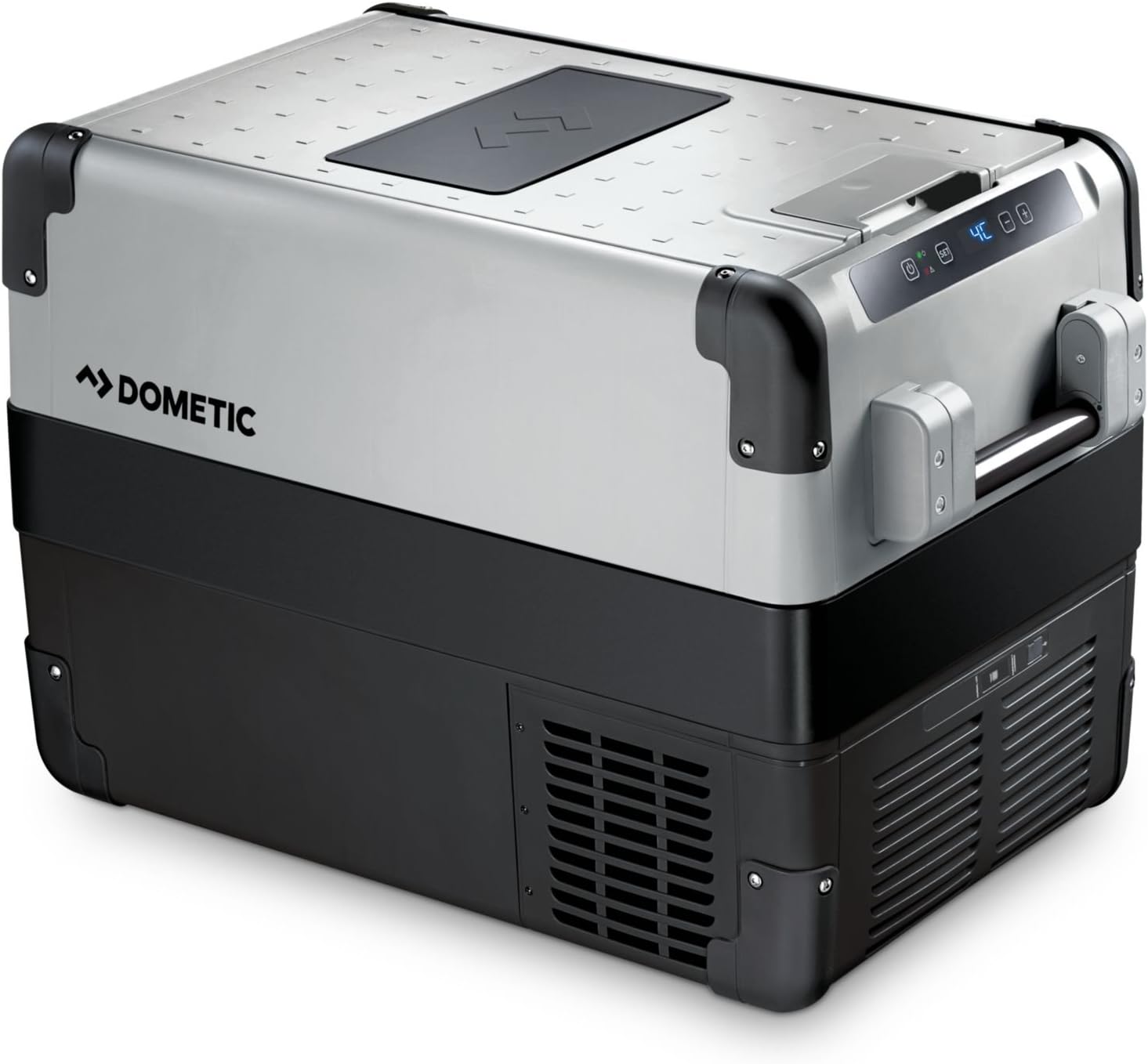
איור 1: Dometic CFX 40 main unit with lid open, revealing internal storage and several water bottles.
לוּחַ בַּקָרָה
The intuitive control panel allows you to adjust settings and monitor the cooler's operational status and temperature.

איור 2: מְפוֹרָט view of the control panel, showing the power button, 'SET' button, and digital temperature readout.
Robust Design Features
The cooler features reinforced corners and sturdy handles for enhanced durability and ease of transport in challenging environments.

איור 3: Reinforced corner and robust handle attachment, highlighting the cooler's durable construction.
Internal Storage and USB Port
The interior includes a removable wire basket for organized storage, and an integrated USB port allows for charging small electronic devices.

איור 4: Interior of the cooler with a wire basket, demonstrating efficient storage for food and beverages.

איור 5: Integrated USB port for convenient charging of external devices.
מידות
Refer to the diagram for detailed product dimensions to ensure proper fit and placement.

איור 6: Dimensional drawing of the Dometic CFX 40, indicating length, width, and height in millimeters.
4. התקנה
מפרקים
Remove all packaging materials. Inspect the cooler for any damage incurred during transit. If damage is found, contact your retailer immediately and do not operate the unit.
ניקוי ראשוני
Before first use, clean the interior and exterior of the cooler with a damp cloth and a mild, non-abrasive detergent. Dry thoroughly to prevent odors and ensure hygiene.
חיבור חשמל
The Dometic CFX 40 can be powered by 12V/24V DC (direct current) from a vehicle or 100V-240V AC (alternating current) from a mains power supply. Use the appropriate power cable provided with your unit.
- חיבור DC: Plug the 12V/24V cable into your vehicle's cigarette lighter socket or a dedicated DC power outlet. Ensure the connection is secure.
- חיבור AC: Plug the 230V cable into a standard wall outlet.
Always ensure the power source is stable and capable of supplying the required current for optimal performance.
מיקום
Place the cooler on a firm, level surface. Ensure adequate ventilation around the unit, especially around the compressor area and air vents. Avoid direct sunlight and proximity to heat sources to maximize cooling efficiency and minimize power consumption.
5. הוראות הפעלה
הפעלה/כיבוי
To turn the unit on or off, press the power button (U) located on the control panel.
הגדרת טמפרטורה
Follow these steps to adjust the desired temperature:
- Press the 'SET' button. The current temperature display will flash.
- Use the '+' and '-' buttons to increase or decrease the desired temperature. The Dometic CFX 40 can achieve temperatures as low as -22 °C.
- Press 'SET' again or wait a few seconds for the new temperature setting to be saved. The display will return to showing the actual internal temperature.
מערכת הגנה על הסוללה
The cooler incorporates a 3-level battery monitor system to prevent excessive discharge of your vehicle's battery. You can select between 'High', 'Medium', and 'Low' protection levels via the control panel settings. Refer to the comprehensive Dometic CFX manual for detailed instructions on adjusting battery protection levels to suit your specific power source.
יציאת טעינת USB
The integrated USB port (5V, 500mA) provides a convenient charging point for small electronic devices such as smartphones or tablets when the cooler is powered on.
6. תחזוקה
ניקוי
ניקוי קבוע מבטיח ביצועים והיגיינה אופטימליים:
- Always disconnect the cooler from the power supply before cleaning.
- Clean the interior regularly with a damp cloth and a mild, non-abrasive detergent. Avoid using harsh chemicals or abrasive cleaning agents.
- נגב את החלק החיצוני עם המודעהamp בַּד.
- Ensure the ventilation grilles are free of dust and debris. Use a soft brush or vacuum cleaner if necessary.
הַפשָׁרָה
Frost can accumulate inside the cooler, particularly when operating at freezing temperatures. To defrost the unit:
- Turn off the cooler and disconnect it from all power supplies.
- הסר את כל התכולה מהצידנית.
- Open the lid and allow the frost to melt naturally. You may place a towel inside to absorb the melting water.
- The cooler is equipped with a drain plug at the bottom for easy water removal. Open the plug to drain water.
- Once defrosted, clean and dry the interior thoroughly before restarting the unit.
7. פתרון תקלות
If you encounter issues with your Dometic CFX 40, refer to the following common problems and solutions:
| בְּעָיָה | סיבה אפשרית | פִּתָרוֹן |
|---|---|---|
| המצנן לא נדלק. | No power supply; faulty cable; low battery voltage. | Check power connection; try a different outlet/cable; check vehicle battery charge. Adjust battery protection setting to 'Low' if necessary. |
| ביצועי הקירור גרועים. | Insufficient ventilation; ambient temperature too high; lid not closed properly; excessive frost buildup. | Ensure clear ventilation around the unit; move cooler to a cooler location; close lid securely; defrost the unit if necessary. |
| התצוגה מציגה קוד שגיאה. | Internal fault; sensor issue; power supply problem. | Consult the full Dometic CFX manual for specific error code meanings. If the issue persists, contact customer support. |
| רעש יוצא דופן במהלך הפעולה. | Unit not level; fan obstruction; compressor issue. | Place on a level surface; check for obstructions in the fan area. If noise persists or is severe, contact support. |
8. מפרטים
The following table outlines the key technical specifications for the Dometic CFX 40 compressor cooler:
| תכונה | מִפרָט |
|---|---|
| שם הדגם | CFX 40 |
| Capacity (Freezing) | 36 ליטר |
| Capacity (Fresh Food) | 38 ליטר |
| מידות (L x W x H) | 63.0 cm x 39.8 cm x 46.1 cm (main body, based on diagram) |
| מִשׁקָל | 18.5 קילוגרם |
| כרך ידtage | 12V/24V DC, 100V-240V AC |
| שיטת קירור | מַדחֵס |
| בקרת טמפרטורה | Adjustable, down to -22 °C |
| יציאת USB | Yes (5V, 500mA) |
| מערכת הפשרה | אוֹטוֹמָטִי |
| צריכת אנרגיה (שנתית) | 37 קילוואט לשנה |
| יַצרָן | WAECO (Dometic) |
9. אחריות ותמיכה
מידע על אחריות
The Dometic CFX 40 compressor cooler comes with a אחריות לשנה from the date of purchase. Please retain your proof of purchase for all warranty claims. The warranty covers manufacturing defects and material faults under normal use conditions. For full terms and conditions, please refer to the warranty card included with your product or visit the Dometic webאֲתַר.
תמיכת לקוחות
For technical assistance, spare parts, or warranty inquiries, please contact Dometic customer support or your authorized dealer. You can find contact information on the official Dometic webבאתר או בתיעוד המצורף למוצר שלך.
For more information, visit the official Dometic webאֲתַר: www.dometic.com