
1. הקדמה
This manual provides essential information for the safe and effective use of your ProForm Power 995c Treadmill. Please read all instructions carefully before assembly and operation. Retain this manual for future reference.

Image 1.1: The ProForm Power 995c Treadmill, ready for use.
2. מידע בטיחות
כדי להפחית את הסיכון לפציעה חמורה, יש לקרוא את כל אמצעי הזהירות וההוראות החשובים במדריך זה לפני השימוש בהליכון. ProForm אינה נושאת באחריות לפגיעה גופנית או נזק לרכוש שנגרם כתוצאה משימוש במוצר זה.
- התייעץ תמיד עם הרופא שלך לפני תחילת כל תוכנית אימונים.
- הרחק ילדים וחיות מחמד מההליכון.
- Place the treadmill on a level surface with at least 6 feet of clear space behind it and 2 feet on each side.
- לבשו בגדי ספורט מתאימים ונעלי ספורט.
- אין להפעיל את ההליכון אם הוא פגום או אינו תקין.
- Always use the safety key. Attach the clip to your clothing before starting the treadmill.
- אין לחרוג ממשקל המשתמש המרבי של 159 ק"ג (350 ליברות).

Image 2.1: User preparing to use the treadmill.
3. הוראות הרכבה
The ProForm Power 995c Treadmill requires assembly. Due to its weight and size, it is recommended that two or more people assist with the assembly process. Ensure all parts are present before beginning. Refer to the included assembly guide for detailed, step-by-step instructions and diagrams.
3.1 Space Saver Design
This treadmill features a Space Saver design, allowing the walking platform to be folded vertically for storage. To fold, lift the walking platform until the latch pin locks it in the upright position. To unfold, push the latch pin and slowly lower the platform to the floor.

Image 3.1: Folding the treadmill for compact storage.
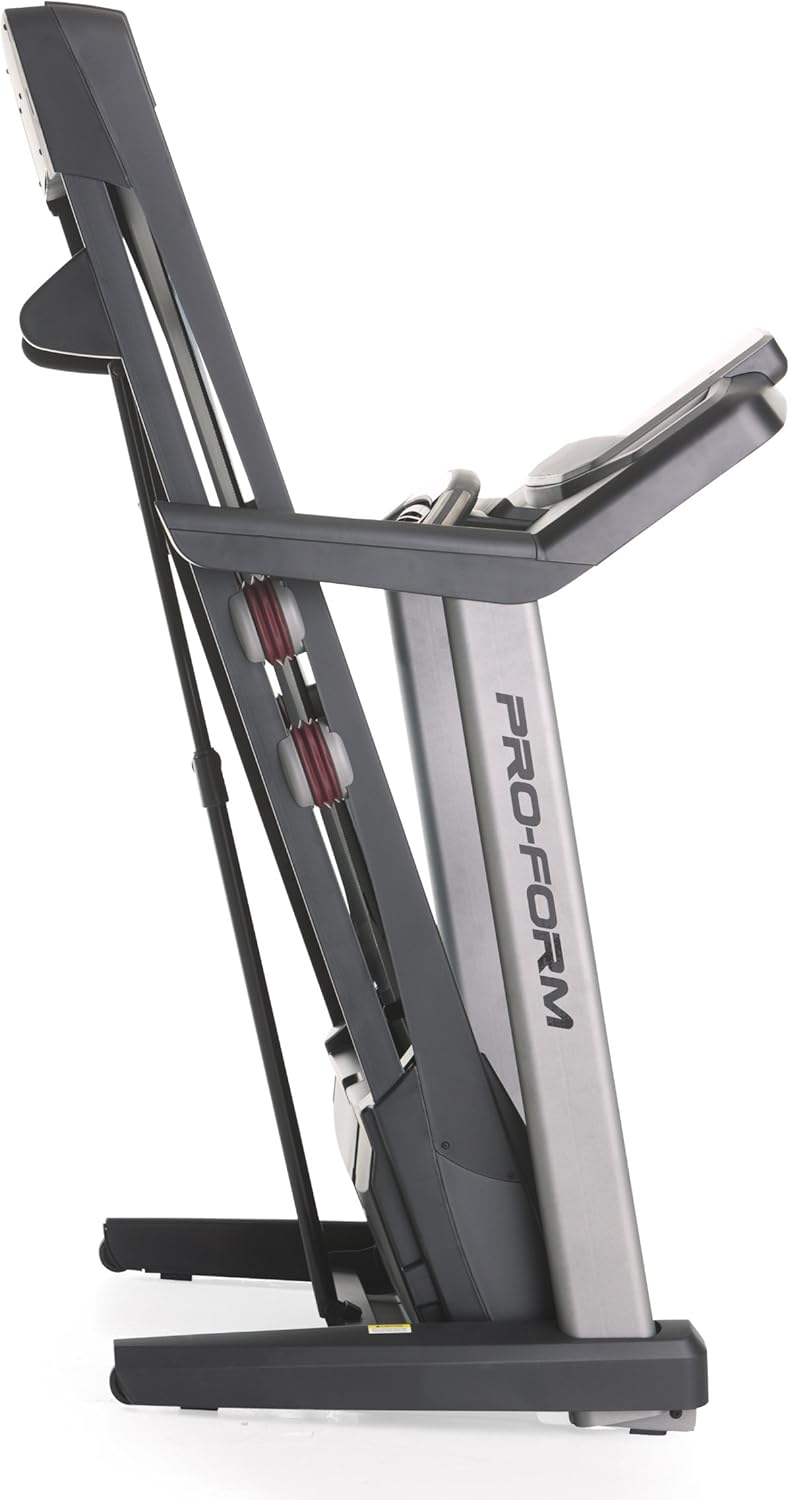
Image 3.2: The treadmill in its folded position.
4. הוראות הפעלה
Familiarize yourself with the console and its functions before starting your workout.
4.1 מעל קונסולהview
The treadmill features a 7-inch oversized backlit display that shows your workout metrics. The console includes QuickSpeed and Quick Incline controls for easy adjustments during your exercise.

Image 4.1: Treadmill console with display and control buttons.
4.2 Starting a Manual Workout
- דרכו על חגורת ההליכון.
- חבר את תפס מפתח הבטיחות לבגדיך.
- הקש על הַתחָלָה לחצו על הכפתור. הרצועה תתחיל לנוע במהירות נמוכה.
- כוונן את המהירות באמצעות QuickSpeed כפתורים או + ו - כפתורים.
- כוונן את השיפוע באמצעות Quick Incline כפתורים או ^ ו v כפתורים.
- כדי לעצור, לחץ על לְהַפְסִיק כפתור או משכו את מפתח הבטיחות.

Image 4.2: Interacting with the console controls.
4.3 Built-in Workout Apps
The treadmill includes 30 pre-programmed workout apps. Select a workout by pressing the corresponding number button on the console. The treadmill will automatically adjust speed and incline according to the program.
4.4 iFit Compatibility
The ProForm Power 995c Treadmill is iFit Compatible. With an iFit wireless module (sold separately), you can access a library of interactive workouts, track your progress, and simulate real-world routes using Google Maps. The console also features a media tray for your personal devices.

Image 4.3: iFit Compatible feature on the console.

Image 4.4: Media tray for personal devices.
4.5 ניטור דופק
The treadmill is equipped with a heart rate monitor. Grip the metal sensors on the handlebars to display your heart rate on the console. This feature helps you stay within your target heart rate zone.
5. תחזוקה
תחזוקה שוטפת מבטיחה את אורך החיים והביצועים האופטימליים של ההליכון שלכם.
- ניקוי: נגבו את משטחי ההליכון בעזרת מודעהamp מטלית לאחר כל שימוש. הימנעו מחומרי ניקוי שוחקים.
- שימון חגורה: Periodically check and lubricate the walking belt as instructed in the detailed assembly guide. Proper lubrication prevents friction and wear.
- יישור ומתיחה של החגורה: Ensure the walking belt remains centered and properly tensioned. Adjustments may be necessary over time. Refer to the assembly guide for specific instructions.
- כיסוי מנוע: Keep the motor cover clean and free of dust to ensure proper ventilation.
6. פתרון תקלות
If you encounter issues with your treadmill, refer to the following common solutions. For problems not listed here, contact customer support.
| בְּעָיָה | סיבה אפשרית | פִּתָרוֹן |
|---|---|---|
| ההליכון לא נדלק. | Power cord not plugged in; circuit breaker tripped; safety key not inserted. | Ensure power cord is securely plugged into a grounded outlet. Check household circuit breaker. Insert safety key fully into the console. |
| Walking belt slows down or stops during use. | Belt too loose; motor overheating; user weight exceeds capacity. | Adjust belt tension as per manual. Allow treadmill to cool down. Ensure user weight is within specifications. |
| Console display is erratic or not working. | חיבור כבל רופף; תקלה בקונסולה. | Check all cable connections to the console. If problem persists, contact customer support. |
| רעש חריג מההליכון. | חלקים רופפים; חיכוך ברצועה; בעיה במנוע. | Inspect for loose bolts or screws and tighten. Lubricate walking belt if needed. If noise persists, contact customer support. |
7. מפרטים
Detailed technical specifications for the ProForm Power 995c Treadmill.
- מספר דגם: PFTL99912
- מָנוֹעַ: 3.0 CHP Mach Z Commercial Plus Motor
- מהירות מרבית: 19.3 קמ"ש (12 מייל לשעה)
- שיפוע מקסימלי: 15% Quick Incline Control
- חגורת דריכה: 20 inches x 60 inches (50.8 cm x 152.4 cm) Non-Stretch, Commercial Tread belt
- ריפוד: ProShox Cushioning
- משקל משתמש מקסימלי: 350 פאונד (159 ק"ג)
- מידות המוצר (LxWxH): 205.7 ס"מ x 94 ס"מ x 152.4 ס"מ (81 אינץ' x 37 אינץ' x 60 אינץ')
- Folded Dimensions (Approx.): 33"W x 14"H (Depth varies)
- סוג תצוגה: 7-inch Oversized Backlit LCD
- אפליקציות אימון: 30 Built-in Workout Apps
- קישוריות: תואם iFit
- מדדים שנמדדו: Distance, Heart Rate, Incline, Time, Calories Burned, Speed
- חומר מסגרת: מתכת, פלסטיק

Image 7.1: ProShox Cushioning system.

Image 7.2: ProForm branding on the treadmill deck.
8. אחריות ותמיכה
Your ProForm Power 995c Treadmill is covered by the following warranty:
- Frame and Motor: אחריות לכל החיים
- חלקים: אחריות לשנה
- עֲבוֹדָה: אחריות לשנה
For warranty claims, technical assistance, or to order replacement parts, please contact ProForm Customer Service. Have your model number (PFTL99912) and serial number ready when contacting support.