
מָבוֹא
This manual provides essential information for the safe and efficient operation of your Samsung HT-E6500W 5.1 Channel 3D Blu-Ray Home Theater System. Please read this manual thoroughly before using the product and retain it for future reference. This system integrates a 3D Blu-ray player with a 5.1 channel audio system, offering a comprehensive home entertainment solution.
מידע בטיחות חשוב
Always follow basic safety precautions when using this product to reduce the risk of fire, electric shock, and injury to persons. Keep this manual in a safe place for future reference.
- אין לחשוף מכשיר זה לגשם או לחות.
- אין לחסום פתחי אוורור. יש להתקין בהתאם להוראות היצרן.
- אין להתקין ליד מקורות חום כלשהם כגון רדיאטורים, אוגרי חום, תנורים או מכשירים אחרים (כולל ampמחצבים) המייצרים חום.
- הגן על כבל החשמל מפני הליכה או צביטה, במיוחד בתקעים, בשקעי נוחות ובנקודה שבה הם יוצאים מהמכשיר.
- השתמש רק בתוספות/אביזרים שצוינו על ידי היצרן.
- הפנה את כל השירות לאנשי שירות מוסמכים. שירות נדרש כאשר המכשיר ניזוק באופן כלשהו.
תוכן החבילה
ודא שכל הרכיבים נמצאים בחבילה:
- יחידה ראשית (נגן/מקלט Blu-ray)
- סאב וופר
- רמקול מרכזי
- רמקולים קדמיים (2)
- רמקולים סראונד (2)
- שלט רחוק עם סוללות
- iPod Cradle
- כבלי רמקולים
- אנטנת FM
- מדריך למשתמש (מסמך זה)
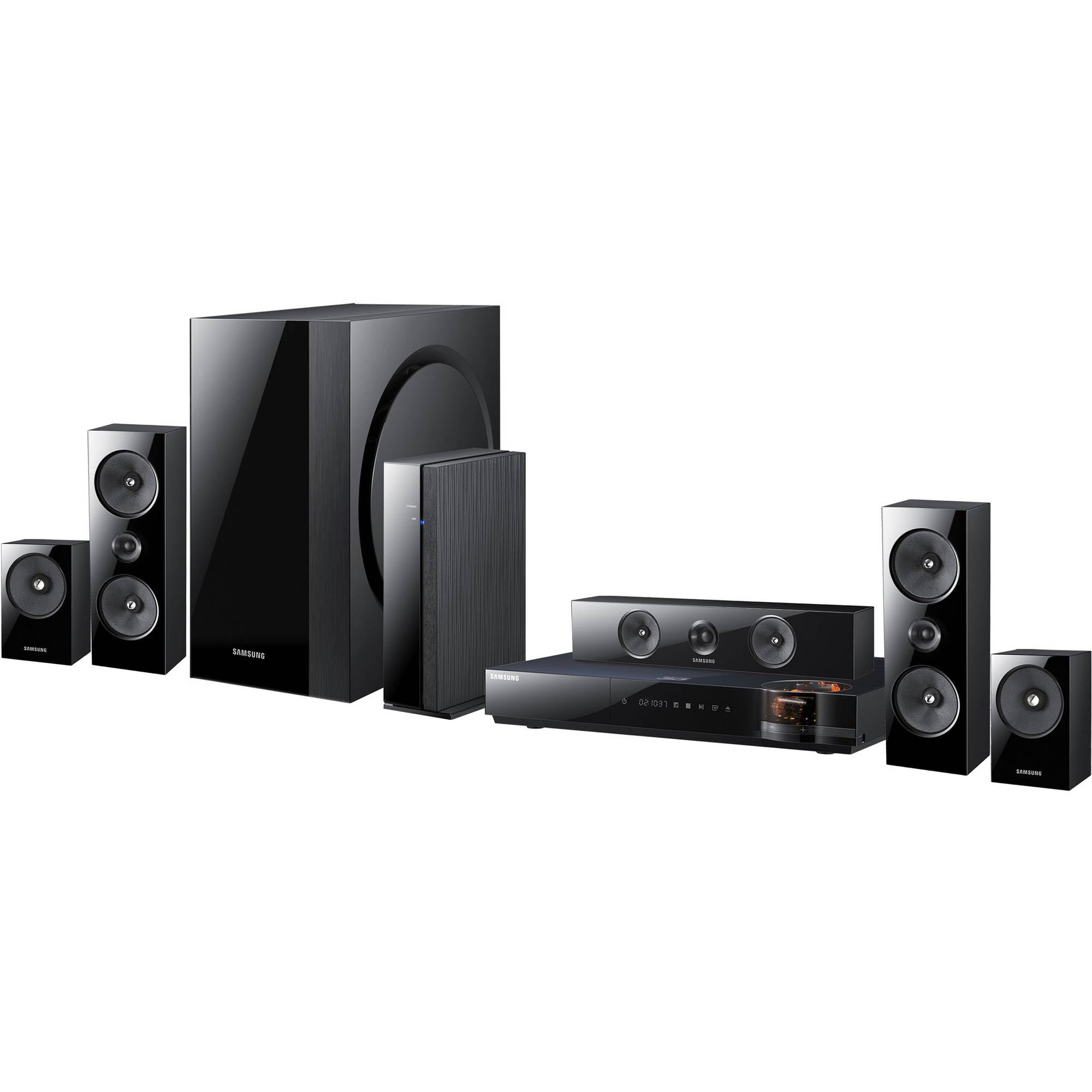
תמונה: מעלview of the Samsung HT-E6500W 5.1 Channel Home Theater System components.
הגדרה
1. מיקום רמקול
Proper speaker placement is crucial for optimal surround sound experience. Position speakers as follows:
- רמקולים קדמיים: Place to the left and right of your television, equidistant from the viewעמדה.
- רמקול מרכזי: Position directly above or below the center of your television.
- רמקולים היקפיים: Place to the sides or slightly behind the main listening area, at ear level when seated. The HT-E6500W features wireless rear speakers for easier setup.
- Subwoofer: Can be placed anywhere in the room, preferably near a wall or corner for enhanced bass response.
2. חיבור רמקולים
Connect the speaker cables from each speaker to the corresponding terminals on the main unit. Ensure correct polarity (positive to positive, negative to negative) for each connection. The wireless rear speakers connect to a separate wireless receiver module, which then communicates with the main unit.
3. חיבור לטלוויזיה ולמכשירים אחרים
Use an HDMI cable to connect the HDMI OUT port on the home theater system to an HDMI IN port on your television. For other devices like gaming consoles or set-top boxes, connect them to the HDMI IN ports on the home theater system.
4. חיבור חשמל
Plug the power cord into the main unit and then into a wall outlet. Ensure all connections are secure before powering on the system.
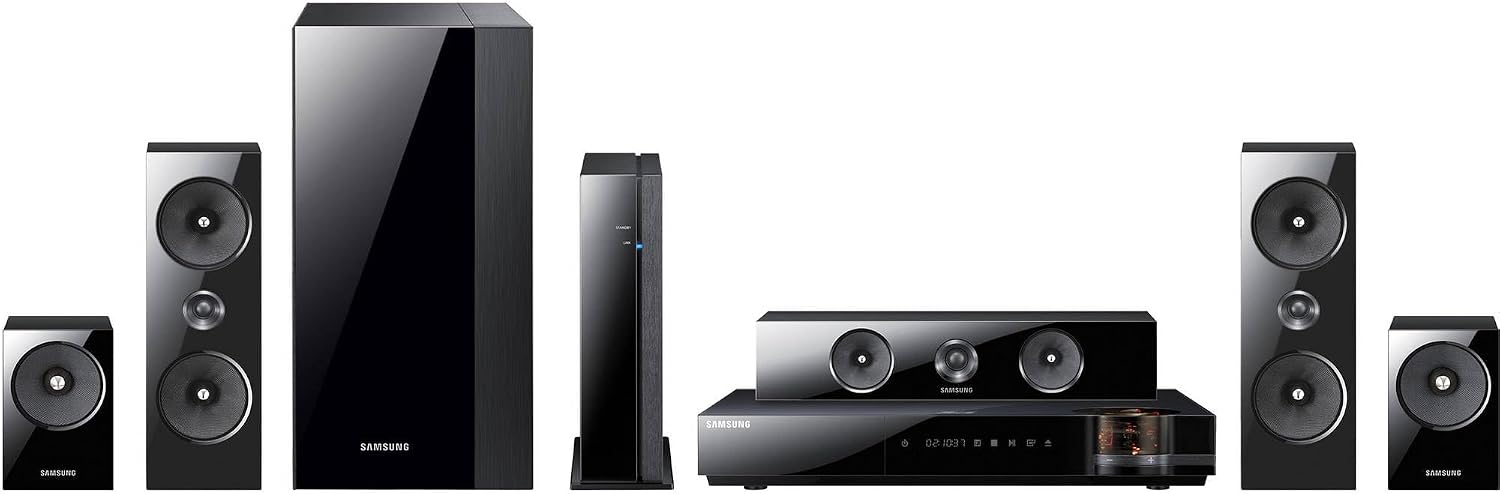
תמונה: מפורט view of the main unit and center speaker, illustrating connectivity points.
הוראות הפעלה
1. פונקציות בסיסיות
- הפעלה/כיבוי: Press the Power button on the remote control or the main unit.
- בקרת עוצמת הקול: השתמשו בכפתורי הגברת/הנמכת עוצמת הקול בשלט הרחוק.
- בחירת קלט: Press the Function button on the remote to cycle through available inputs (e.g., Blu-ray, HDMI 1, HDMI 2, AUX, Digital In).
2. ניגון בלו-ריי תלת-ממדי
Insert a 3D Blu-ray disc into the disc tray. The system will automatically detect the disc and begin playback. Ensure your television is 3D compatible and 3D glasses are worn for the 3D effect.
3. Smart Hub and Network Features
The system features built-in Wi-Fi for network connectivity. Connect to your home network to access Smart Hub, which provides various online services and applications. Navigate Smart Hub using the remote control.
4. iPod Cradle Usage
Connect your iPod to the provided iPod cradle. The system will detect the device, allowing you to play audio through the home theater speakers. Control playback using the system's remote or the iPod itself.
5. מצבי סאונד
Select various sound modes (e.g., Stereo, Surround Sound, Dolby Digital) to optimize audio for different content types. Refer to the remote control for specific sound mode buttons or menu options.
תַחזוּקָה
- ניקוי: השתמשו במטלית רכה ויבשה לניקוי המשטחים החיצוניים של היחידה הראשית והרמקולים. אין להשתמש בחומרי ניקוי נוזליים או בחומרים שוחקים.
- אוורור: Ensure that the ventilation openings on the main unit are not blocked to prevent overheating.
- טיפול בדיסק: Handle Blu-ray discs by their edges. Store discs in their cases to prevent scratches and dust accumulation.
פתרון בעיות
| בְּעָיָה | פתרון אפשרי |
|---|---|
| אין כוח | Check if the power cord is securely connected to the unit and the wall outlet. Ensure the outlet is functional. |
| אין קול | Verify speaker connections. Check the volume level and mute status. Ensure the correct input source is selected. |
| No picture from Blu-ray | Check the HDMI cable connection between the system and the TV. Ensure the TV is set to the correct HDMI input. Try a different disc. |
| השלט רחוק לא עובד | Replace the batteries in the remote control. Ensure there are no obstructions between the remote and the main unit's sensor. |
| רמקולים אחוריים אלחוטיים לא מתחברים | Ensure the wireless receiver module is powered on and within range of the main unit. Refer to the wireless module's specific pairing instructions. |
מפרטים
- שם הדגם: HT-E6500W
- ערוצי אודיו: 5.1 ערוצים
- תפוקת כוח כוללת: 1000 וואט
- תאימות דיסק: 3D Blu-ray, Blu-ray, DVD, CD
- קישוריות: HDMI (Input/Output), Built-in Wi-Fi, USB, Optical Digital Audio In
- מאפיינים מיוחדים: Smart Hub, iPod Cradle, Wireless Rear Speakers
- צֶבַע: שָׁחוֹר
- משקל פריט: Approximately 8.5 pounds (main unit)
מידע על אחריות
This product is covered by a limited warranty. For specific terms and conditions, please refer to the warranty card included with your product or visit the official Samsung webאתר. שמור את קבלת הרכישה כהוכחת קנייה לתביעות אחריות.
תמיכת לקוחות
For technical assistance, service, or product inquiries, please contact Samsung Customer Service. Contact information can be found on the official Samsung webבאתר או בתיעוד המצורף למוצר שלך.
תמיכה מקוונת: www.samsung.com/us/support/