
מָבוֹא
This manual provides essential information for the safe and effective operation of your Laserliner SoundTest-Master 082.070A Noise Level Meter. Please read these instructions carefully before using the device and keep them for future reference. The SoundTest-Master 082.070A is designed for precise measurement of noise levels, featuring integrated long-term memory and PC connectivity for comprehensive documentation.
הוראות בטיחות
- Always operate the device within its specified environmental conditions.
- אין לחשוף את המכשיר לטמפרטורות קיצוניות, ללחות או לאור שמש ישיר.
- הימנע מלהפיל את המכשיר או לחשוף אותו למכות חזקות.
- אין לנסות לפתוח או לשנות את המכשיר. תיקונים יבוצעו אך ורק על ידי אנשי צוות מורשים.
- הרחק את המכשיר משדות מגנטיים חזקים.
- Ensure the microphone is clean and free from obstructions for accurate measurements.
המוצר נגמרview
The Laserliner SoundTest-Master 082.070A is a handheld noise level meter equipped with a sensitive electret condenser microphone and a clear, illuminated display. It features various controls for measurement settings and data management.

איור 1: חֲזִית view of the SoundTest-Master 082.070A, showing the display, microphone with windshield, and control buttons.
מרכיבי מפתח:
- Electret Condenser Microphone: For capturing sound. Includes a removable windshield.
- צג מואר: Shows measurement values, settings, and status.
- לחצני שליטה: Power, Setup, Max, Record, A/C weighting, Fast/Slow time weighting, Level adjustment, Data send.
- יציאות אנלוגיות: DC and AC outputs for external connections.
- ממשק RS232: Optoisolated port for PC connection and data transfer.
הגדרה
1. התקנת סוללה
The device requires batteries for operation. Ensure correct polarity when inserting batteries into the compartment, typically located on the rear of the unit.
2. הפעלה ראשונית
הקש על כּוֹחַ button to turn on the device. The display will illuminate and show initial readings.
3. Windshield Attachment
Attach the removable windshield to the microphone to minimize wind noise interference during outdoor measurements.
הוראות הפעלה
1. מדידה בסיסית
- Turn on the device using the כּוֹחַ לַחְצָן.
- Point the microphone towards the sound source.
- The current noise level will be displayed in decibels (dB).
2. Frequency Weighting (dB(A), dB(C))
השתמש ב- מיזוג אוויר button to switch between frequency weighting curves:
- dB (A): מדמה את תגובת האוזן האנושית לצליל, המשמשת בדרך כלל למדידות רעש סביבתי.
- dB(C): Provides a flatter response, suitable for measuring peak sound pressure levels or low-frequency noise.
3. Time Weighting (Fast/Slow)
הקש על מהר לאט button to select the desired time weighting:
- FAST (125 ms): For measuring rapidly changing noise levels.
- SLOW (1 second): For measuring average noise levels over a longer period, suitable for stable noise sources.
4. Data Logging and PC Connection
The device features a long-term recording function with 16,000 memory points and real-time logging capabilities when connected to a PC.
- רישום נתונים פנימי: הקש על רְשׁוּמָה button to start/stop internal data recording. The device can store up to 16,000 measurement points.
- חיבור למחשב: Connect the device to a computer using the provided RS232 cable.
- תוֹכנָה: Install the provided software on your PC. This software allows for real-time data display, analysis, and download of recorded data.
- שליחת נתונים: השתמש ב- לשלוח נתונים button to initiate data transfer to the connected PC.
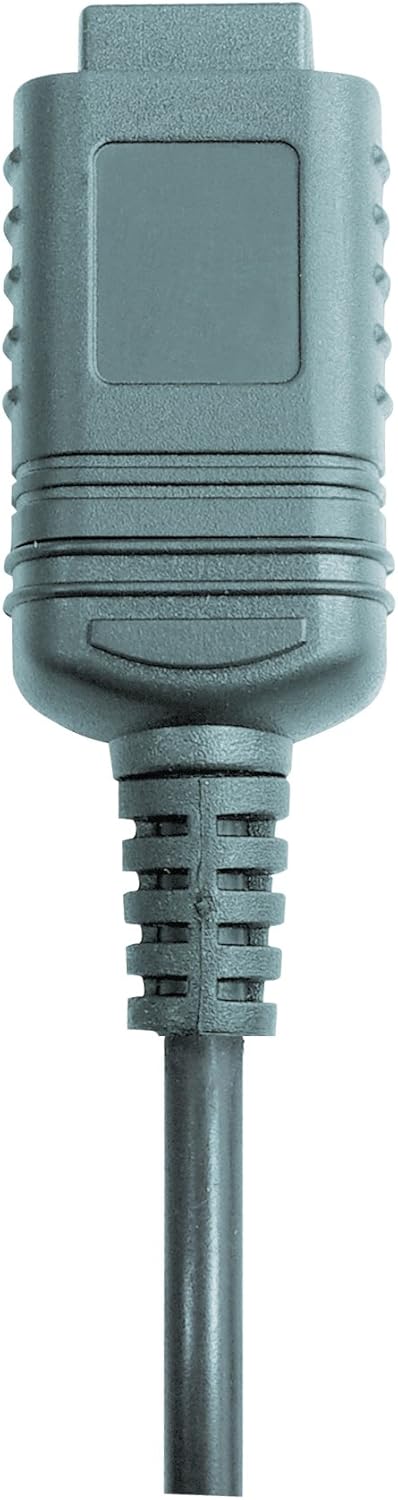

איור 2: RS232 cable connectors used for connecting the SoundTest-Master to a PC.
5. כיול
The device can be calibrated and adjusted using a standard noise level calibrator (94 dB / 1 kHz). Refer to the calibrator's instructions for the specific calibration procedure.
תַחזוּקָה
1. ניקיון
- נגב את המכשיר גasinנגבו בעזרת מטלית רכה ויבשה.
- אין להשתמש בחומרי ניקוי שוחקים או ממסים.
- Ensure the microphone is kept clean and free of dust or debris.
2. אחסון
When not in use, store the SoundTest-Master in its protective case in a cool, dry place, away from direct sunlight and extreme temperatures. Remove batteries if storing for extended periods.
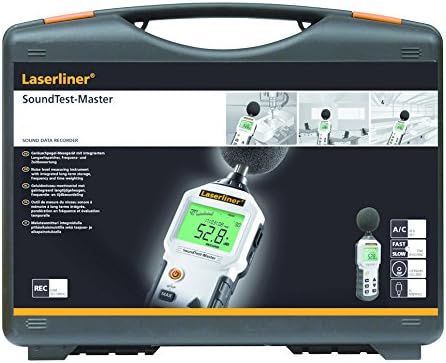
איור 3: The SoundTest-Master 082.070A stored in its protective carrying case.
פתרון בעיות
| בְּעָיָה | סיבה אפשרית | פִּתָרוֹן |
|---|---|---|
| המכשיר לא נדלק. | סוללות מתות או מותקנות בצורה שגויה. | החליפו את הסוללות, תוך הקפדה על קוטביות נכונה. |
| קריאות לא מדויקות. | Microphone obstructed or dirty; device needs calibration. | Clean microphone; perform calibration with a standard calibrator. |
| No data transfer to PC. | Incorrect cable connection; software not installed or configured. | Check RS232 cable connection; ensure PC software is correctly installed and running. |
| התצוגה עמומה או בלתי קריאה. | Low battery power; display backlight off. | Replace batteries; check device settings for backlight control. |
מפרטים
| תכונה | פְּרָט |
|---|---|
| שם הדגם | SoundTest-Master |
| מספר חלק | 082.070A |
| יַצרָן | אומארקס |
| מותג | לייזרליינר |
| שקלול תדרים | dB(A), dB(C) |
| שקלול זמן | FAST (125 ms), SLOW (1 second) |
| זיכרון נתונים | 16,000 נקודות מדידה |
| מִמְשָׁק | Optoisolated RS232 |
| יציאות אנלוגיות | DC ו-AC |
| כִּיוּל | Adjustable with 94 dB / 1 kHz standard calibrator |
| מִיקרוֹפוֹן | Sensitive electret condenser with removable windshield |
| לְהַצִיג | Illuminated, clear display |
| משקל פריט | 1.18 קילוגרם (2.6 פאונד) |
| מידות המוצר | 10.33 x 5.51 x 13.78 אינץ' |
| חוֹמֶר | Metal (Frame, Barrel) |
| צֶבַע | שחור ואפור |
| סוללות נדרשות | Yes (not included, type not specified in data) |
אחריות ותמיכה
For warranty information and technical support, please refer to the documentation included with your purchase or visit the official Laserliner webאֲתַר.