
מָבוֹא
This manual provides detailed instructions for the setup, operation, maintenance, and troubleshooting of your Coby CRA54 Digital AM/FM Alarm Clock Radio. Please read this manual thoroughly before using the device to ensure proper function and longevity.
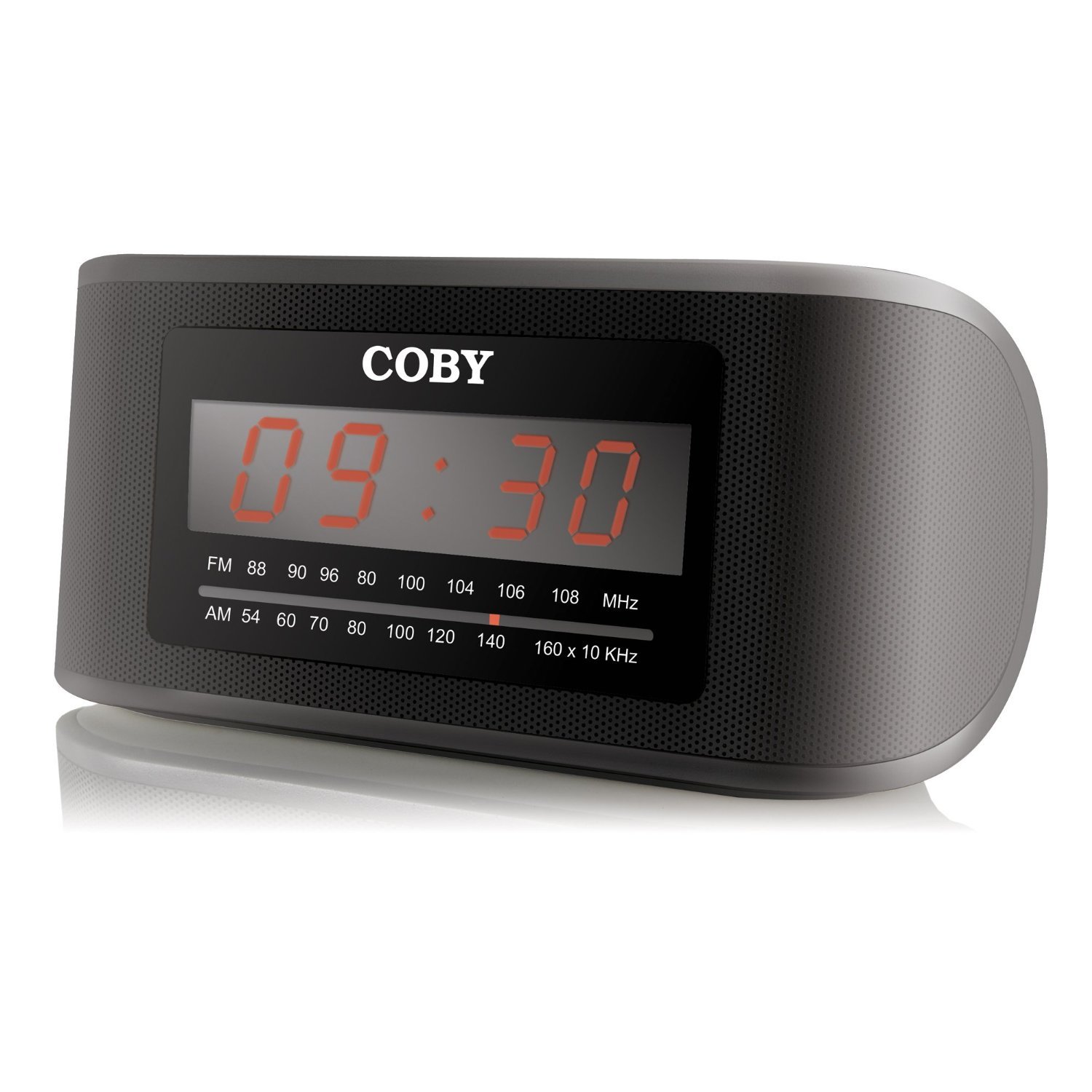
איור 1: חזית view of the Coby CRA54 Digital AM/FM Alarm Clock Radio, showing the digital display and control buttons.
הגדרה
- פריקת אריזה: Carefully remove the alarm clock radio from its packaging. Retain the packaging materials for future transport or storage.
- חיבור חשמל: Connect the AC power cord to the 110V power outlet. The unit is designed for wired operation.
- גיבוי סוללה (אופציונלי): While the unit operates on AC power, it may have a compartment for backup batteries (not included) to maintain time settings during power outages. Refer to the battery compartment cover for the correct battery type and polarity. הערה: סוללות אינן כלולות במוצר זה.
- כוונון אנטנה: Extend the FM wire antenna fully for optimal FM reception. For AM reception, rotate the unit for the best signal.
הוראות הפעלה
הגדרת השעה
- לחץ והחזק את זמן מוגדר button (location may vary, typically on the front or top panel) until the display flashes.
- השתמש ב- שָׁעָה ו דַקָה buttons to adjust the time. Observe the AM/PM indicator if present.
- לִלְחוֹץ זמן מוגדר שוב כדי לאשר ולצאת ממצב הגדרת הזמן.
הגדרת האזעקה
- לחץ והחזק את ערכת התראה עד שתצוגת זמן ההתראה תהבהב.
- השתמש ב- שָׁעָה ו דַקָה כפתורים כדי להגדיר את זמן ההתראה הרצוי.
- לִלְחוֹץ ערכת התראה again to confirm. You may then be prompted to select the alarm source (radio or buzzer) using the מצב התראה לַחְצָן.
- Ensure the alarm is activated by checking for an alarm indicator icon on the display.
תפעול רדיו
- הפעלה/כיבוי: הקש על כּוֹחַ כפתור כדי להפעיל או לכבות את הרדיו.
- בחירת להקה: הקש על AM/FM כפתור כדי לעבור בין תדרי AM ו- FM.
- כוונון: השתמש ב- כִּונוּן לחייג או TUNE +/- buttons to find your desired station. Some models may feature auto-scan functionality.
- בקרת עוצמת הקול: כוונן את עוצמת הקול באמצעות כֶּרֶך לחייג או VOL +/- כפתורים.
פונקציית נודניק
כאשר האזעקה תישמע, לחצו על הכפתור הגדול נִמנוּם button (usually located on the top of the unit) to temporarily silence the alarm. The alarm will sound again after a few minutes (typically 9 minutes).
תַחזוּקָה
- ניקוי: נתק את החשמל לפני הניקוי. השתמש במטלית רכה ויבשה כדי לנגב את החלק החיצוני של היחידה. אין להשתמש בחומרי ניקוי שוחקים או ממסים.
- מיקום: Place the unit on a stable, flat surface. Avoid placing it in direct sunlight, near heat sources, or in areas with high humidity.
- אוורור: יש לוודא אוורור נאות סביב היחידה כדי למנוע התחממות יתר. אין לחסום פתחי אוורור.
פתרון בעיות
| בְּעָיָה | סיבה אפשרית | פִּתָרוֹן |
|---|---|---|
| היחידה לא נדלקת. | כבל החשמל אינו מחובר כראוי. | ודא שכבל החשמל מחובר היטב הן ליחידה והן לשקע 110 וולט תקין. |
| קליטת רדיו גרועה. | האנטנה לא פתוחה או מיקום היחידה. | Extend the FM wire antenna fully. For AM, rotate the unit to improve signal. Avoid interference from other electronic devices. |
| האזעקה לא נשמעת. | האזעקה לא הוגדרה או הופעלה. | Verify that the alarm time is correctly set and the alarm function is activated (check for alarm icon on display). Ensure volume is not at minimum. |
| Time display is incorrect or runs fast/slow. | Internal clock deviation or power interruption. | Reset the time. If the issue persists, ensure stable power supply and consider using fresh backup batteries if applicable. |
מפרטים
- מותג: קובי
- מספר דגם: CRA54
- מידות המוצר: 17.78 x 10.16 x 8.89 ס"מ
- משקל מוצר: 522 גרם
- כרך ידtage: 110 וולט
- סוג תצוגה: דִיגִיטָלי
- סוג הרכבה: משטח שולחן
- שעון מעורר: כֵּן
- מצב פעולה: חַשׁמַלִי
- רמקולים מובנים: כֵּן
- טכנולוגיית קישוריות: חוטי
אחריות ותמיכה
For information regarding warranty coverage and customer support, please refer to the warranty card included with your product or contact Coby customer service directly. Keep your purchase receipt as proof of purchase.