
Lexmark E360H11A
Lexmark E360, E460, E462 Series High Yield Return Program Toner Cartridge User Manual
מותג: Lexmark | דֶגֶם: E360H11A
מָבוֹא
This manual provides essential information for the safe and effective use of your Lexmark E360, E460, E462 Series High Yield Return Program Toner Cartridge (Part Number E360H11A). This genuine Lexmark product is designed to deliver consistent, high-quality monochrome laser prints with an estimated yield of 9,000 pages. Please read this manual thoroughly before installation and use.
מידע בטיחות
- הרחיקו את מחסניות הטונר מהישג ידם של ילדים.
- Do not incinerate toner cartridges. Residual toner dust can ignite.
- Avoid inhaling toner dust. If toner gets on your skin or clothing, wash it off immediately with soap and cold water.
- Do not attempt to disassemble the toner cartridge.
- Store cartridges in their original packaging in a cool, dry place away from direct sunlight.
מה יש בקופסה
החבילה שלך צריכה להכיל את הפריט הבא:
- One (1) Lexmark E360, E460, E462 Series High Yield Return Program Toner Cartridge (Part Number E360H11A)
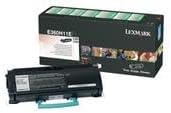
This image displays the Lexmark E360H11A High Yield Return Program Toner Cartridge alongside its retail packaging. The cartridge is black with a light blue handle, and the box features Lexmark branding and product details.
התקנה והתקנה
Follow these steps to properly install the toner cartridge in your Lexmark E360, E460, or E462 series printer:
- כבה את המדפסת: ודא שהמדפסת כבויה ומנותקת משקע החשמל לפני שתתחיל בתהליך ההתקנה.
- פתח את הכריכה הקדמית: Open the front cover of your Lexmark printer to access the toner cartridge compartment.
- הסר את המחסנית הישנה (אם רלוונטי): If replacing an old cartridge, carefully pull it straight out of the printer. Place it in a protective bag for recycling.
- פתיחת מחסנית חדשה: Remove the new Lexmark E360H11A toner cartridge from its packaging. Avoid touching the green drum surface.
- מחסנית שייק: Gently shake the new cartridge horizontally 5-6 times to distribute the toner evenly.
- הסר את אטמי המגן: Carefully remove any protective tapes or seals from the cartridge as indicated in your printer's specific manual.
- הכנס מחסנית חדשה: יישר את המחסנית החדשה עם המכוונים בתוך המדפסת ודחף אותה בחוזקה עד שתיכנס למקומה בנקישה.
- סגור את הכריכה הקדמית: סגור את המכסה הקדמי של המדפסת.
- הפעלת המדפסת: Plug in and turn on your printer. The printer will typically perform a self-test and recognize the new cartridge.
Refer to your specific Lexmark printer's user manual for detailed instructions and illustrations.
הוראות הפעלה
Once the Lexmark E360H11A toner cartridge is installed, your printer is ready for operation. The cartridge functions automatically as part of the printing process.
- הַדפָּסָה: Initiate print jobs from your computer or device as you normally would. The printer will draw toner from the cartridge to create monochrome prints.
- ניטור מפלס טונר: Most Lexmark printers provide a way to monitor toner levels through the printer's control panel or software utility. Monitor these levels to know when a replacement cartridge will be needed.
- איכות הדפסה: If print quality degrades (e.g., faded prints, streaks), it may indicate a low toner level or an issue with the cartridge. Refer to the Troubleshooting section.
תַחזוּקָה
Proper handling and storage can extend the life and performance of your toner cartridge:
- אִחסוּן: אחסן מחסניות שלא נעשה בהן שימוש באריזתן המקורית האטומה בסביבה קרירה ויבשה, הרחק מאור שמש ישיר וטמפרטורות קיצוניות.
- טיפול: Always handle the cartridge by its designated handles or edges. Avoid touching the imaging drum.
- סילוק/מיחזור: This is a Lexmark Return Program Toner Cartridge. Please return the empty cartridge to Lexmark for proper recycling. Instructions for return are typically included with the new cartridge or can be found on the official Lexmark website. Do not dispose of cartridges in regular waste.
פתרון בעיות
אם נתקלת בבעיות עם מחסנית הטונר שלך, שקול את הפתרונות הנפוצים הבאים:
| בְּעָיָה | סיבה אפשרית | פִּתָרוֹן |
|---|---|---|
| הדפסים דהויים או בהירים | מפלס טונר נמוך; פיזור טונר לא אחיד. | נערו בעדינות את המחסנית בצורה אופקית. אם הבעיה נמשכת, החליפו את המחסנית. |
| Streaks or Lines on Prints | Dirty imaging drum; damaged cartridge. | Do not touch the drum. If the cartridge is new, ensure all seals are removed. If problem persists, replace the cartridge. |
| "Toner Low" or "Replace Cartridge" Message | Toner is genuinely low; cartridge not seated correctly. | Reseat the cartridge firmly. If message persists, replace with a new cartridge. |
| מחסנית לא זוהתה | התקנה לא נכונה; מחסנית פגומה. | Remove and reinsert the cartridge, ensuring it clicks into place. Restart the printer. If issue continues, contact Lexmark support. |
For more complex issues, consult your printer's specific user manual or the Lexmark support webאֲתַר.
מפרטים
| תכונה | פְּרָט |
|---|---|
| סוג מוצר | מחסנית טונר |
| מותג | לקסמרק |
| מספר חלק | E360H11A |
| תְאִימוּת | Lexmark E360, E460, E462 Series Monochrome Laser Printers |
| טכנולוגיית הדפסה | לייזר מונוכרום |
| תפוקת עמודים | עד 9,000 עמודים (ISO/IEC 19752) |
| תכונה מיוחדת | High Yield, Return Program Cartridge |
| רכיבים כלולים | מחסנית טונר |
| ASIN | B00434R3GI |
| תאריך ראשון זמין | 15 בספטמבר 2010 |
מידע על אחריות
Lexmark toner cartridges are manufactured to high quality standards. For specific warranty terms and conditions applicable to your Lexmark E360H11A toner cartridge, please refer to the documentation included with your printer or visit the official Lexmark webאתר. כיסוי האחריות בדרך כלל מכסה פגמים בחומרים ובביצוע בשימוש רגיל.
תְמִיכָה
If you require further assistance or have questions regarding your Lexmark E360, E460, E462 Series High Yield Return Program Toner Cartridge, please contact Lexmark Customer Support:
- Lexmark Official Webאֲתַר: www.lexmark.com/support
- משאבים מקוונים: Access FAQs, drivers, and troubleshooting guides.
- מידע ליצירת קשר: Find phone numbers or chat options for direct support on the Lexmark support webאֲתַר.
When contacting support, please have your printer model and toner cartridge part number (E360H11A) ready.
Ask a question about this manual
Ask about setup, troubleshooting, compatibility, parts, safety, or missing instructions. Manuals+ will review the question and use this page’s manual context to help answer it.