
מָבוֹא
This manual provides detailed instructions for the operation and maintenance of your Garmin GPSMAP 78sc 2.6-Inch Waterproof Marine GPS and Chartplotter. The GPSMAP 78sc series is designed for recreational navigation, featuring a bright 2.6-inch LCD color display, built-in basemap, and a high-sensitivity GPS receiver. All models are waterproof to IPX7 standards and float in water, making them suitable for boating and watersports. Key features include a built-in microSD card slot for additional maps and a dedicated Man Over Board (MOB) button.
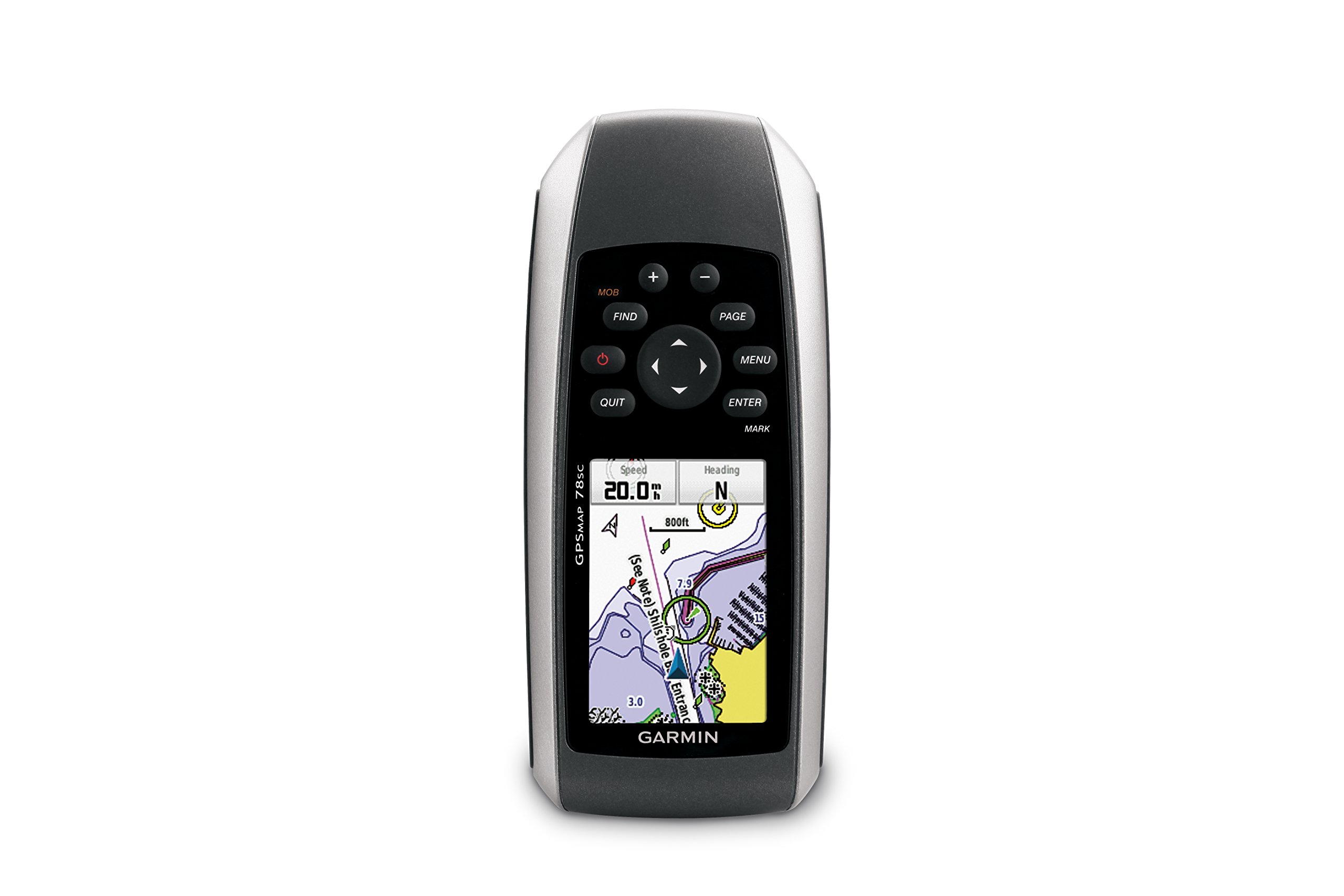
איור 1: חזית view of the Garmin GPSMAP 78sc handheld marine GPS and chartplotter.
המוצר נגמרview
תכונות עיקריות:
- Marine-friendly handheld with high-sensitivity GPS receiver and 2.6-inch color TFT display.
- Waterproof to IPX7 standards; floats in water.
- Built-in BlueChart g2 U.S./Bahamas coastal charts with shorelines, depth contours, navaids, harbors, marinas, and more.
- Built-in 3-axis tilt-compensated electronic compass and barometric altimeter for heading, altitude, and weather information.
- Wireless sharing of waypoints, tracks, routes, and geocaches with other compatible devices.
מה יש בקופסה:
- GPSMAP 78sc device
- רצועת יד
- כבל USB
- יָדָנִי

איור 2: זוויתי view of the Garmin GPSMAP 78sc, highlighting its button interface.
סרטוני מוצר:
Garmin GPSmap 78 handheld GPS Overview
סרטון זה מספק סקירה כלליתview of the Garmin GPSMAP 78 handheld GPS, demonstrating its features and design.
המוצר נגמרview וִידֵאוֹ
A concise product overview video from the seller, highlighting key aspects of the device.
הגדרה
1. התקנת סוללות:
The GPSMAP 78sc operates on two AA batteries (not included). To install:
- אתר את מכסה תא הסוללה בגב המכשיר.
- סובב את טבעת ה-D נגד כיוון השעון כדי לפתוח ולהסיר את המכסה.
- הכניסו שתי סוללות AA, תוך הקפדה על קוטביות נכונה (+ ו-).
- החזירו את המכסה וסובבו את טבעת ה-D עם כיוון השעון כדי לאבטח אותה.

איור 3: אחורה view of the Garmin GPSMAP 78sc, illustrating the battery compartment.
2. הפעלה/כיבוי:
לחץ והחזק את כּוֹחַ button (located on the left side) to turn the device on or off. A short press will adjust the backlight.
3. הגדרות ראשוניות:
Upon first use, the device may prompt you to set language, time zone, and other preferences. Follow the on-screen instructions using the directional pad and לְהַכנִיס לַחְצָן.
פועל
Navigation Basics:
- תפריט ראשי: הקש על תַפרִיט button twice to access the main menu.
- לחצן עמוד: לִלְחוֹץ עַמוּד to cycle through the main pages (Map, Compass, Trip Computer, etc.).
- כרית כיוון: Use the directional pad to scroll through menus, pan the map, or adjust settings.
- לחצן ENTER: לִלְחוֹץ לְהַכנִיס to select an item or confirm an action.
- כפתור יציאה: לִלְחוֹץ לְהַפְסִיק to return to the previous page or cancel an action.
יצירת נקודות ציון:
To mark your current location as a waypoint:
- הקש על סִימָן לַחְצָן.
- Edit the waypoint name, symbol, and coordinates if desired.
- לִבחוֹר נַעֲשָׂה or לְהַצִיל to store the waypoint.
Man Over Board (MOB) Function:
In an emergency, press the הָמוֹן button to immediately mark the current location and initiate navigation back to that point. This feature is critical for safety in marine environments.
תַחזוּקָה
ניקוי המכשיר:
נגב את המכשיר בעזרת מטליתampened with a mild detergent solution. Dry thoroughly. Avoid using abrasive cleaners or solvents that could damage the device's finish or screen.
טיפול בסוללה:
Always use fresh, high-quality AA batteries. If the device will not be used for an extended period, remove the batteries to prevent leakage and corrosion.
עדכוני תוכנה:
בדוק את הגרמין מעת לעת website for software updates to ensure optimal performance and access to the latest features. Updates can typically be installed by connecting the device to a computer via the USB cable.
פתרון בעיות
המכשיר לא מופעל:
- ודא שהסוללות מותקנות כהלכה וטעונות במלואן.
- נסה סוללות חדשות.
- בדוק את מגעי הסוללה לאיתור קורוזיה.
אות GPS חלש:
- ודא שלמכשיר יש ברור view של השמיים.
- Avoid areas with tall buildings, dense foliage, or other obstructions.
- Allow sufficient time for the device to acquire satellites, especially after being off for a long period.
המסך לא מגיב:
- בצע איפוס רך על ידי הוצאה והכנסה מחדש של הסוללות.
- ודא שהמסך נקי וללא לכלוך.
מפרטים
| תכונה | פְּרָט |
|---|---|
| מותג | גרמין |
| שם הדגם | מפת gps |
| מספר דגם | 010-00864-02 |
| גודל מסך | 2.6 אינץ' |
| סוג תצוגה | LCD |
| הַחְלָטָה | 160 x 240 פיקסלים |
| דירוג עמיד למים | IPX7 (צף) |
| חיי סוללה | 20 שעות (טיפוסי) |
| סוג סוללה | 2 סוללות AA (לא כלולות) |
| קיבולת אחסון זיכרון | 1 ג'יגה-בייט |
| Compatible Flash Memory Type | microSD |
| מערכת ניווט לוויינית נתמכת | GPS |
| תכונות מיוחדות | Rugged case, Barometric altimeter, Garmin Connect compatible, Electromagnetic compass, Garmin HotFix, Custom POIs, Automatic routing, Hunt/fish calendar, Geocaching, Photo navigation |
| מידות פריט L x W x H | אורך 2.6 אינץ', רוחב 1.2 אינץ', גובה 6 אינץ' |
| משקל פריט | 7.7 אונקיות |
אחריות ותמיכה
The Garmin GPSMAP 78sc comes with a 1 Year Limited Warranty. For detailed warranty information, product support, or service inquiries, please refer to the official Garmin website or contact Garmin customer service directly. The included manual also contains contact information and further support resources.