
1. הקדמה
This manual provides essential information for the safe and efficient operation of your Sharp AQUOS LC-52E77U LCD HDTV. Please read these instructions thoroughly before using the television and retain them for future reference.
The Sharp AQUOS LC-52E77U features a 52-inch Full HD 1080p display with 120Hz Fine Motion Enhanced technology for smooth motion. It incorporates a 10-Bit AVS Superlucent LCD Panel and Spectral Contrast Engine XD to deliver deep black levels and vibrant, accurate colors. This model includes built-in ATSC/QAM/NTSC tuners and a variety of connectivity options to integrate with your home entertainment system.
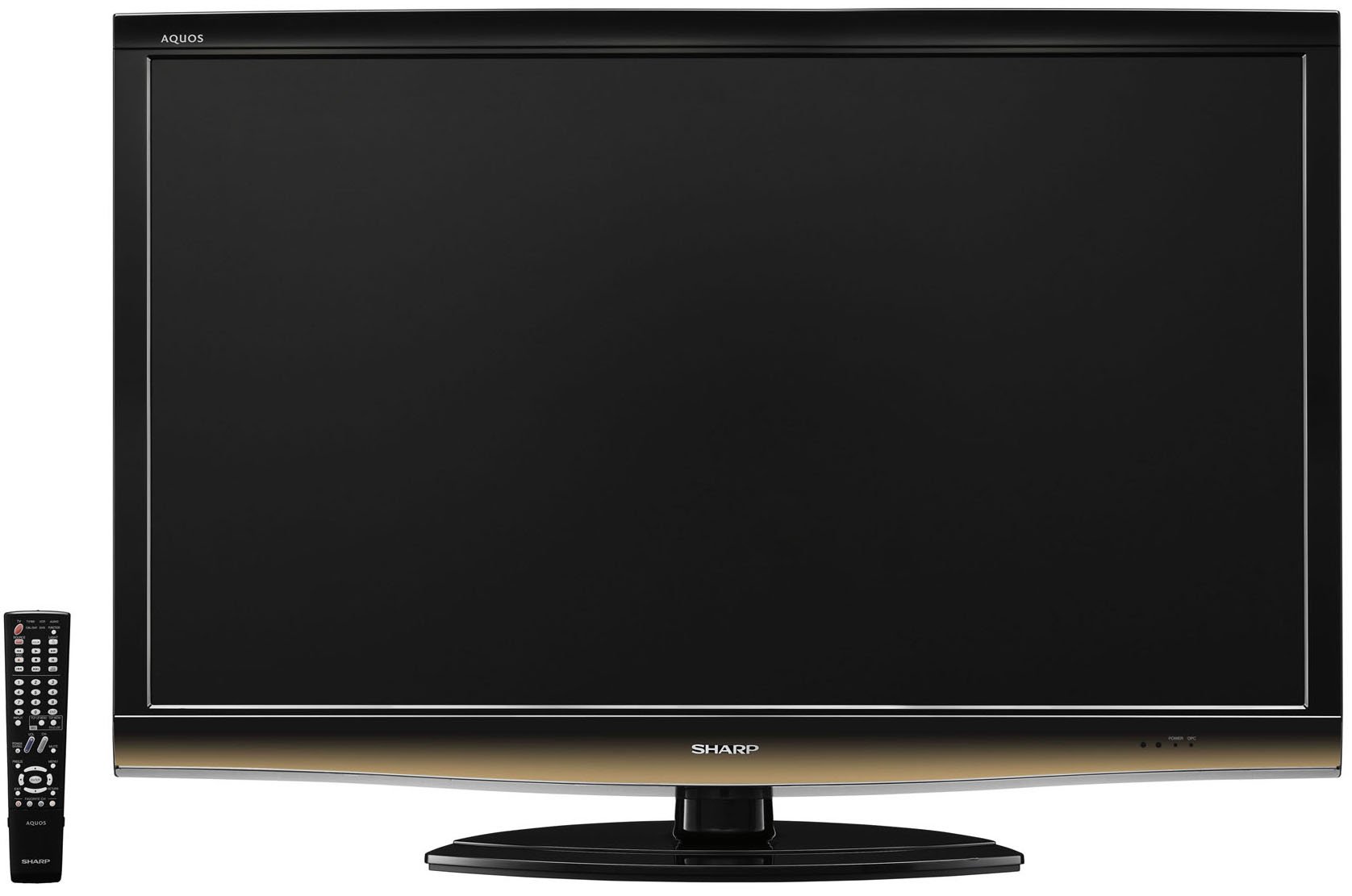
חֲזִית view of the Sharp LC-52E77U AQUOS LCD HDTV, showcasing its slim bezel and screen.
2. מידע בטיחות
יש להקפיד תמיד על אמצעי זהירות בסיסיים בעת שימוש בטלוויזיה זו כדי להפחית את הסיכון לשריפה, התחשמלות ופציעות אדם.
- אין לחסום פתחי אוורור. יש לוודא מרווח מספיק סביב הטלוויזיה לזרימת אוויר תקינה.
- אין להניח את הטלוויזיה על עגלה, מעמד, חצובה, תושבת או שולחן שאינם יציבים.
- הגן על כבל החשמל מפני הליכה או צביטה, במיוחד בתקעים, בשקעי נוחות ובנקודה שבה הם יוצאים מהמכשיר.
- נתק את המכשיר מהחשמל במהלך סופות ברקים או כאשר אינו בשימוש לפרקי זמן ארוכים.
- הפנה כל טיפול לצוות שירות מוסמך. שירות נדרש כאשר המכשיר ניזוק בכל דרך שהיא, כגון כבל או תקע חשמל פגומים, נוזל נשפך או חפצים נפלו לתוך המכשיר, המכשיר נחשף לגשם או לחות, אינו פועל כרגיל , או הושמט.
3. תכולת החבילה
ודא שכל הפריטים נמצאים בחבילה:
- Sharp AQUOS LC-52E77U LCD HDTV
- שלט רחוק עם סוללות
- Detachable Table Stand
- כבל חשמל
- מדריך למשתמש (מסמך זה)
- תעודת אחריות (אם רלוונטי)
4. התקנה
4.1 התקנה פיזית
Your television can be installed on its included table stand or mounted on a wall using a compatible VESA wall mount (sold separately).
התקנת מעמד שולחן:
- Carefully place the television screen-down on a soft, flat surface to prevent damage.
- Attach the stand base to the television using the provided screws. Ensure all screws are tightened securely.
- The table stand features swivel capability for adjusting the viewזווית ing.
הרכבה על הקיר:
If wall-mounting, remove the table stand. Consult the instructions provided with your wall mount bracket for proper installation. Ensure the wall mount is rated for the weight and size of this television (approximately 59.5 pounds).
4.2 חיבור התקנים
The LC-52E77U offers various input terminals for connecting external devices.
- כניסות HDMI (x5): Connect Blu-ray players, game consoles, cable/satellite boxes, and other HDMI-compatible devices. These inputs are compatible with 1080p signals.
- כניסות וידאו רכיב (x2): Connect devices using component video cables (YPbPr) for high-definition signals up to 1080p.
- כניסת מחשב: Connect a computer to use the television as a monitor.
- קלט RS-232C: For advanced control systems.
- כניסת אנטנה/כבל: Connect an antenna or cable TV feed for accessing built-in tuners.
Ensure all cables are securely connected to the correct ports on both the television and your external devices.
4.3 הפעלה ראשונית
- Plug the power cord into the television and then into a wall outlet.
- Press the Power button on the television or the remote control.
- Follow the on-screen prompts for initial setup, including language selection, channel scanning (for antenna/cable), and time zone settings.
5. הוראות הפעלה
5.1 בקרות בסיסיות
- כּוֹחַ: מפעיל או מכבה את הטלוויזיה.
- עוצמת הקול (+/-): מתאים את רמת הקול.
- ערוץ (למעלה/למטה): Changes the television channel when using the built-in tuners.
- קלט/מקור: Cycles through available input sources (HDMI 1, Component 1, PC, etc.).
- תַפרִיט: Accesses the on-screen display (OSD) menu for settings adjustments.
5.2 הגדרות תמונה
Access the Picture menu to customize your viewניסיון. התכונות העיקריות כוללות:
- מצב תמונה: Select from preset modes (e.g., Standard, Movie, Game) or customize your own.
- לְהַשְׁווֹת: Adjusts the difference between light and dark areas of the picture. The Spectral Contrast Engine XD enhances deep black levels.
- בְּהִירוּת: שולט על הבהירות הכוללת של המסך.
- צבע/רוויה: מתאים את עוצמת הצבעים.
- לִצְבּוֹעַ: Adjusts the green-to-red balance (primarily for NTSC signals).
- חַדוּת: Enhances or softens the edges of objects in the picture.
- 120Hz Fine Motion Enhanced: This feature processes fast-moving images to reduce motion blur, providing a smoother viewing experience. It can be adjusted or disabled in the picture settings.
- OPC (Optical Picture Control): This feature senses ambient room light and automatically adjusts the screen brightness. While designed for power saving and backlight longevity, some users may prefer to disable it for consistent brightness.
For optimal picture quality, consider calibrating your television using a calibration disc or professional service.
5.3 הגדרות סאונד
The LC-52E77U features built-in speakers. Access the Audio menu to adjust settings such as:
- מצב צליל: Select from preset audio modes (e.g., Standard, Music, Movie).
- בס/טרבל: Adjust low and high-frequency audio levels.
- לְאַזֵן: Adjust the volume balance between left and right speakers.
- קול היקפי: Enable or disable virtual surround sound effects.
For enhanced audio, connect the television to an external audio system (e.g., soundbar, AV receiver) via the available audio output ports.
5.4 בחירת קלט
To switch between connected devices, press the 'Input' or 'Source' button on your remote control. A list of available inputs will appear on the screen. Navigate using the arrow keys and press 'Enter' or 'OK' to select the desired input.
5.5 תפעול מקלט
The television includes built-in ATSC (digital terrestrial), QAM (digital cable), and NTSC (analog terrestrial) tuners. After connecting an antenna or cable feed and performing a channel scan during initial setup, you can use the Channel Up/Down buttons to browse available channels.
6. תחזוקה
6.1 ניקוי המסך
כדי לנקות את המסך, נגבו אותו בעדינות בעזרת מטלית רכה ונטולת סיבים. במקרה של סימנים עקשניים, נגבו קלותampשטפו את המטלית במים או בחומר ניקוי מיוחד למסכים. לעולם אל תרססו חומר ניקוי ישירות על המסך.
6.2 ניקוי הארון
Wipe the television cabinet with a soft, dry cloth. Do not use abrasive cleaners, waxes, or solvents as they may damage the finish.
6.3 טיפול כללי
- Avoid exposing the television to direct sunlight or extreme temperatures.
- Do not place heavy objects on top of the television.
- Keep the television away from sources of strong magnetic fields.
7. פתרון תקלות
If you experience issues with your television, refer to the following common troubleshooting steps before contacting customer support.
| בְּעָיָה | סיבה / פתרון אפשרי |
|---|---|
| אין כוח | ודא שכבל החשמל מחובר היטב לטלוויזיה ולשקע חשמלי תקין. בדוק אם יש חשמל בשקע. |
| אין תמונה, אבל יש קול | ודא שמקור הקלט הנכון נבחר. בדוק את חיבורי הכבלים להתקנים חיצוניים. |
| אין קול, אבל יש תמונה | Check the volume level and ensure the TV is not muted. If using external speakers, check their connections and power. |
| השלט רחוק לא עובד | החלף את הסוללות בשלט הרחוק. ודא שאין חסימות בין השלט לחיישן ה-IR של הטלוויזיה. |
| התמונה מעוותת או לא ברורה | Check cable connections for looseness or damage. Adjust picture settings (e.g., sharpness, picture mode). If using an antenna, check its position and signal strength. |
8. מפרטים
- דֶגֶם: LC-52E77U
- גודל מסך: 52 אינץ' (אלכסון)
- טכנולוגיית תצוגה: LCD (10-Bit AVS Superlucent LCD Panel)
- הַחְלָטָה: 1920 x 1080 (רזולוציה מלאה באיכות HD 1080p)
- קצב רענון: 120 Hz (with Fine Motion Enhanced)
- זמן תגובה: 4ms
- Viewזוויות: 176°H x 176°V
- לְהַשְׁווֹת: Spectral Contrast Engine XD
- מקלטים: Built-in ATSC / QAM / NTSC
- קישוריות:
- HDMI Inputs: 5 (compatible with 1080p signals)
- Component Video Inputs: 2 (HD 1080p compatible)
- PC Input: 1
- קלט RS-232C: 1
- סוג רמקול: Built-In, bottom-mounted
- משקל פריט: Approximately 59.5 Pounds (without stand)
- מידות המוצר (ב x H x D): כ-49.38 x 33.94 x 12.78 אינץ' (עם מעמד)
- יעילות אנרגטית: תואם ל-Energy Star
9. אחריות ותמיכה
This product typically comes with a 15-month warranty from the date of purchase. For specific warranty terms and conditions, please refer to the warranty card included with your product or visit the official Sharp webאֲתַר.
As part of the AQUOS Advantage Program, Sharp provides customer support for its AQUOS televisions. If you require technical assistance, service, or have questions regarding your LC-52E77U, please contact Sharp customer support through their official channels.
למידע נוסף ותמיכה, ניתן לבקר באתר חנות שארפ באמזון או שארפ הרשמי webאֲתַר.