
מָבוֹא
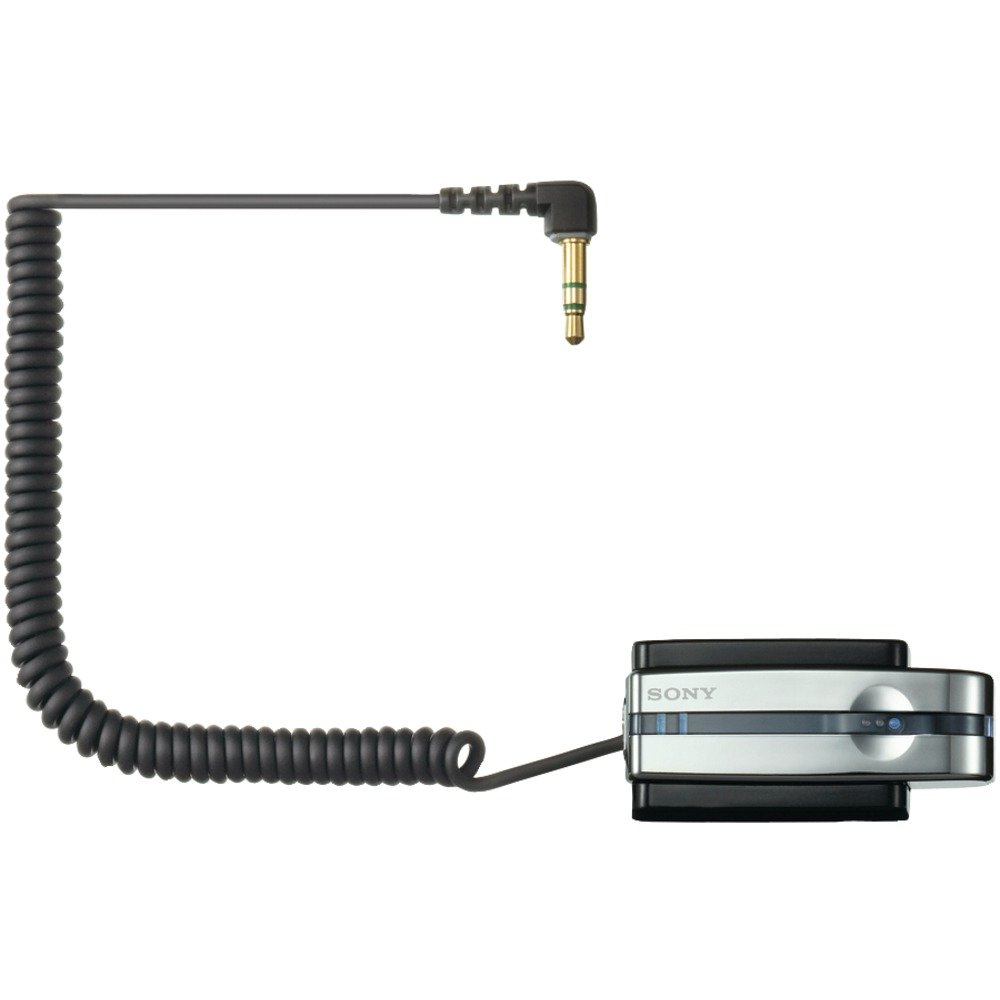
The Sony TMR-BT10A is a compact Bluetooth transmitter designed to wirelessly transmit stereo audio signals from your portable music player to compatible Bluetooth stereo audio receiving devices. This includes Bluetooth-enabled headsets, car audio systems, or home audio components. It connects to any audio device via a standard headphone jack, offering a convenient way to enjoy your music wirelessly.
תכונות המוצר
- שידור אלחוטי: Transmits audio from your player to compatible Bluetooth devices.
- Compact and Rechargeable: Designed for portable use with a built-in rechargeable battery.
- Universal Connection: Connects to any portable music player via a standard headphone jack.
- Bluetooth Version 2.0: תומך ב-A2DP profile for high-quality stereo audio.
- Gold-plated Stereo Mini Plug: Ensures reliable audio connection.
- Battery Charging Stand: Includes a dedicated stand for convenient charging.
תוכן החבילה
אנא ודא שכל הפריטים נמצאים לפני שתמשיך בהתקנה:
- Sony TMR-BT10A Bluetooth Transmitter
- Battery Charging Stand
- מתאם מתח AC
- מדריך הוראות (מסמך זה)
מדריך התקנה
1. טעינת המשדר
Before initial use, fully charge the TMR-BT10A transmitter. Place the transmitter into its dedicated charging stand and connect the AC power adapter to the stand and a wall outlet. The charging indicator light will illuminate. A full charge typically takes approximately 3 hours and provides up to 11 hours of playback time.
תְמוּנָה: The Sony TMR-BT10A Bluetooth Transmitter placed in its charging stand, connected to power. This image illustrates the correct way to charge the device.
פֶּתֶק: The transmitter cannot be used while it is connected to the charging dock or actively charging.
2. חיבור להתקן שמע
Plug the gold-plated stereo mini plug of the TMR-BT10A into the headphone jack of your portable music player (e.g., iPod, MP3 player) or any other audio source. Ensure the connection is secure.
3. Pairing with a Bluetooth Receiver
To establish a wireless connection, the TMR-BT10A must be paired with your Bluetooth stereo audio receiving device (e.g., headphones, car stereo).
- Turn on the TMR-BT10A transmitter.
- Put your Bluetooth receiving device into pairing mode. Refer to your receiver's manual for specific instructions.
- On the TMR-BT10A, press and hold the pairing button (if available, or power button for 7 seconds as indicated in some reviews) until the indicator light flashes rapidly, indicating it is in pairing mode.
- Once paired, the indicator lights on both devices will change to a steady illumination or a slower flash, confirming the connection. The TMR-BT10A can store pairing information for up to 8 devices.
הוראות הפעלה
- הפעלה/כיבוי: Press and hold the power button on the TMR-BT10A to turn it on or off.
- התחבר למקור שמע: Ensure the transmitter's mini-plug is securely inserted into your audio player's headphone jack.
- Activate Bluetooth Receiver: Turn on your paired Bluetooth headphones or audio system. The devices should automatically connect if they have been paired previously and are within range.
- הפעל אודיו: Start playback on your audio source. The sound will be transmitted wirelessly to your Bluetooth receiver.
- בקרת עוצמת הקול: Adjust the volume directly on your Bluetooth receiving device or your audio source. The TMR-BT10A does not have its own volume controls.
חָשׁוּב: For optimal performance, ensure a clear line of sight between the transmitter and the receiving device. Obstacles and distance can affect signal quality and range.
תַחזוּקָה
- ניקוי: Use a soft, dry cloth to clean the transmitter and charging stand. Do not use liquid cleaners or solvents.
- אִחסוּן: כאשר המכשיר אינו בשימוש למשך תקופות ממושכות, יש לאחסן אותו במקום קריר ויבש, הרחק מאור שמש ישיר וטמפרטורות קיצוניות.
- טיפול בסוללה: To prolong battery life, avoid fully discharging the battery frequently. Charge the device regularly, even if not in constant use. The battery is designed to be replaceable by removing two screws and unplugging it from the unit, though this is typically a service task.
- טיפול במחברים: Handle the gold-plated stereo mini plug with care to prevent bending or damage.
פתרון בעיות
| בְּעָיָה | סיבה אפשרית | פִּתָרוֹן |
|---|---|---|
| אין קול או שמע לסירוגין. |
|
|
| Poor sound quality (hissing, static). |
|
|
| Audio latency (lip-sync issues). |
|
|
| Transmitter does not charge. |
|
|
מפרטים
| תכונה | פְּרָט |
|---|---|
| מספר דגם | TMR-BT10A |
| מותג | סוני |
| טכנולוגיית קישוריות | בלוטות' |
| גרסת בלוטות' | 2.0 (A2DP profile) |
| מקור כוח | מופעל על סוללה (נטענת) |
| חיי סוללה (בקירוב) | 11 שעות |
| זמן טעינה (בערך) | 3 שעות |
| מחבר שמע | Gold-plated Stereo Mini Plug |
| משקל פריט | 8.64 אונקיות |
| ASIN | B000P9CEVO |
| UPC | 027242697867 |
אחריות ותמיכה
למידע על אחריות ותמיכת לקוחות, אנא עיינו בכרטיס האחריות המצורף למוצר שלכם או בקרו באתר התמיכה הרשמי של סוני webאתר. שמור את הוכחת הרכישה שלך עבור כל תביעת אחריות.
תמיכה מקוונת: www.sony.com/electronics/support